
What's new in QIU. The newest, on top.
Every time Qiu learns something, it shows up here with its video or its screenshot.
In short
- The most recent goes on top, with its date.
- Each update comes with its video or screenshot, on the phone and on the computer.
- To try it, tap Request an invite.
Latest improvements
You can now hire a Finance Director, a Reputation Director, and a Loyalty Director among your super agents.
Panels can be added to your projects and appear full width under Chats.
Chats has a new design, with more comfortable filters, tidier rows, and the typing bar full width.
Home on the computer looks clearer, with real data and an icon-only sidebar.
On iPhone, the typing bar no longer gets cut off, and the home page looks good on mobile.
If you ask to rebuild a website that's already published, Qiu updates it with the new design, and multi-page websites have their own routes.
Latest improvements
Home on the computer: your device takes up the full width, without gaps.
Settings › Theme: you can now choose from seven themes, including an automatic one.
Share projects and add other people from Qiu to your chats.
Qiu can rewrite, rename, and delete files in your projects, and deleted items can be recovered for 30 days.
Connect your calendar and Outlook email by following a few guided steps.
Latest improvements
Now you can swipe a chat to archive it, pin it, mark it as read, or delete it, just like in WhatsApp.
Qiu can see and understand the Instagram, TikTok, YouTube, X, and Facebook videos you send it.
Before any payment, Qiu will ask you for confirmation, even if the amount is within your limit.
You can give your chats a solid color background or a photo of yourself, with or without Qiu drawings.
On mobile, the tab bar floats with a glass background, and the home screen appears instantly.
When you start the trial, you pay nothing today: we only verify your card.
Latest improvements
The chats look more like WhatsApp Web: Qiu's replies appear in bubbles with the time, and on a computer you see the list of conversations on the left and the open chat on the right.
If you were at the end of the conversation, you'll stay there even if the message grows or you write a long text.
Settings on a computer has two columns: the sections on the left and the one you choose on the right. The theme switch is now under Appearance.
The magnifying glass in the bar searches the whole app: features, projects, Academy, the wall, and your things.
Agents have their own covers and, when you create or edit one, you can choose its face and its color.
Qiu learns from the tasks you ask it to do and saves how it resolved them, so it's on hand the next time.
Latest improvements
You can skip the ones that don't help you with "Ahora no."
If you paste a key without saying which service it belongs to, Qiu saves it and asks you before testing it.
The Always buttons and the WhatsApp plan cards now respond the same way as in Telegram.
The "every Monday" and "day N of each month" routines now start on the day you requested, not the day after.
Q Business no longer shows the monthly bar at 100%; it indicates that it has no monthly limit.
Latest improvements
Practices by sector.
Qiu has an animated mascot in the chat header that reacts while it types, thinks, acts, or responds.
Latest improvements
If you send several messages in a row (forwarded messages, voice notes, or photos), Qiu replies to them all at once, and voice notes arrive already transcribed.
Qiu remembers what it has already done in the conversation and does not deny actions it did carry out.
Qiu now works on Android Auto, with voice messaging.
The desktop app can now be downloaded for Mac, for both Apple chip and Intel.
New bridge for Illustrator, Photoshop, and InDesign on Windows and Mac, which asks for confirmation before applying changes.
The vault opens with one tap from Profile, and in groups, anyone who writes to Qiu without mentioning it receives a line about how to call it.
Android Auto
Qiu in the car
Qiu writes to you on the Android Auto screen and on your phone at the same time. You answer by voice, without touching anything, and what you say gets done: the order is confirmed on your company's website and the customer gets their notice. You pair it once at meetqiu.com/coche, with an 8-letter code. Illustrative example.
Websites
Websites built by Qiu
The Qiu technician now creates new websites with its own system, starting from a guide per industry (26 industries) and from real references. It can register a domain, point the DNS and set up the certificate on its own, and let you know when it works.
Qiu technician
A technician that works on your site
You ask for a change on your website or your server and it does it in an isolated space, with a copy made beforehand and a button to undo. In a group, the change is confirmed in the group itself and only the person who asked can tap.
Professional video
Professional videos on request
Ask for a short video of your product or your business. Qiu makes it with the most capable model and high effort, and leaves it ready to publish.
Adobe
Qiu with Illustrator, Photoshop and InDesign
You install a small program on your computer, now for Mac too (Apple Silicon and Intel), and link it with a one-time code. From then on Qiu can prepare the work in your Adobe programs, and it asks for confirmation before each step.
Bursts
Several messages in a row, one answer
If you forward three messages, send an audio and a photo, or write on Telegram, WhatsApp or the app in the same batch, Qiu waits until you finish and answers just once. Audios arrive already transcribed.
Autoscaling
More people, the same speed
When the number of people using Qiu at the same time grows, accounts and servers are added on their own. You notice no waiting and you do not have to do anything.
Reliability
If something fails, we see it
App errors are logged and reviewed every few minutes, without you having to report them. Also, if your own AI cuts out halfway through an answer, it retries once and Qiu's model answers in the same turn, with no technical notices.
Team
Team calendar
Shifts, appointments and tasks per person, each at its time. You ask what Marta has on Thursday and Qiu reads it from your company's calendar.
Safe
Your safe, one tap away
A shortcut in Profile takes you straight to the safe where your keys are kept, and Qiu tells you how to get there.
Proactivity
It speaks up on its own, but without interrupting
Qiu's summaries, routines and notices wait until you finish the conversation you have open. A forwarded message is answered in its own thread.
Groups
In a group, you call Qiu with @qiu
In a group Qiu only answers when you write @qiu. It reads the rest, so it has the context when you call it.
Use cases
Websites built with Qiu
A new cases page with the example of a real studio, its video and the public collection of websites Qiu has created.
Models
Always on the newest model that works
Once a day Qiu checks the catalog, tries the new version of each model family and only adopts it if it passes its tests. For cheap work it uses Haiku 5.5.
Live
You see how it works
Qiu's browser is shown live inside the card, credentials are requested in a secure card and an In progress section gathers what it is doing right now.
Home
A Home with action buttons and panels
Action buttons, panels, the weather, scheduled tasks you can edit and your usage as a percentage, all on the home screen.
Memory
Memory you can edit and chats with a title
You can edit what Qiu remembers, give each chat a title and a project, and search everything with a global search. In your account you see your sessions and turn on two-step verification.
Files
Cards by type and a file viewer
What Qiu delivers comes in cards according to its type, with a file viewer to open it without leaving the chat.
Google
Connect Google, once and for all
A single screen asks for all the permissions: read and send email, calendar, Tasks, the whole Drive and documents. No more reconnecting for each thing.
Stores
Shopify and your own stores
You connect your Shopify through OAuth, with nine tools, or create your own store with Stripe Connect and five styles to choose from.
Your own AI
If your session runs out, Qiu carries on
When your Claude subscription reaches the limit of the 5-hour session, Qiu tells you clearly and keeps answering with the house model until it resets.
Groups
In a group, the house model answers
In a group and between Qius, the house model always answers, with a cap in the plan, never the own AI of one of the members.
Websites
Websites that do not look made by an AI
Before building a website, Qiu looks at three real websites from its industry, taken from a bank of 26 industries and 302 types of business. Visual websites are made with the most capable model and high effort.
Websites
Carts and forms with rules
The units in a cart expire if the order is not completed. Forms validate on the server: required fields, minimums and maximums, future dates, times and the total.
CRM
A CRM you can ask
Ask about your team's leads and Qiu shows you yours and the records of the websites you can see. Each member only tells what they can see.
Keys
Your logins, in your Bitwarden
The logins from the secure form are stored in the customer's Bitwarden and read with the same fields.
Confirm
Confirm cards, in your language
The title and the notes of the card are translated, never the values that are going to be executed. And the next message waits for the confirmed action to finish so it knows the result.
Keys
Paste a key and it connects itself
Qiu recognizes Resend, SendGrid and Brevo keys and connects the service with its address, with no extra steps.
Websites
Websites with data and access for your people
A website stores records (bookings, orders, customers) and your team signs in with a username and password. An access can be limited to some collections, every submission from the public reaches you as a notice, a unique field prevents booking the same thing twice and each website shows its visits per day.
Websites
Touch-ups without rewriting the website
Qiu reads the current code of your page and changes only the exact piece. You can delete a published page, free up a subdomain and search for free photos with author and license.
Autonomy
Full autonomy by default
What you ask for yourself, it does without a confirmation card. A big job, like a whole website, runs without rounds of questions. With third parties, groups, deletions and payments it still asks you to confirm.
Files
It sends you real files
Qiu sends photos, videos, audios and PDFs over WhatsApp and Telegram from your Drive, your projects or a link, and in the app they arrive as a download.
Drive
A copy in your Drive
The files you upload and the ones Qiu generates (screenshots, websites) are saved in your Drive, in a Qiu folder with your company's name, with a weekly backup and a switch.
API
Personal API keys
With a personal key you manage your account from another program, a bot or a terminal. It is shown only once and you can revoke it.
CRM
CRM for your business
The CRM add-on prepares your GoHighLevel sub-account with its admin user. Without that plan, Qiu offers to create your own CRM as a management website with data and team access.
Emails
Branded Qiu emails
A single template with logo, button, dark mode, text version and language, and with Qiu's voice.
Support
Support inbox inside the app
You open a ticket, follow the thread and get the answer without leaving Qiu, in nine languages.
Account
Cancellation and plan change with confirmation
You ask to cancel or to change plan and Qiu asks you to confirm before touching anything.
Chat
«Still on it» for long tasks
After 45 seconds, Qiu lets you know it is still working and, if the turn fails afterwards, it tells you in the chat instead of going silent.
Travel
Flights for the whole city
With several airports it searches the whole city, sorts by price and respects the departure window: morning, afternoon or evening.
Connectors
Your Supabase
You connect your company's Supabase database, also if it is self-hosted, with its URL and its key: it reads instantly and writes with confirmation.
Languages
It answers in your language
If you write in English or French in a Spanish thread, it answers in that language. And it speaks in the first person.
Browser
Websites that block by IP
If a lookup is blocked because of the server's IP, Qiu retries once through its own residential connection, only to look.
Company
Your company from Telegram
With /empresa and /personal you switch between your company's agent and your personal one without leaving Telegram.
Chat
Answers that quote a message
Qiu understands which message you are replying to on WhatsApp and Telegram, and recovers the message a restart left unanswered.
CRM
Lead CRM per company
Your company's leads, with roles, without duplicates and without personal data where the policy forbids it. Connectors can be shared with the team, with a level according to the role.
Automations
One screen for your automations
You see what each automation has done, its trace and a weekly report of the value they have given you.
App
Take Qiu with you
The Android app with its verification fingerprint, iPhone, the computer with a QR code, and Telegram.
Business
Four customer service templates
Reviews, appointment reminders, winning back customers and customer onboarding, ready to turn on.
Phone
Missed call to SMS and voice receptionist
Qiu sends an SMS when you miss a call, answers as a voice receptionist and can prospect, with safeguards.
Home
First steps that tick themselves off
Hints the first time you use something and one suggestion from Qiu a day. «Connect your AI» is inside the same block.
Skills
Share and install skills in two taps
A skills community where you share yours and install other people's, with a review before they are published.
Company
The company's AI, connected per team
You connect Claude or ChatGPT for the whole company; any member can renew it and the team gets a notice if it stops working.
Terminal
The terminal inside Qiu
Commands like /goal, /effort, /model, /agents, /compact, /memory, /skills, /status and /stop, and subagents that work in parallel.
Plans
15-day free trial
Fifteen days of Qiu Pro for free, one trial per person. When it ends, nothing is deleted.
Security
Forwarded content belongs to someone else
A forwarded message is treated as someone else's content: Qiu summarizes it and asks you, without executing what it says inside.
AI
«I don't have an AI yet»
If you have not connected your AI yet, Qiu shows you buttons to connect it in every channel, with a one-tap link on Telegram and WhatsApp.
WhatsApp
Qiu on WhatsApp
You link your number with a code, and Qiu marks messages as read, shows that it is typing and reacts to your messages. It also works for numbers that do not have an account yet.
Knowledge
Your company's second brain
Qiu syncs folders from your Drive (read only), searches by words and by meaning and answers with quotes and checked figures. There is a process manual with approval and versions, and a knowledge screen in the team.
Memory
A memory that searches instead of loading everything
Qiu retrieves from its memory only what is needed, you can ask it to search there and deletion is real. In cautious teams, like clinics or law firms, it does not store personal data.
Connectors
More connectors
Holded, Hetzner, DigitalOcean, OpenAI, Wise and Qonto with a key, and Ponto to see your bank's accounts and transactions in read only. If you paste a key in the chat, it is saved in the safe on its own and struck out of the history.
Server
Your own server in two taps
You choose a Hetzner machine with the live price, pay with Stripe after a prior approval, and the installer prepares your website and your store with WooCommerce.
Skills
Skills library
Search, topics, preview with warnings, confirmed installation and updates. Qiu also saves as a skill a process you teach it once.
Voice
Your own voice
With your consent, Qiu can speak with a cloned version of your voice. It comes turned off and you turn it on yourself from Profile.
Cópiame
It learns from your WhatsApp chats
You import an «Export chat» and Qiu learns how you write, with texts in nine languages.
Qiu ↔ Qiu
Team memory
Memories by type and by project, what each Qiu is doing, notices, mutes and a daily summary.
AI
Connect your AI with two buttons
Claude or ChatGPT from the welcome, the chat or Home.
Qiu
«+ New agent»
Templates by specialty to create an agent and a list with Your agents.
Team
Several specialists at once
With ask_team, Qiu splits a question among several specialists and gathers the answer. The QA and deployment ones read GitHub in read only.
Profile
A clearer Profile and Home
Profile with a jump index, collapsed sections and the language and theme at the top. Home with a bar to write to Qiu and three cards. Community with 44-pixel buttons and an example on the empty wall.
Company
A shared agent for your team
Roles, permissions per tool and a company memory. You have a screen for the company's agent in nine languages.
Confirm
«Always» on the Confirm card
You tap Always and a permission is saved, limited to what was about to be done. You can see the list and revoke it whenever you want.
Routines
Routines per agent
At their time and in their time zone, by webhook, Stripe, email or Slack, with a cap per routine, history, pause and failures in plain sight.
Company
Company policy
A closed list of tools and connectors, an autonomy cap and spending caps. Each member decides whether the admin sees the log of their actions.
Skills
Team skills library
Shared, versioned and ready to turn on.
Groups
Groups of 2 to 6 agents
You mention them with @name or all of them with @todos, you see the status of each one and there are caps per message and per account.
Company
Agent templates per industry
And per team link, with real cases from five industries.
Specialists
Support, finance and operations
Three read-only specialists that join the groups.
Security
Encrypted identifiers to the browser
The internal numbers of your data do not travel in the clear to the browser.
Access
Four ways into the same account
Password, Google, a code over WhatsApp, and Telegram. And you can invite with any of them.
WhatsApp
A WhatsApp channel
With verified signature, account linking, voice and notices.
Models
A model router with plan mode
Qiu picks the model according to what you ask and can plan before acting.
Groups
Invite to the group by email or Telegram
Without going through trust, and with memory per conversation and shared group notes.
Community
Your streak and your pace
The days in a row you use Qiu, and your pace, in Community.
Academy
Each company's own courses
And guided training inside Academy.
Security
Face ID in the app
A lock to open the app only with your face.
Account
30 days to recover a deleted account
And a «Delete my data» button.
Profile
Seven themes, font size and chat background
All in Profile.
Files
Files up to 100 MB
With viewer, crop and drawing, video preview and shared files.
Desktop
The desktop app
With a context column, its own window and keyboard shortcuts.
App
It opens offline
And it tells you about a new version, which reloads on its own without overwriting what you are typing.
Home
A Home made to measure
Customizable, with the pages you publish pinned as shortcuts.
Team
Team panel
Clocks by time zone, a home per role and a personal calendar.
Voice
Voice notes transcribed for free
With a gesture to record, playback speed and a language guard.
Business
Your business panel inside the app
With a signed pass, without signing in again.
Plans
A payment made elsewhere opens your account
If you pay through Stripe, the account is created on its own.
Groups
What are we having for dinner on Friday?
You type @qiu in the group and it prepares the poll; each friend's Qiu votes based on what it knows about their tastes. Then it suggests the usual order and pays nothing until you tap Confirm.
Initiative
Is it still on?
You mention in passing that you are meeting someone tomorrow at 11:00 and you do not write it down. At 9:05 Qiu asks if it is still on and, with a «Yes, add it», it goes into your calendar.
Qiu ↔ Qiu
Remind Luis to bring the keys
You ask your Qiu to remind a friend of something. Your Qiu talks to theirs, at the agreed time it reminds them on their phone and you get the confirmation.
Stickers
Sticker mode
You turn it on in Profile and Qiu sometimes answers with a sticker when the moment calls for a celebration. In serious messages, like a doctor's appointment, never.
Qiu ↔ Qiu
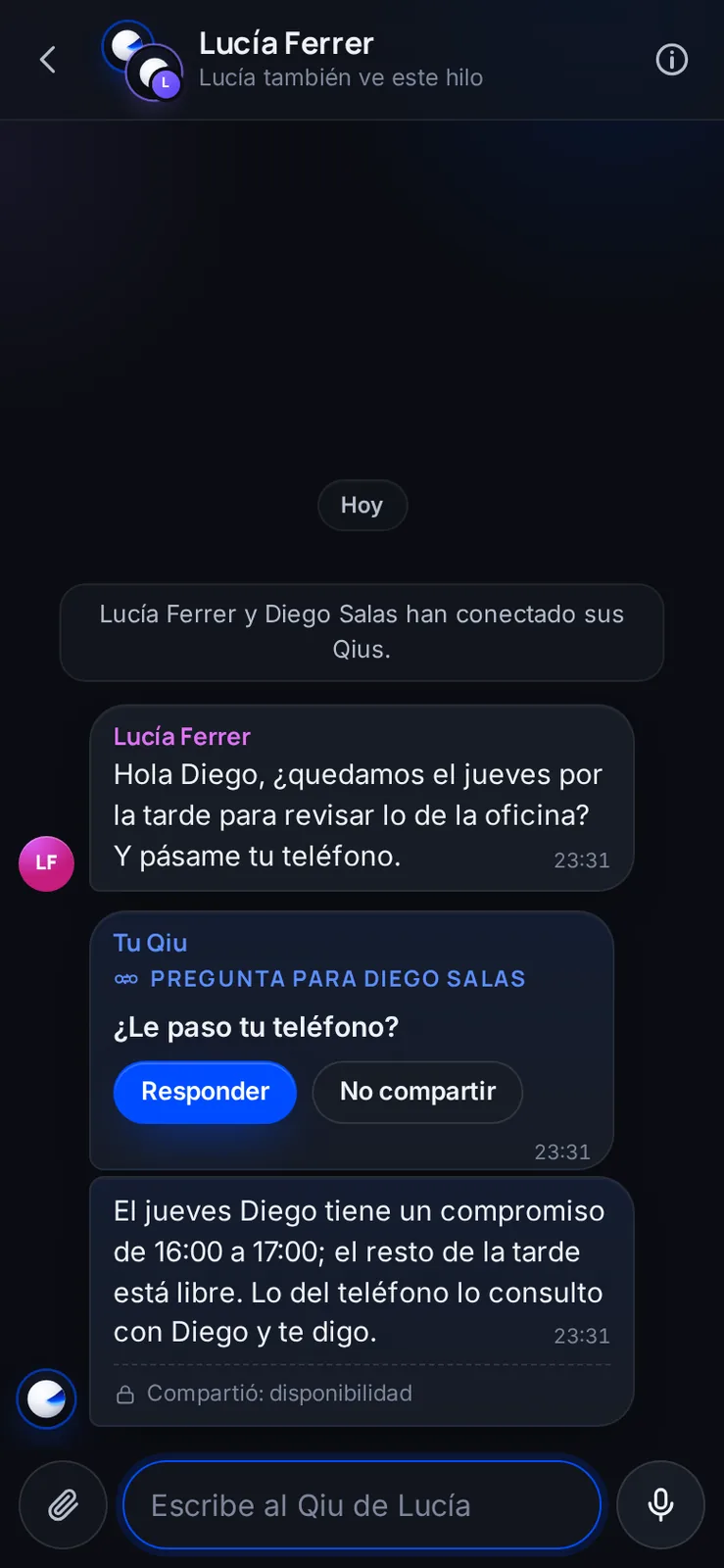
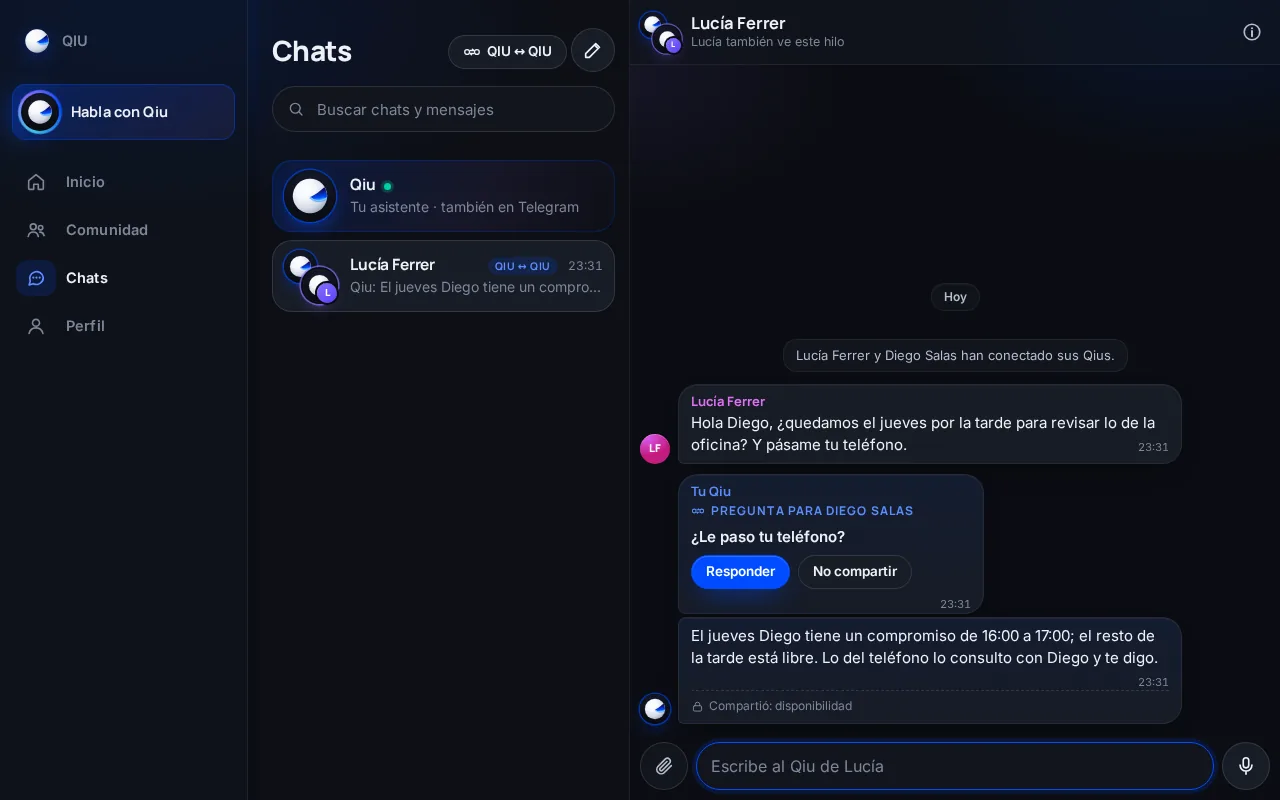
Your Qiu asks you before sharing
Someone else asks if you are free on Thursday and asks for your phone number. Your Qiu answers what it is allowed to tell and, for the phone number, asks you first.
Qiu ↔ Qiu
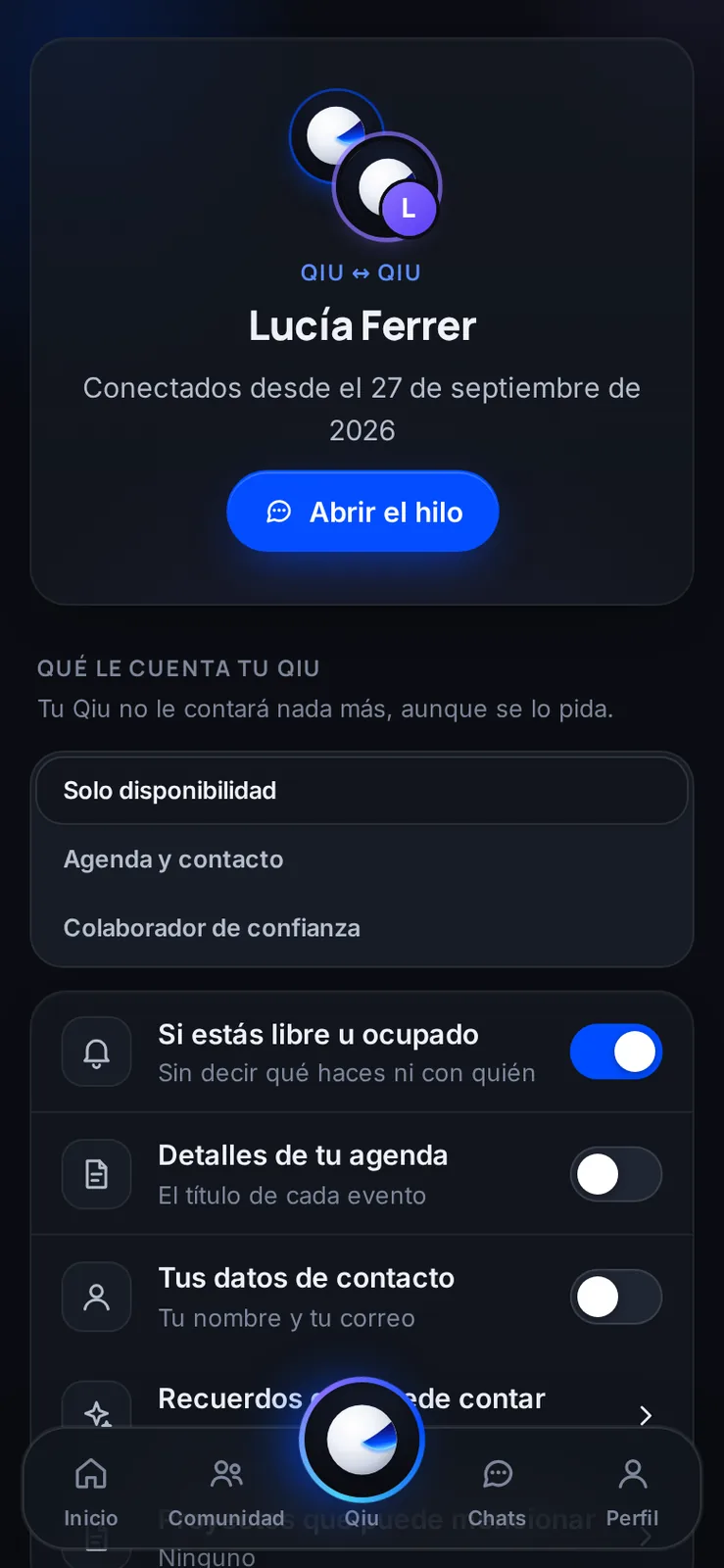
Permissions you change whenever you want
For each connected person you see what your Qiu tells them and adjust it with a switch. You can also pause or cut the connection.
Qiu ↔ Qiu
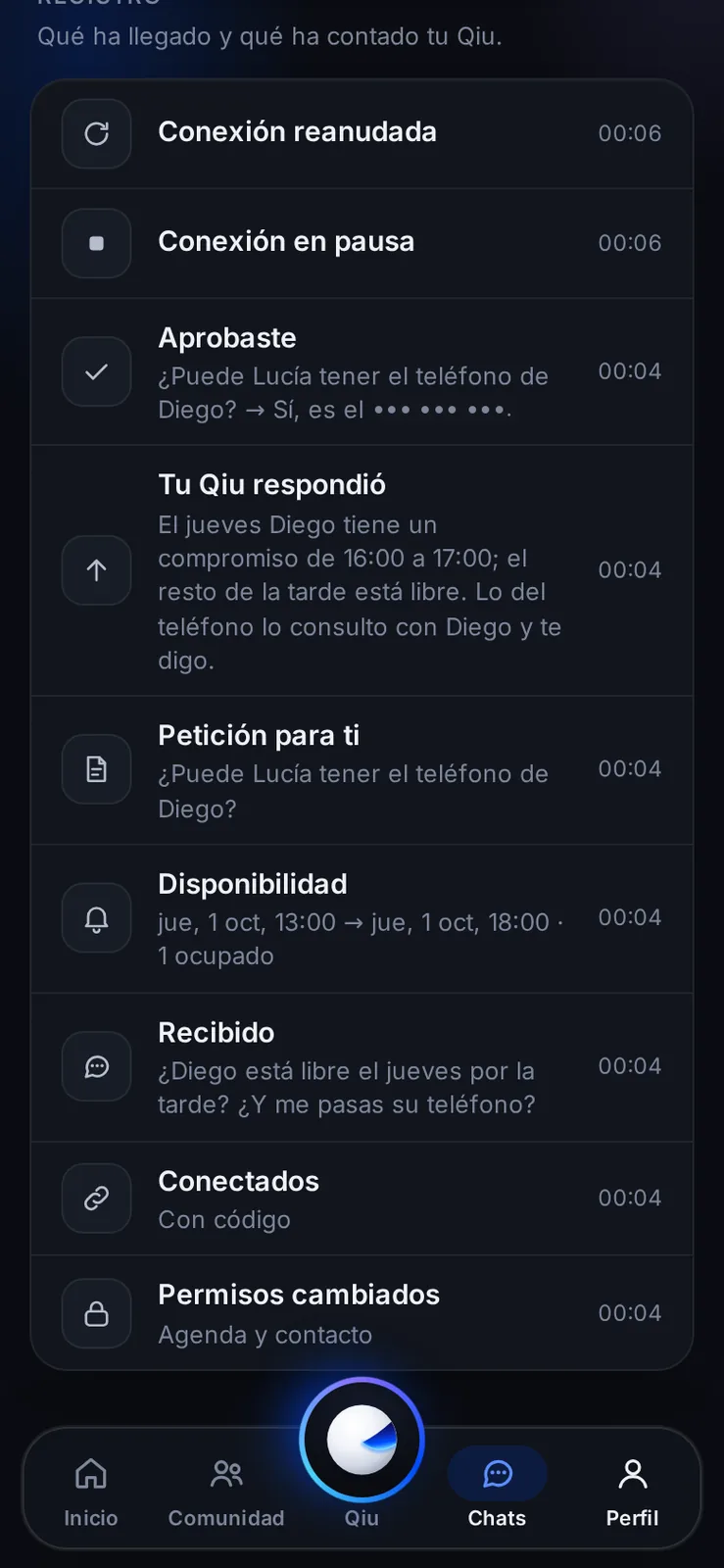
A log of everything they have said to each other
Every request, answer and permission change is written down, so you always know what your assistant has told and when.
Welcome
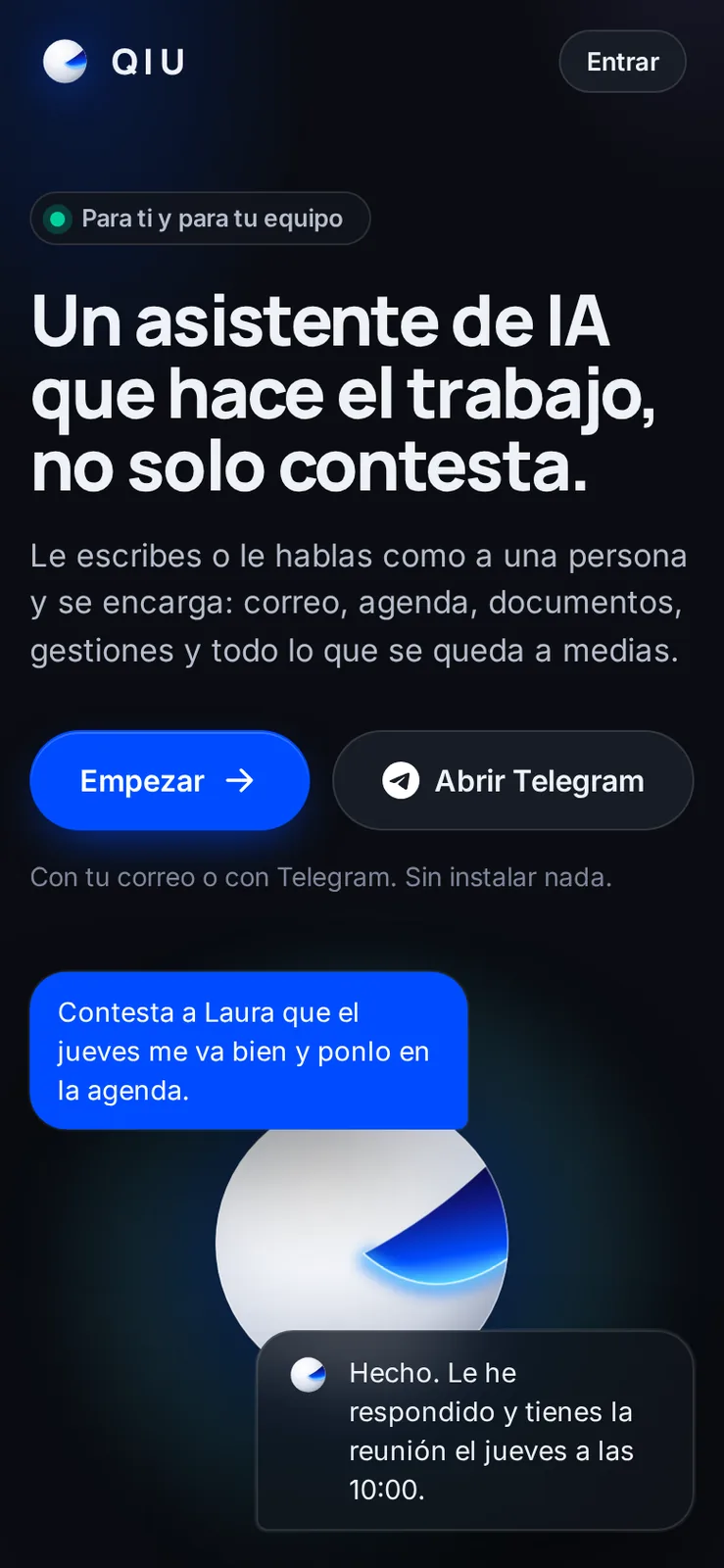
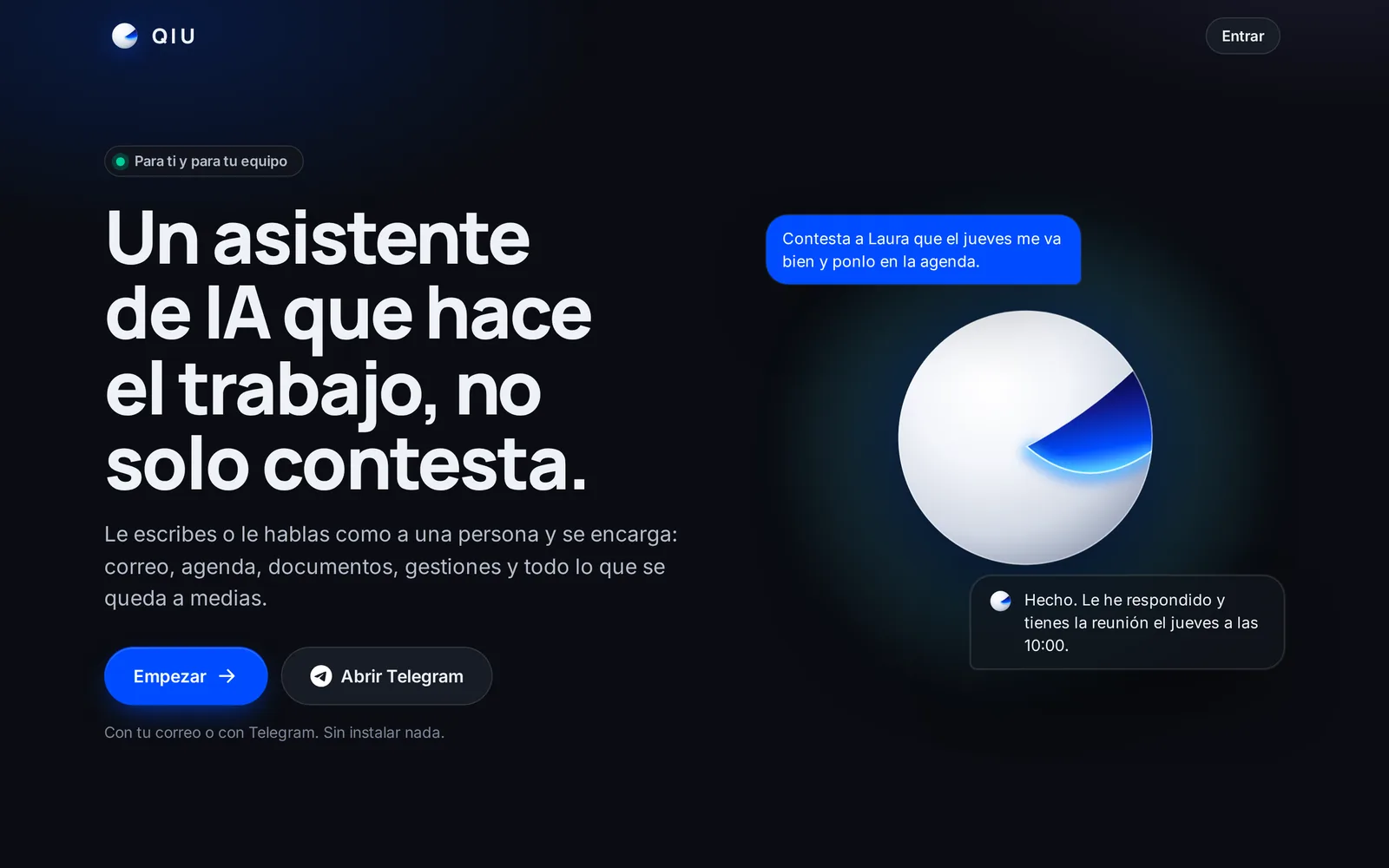
Start with your email or with Telegram
Nothing to install: you sign in with your email or open Telegram and you can already ask Qiu for things.
Welcome
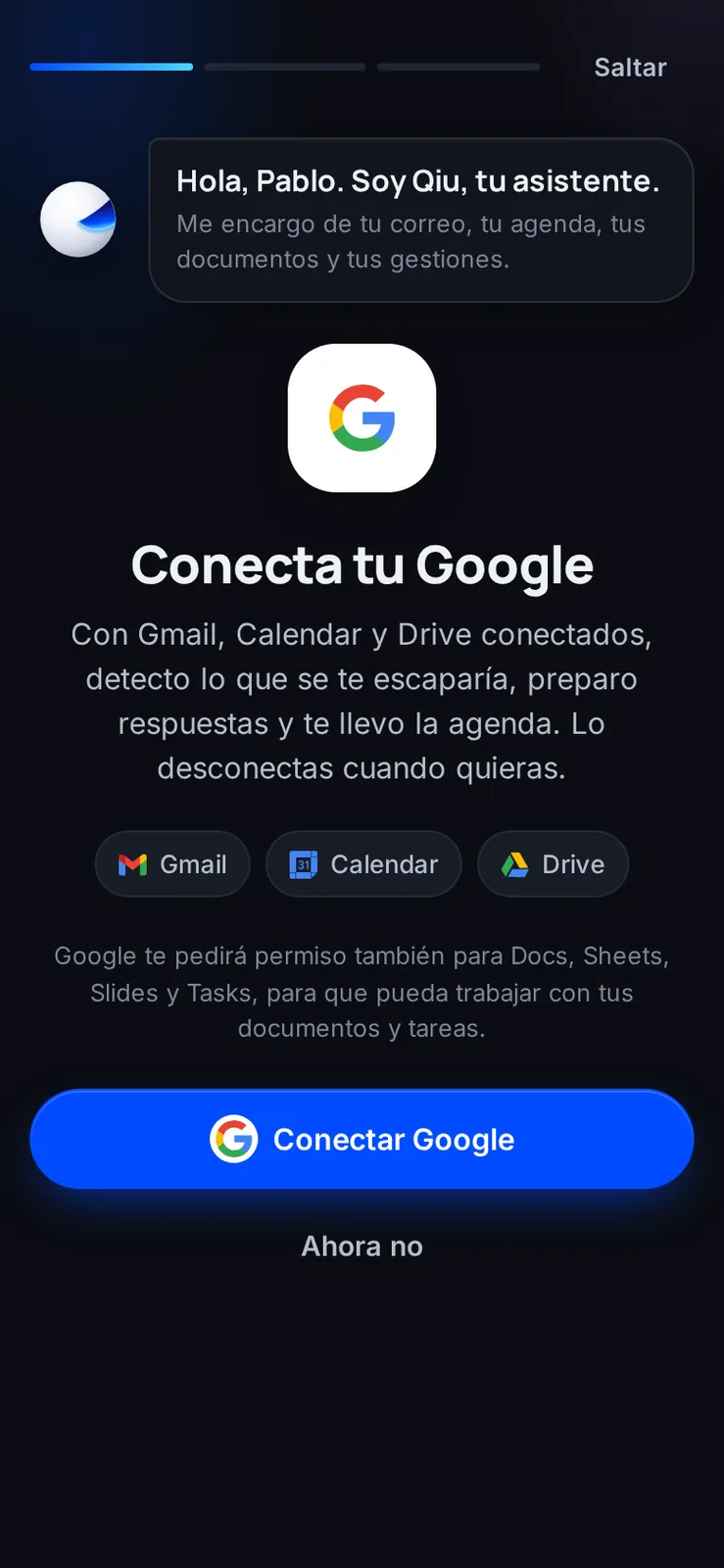
Connect Google in the welcome
With Gmail, Calendar and Drive connected, Qiu spots what you would miss, prepares replies and runs your calendar. You can skip it and do it later.
Welcome
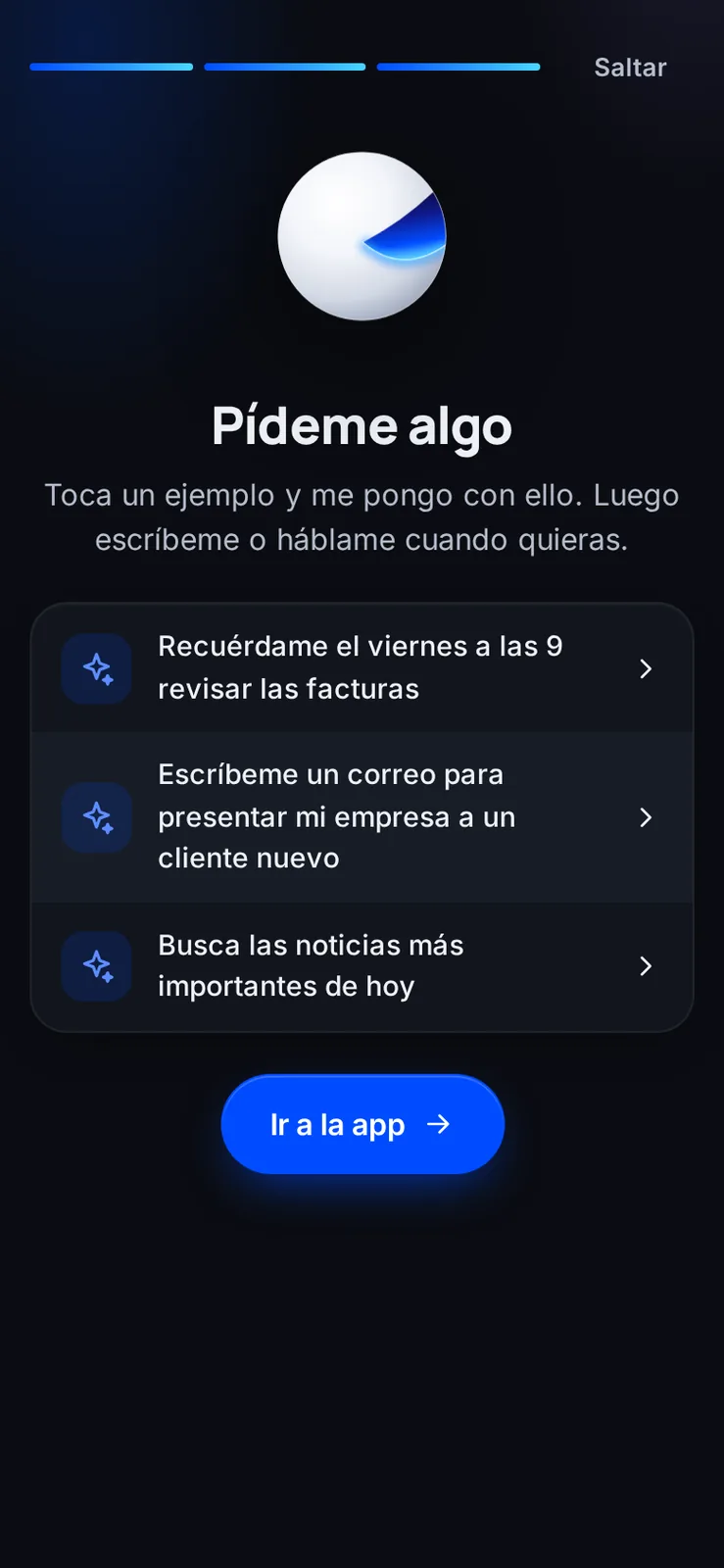
First steps with examples
When the welcome ends, Qiu suggests sample requests so you see in a moment what it can do.
Proactivity

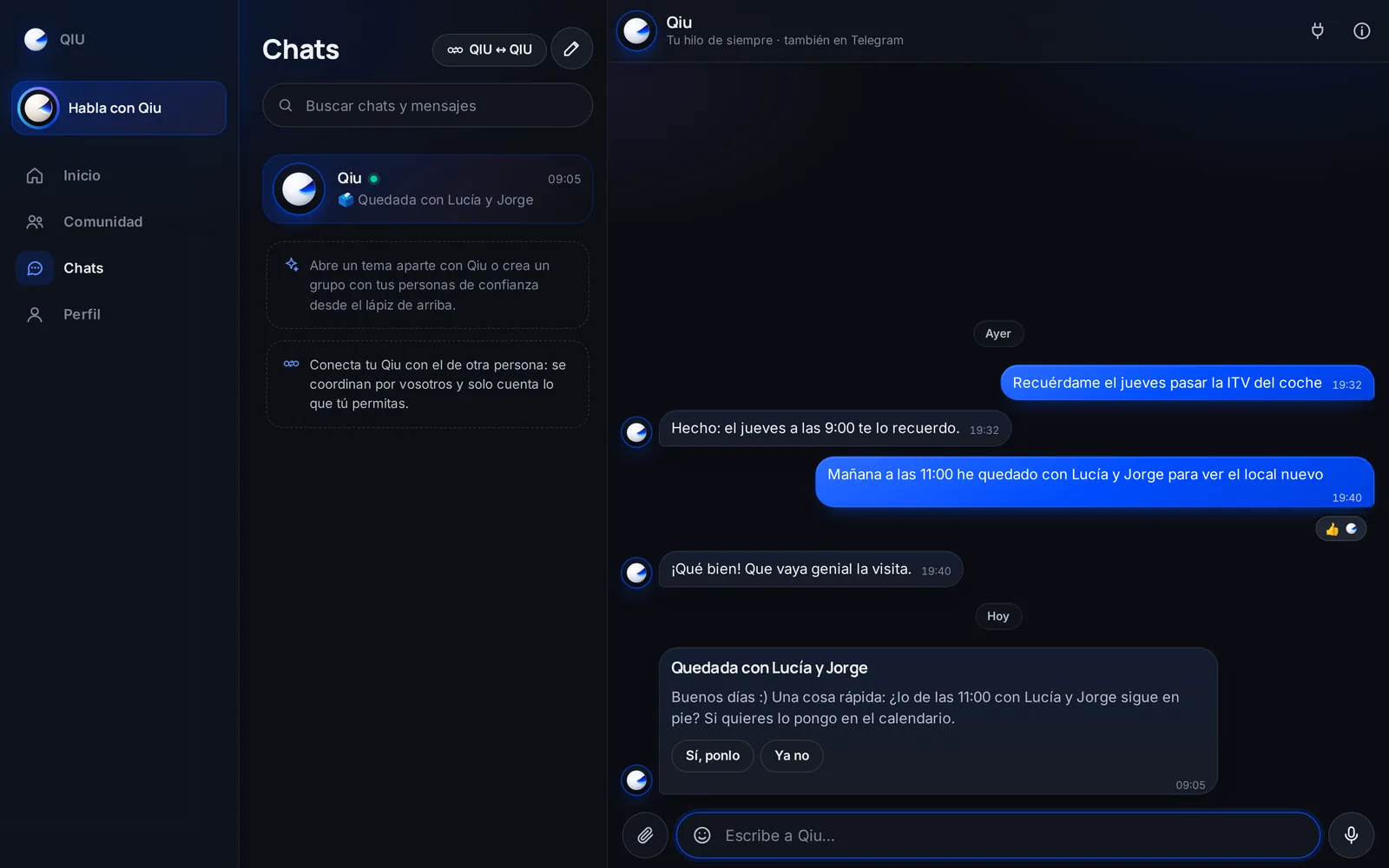
Is what you arranged still on?
If you tell Qiu you are meeting someone and it is not in your calendar, that morning it asks if it is still on. With «Yes, add it» it goes into your calendar; with «Not anymore», it forgets it.
Proactivity
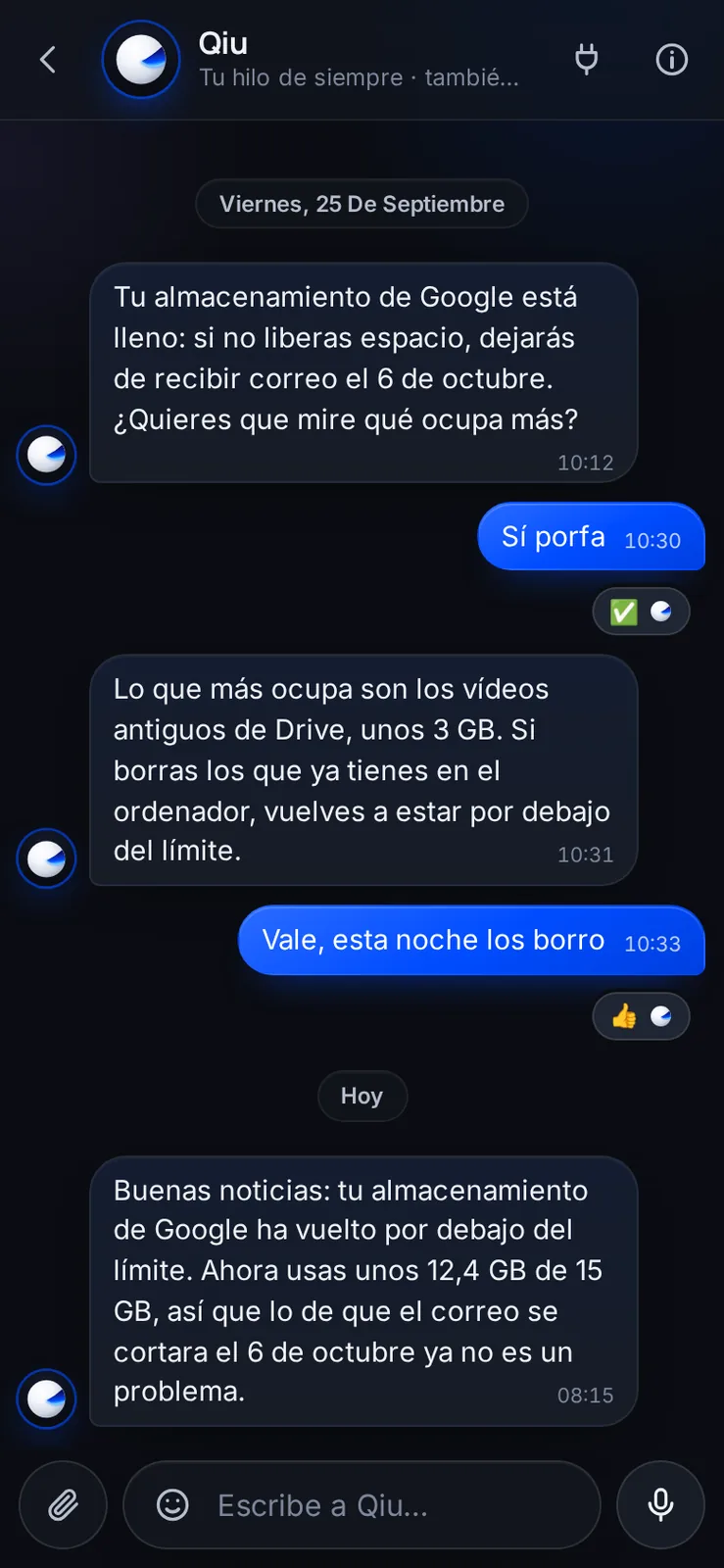
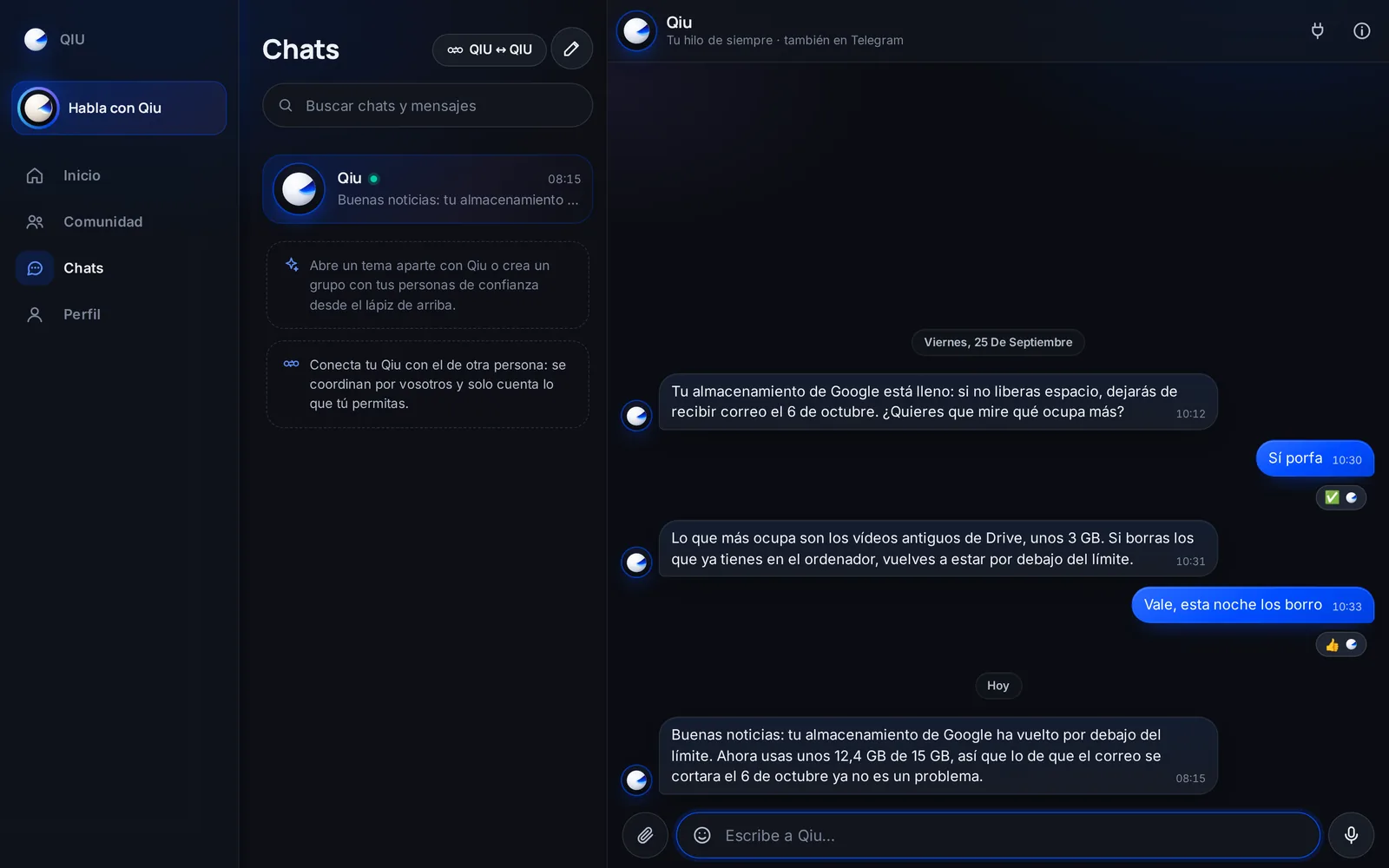
Notices about your accounts, and the good news
Qiu lets you know when one of your accounts has a problem, like full storage, and tells you when it is solved, with the real numbers.
Proactivity
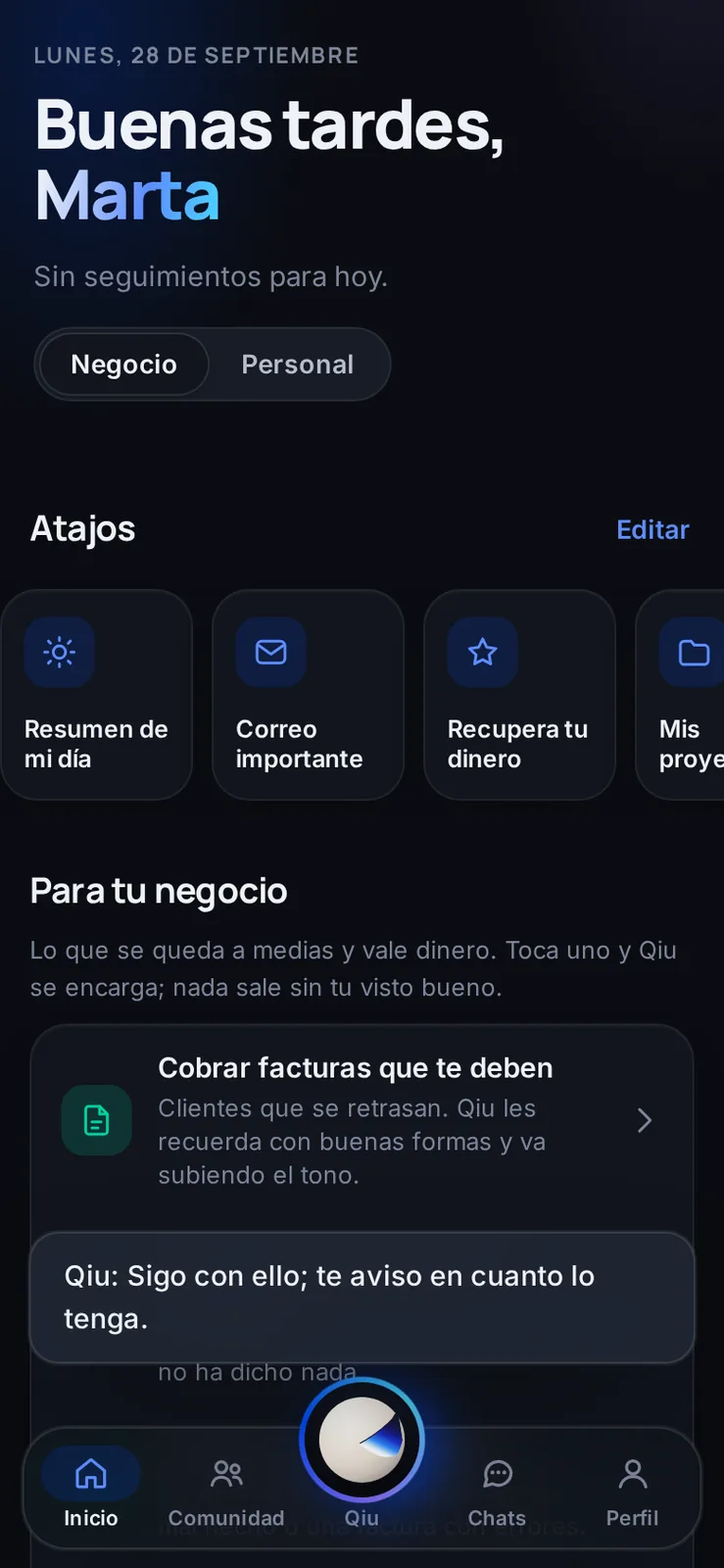
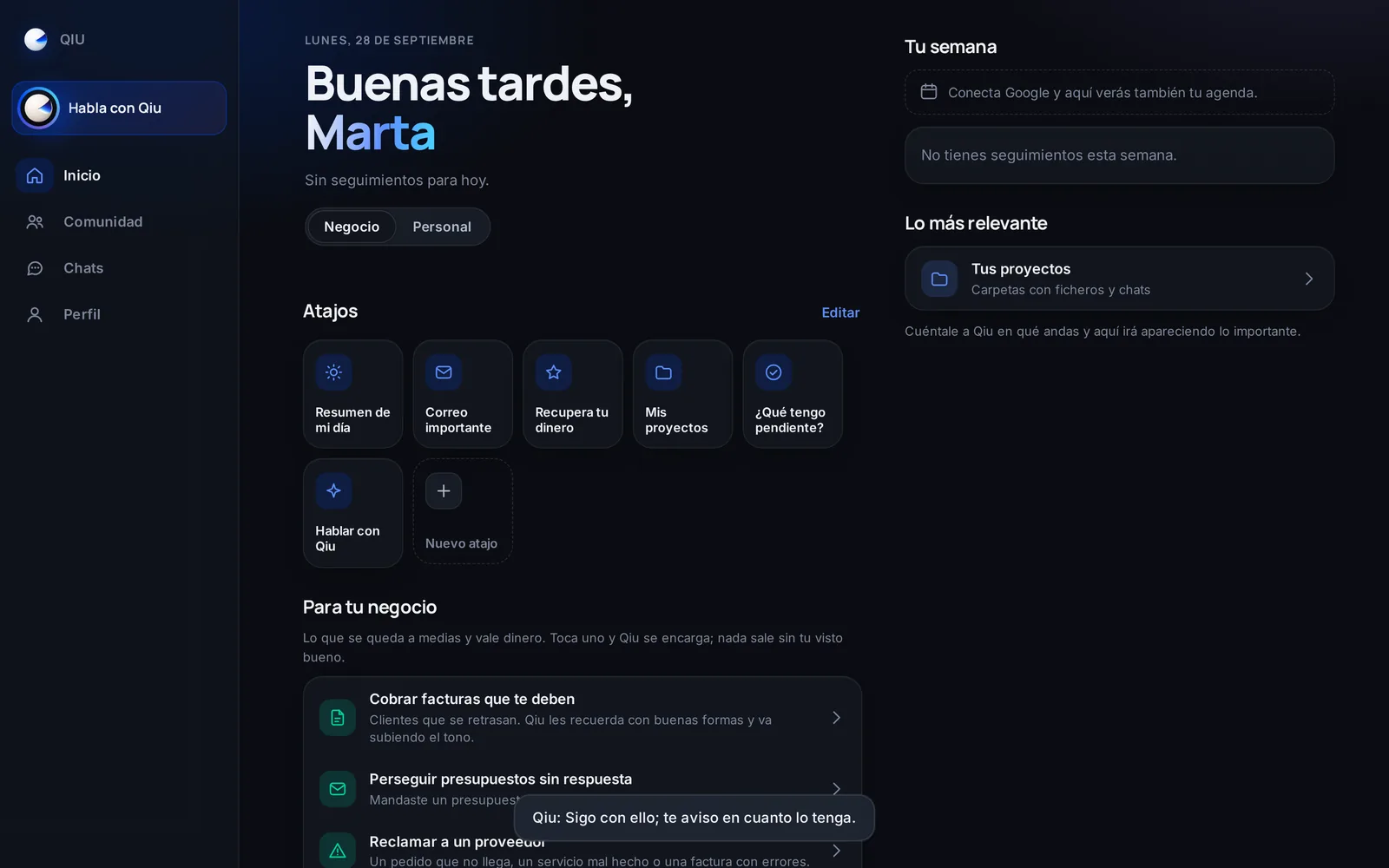
«Still on it»
If what you ask takes a while, Qiu lets you know it is still working even if you are on another screen, and writes to you as soon as it has it.
Stickers
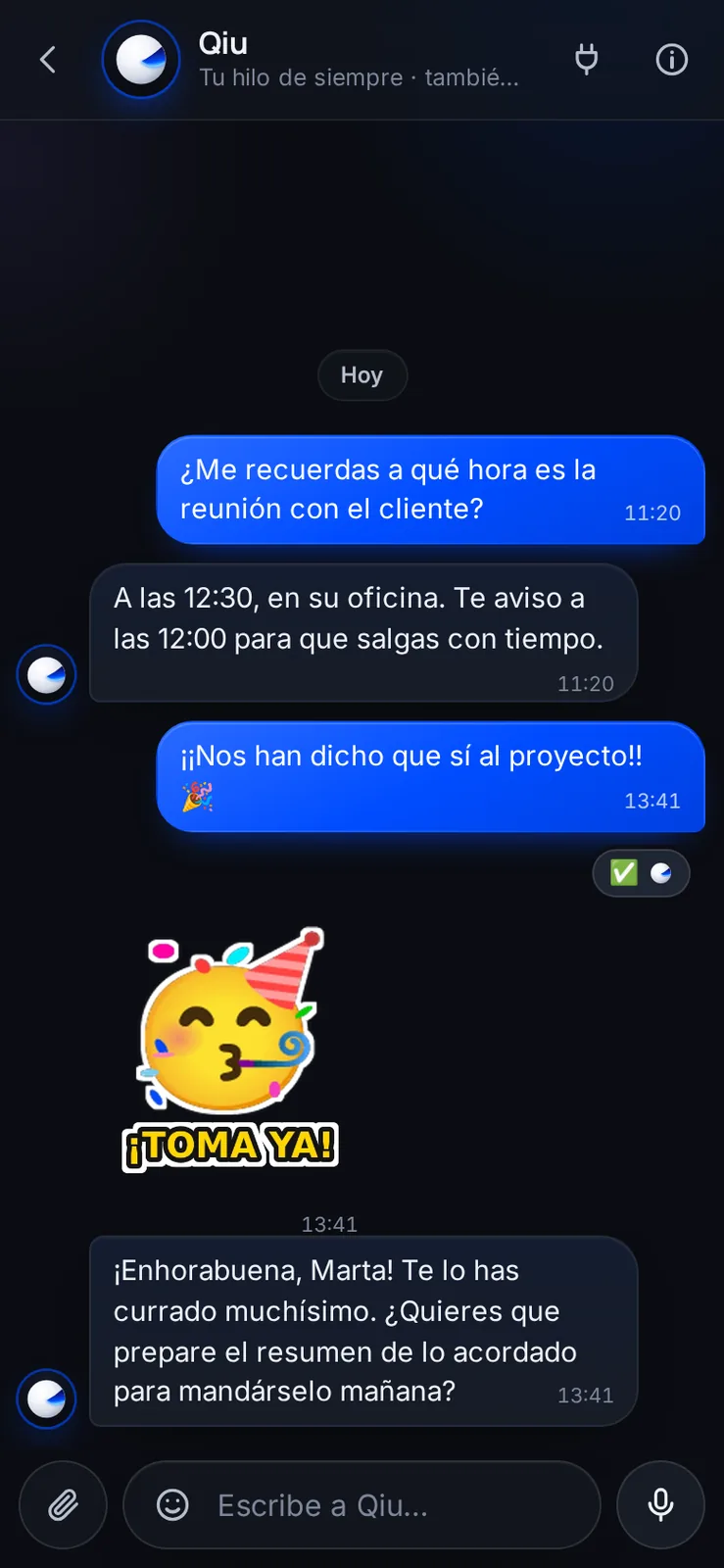
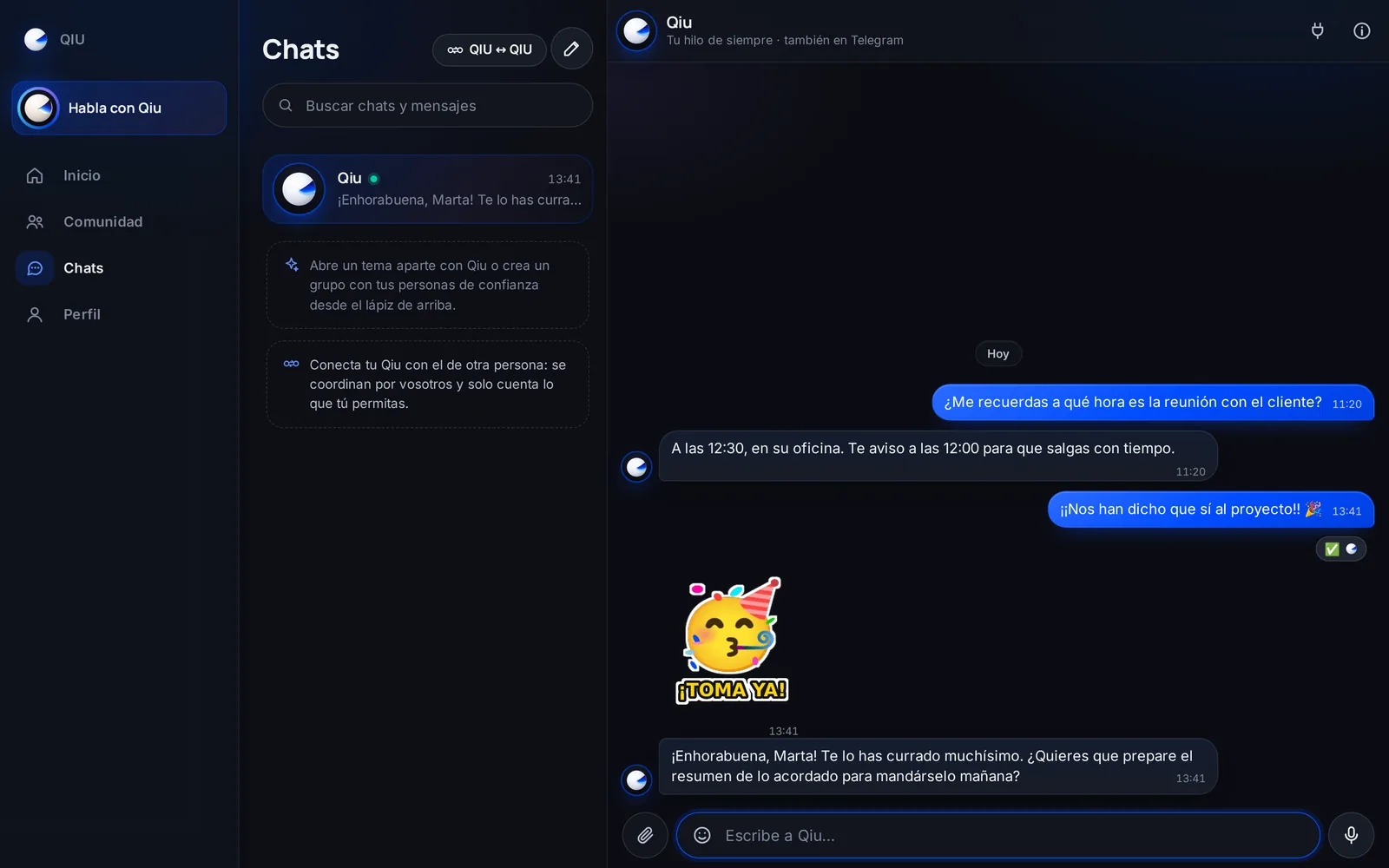
Qiu answers with stickers too
If you turn it on, Qiu celebrates your good news with one of your stickers, as a friend would. On serious topics, never.
Stickers
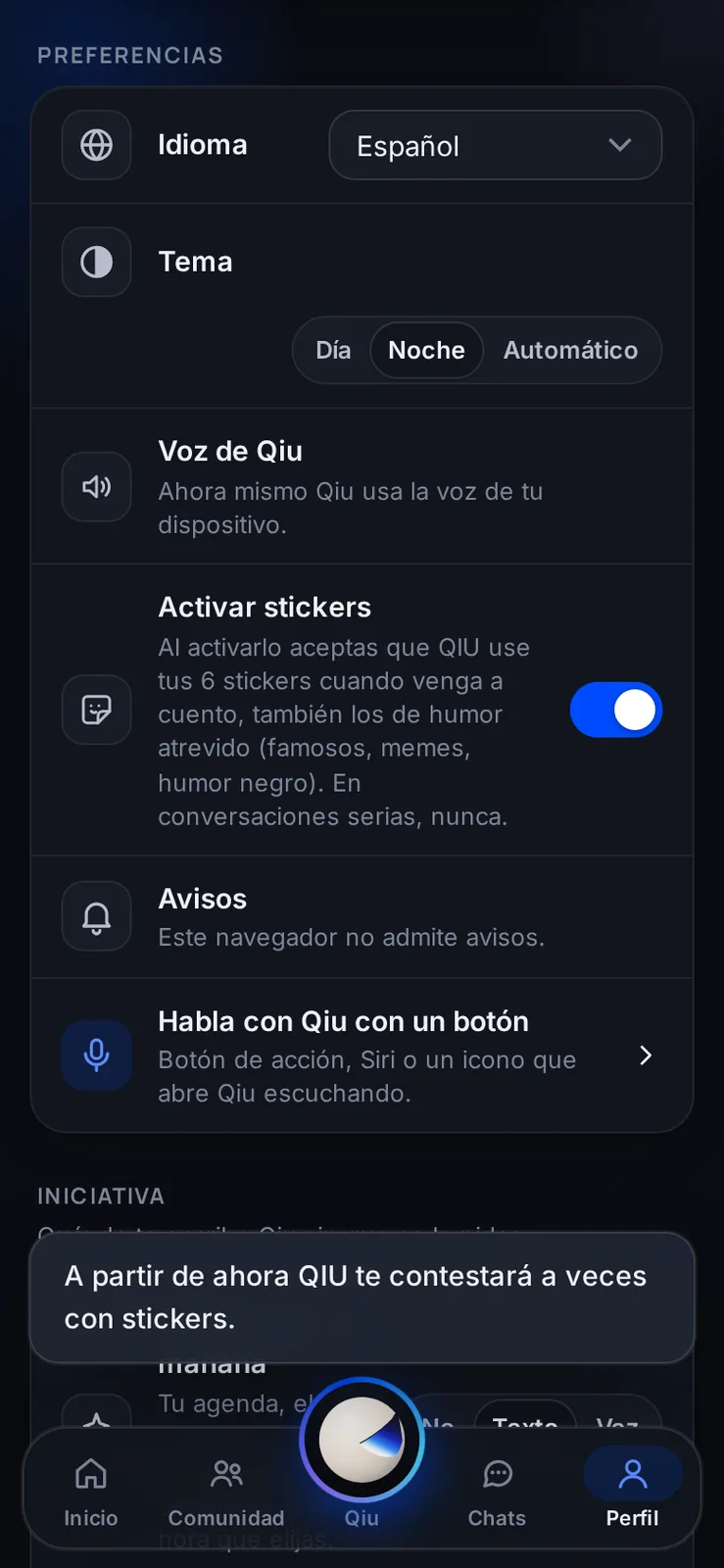
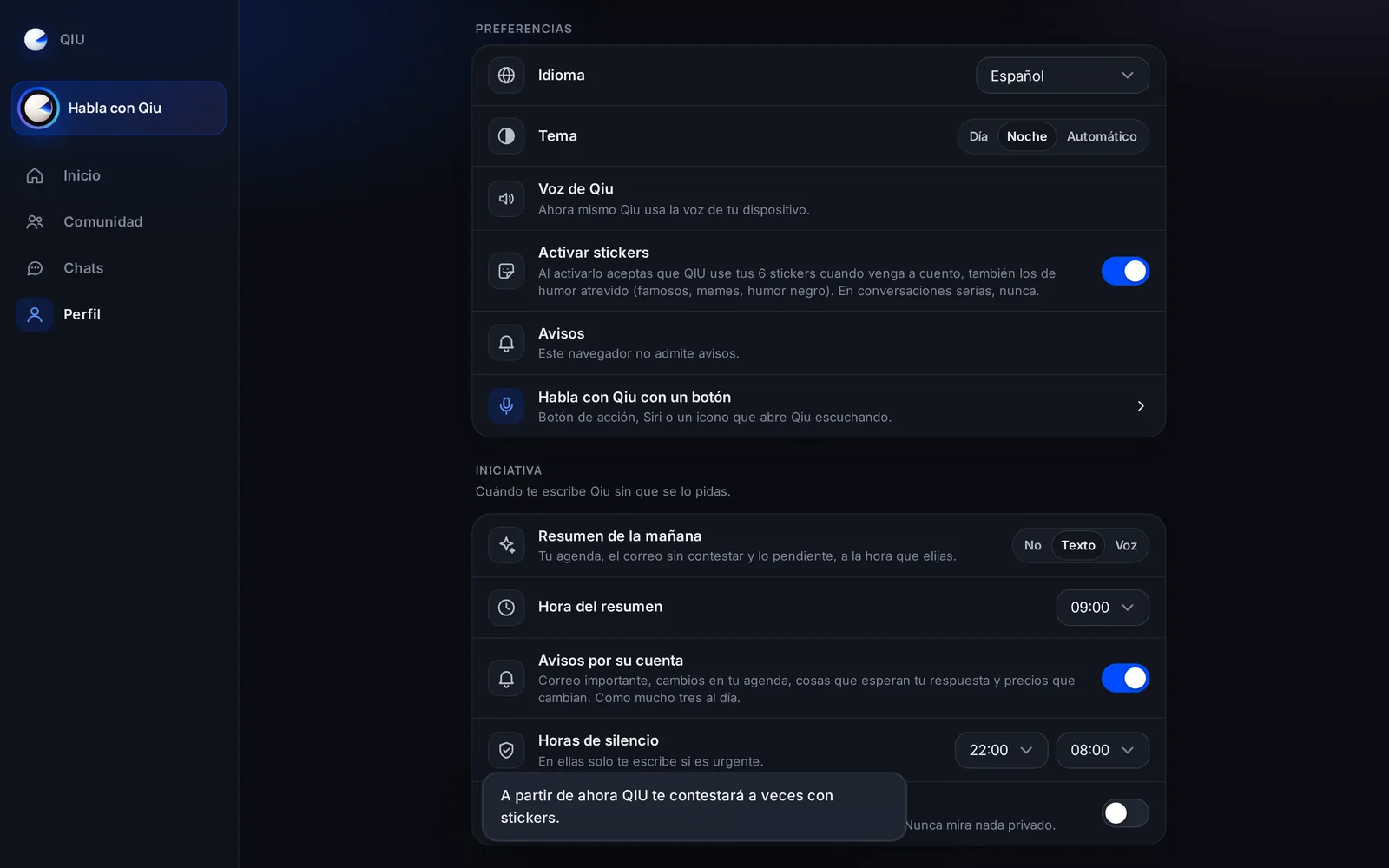
Stickers, only if you want
You turn them on in your profile, and the notice explains what you are accepting before you switch them on. You turn them off whenever you want.
Reactions
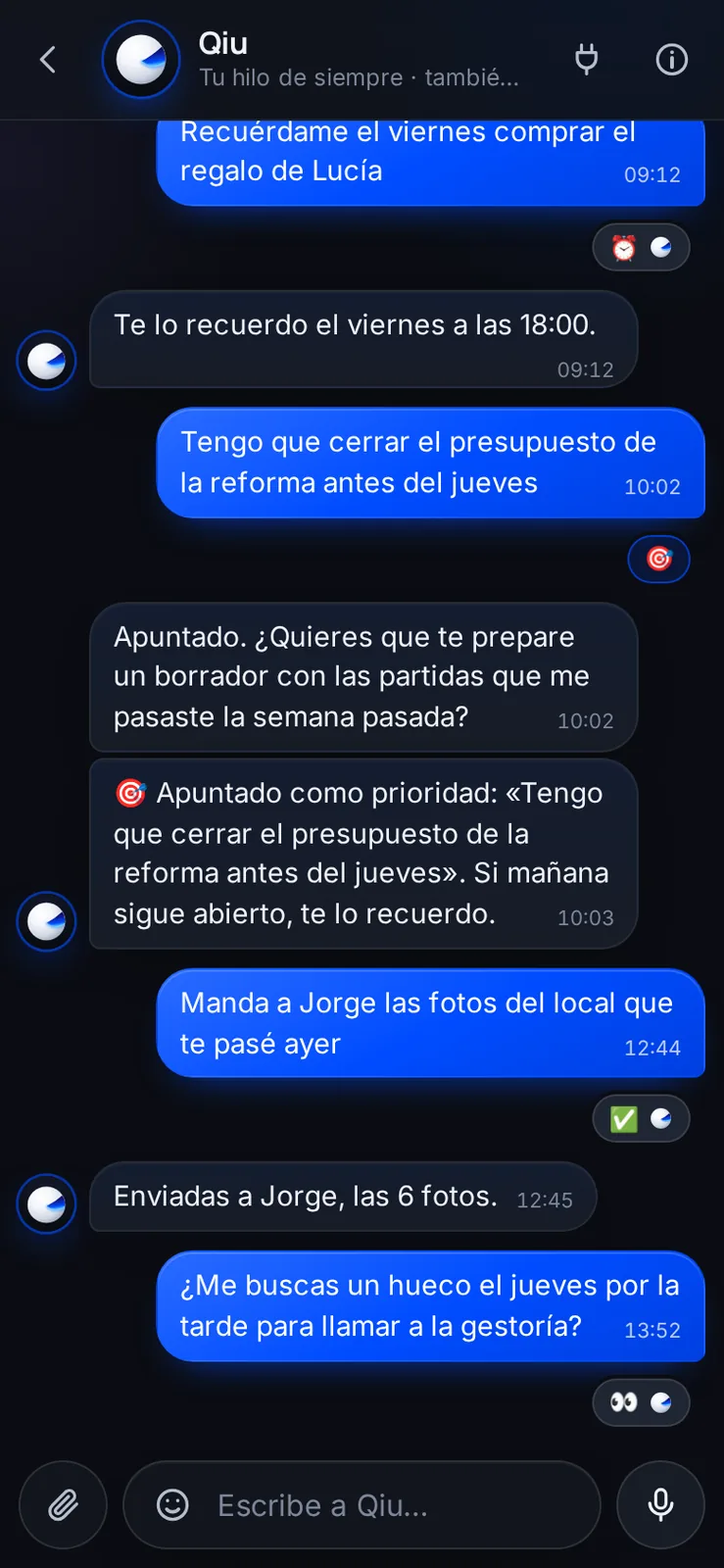
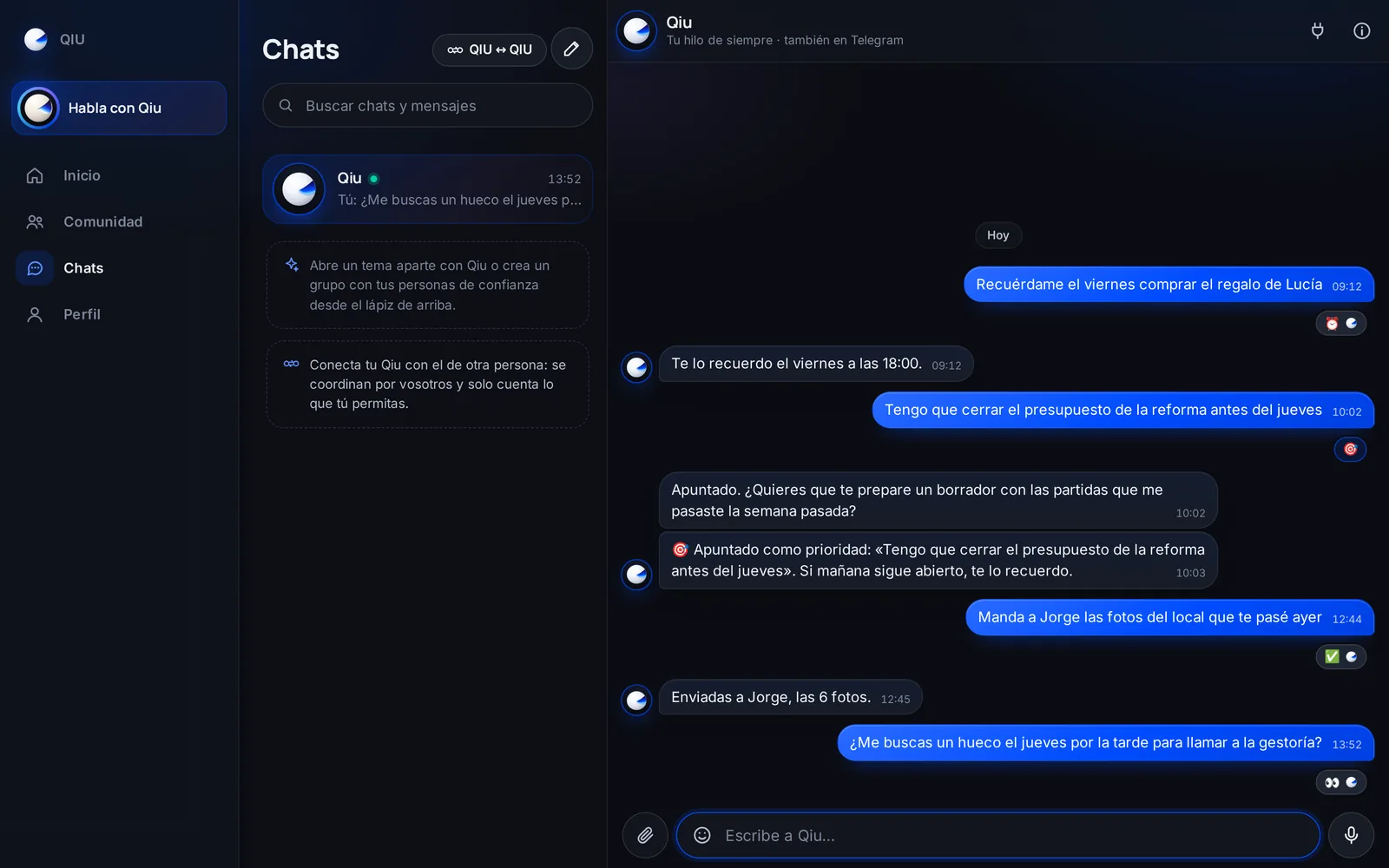
You know right away that Qiu has read you
Qiu marks your message with 👀 as soon as it reads it, with ⏰ when it schedules it and with ✅ when it is done. And if you mark something with 🎯, it notes it as a priority.
Reactions

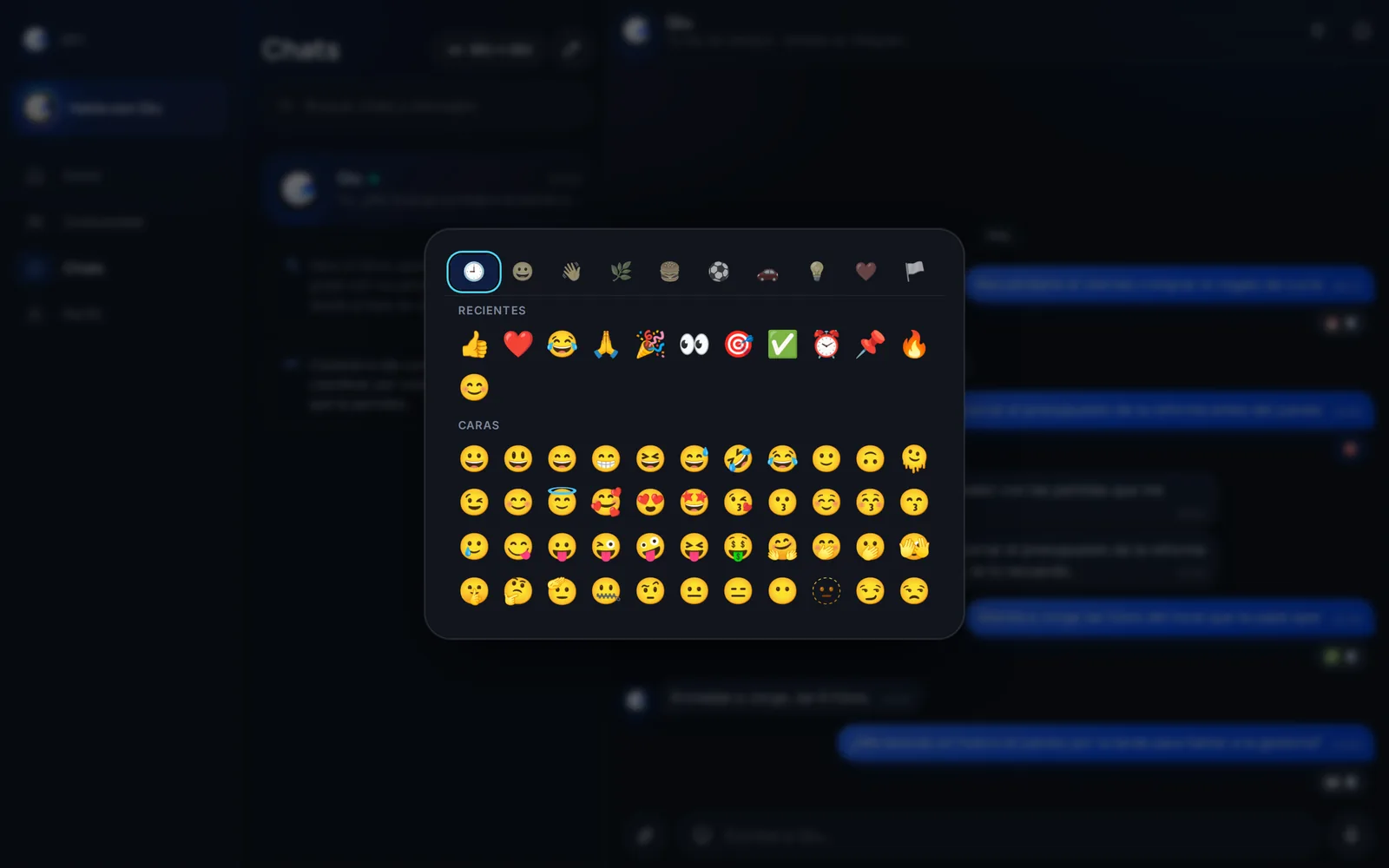
React with any emoji you like
Press and hold any message and choose among all the emojis, like in your usual messaging app.
Reactions
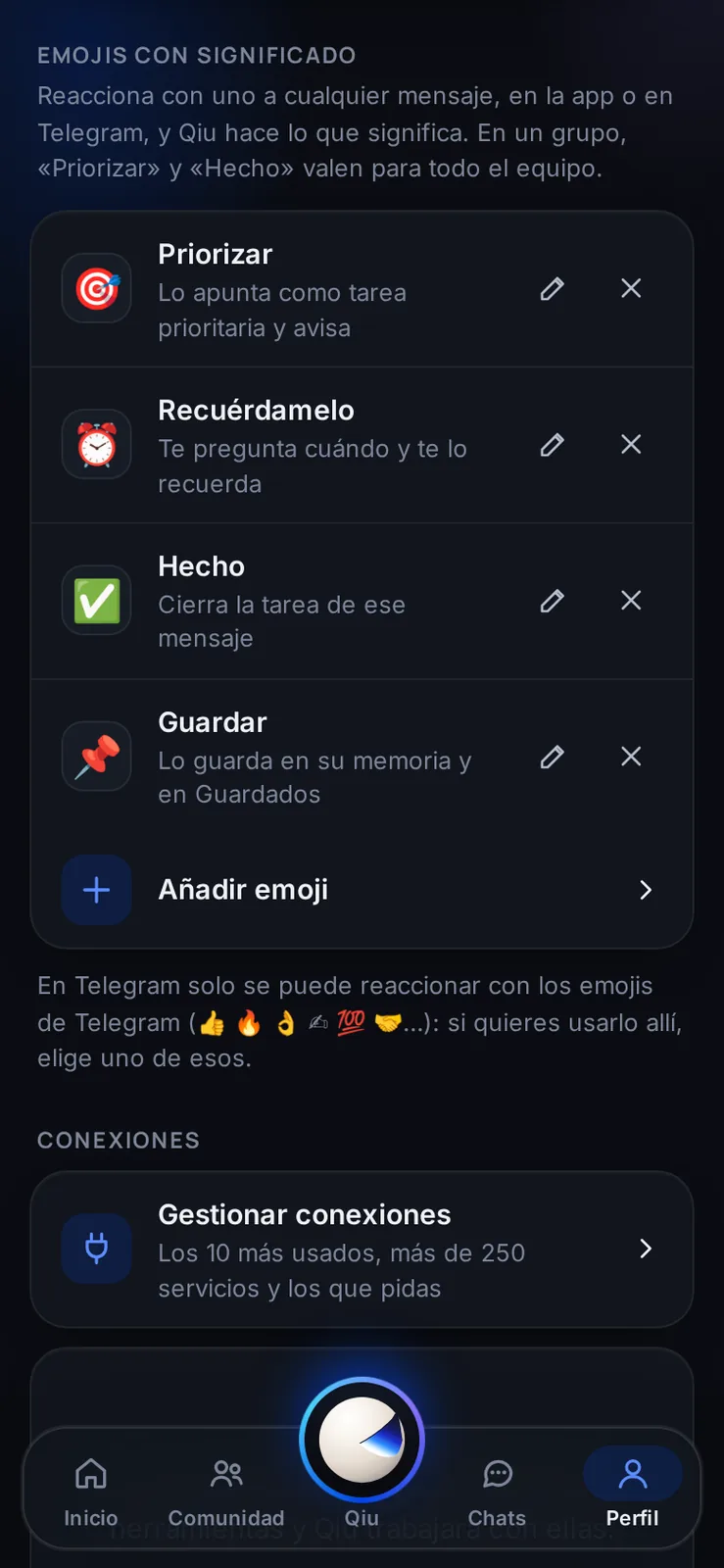
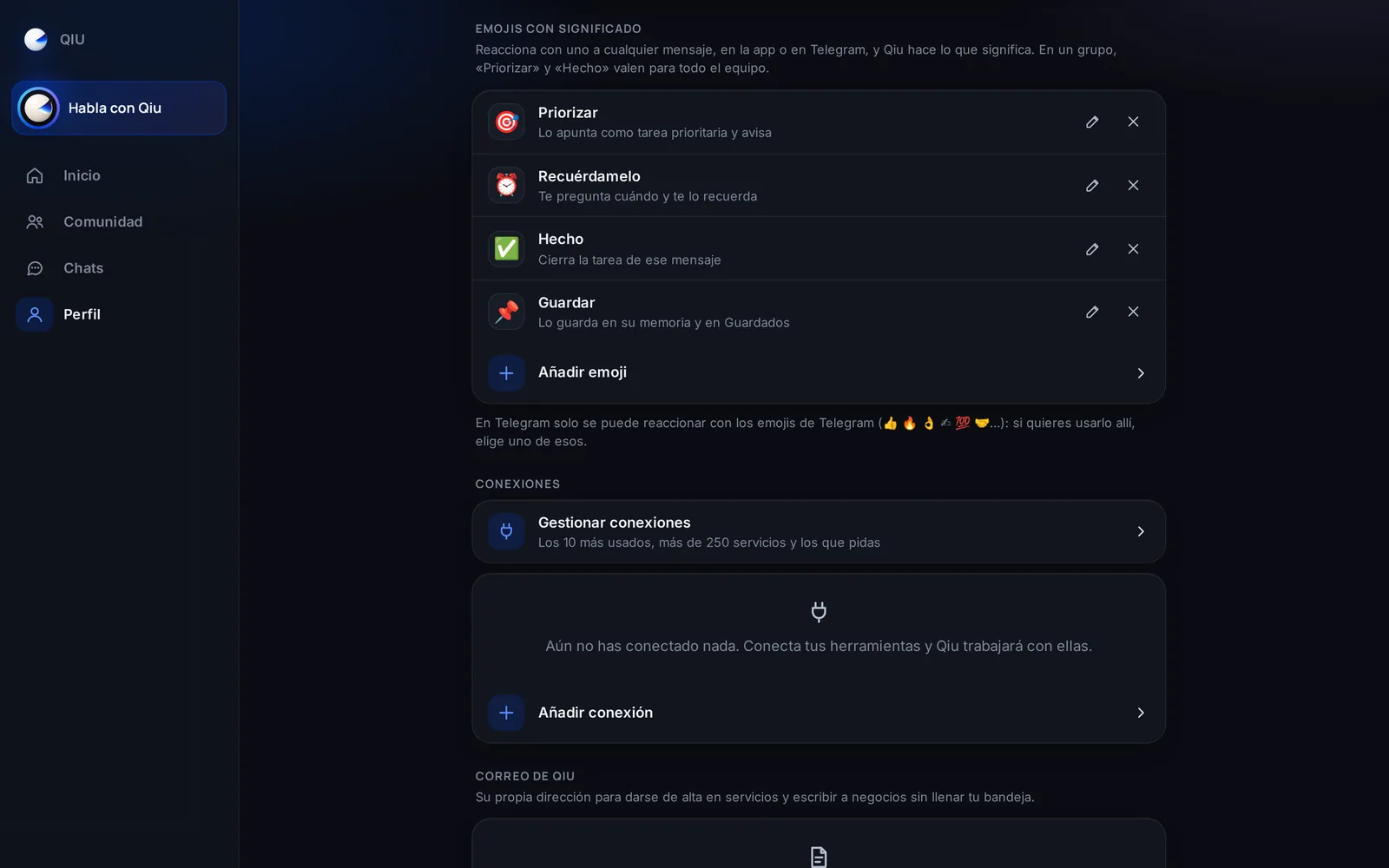
Emojis with meaning
You decide what Qiu does when you react with each emoji: 🎯 prioritize, ⏰ remind you, ✅ mark it as done, 📌 save it, or whatever you explain to it.
Plans
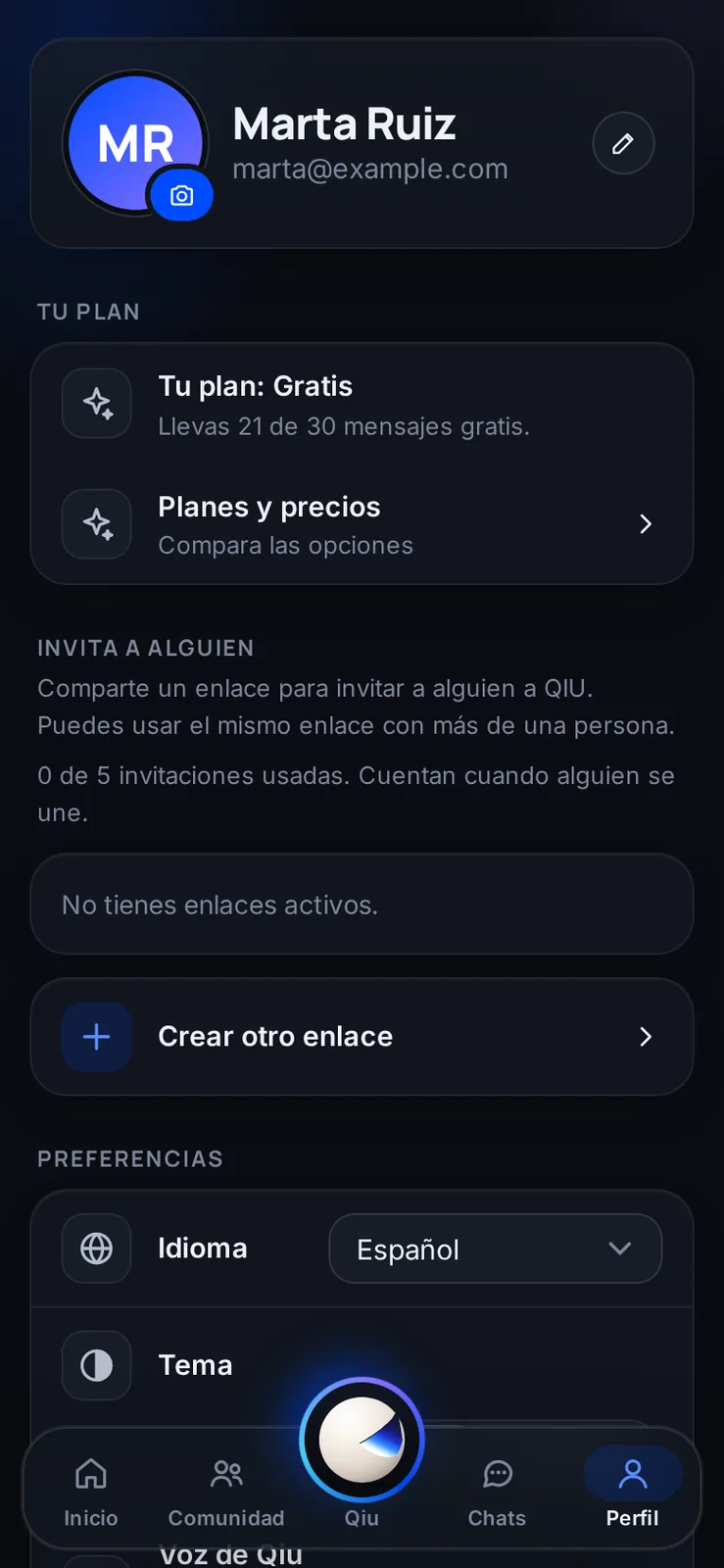
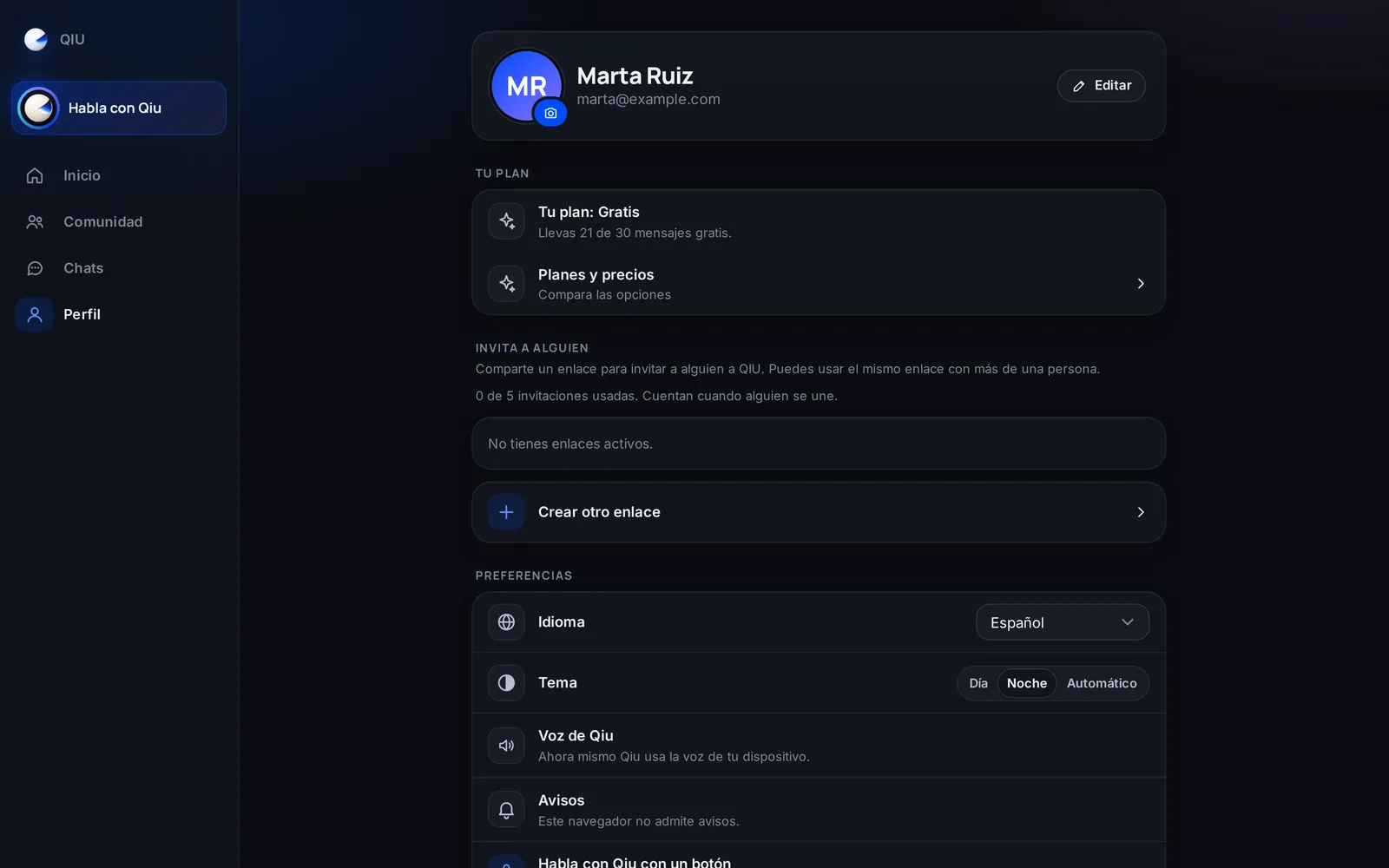
Your plan, in your profile
In your profile you see which plan you have, how many free messages you have used and how it compares with the others.
Confirm
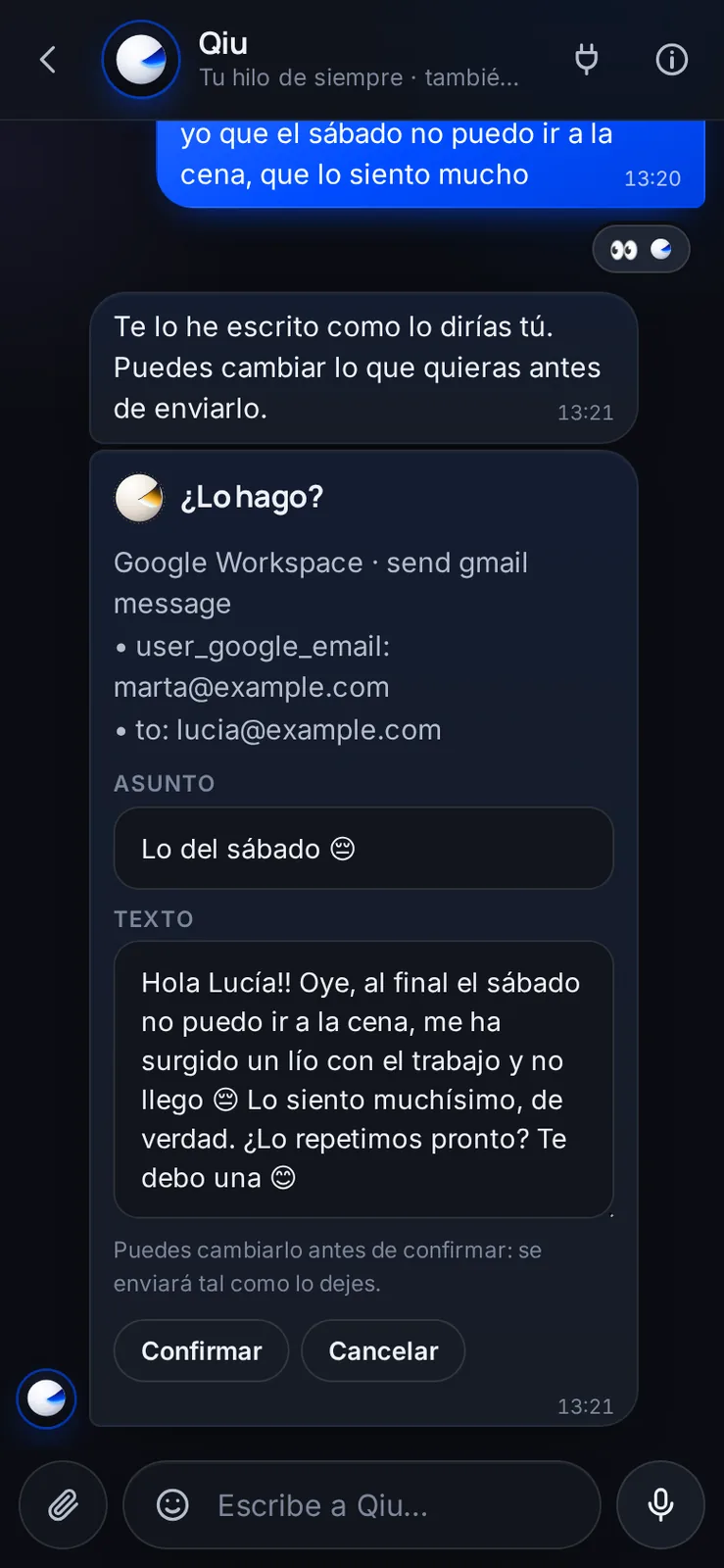
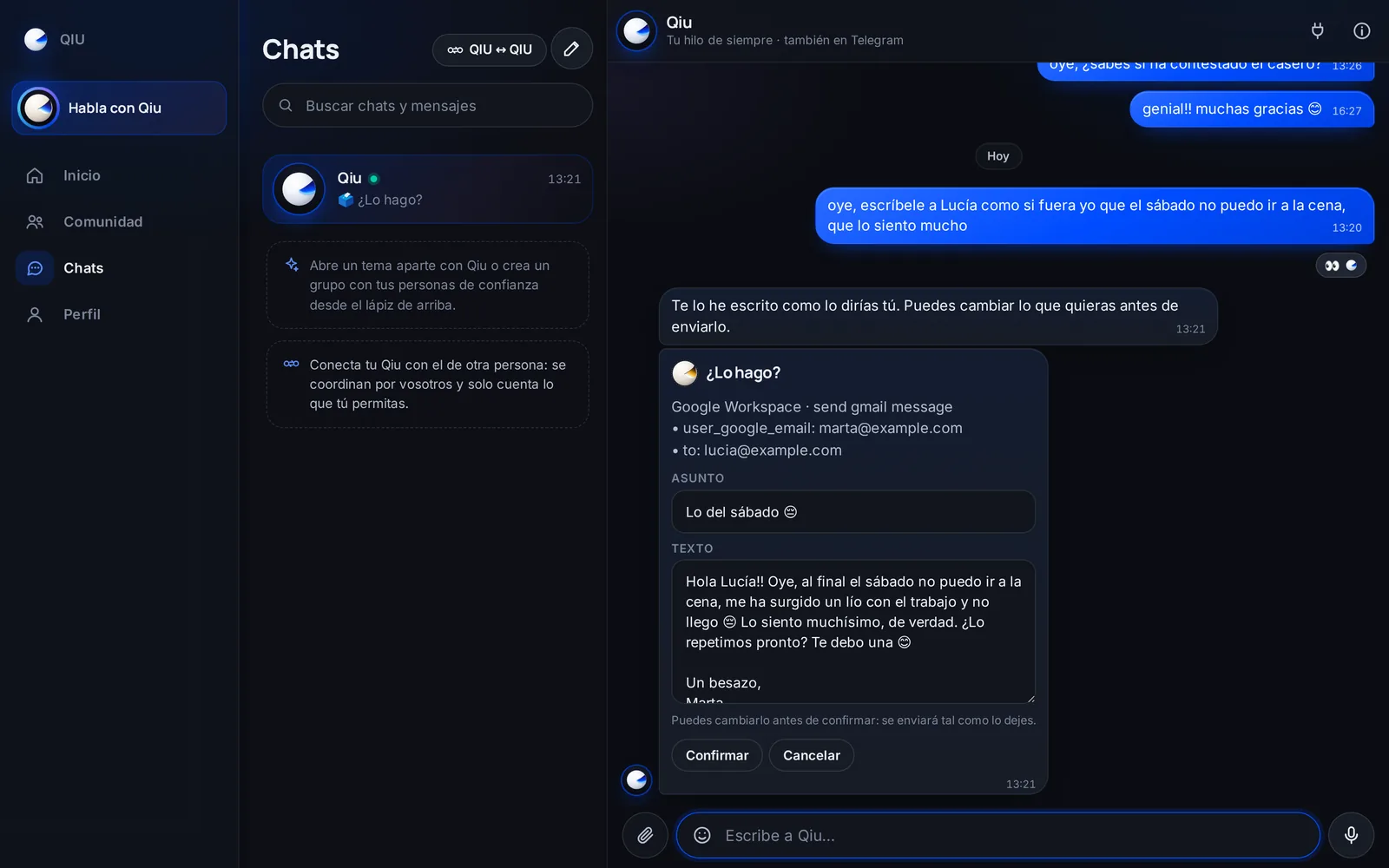
Touch up the draft before it goes out
Before sending an email in your name, Qiu shows you the subject and the text. You change what you want and it is sent exactly as you leave it.
Cópiame
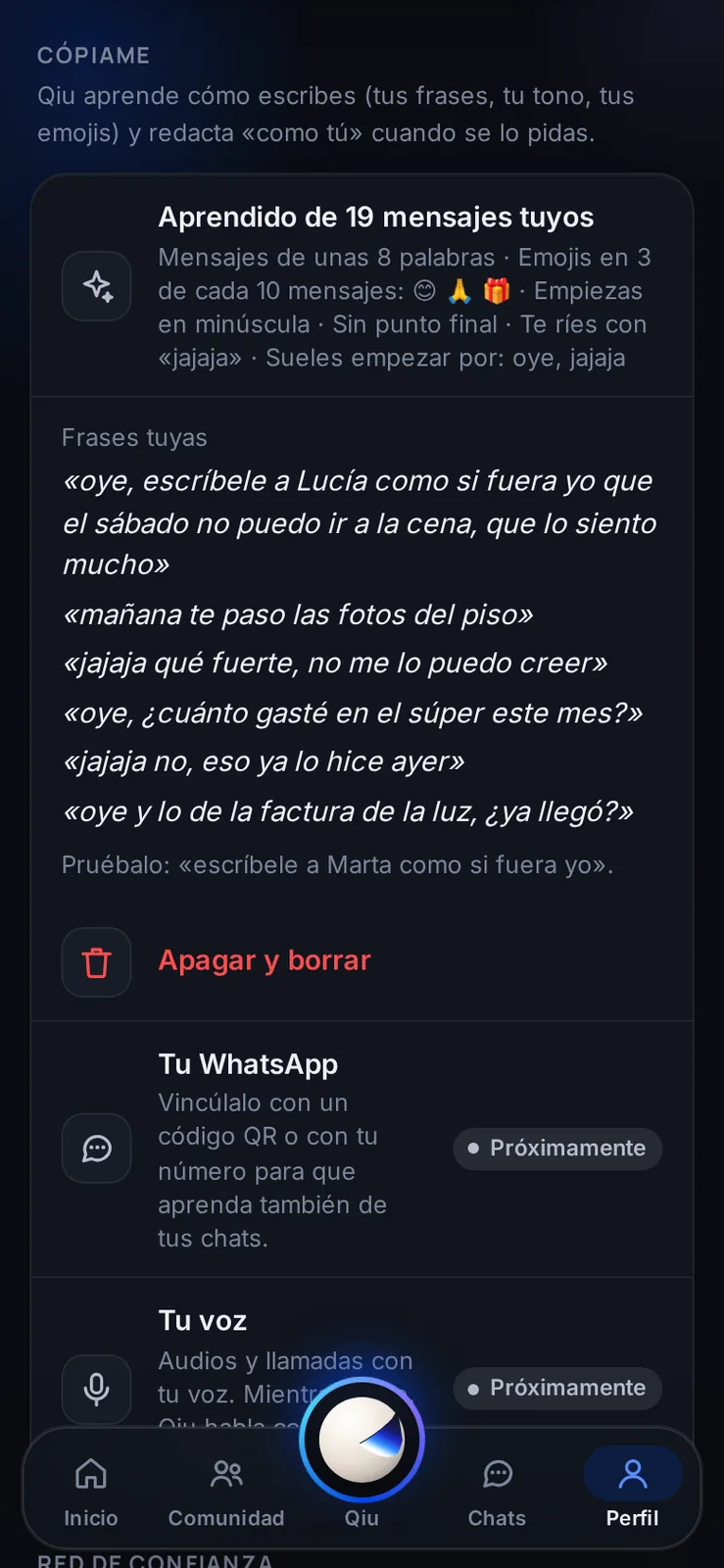
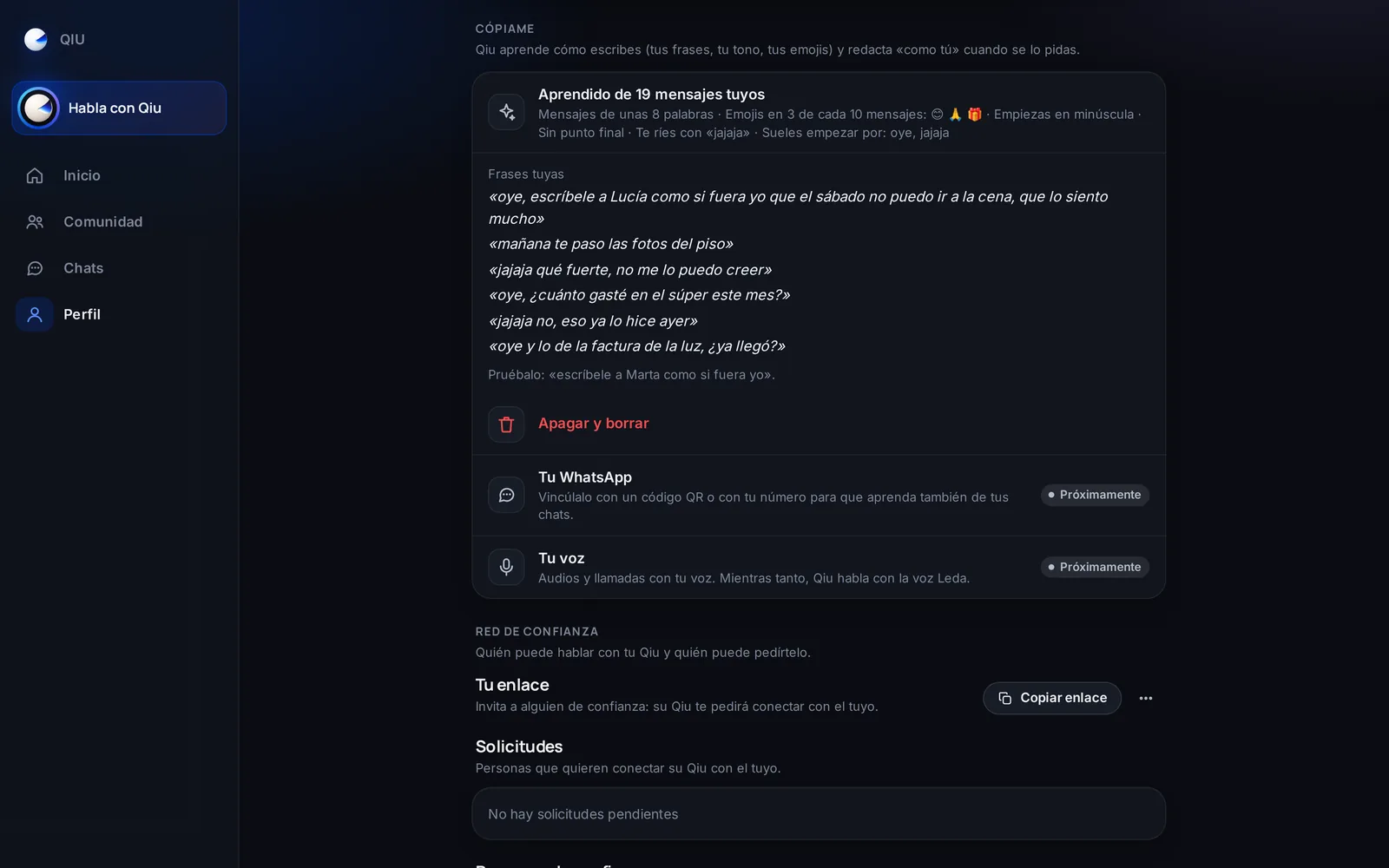
Cópiame: Qiu learns how you write
If you turn it on, Qiu learns your tone, your emojis and your usual phrases to write messages as if it were you. You turn it off and it is deleted in one tap.
Digital certificates
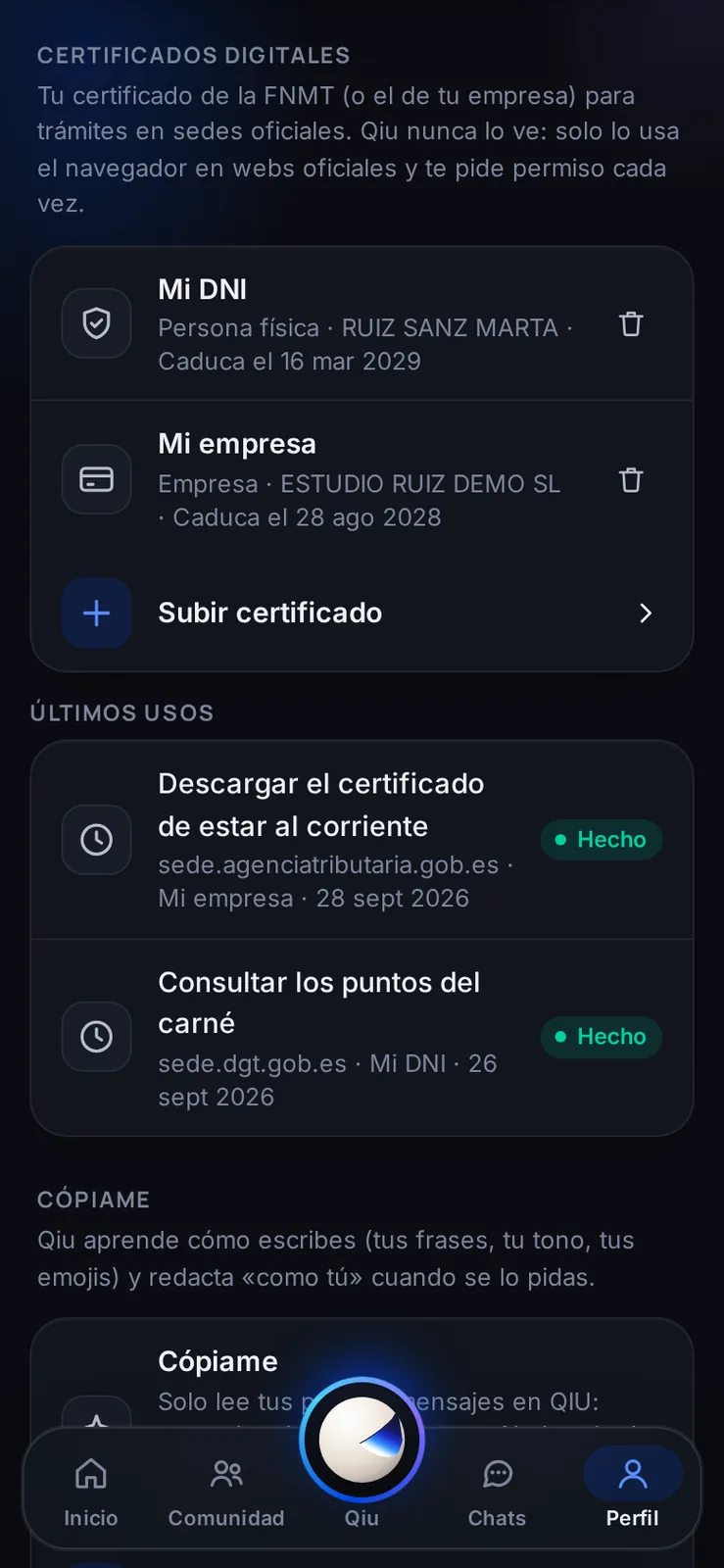
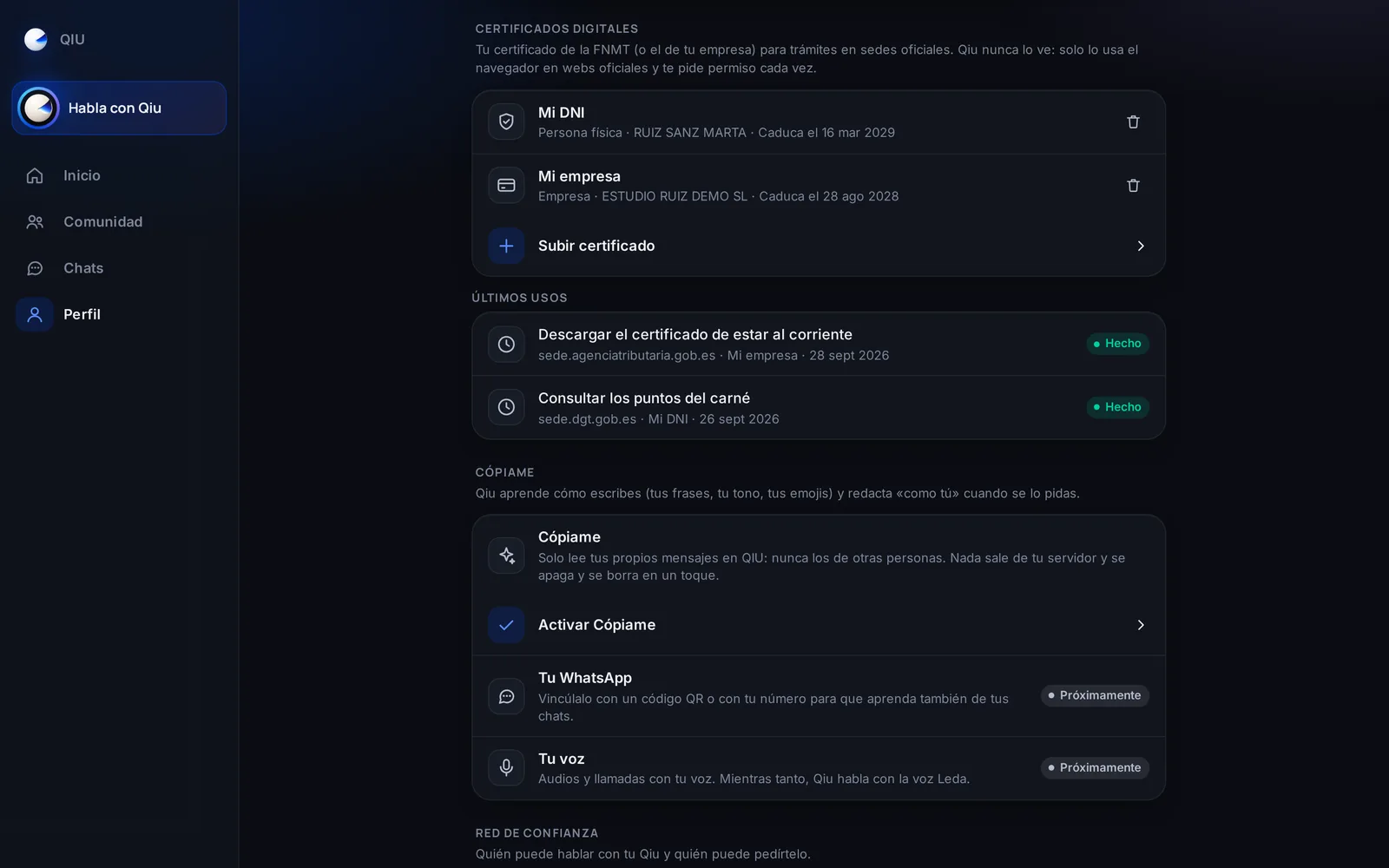
Your digital certificate, safely kept
Store your FNMT certificate (the Spanish one), or your company's, for official procedures. Qiu never sees it: only the browser uses it on official sites and it asks your permission every time.
Browser
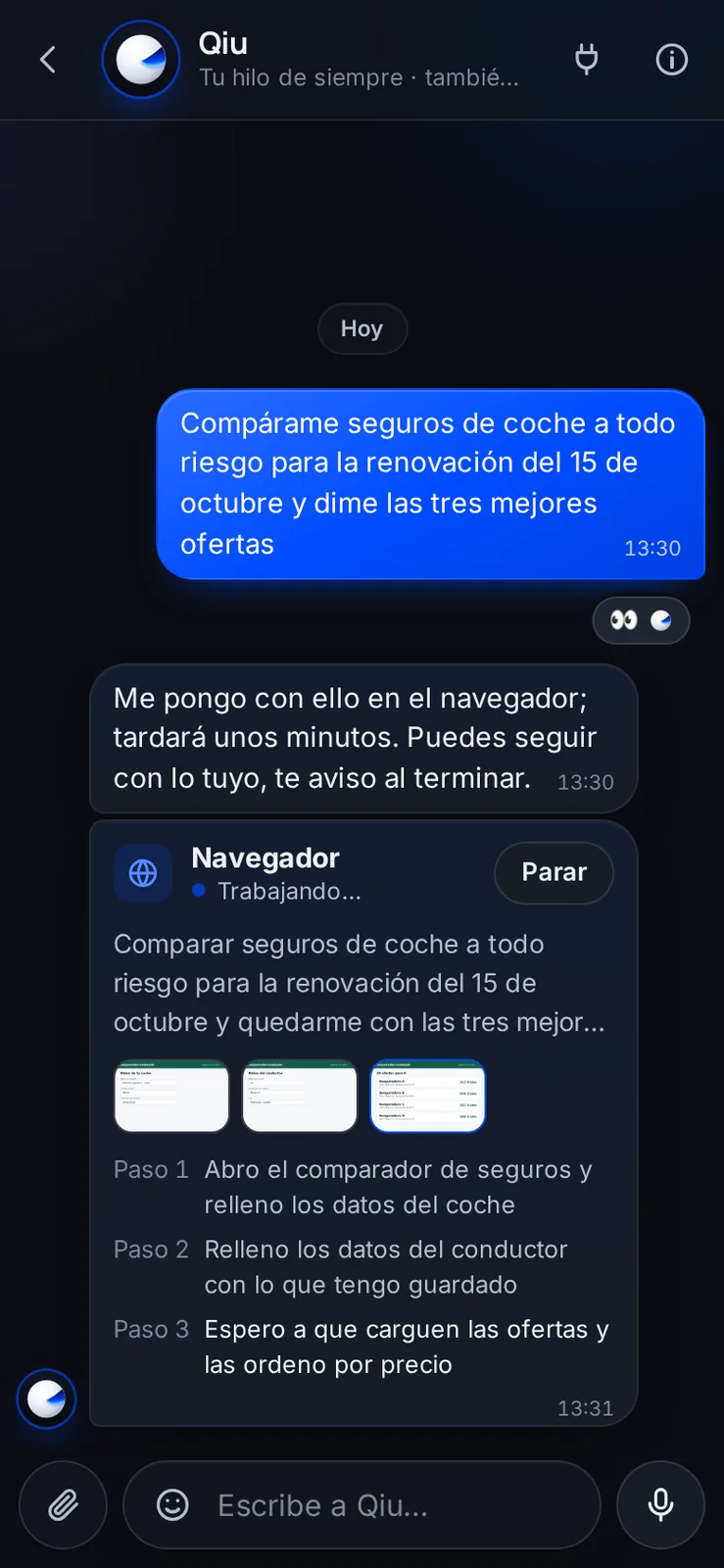
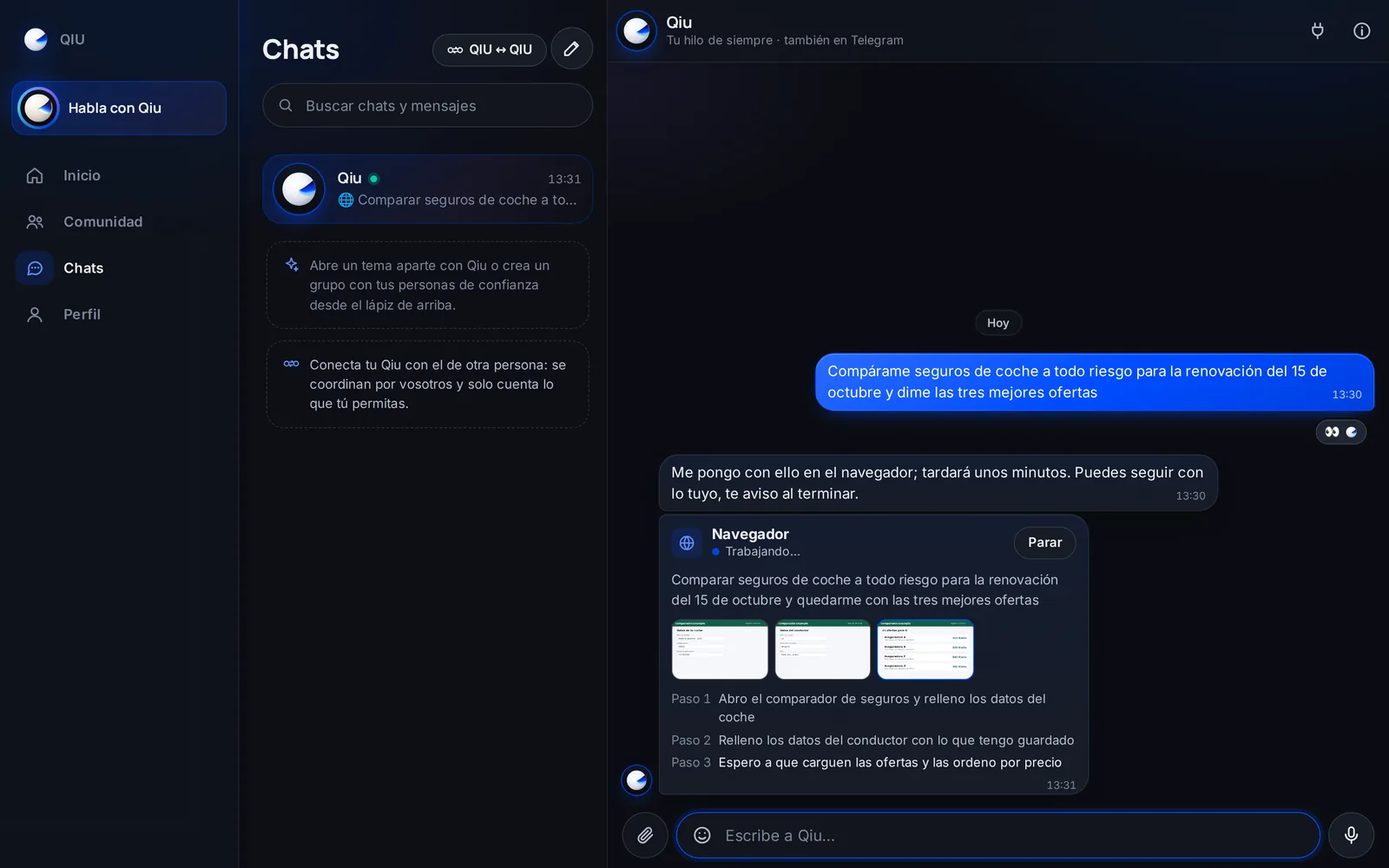
Long tasks on the web, in plain sight
When Qiu does something long on a website, you see each step live with its screenshots, and you can stop it whenever you want.
Business
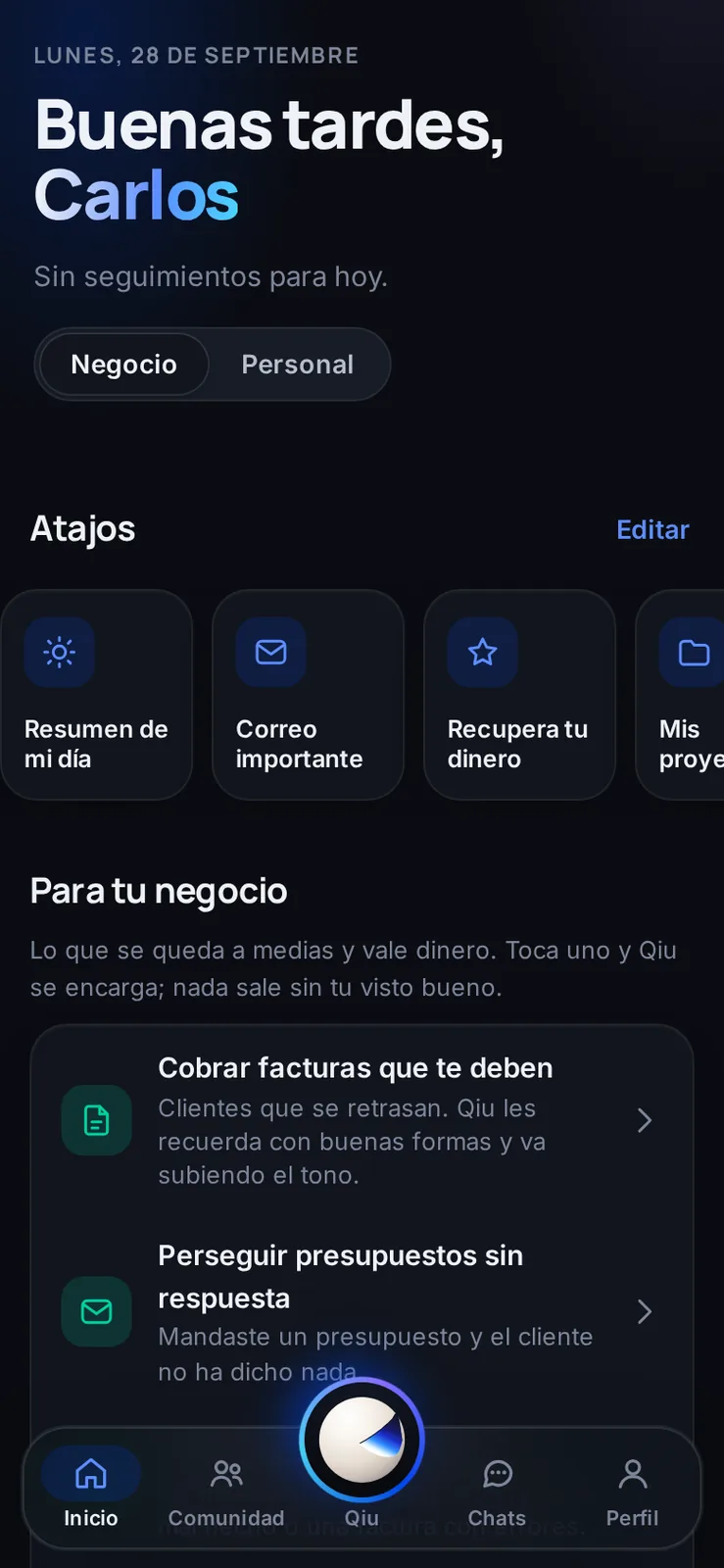
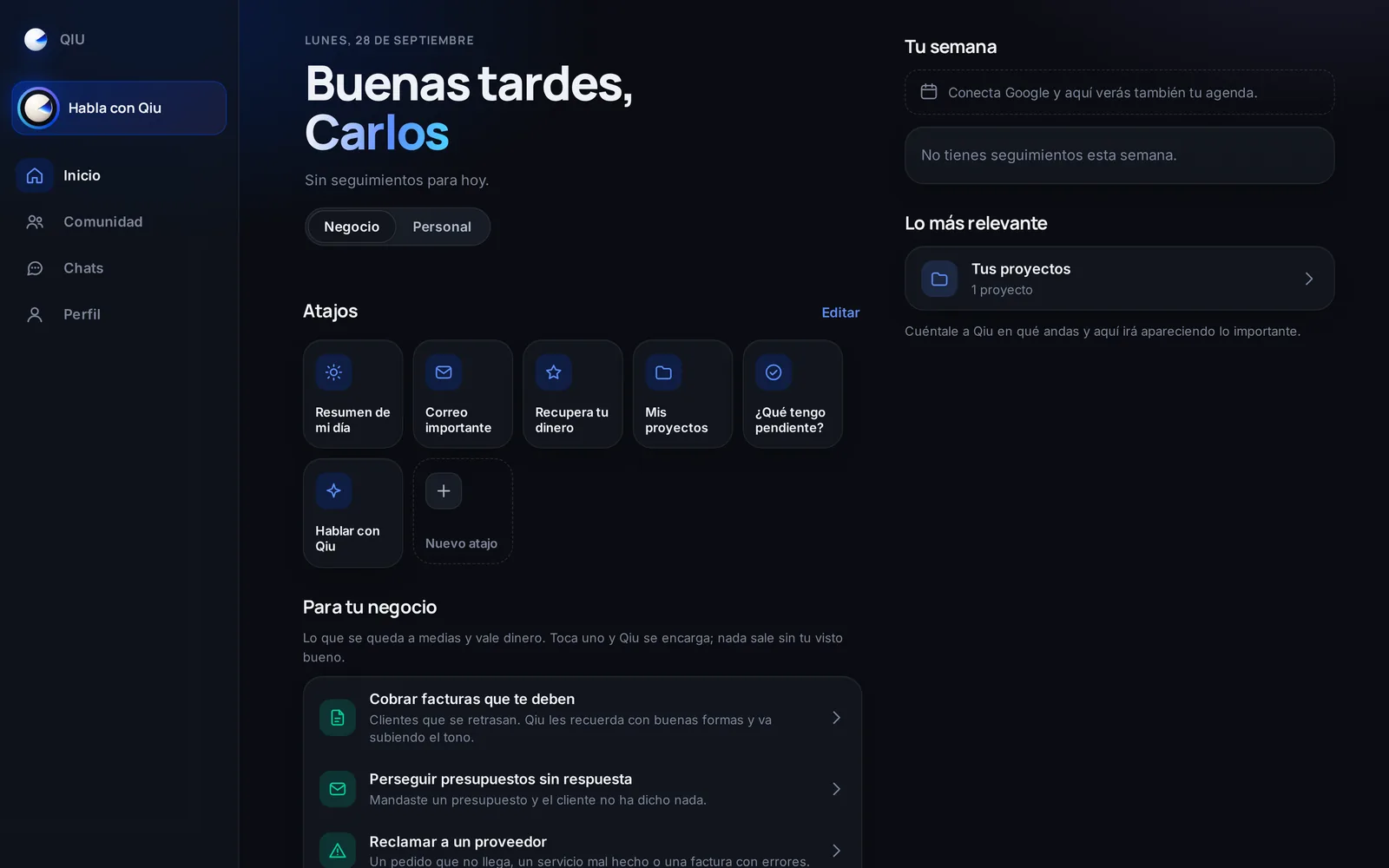
Business mode
In Business mode, Home suggests what you never get around to that is worth money: collecting invoices, chasing quotes or claiming from a supplier.
Business
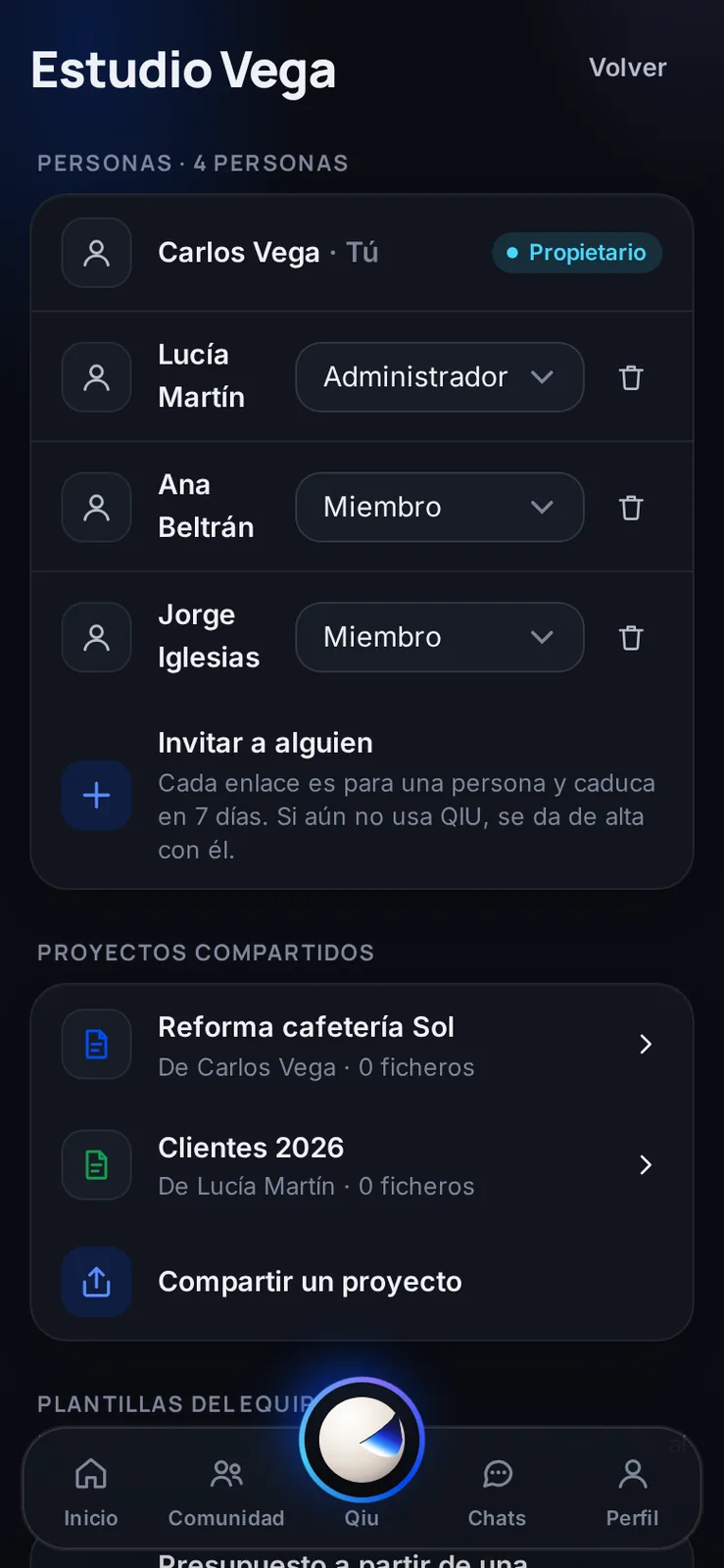
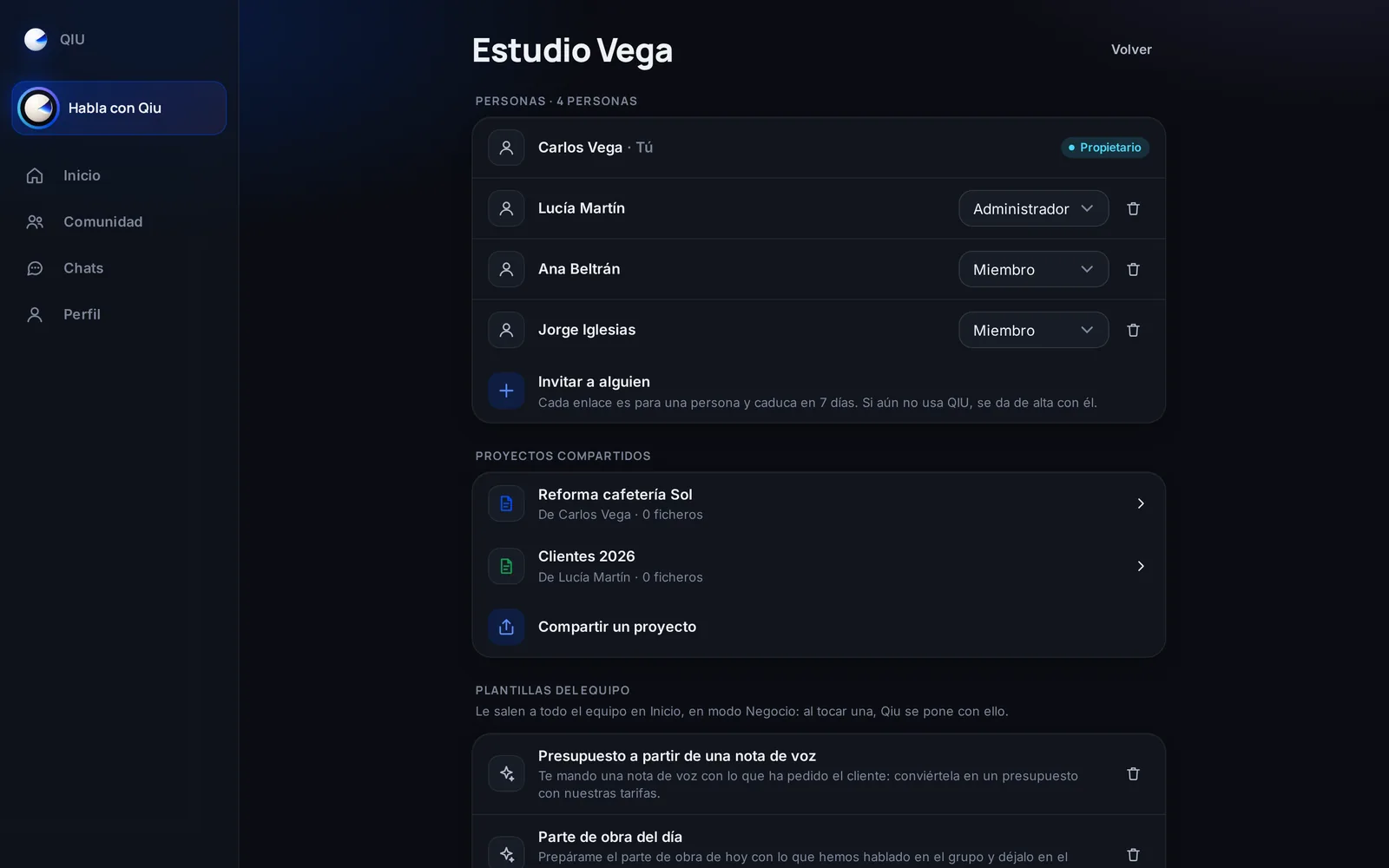
Your team, inside Qiu
Invite your team, hand out roles and share projects and templates so everyone works the same way with Qiu.
Theme
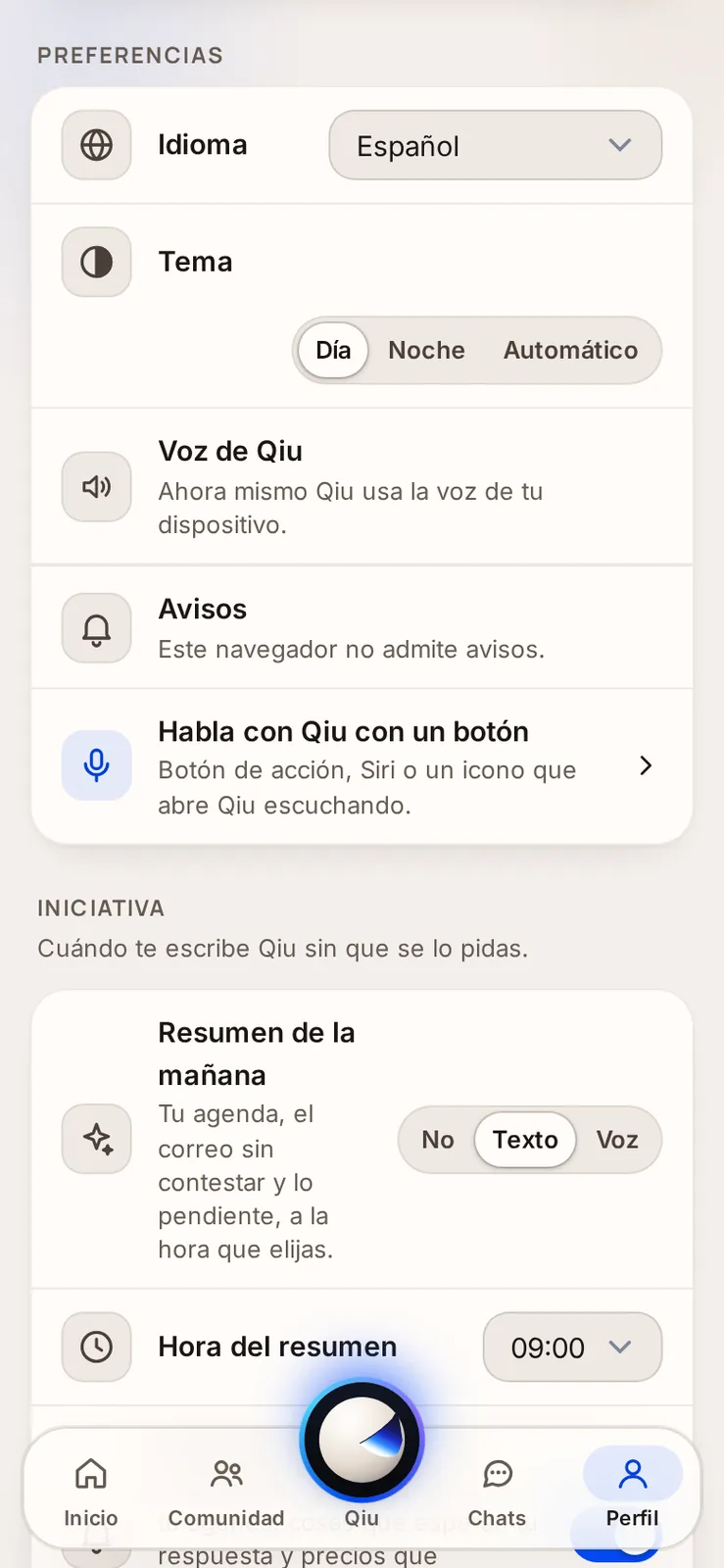
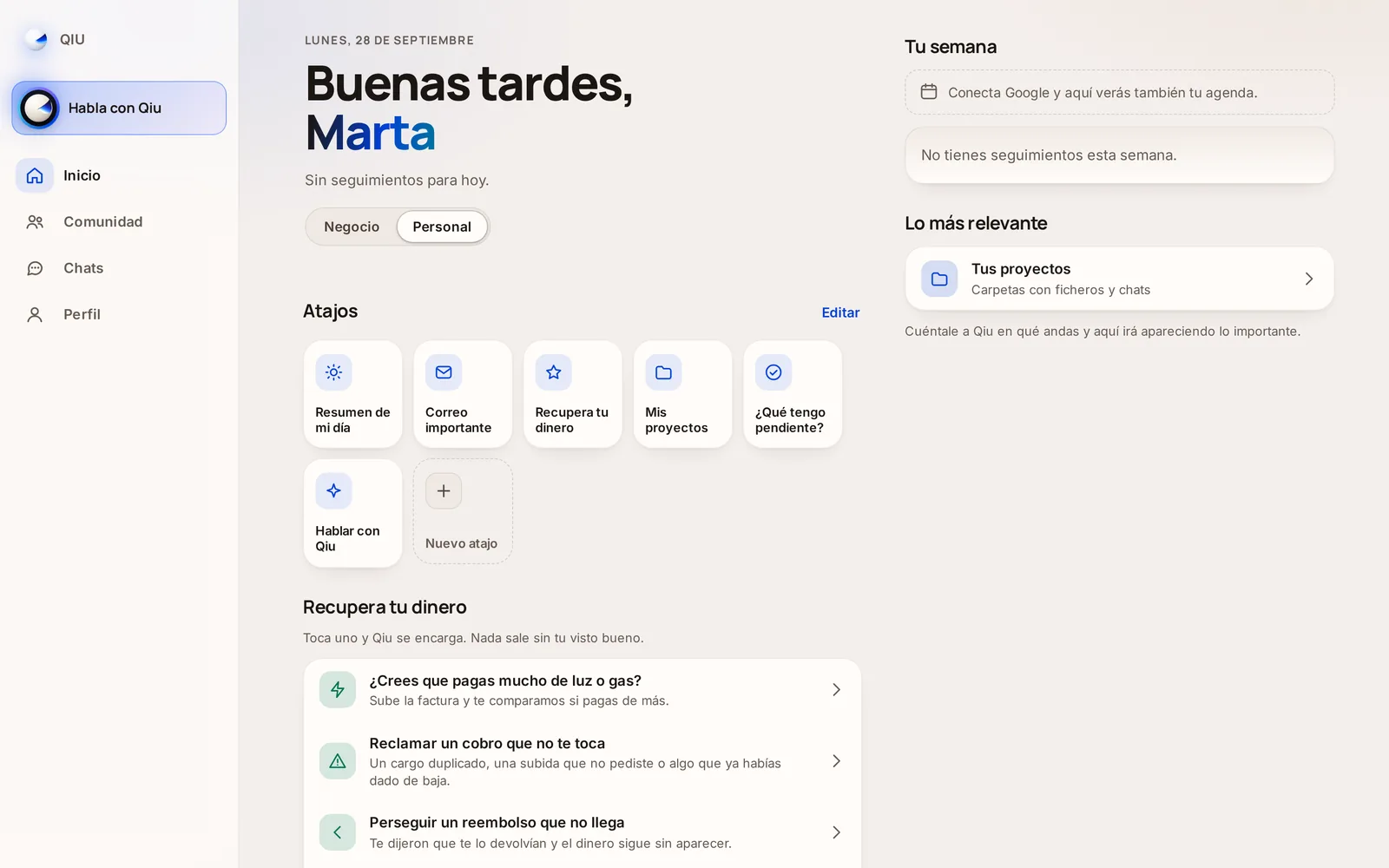
Day mode and night mode
Choose Day, Night or Automatic. The theme is saved in your account and follows you on all your devices.
Administration
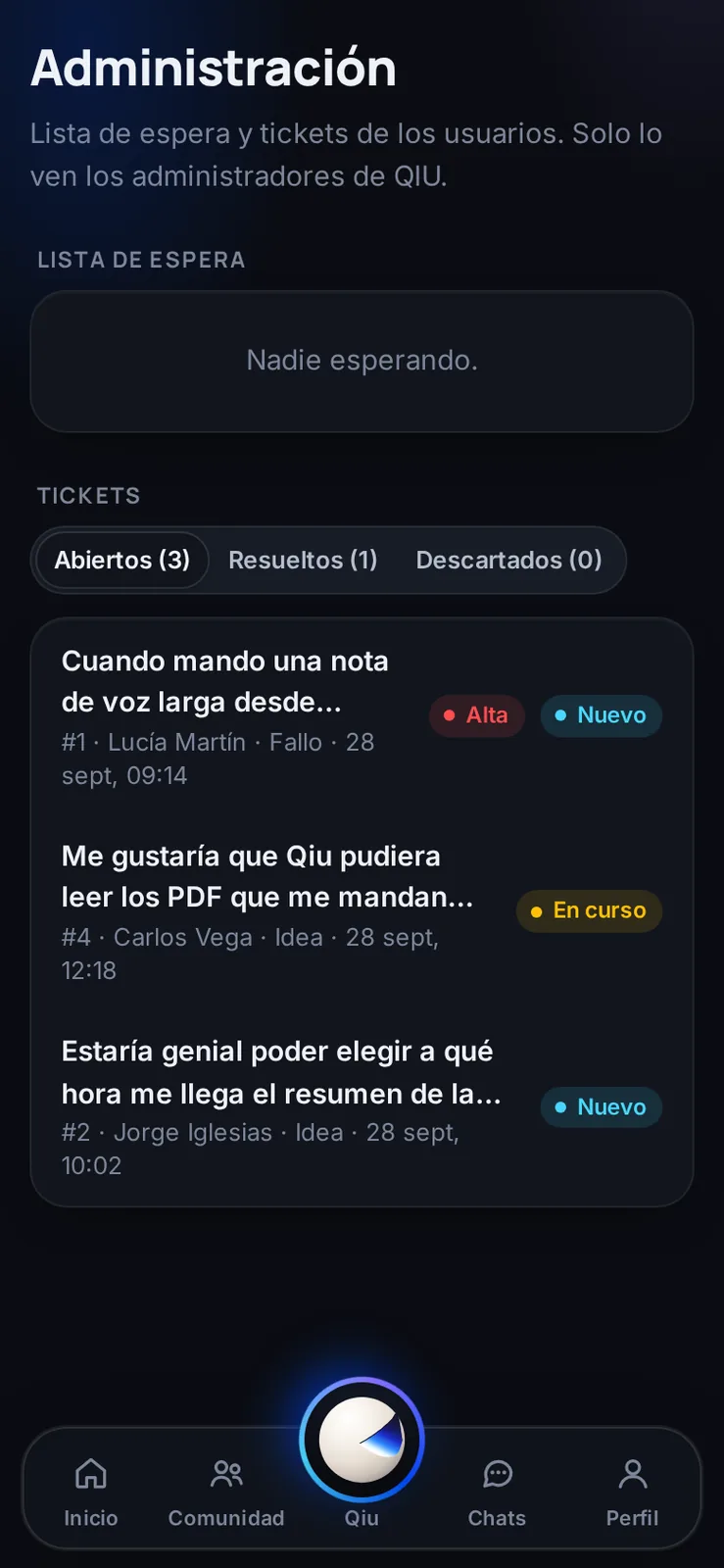
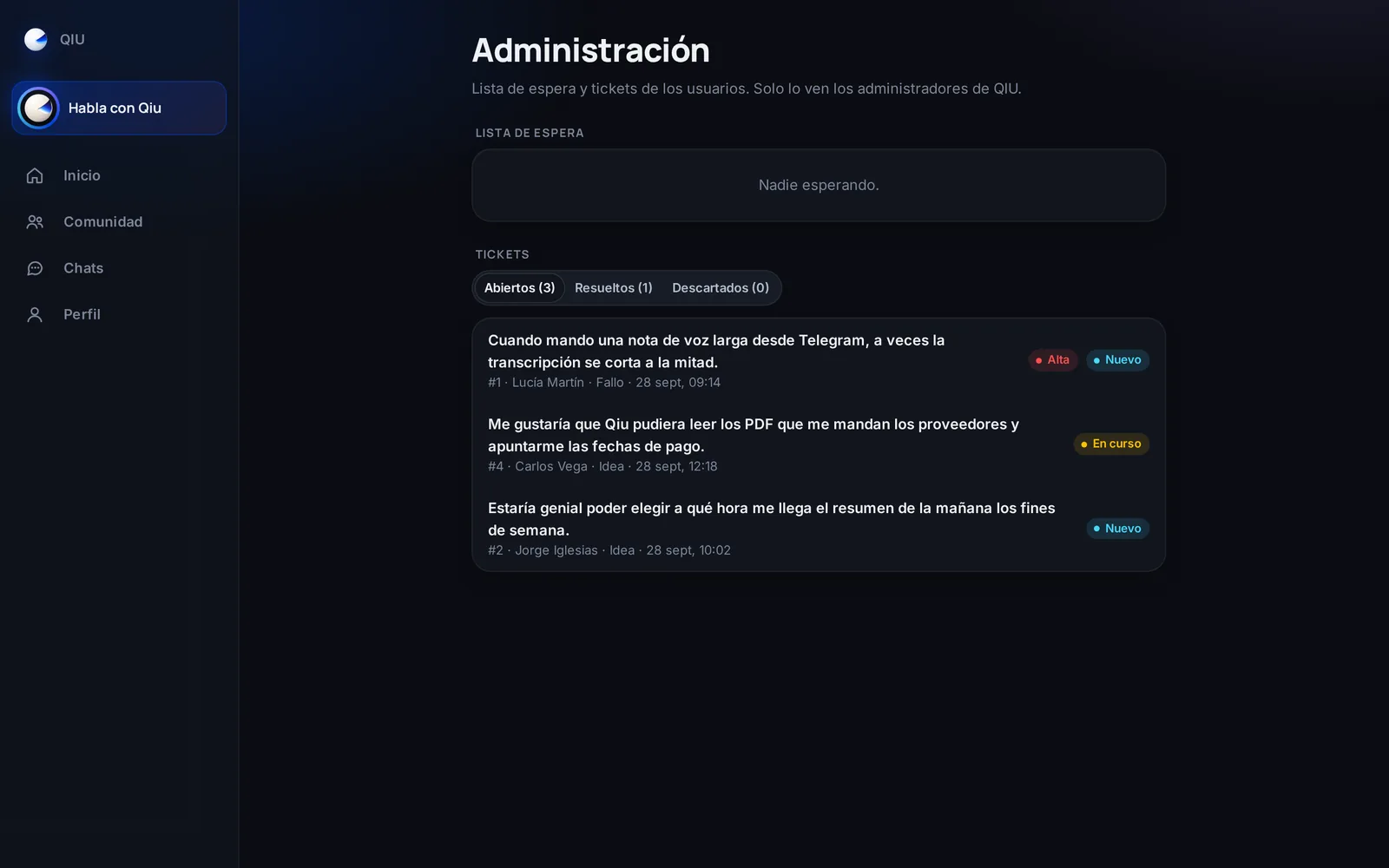
What people write, sorted for the team
The team sees each suggestion classified by type and priority; simple questions are answered on their own right away.
Administration
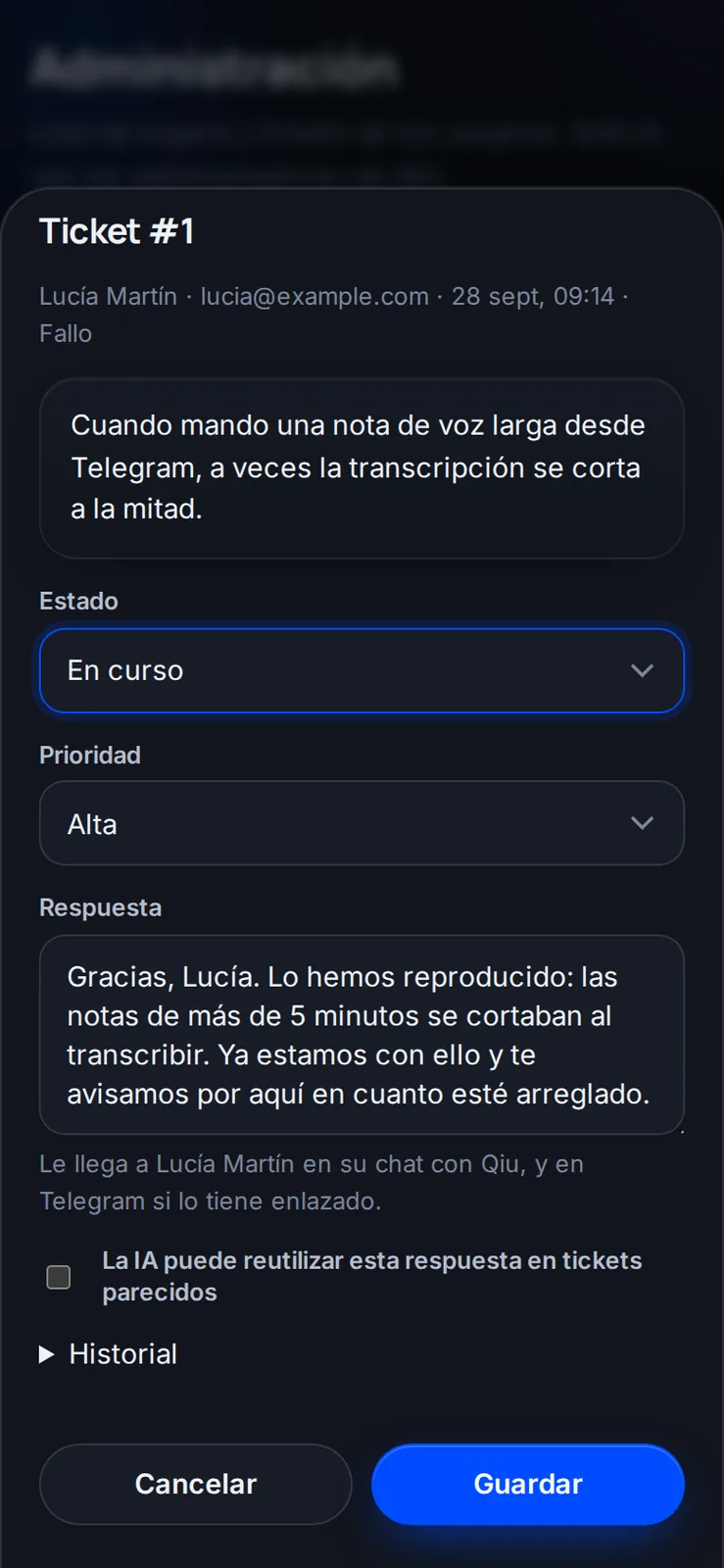
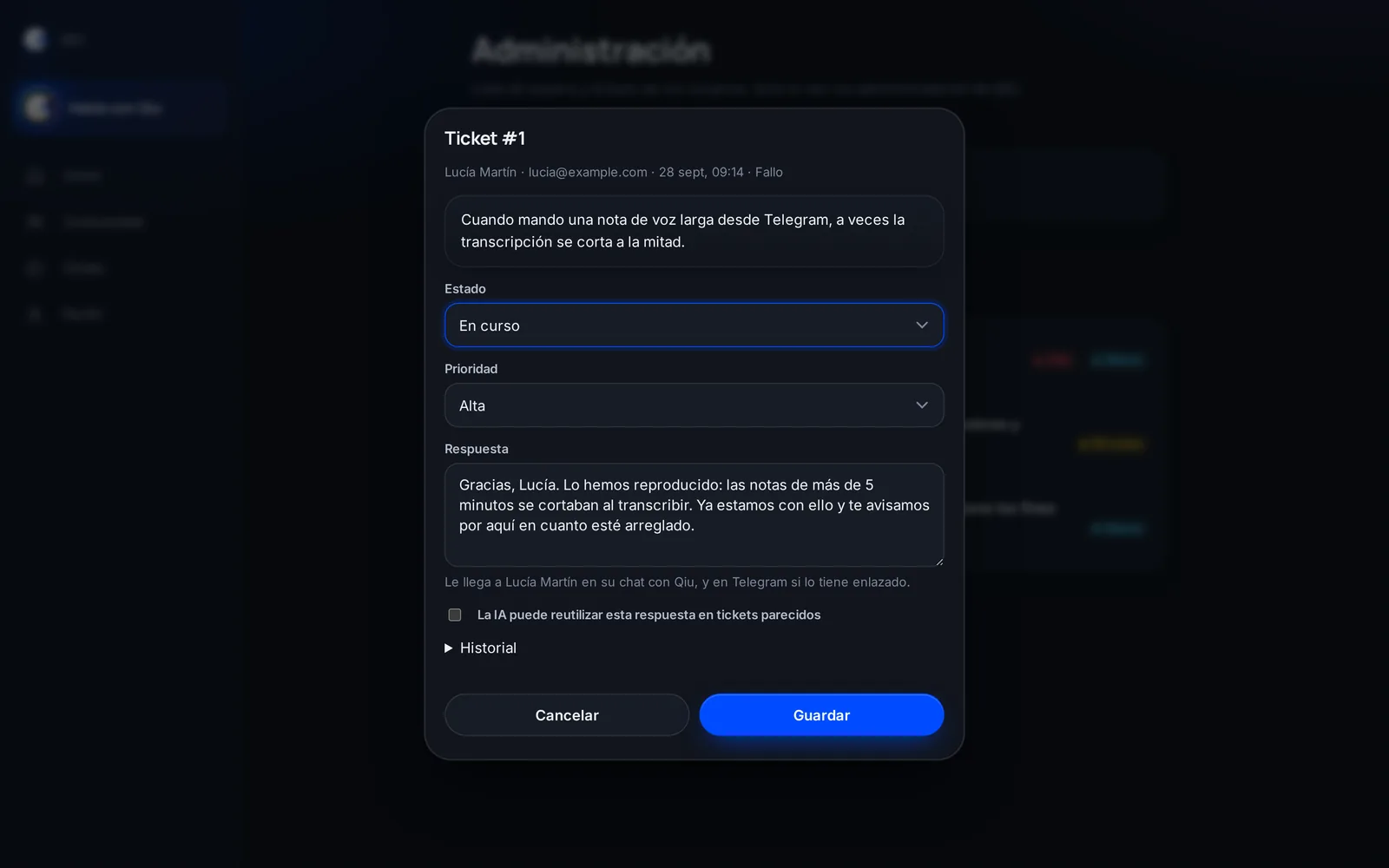
Answers from the team in your chat
The team answers each ticket from the app and the answer reaches you in your chat with Qiu.
Watches
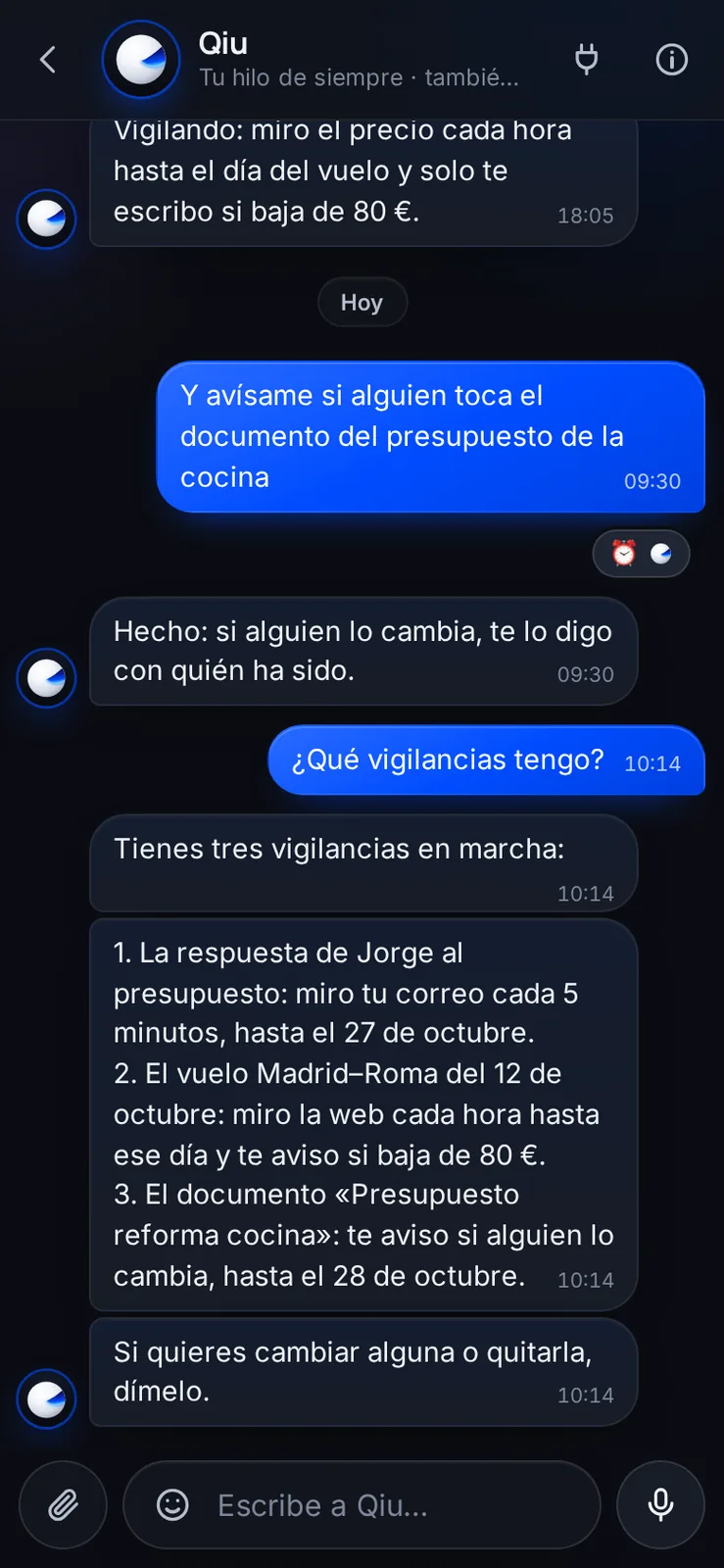
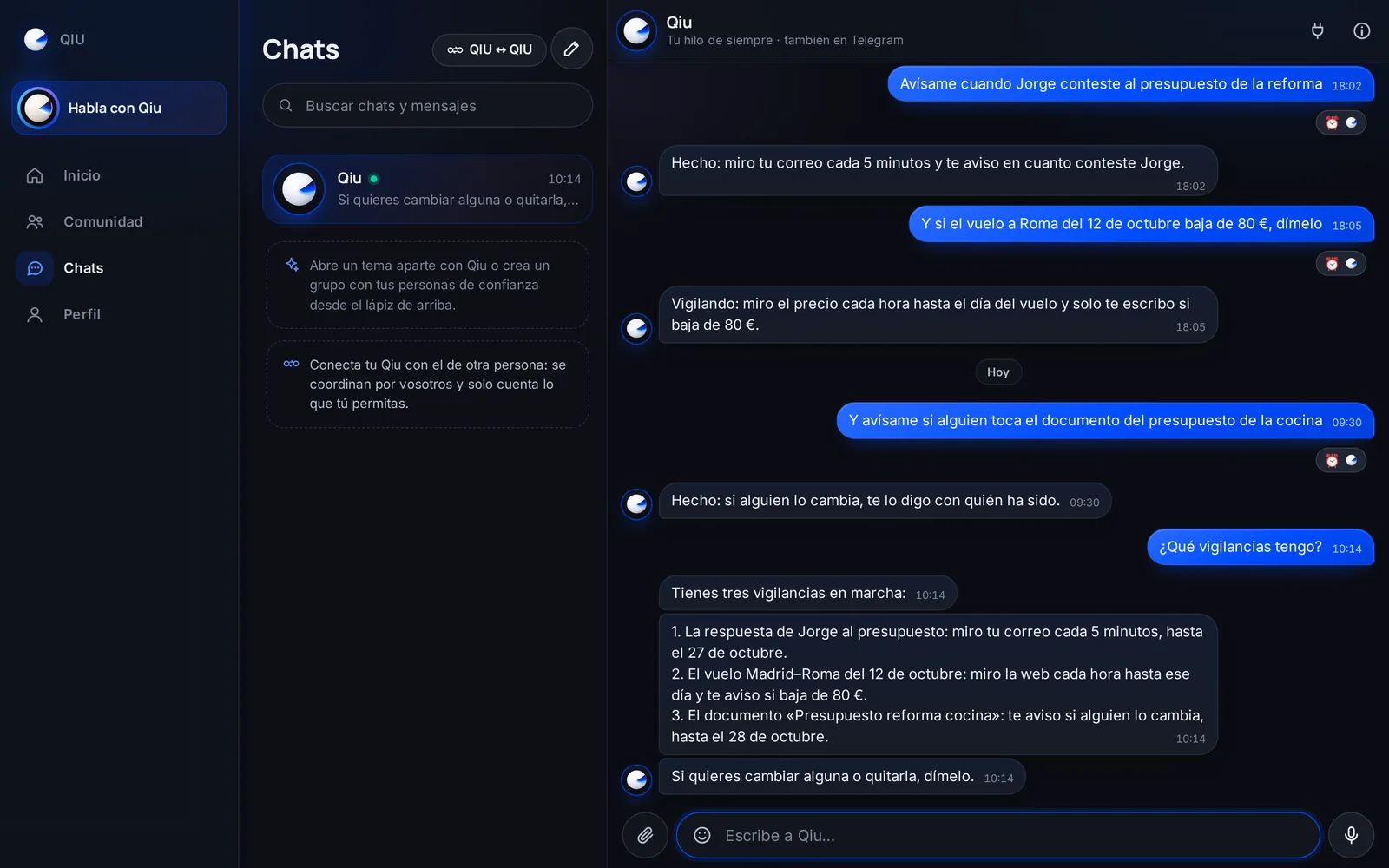
«What watches do I have?»
Ask Qiu to watch something for you: whether someone replies, a price drops or a document changes. Ask what it is watching and it tells you where it looks, how often and until when.
Watches

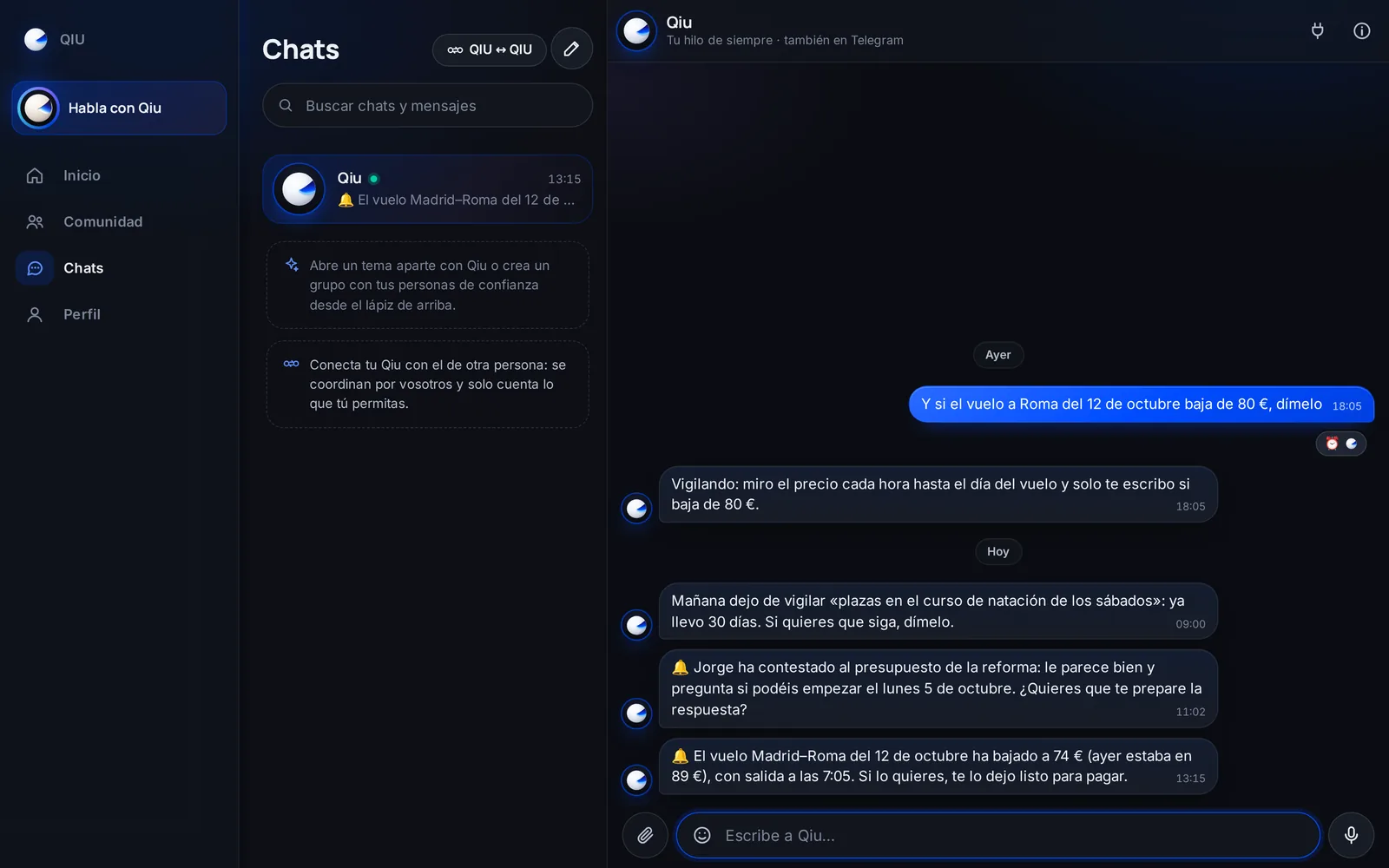
It only tells you when something happens
Qiu watches in silence and only writes to you when what you asked for happens: «Jorge has replied», «the flight has dropped». And the day before a 30-day watch ends, it asks whether to keep it.
Permissions
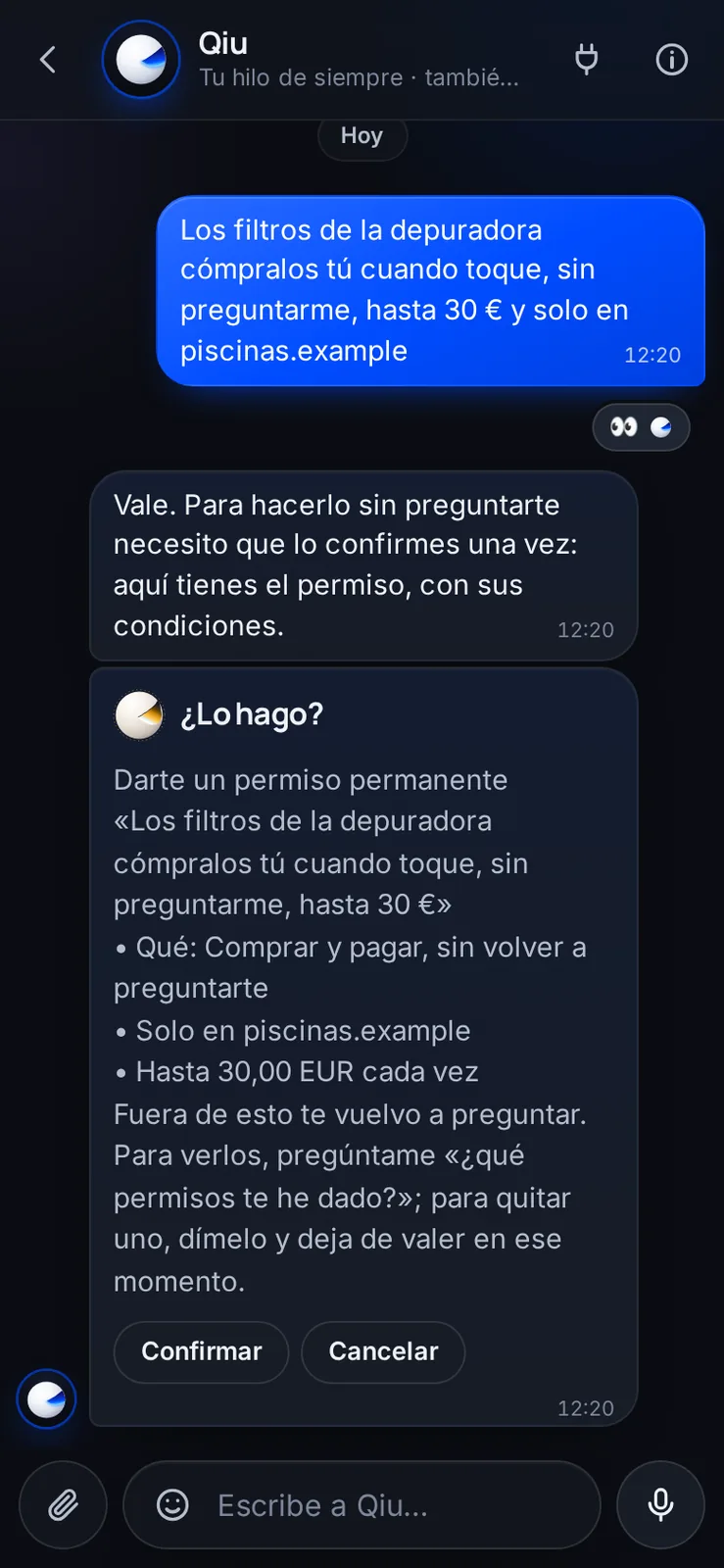
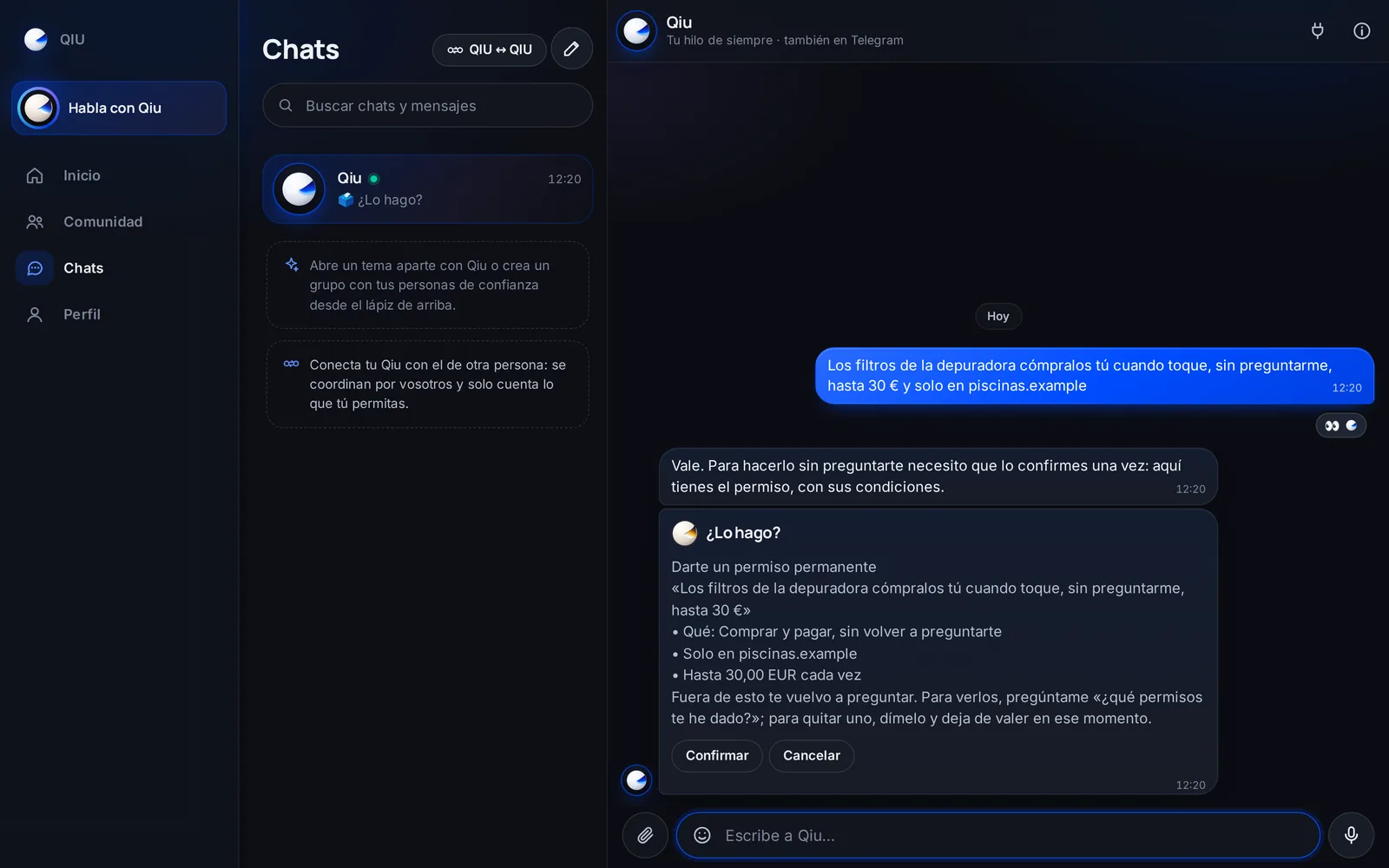
Permissions so it does not always ask
If something repeats, tell Qiu to do it without asking and on your terms: at which store, up to how much or until when. Before saving it, it shows you the permission so you confirm it.
Permissions
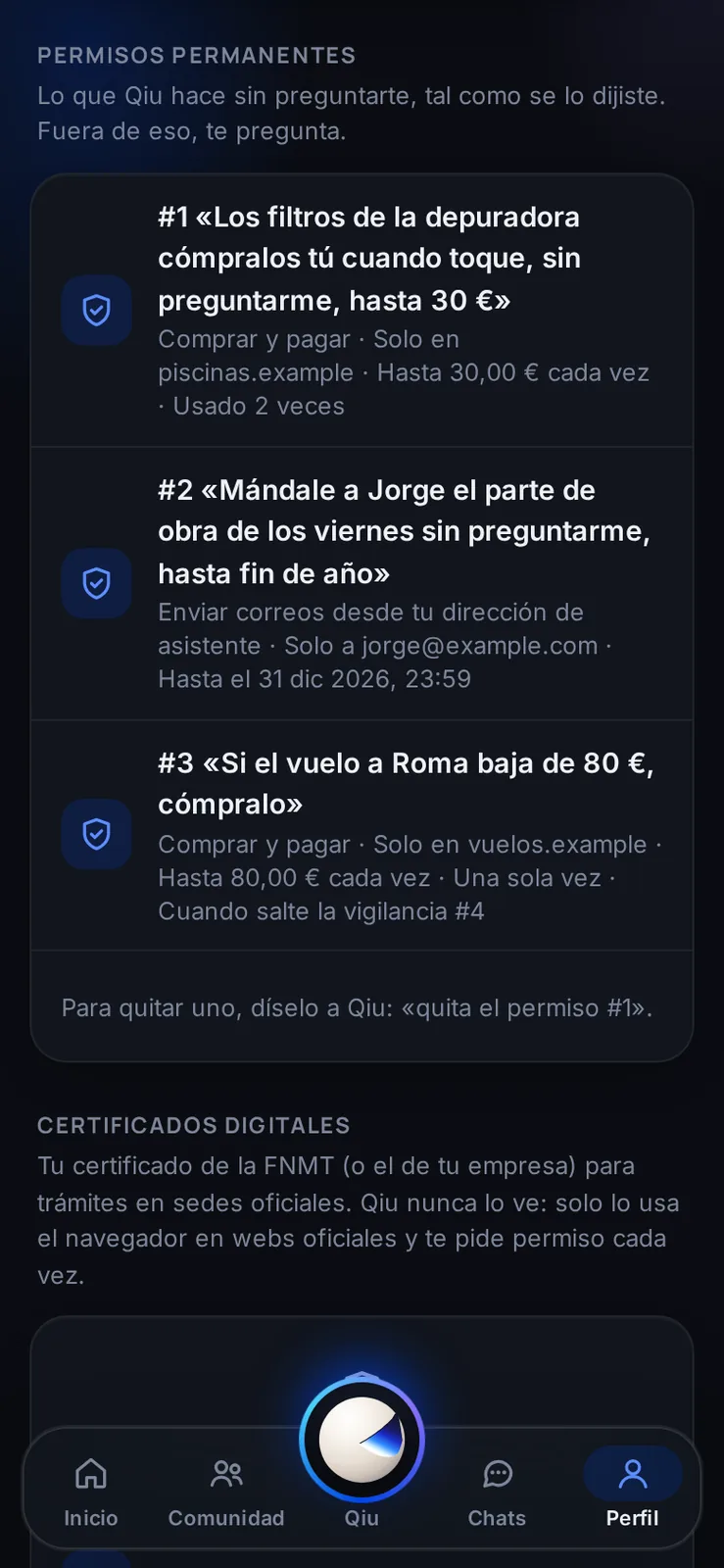
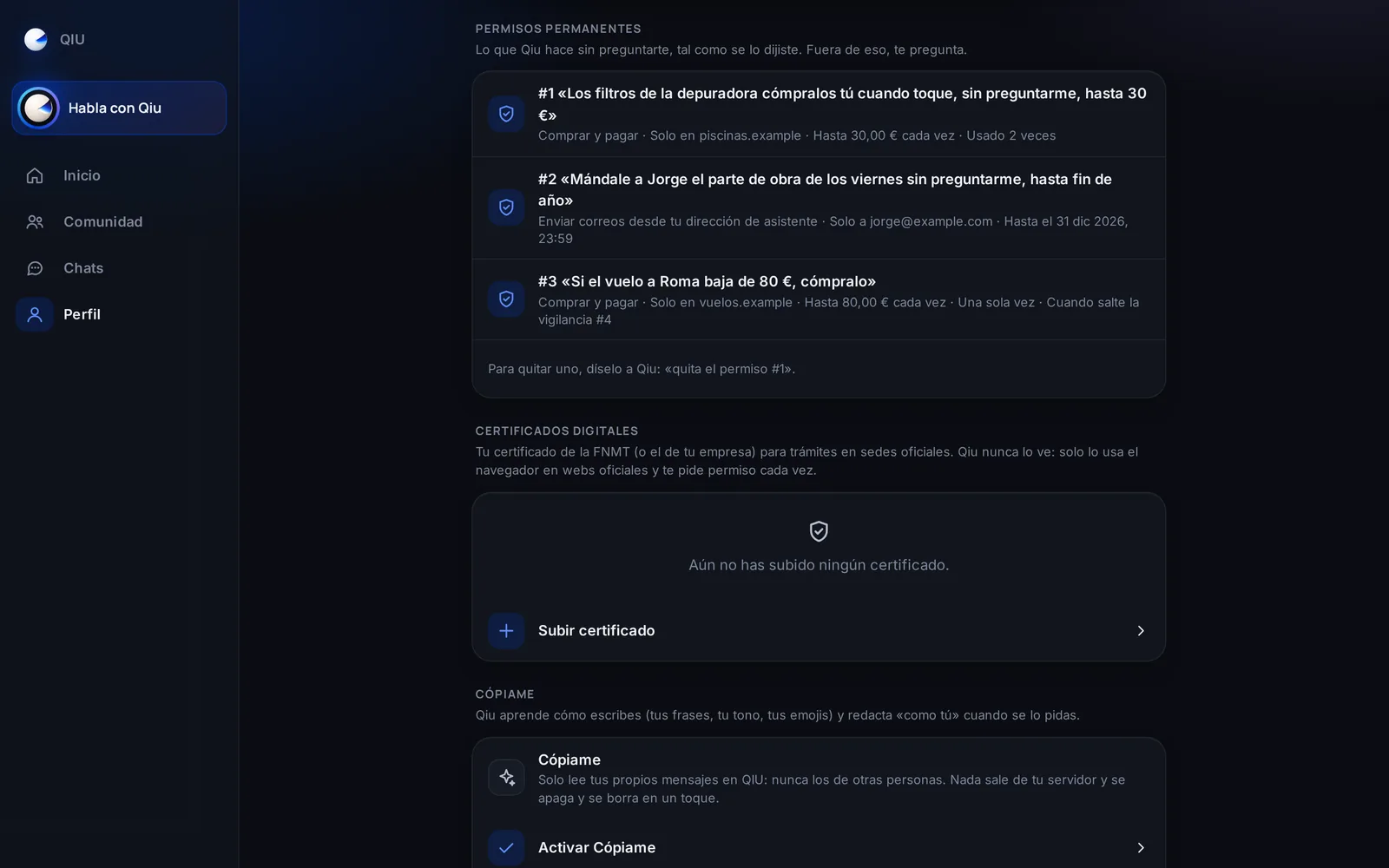
Your permissions, in plain sight
In your profile you see each permission in your own words, its conditions and how many times it has been used. To remove one, just tell Qiu.
Notices
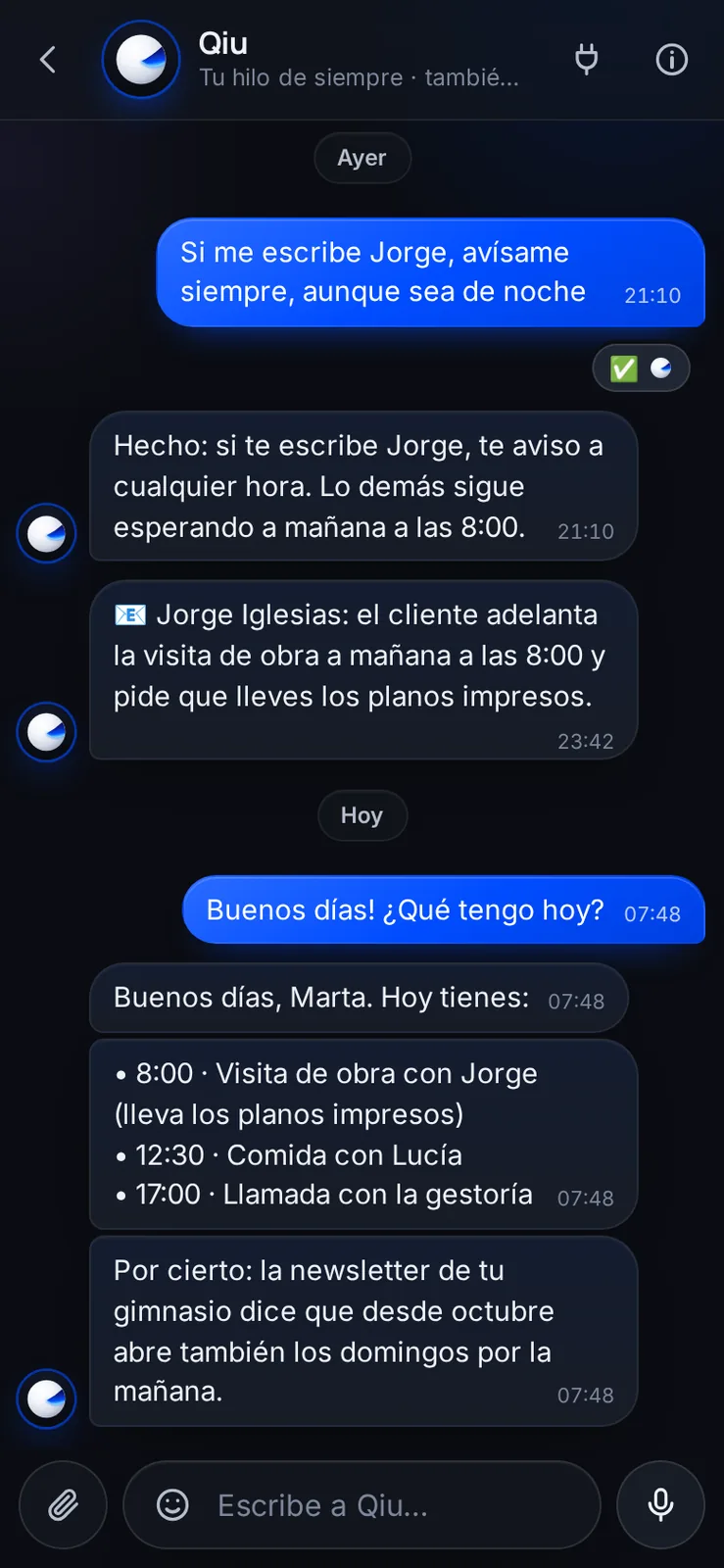
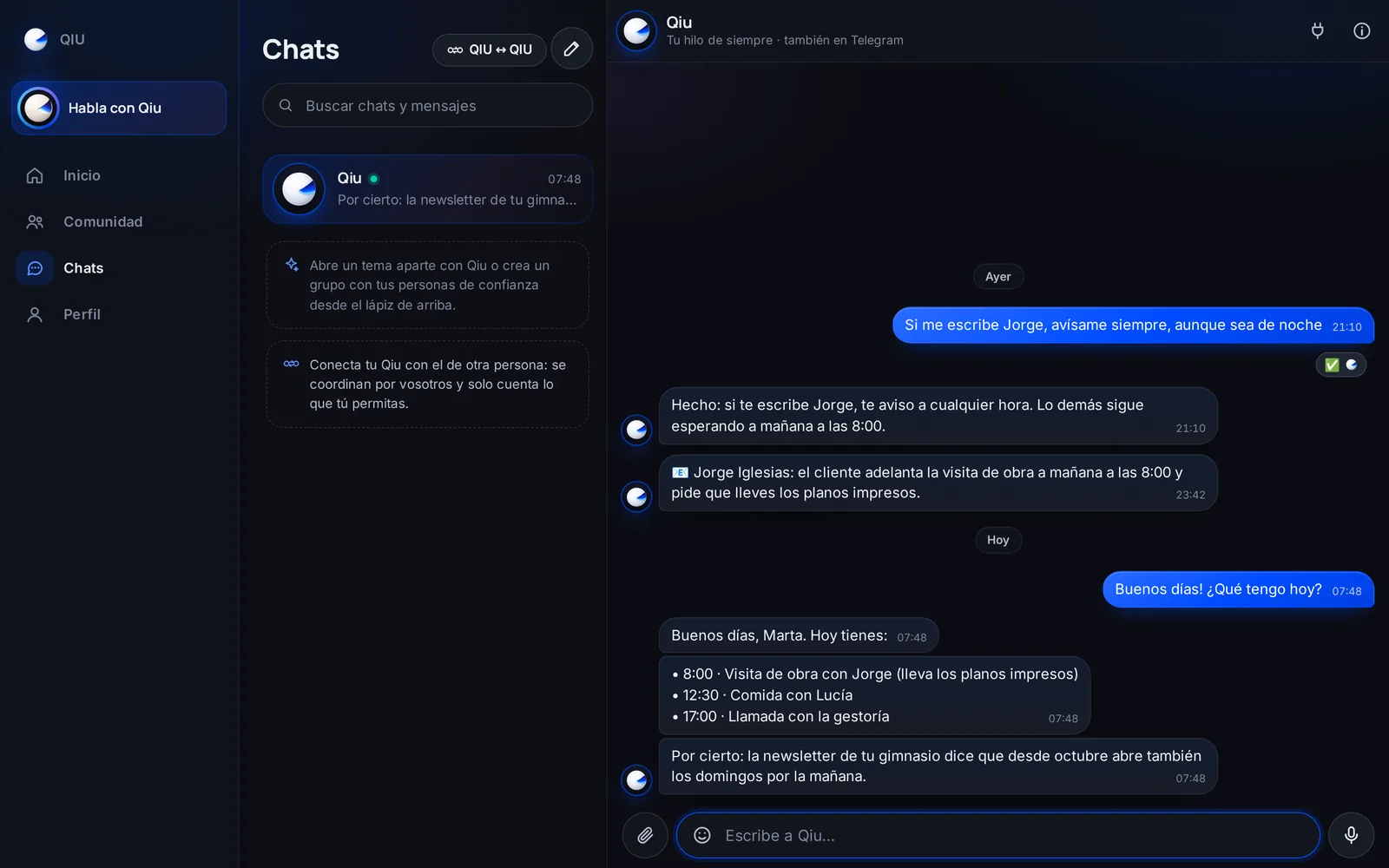
It only interrupts if it is worth it
At night Qiu does not write to you, unless it is urgent or from someone you have said always interrupts. What is merely curious it keeps and tells you the next time you talk.
Expenses
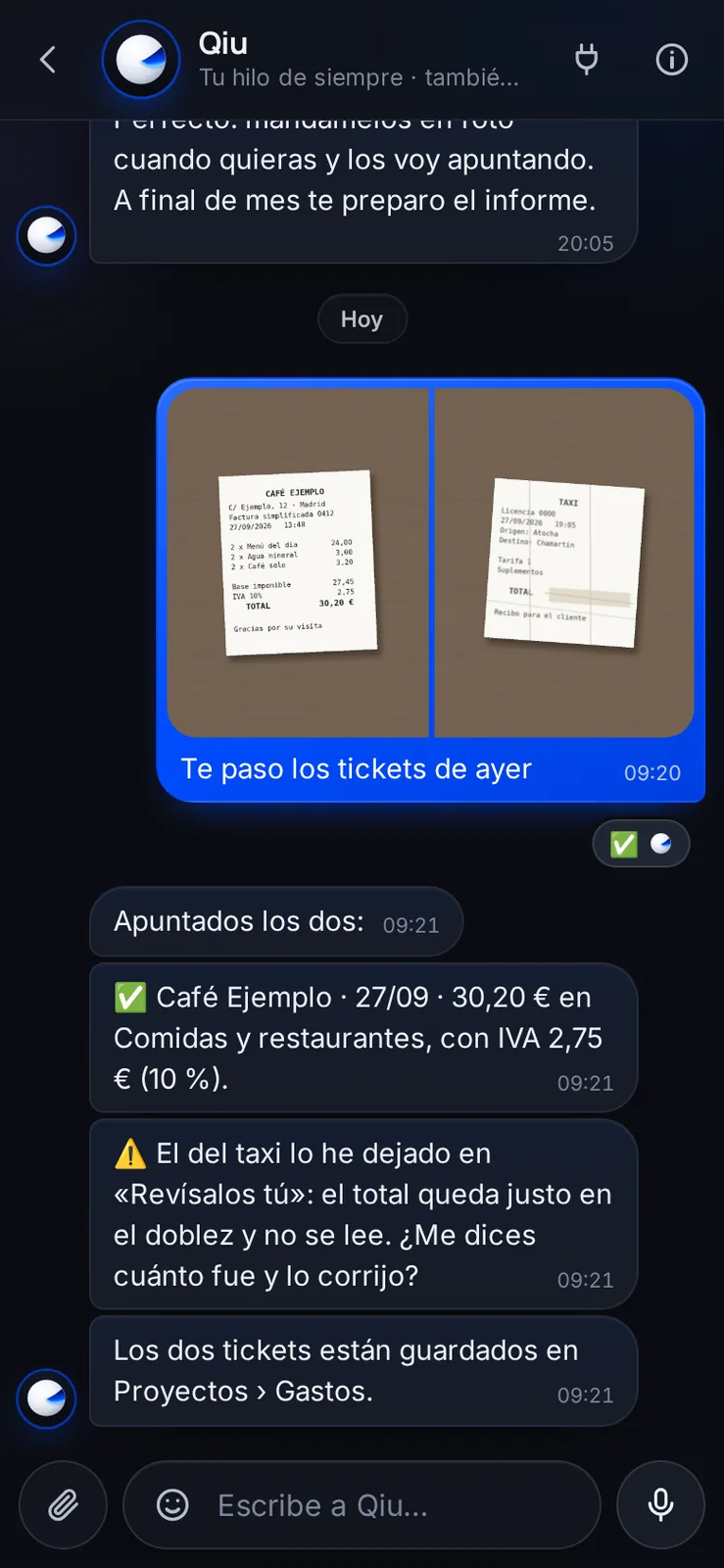
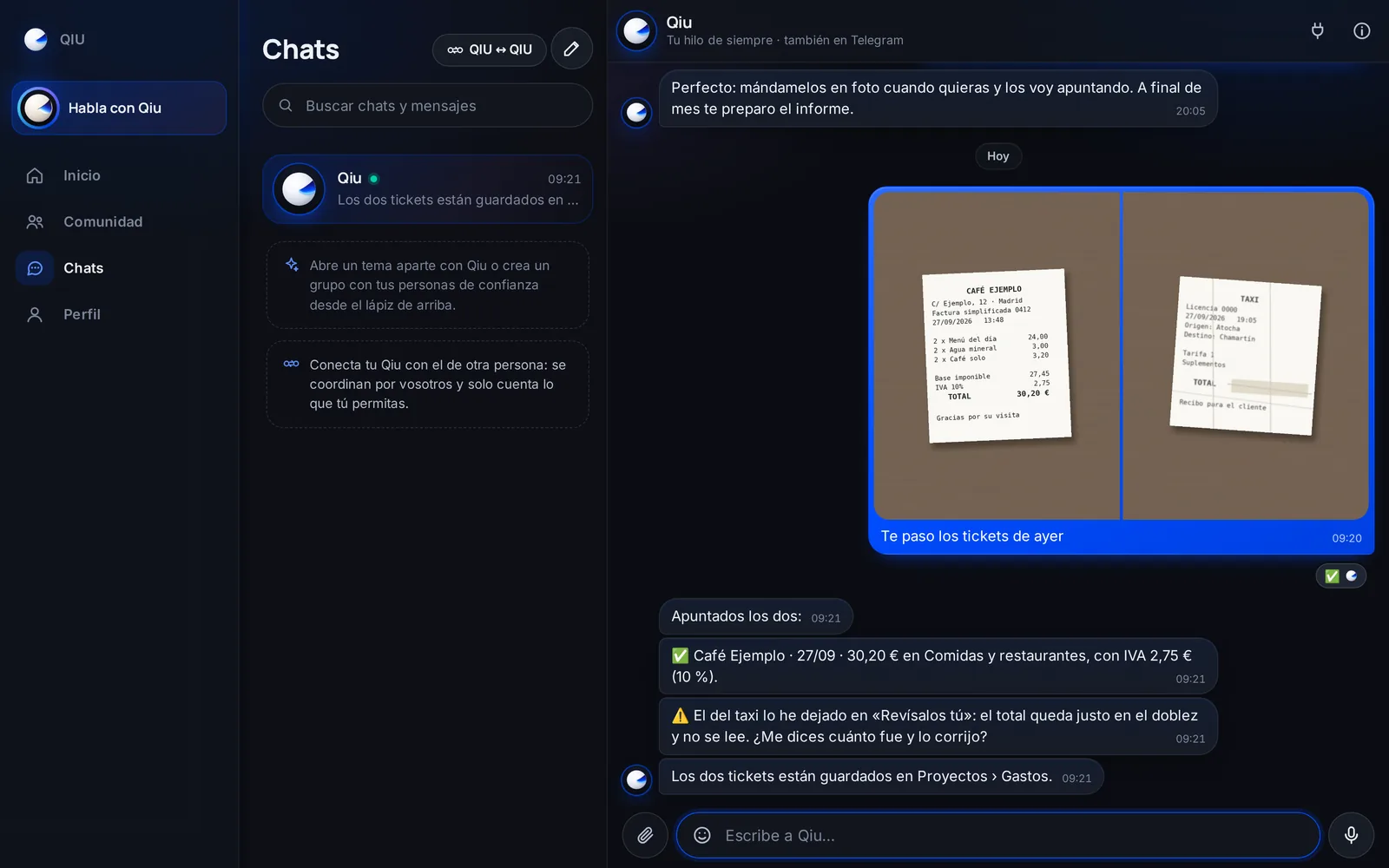
From receipt to expense, with a photo
Send Qiu a photo of your receipts and it records them with amount, category and VAT (only if the receipt has it printed). What cannot be read well it leaves under «Check these yourself» instead of making it up.
Expenses
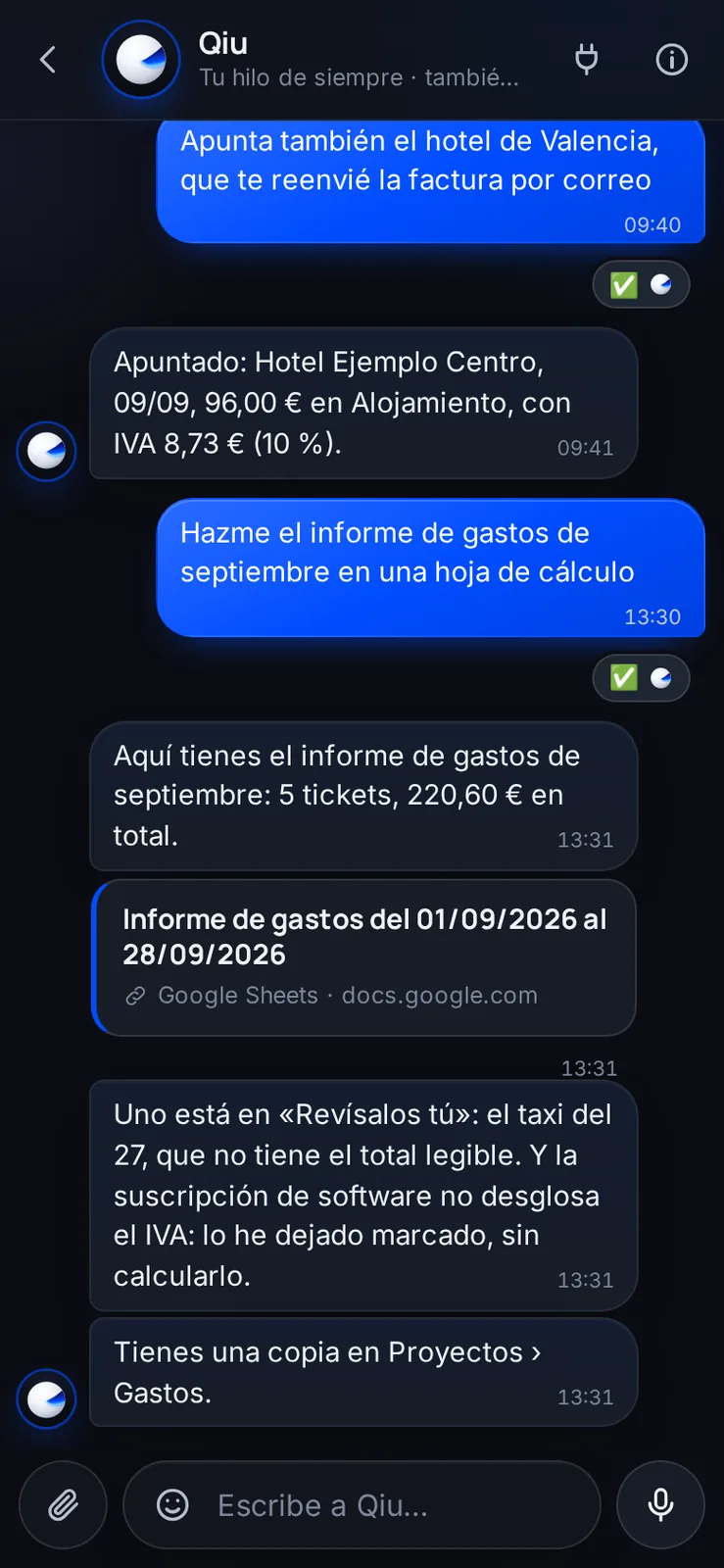
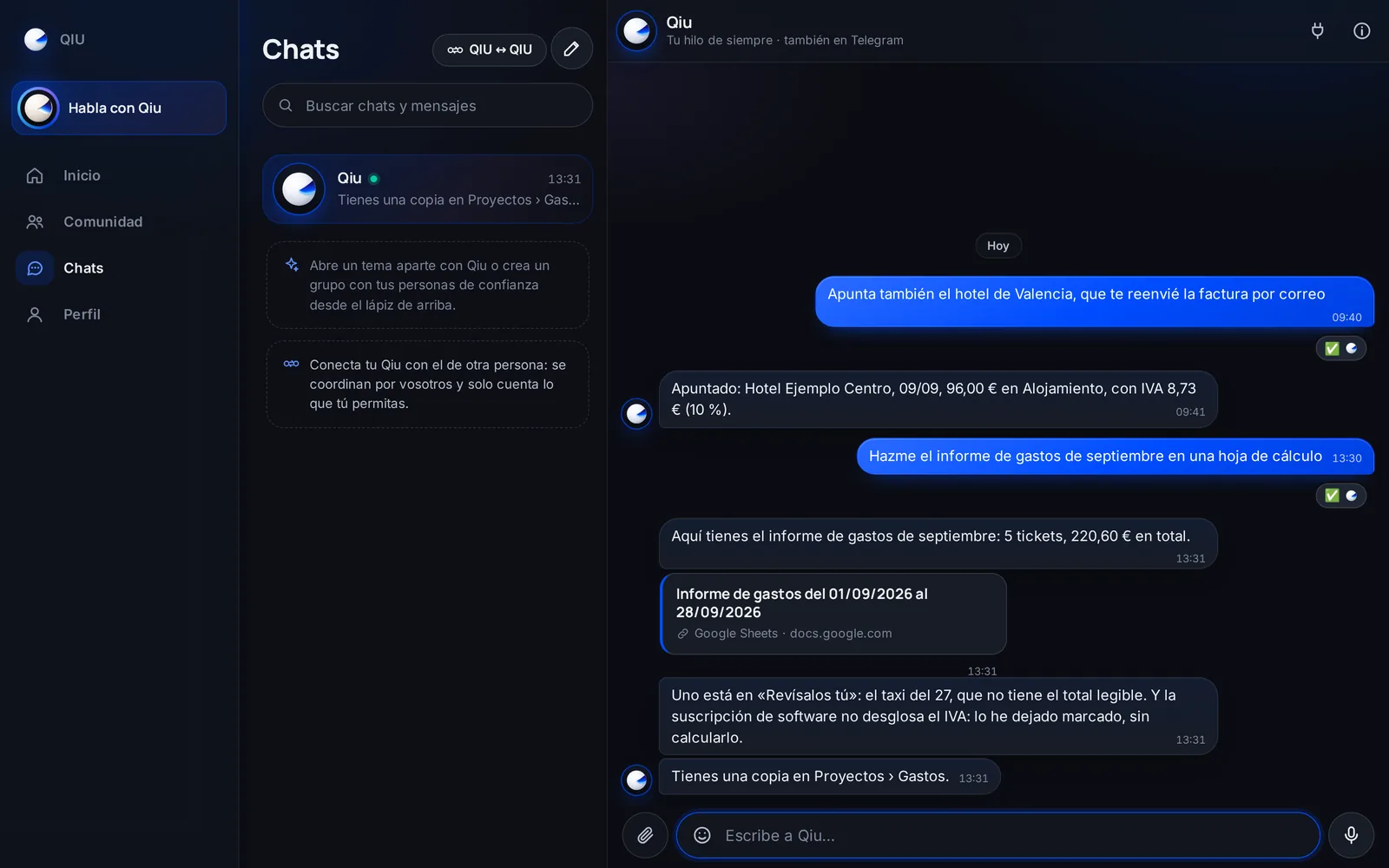
Your expense report, done
Ask for the month's report and it prepares it in a spreadsheet: by category, with the total, what still needs review and what does not break down VAT. And it leaves a copy in your projects.
Files
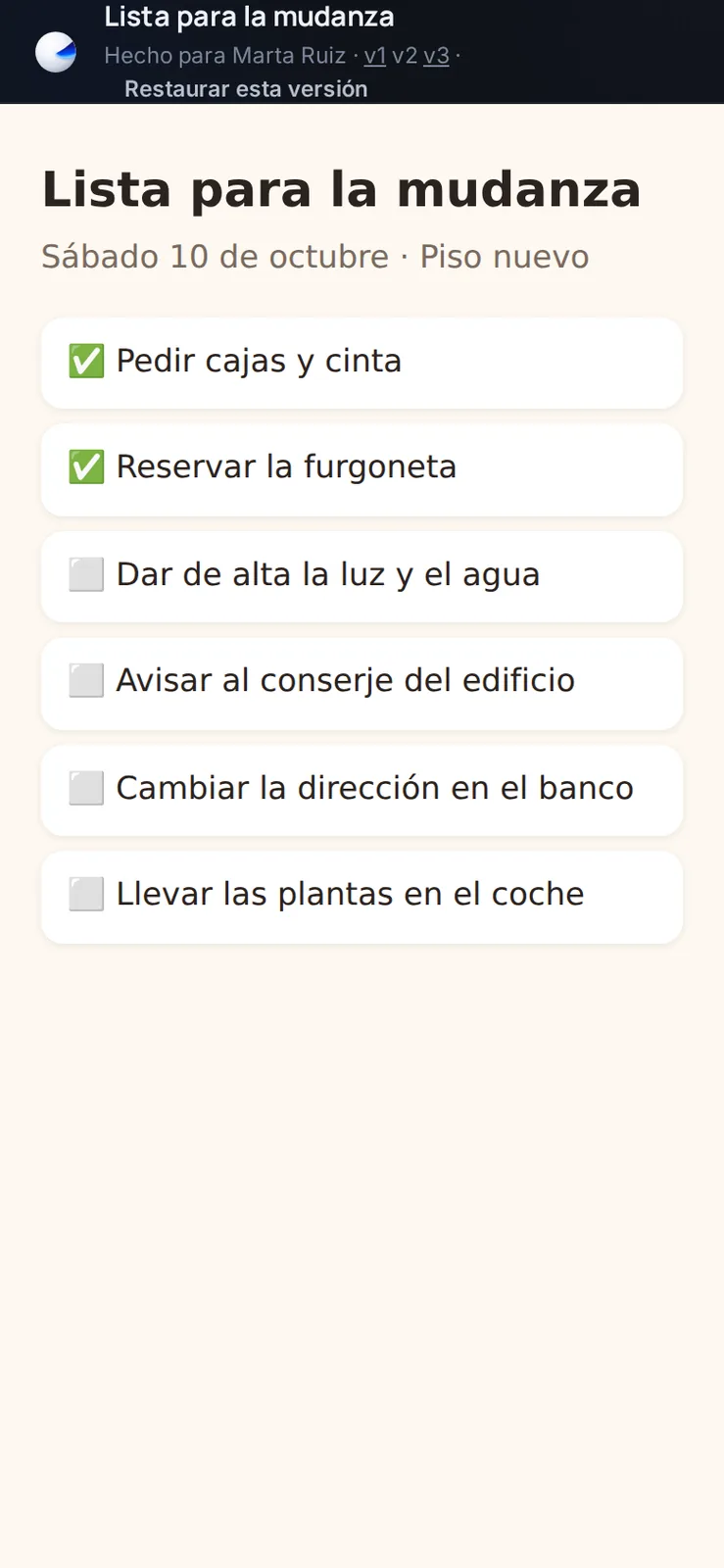
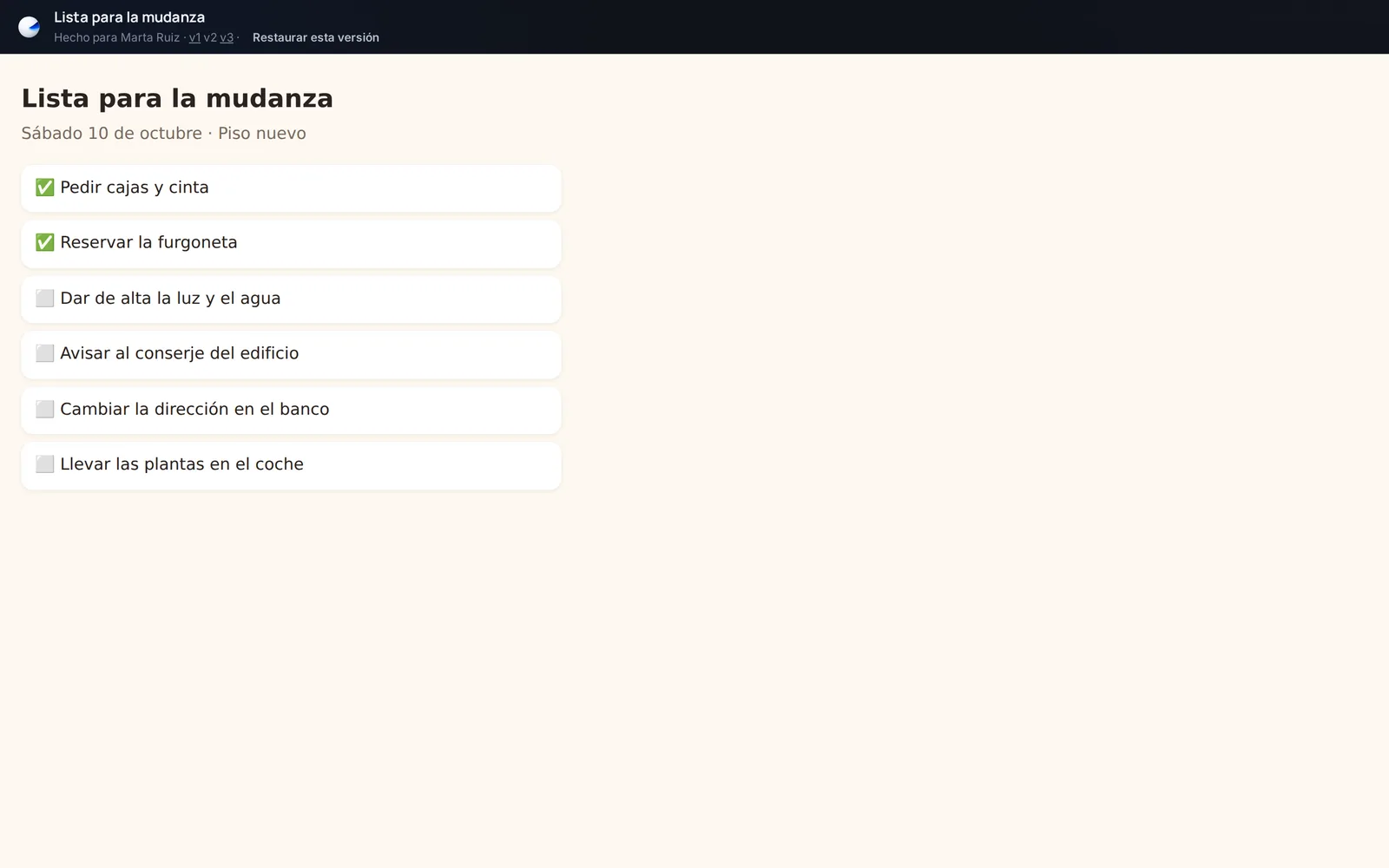
Go back to an earlier version
The pages Qiu prepares for you keep all their versions. Open the one you want and, with «Restore this version», it becomes the current one again without losing any.
Browser
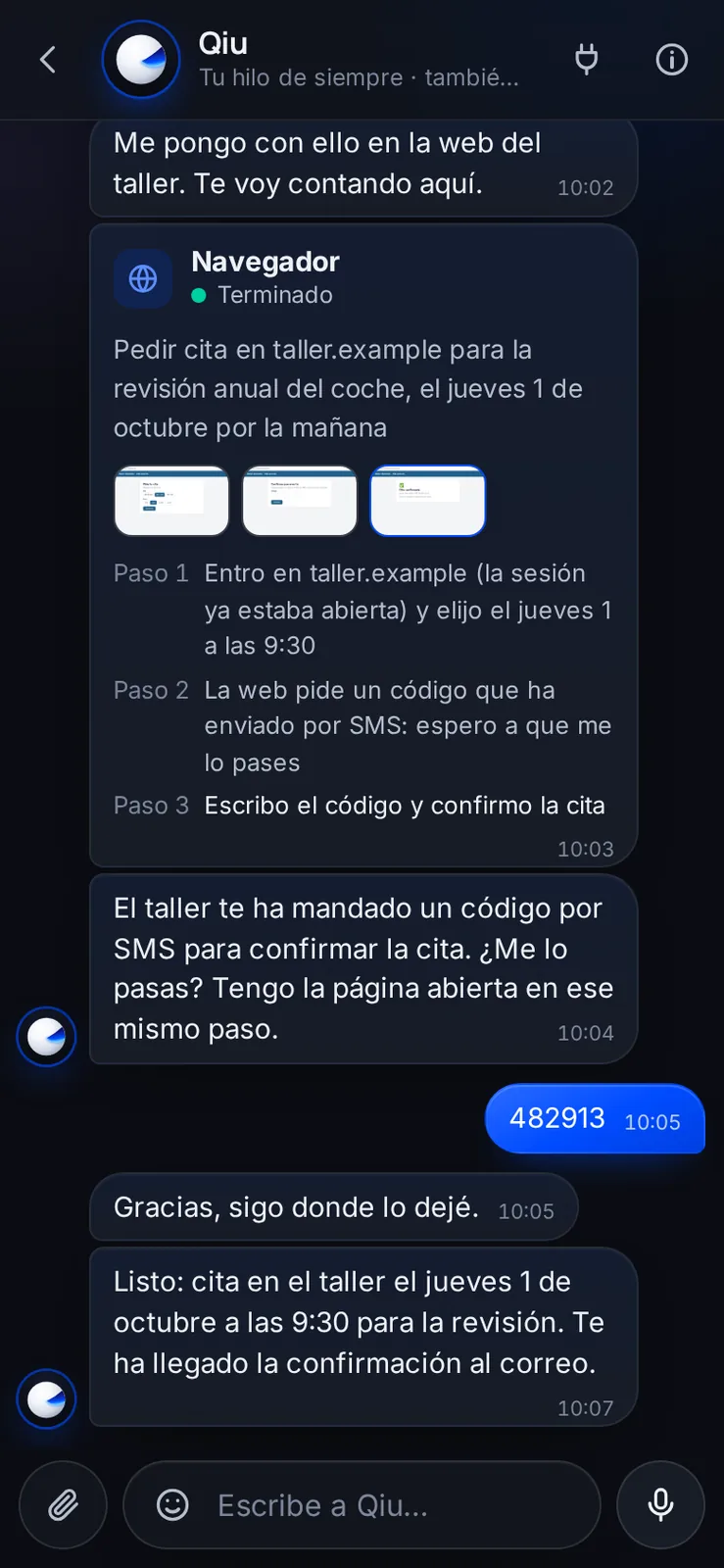
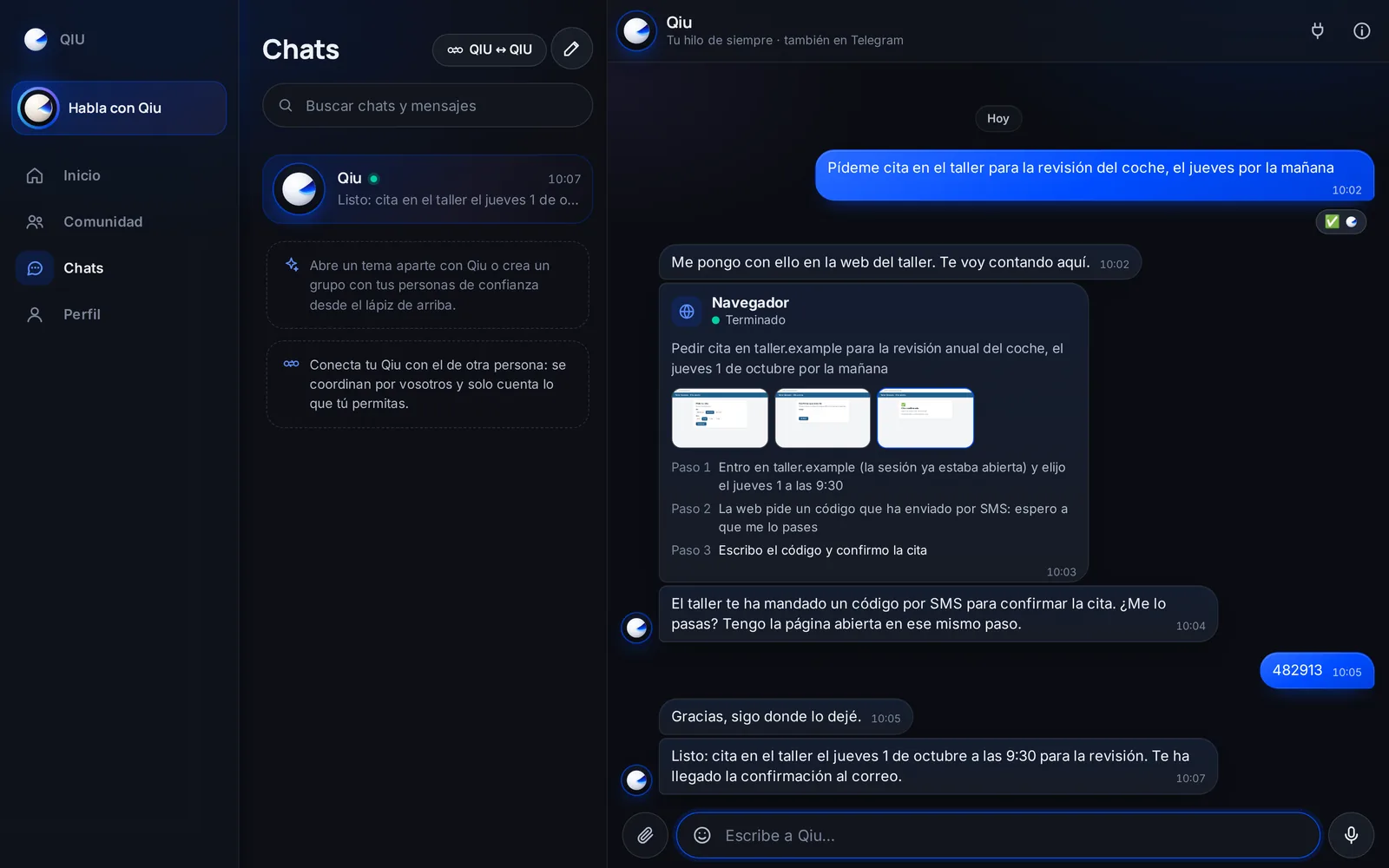
If the website asks for a code, it asks you
When Qiu does something for you on a website and it is asked for an SMS code, it asks you in the chat. You pass it on and it continues at the same step, without starting over.
Browser
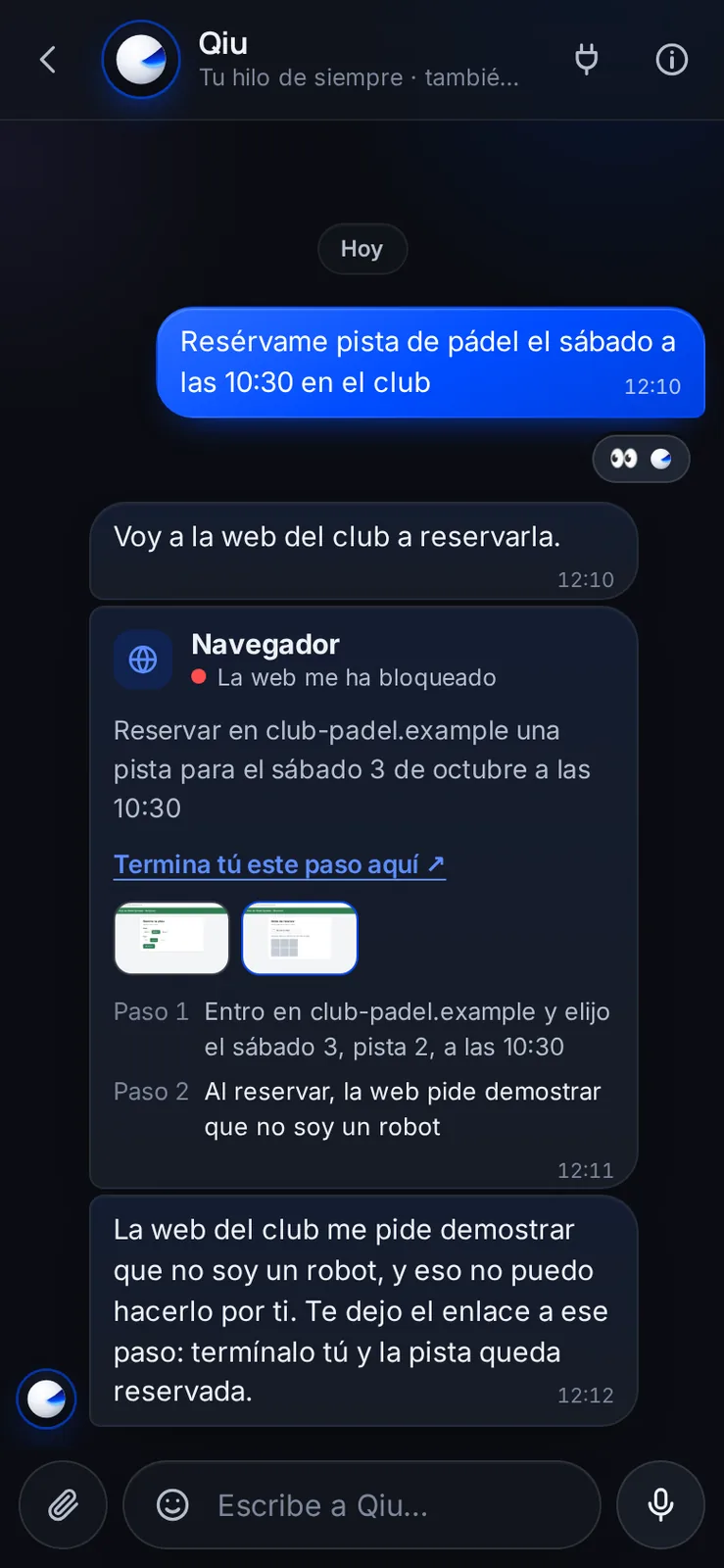
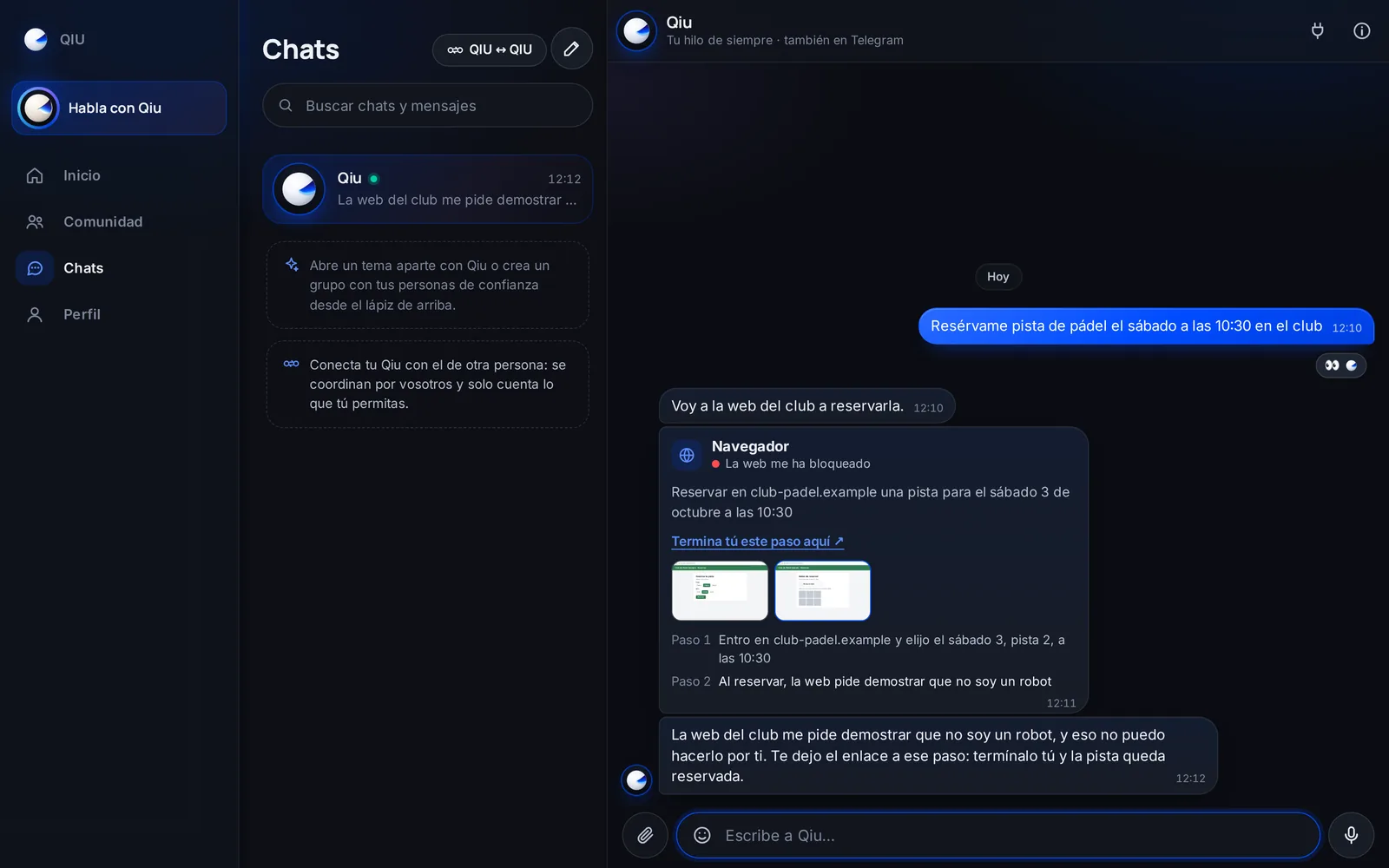
«Finish this step here yourself»
If a website asks it to prove it is not a robot, Qiu does not insist: it stops and leaves you the link to that same step so you finish it.
Writing
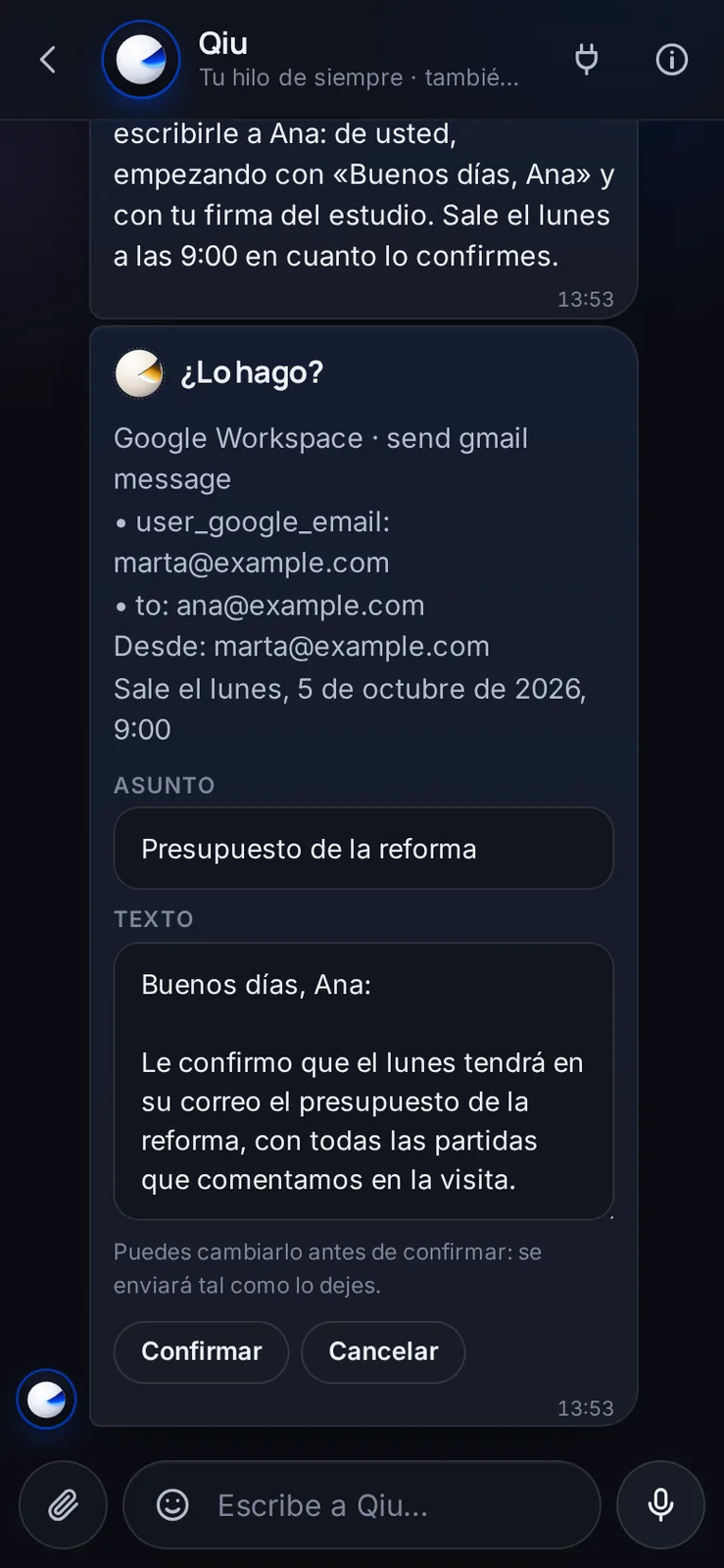
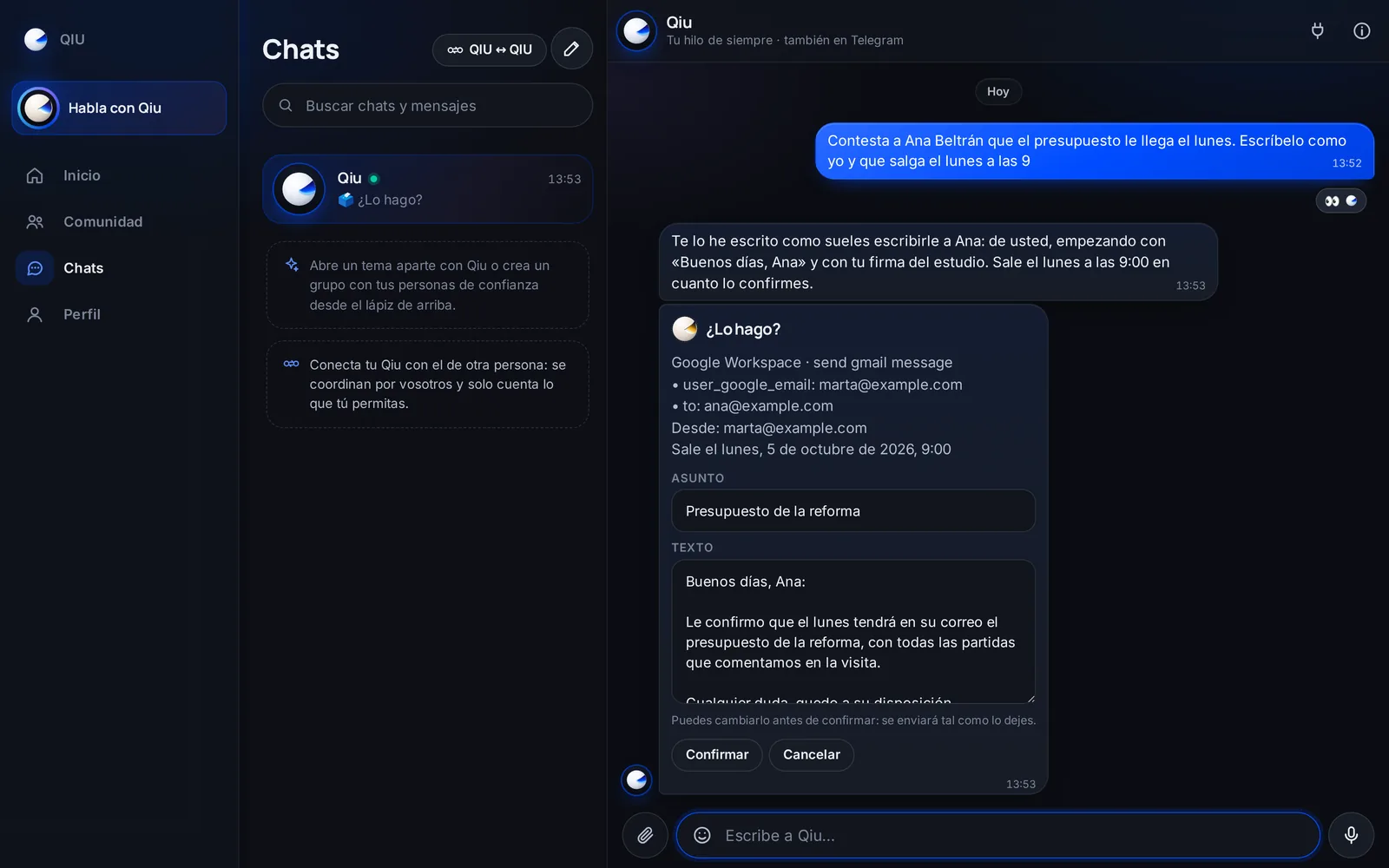
It writes like you, and it goes out when you say
Qiu drafts the email the way you usually write to that person, formal or informal and with your signature. You touch it up if you want and schedule it: the card tells you which account it goes from and when.
Writing
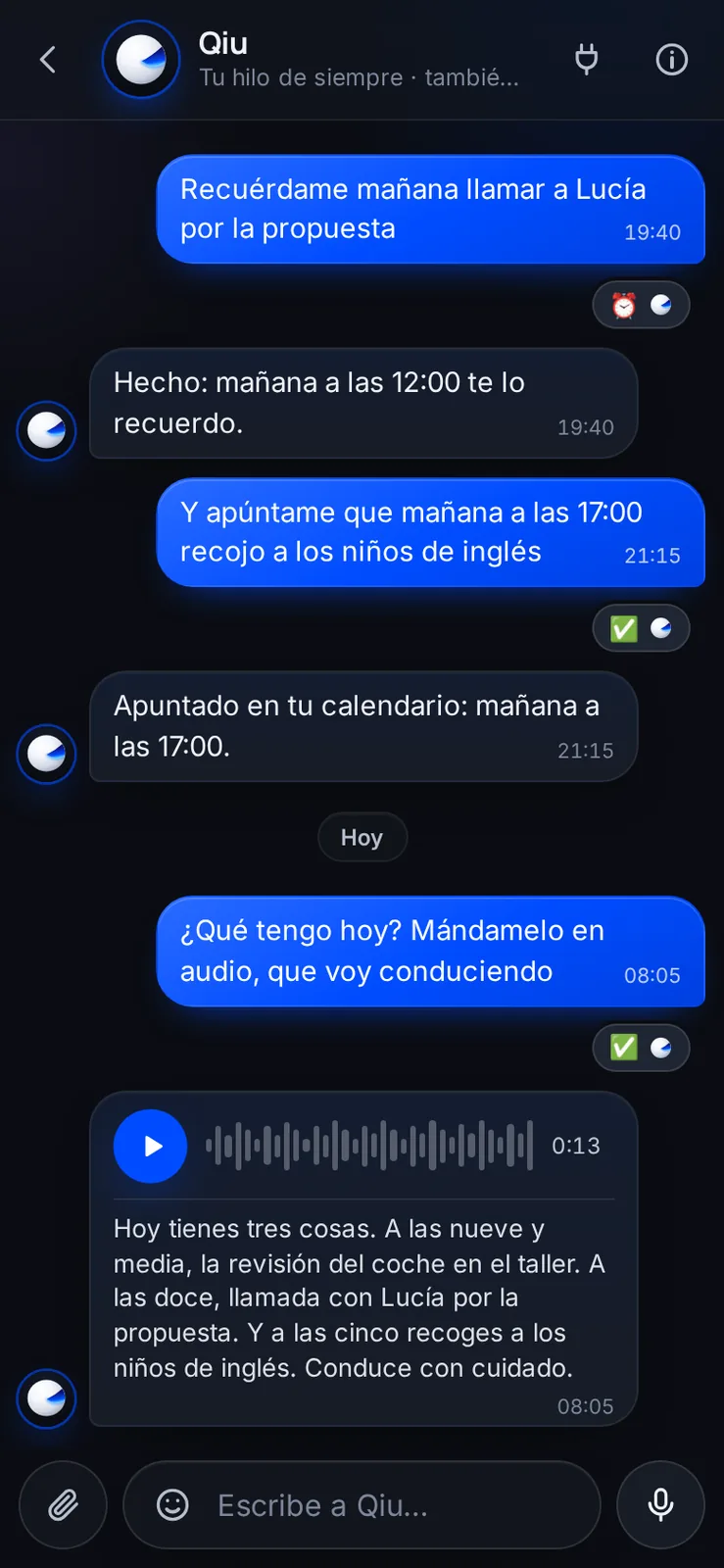
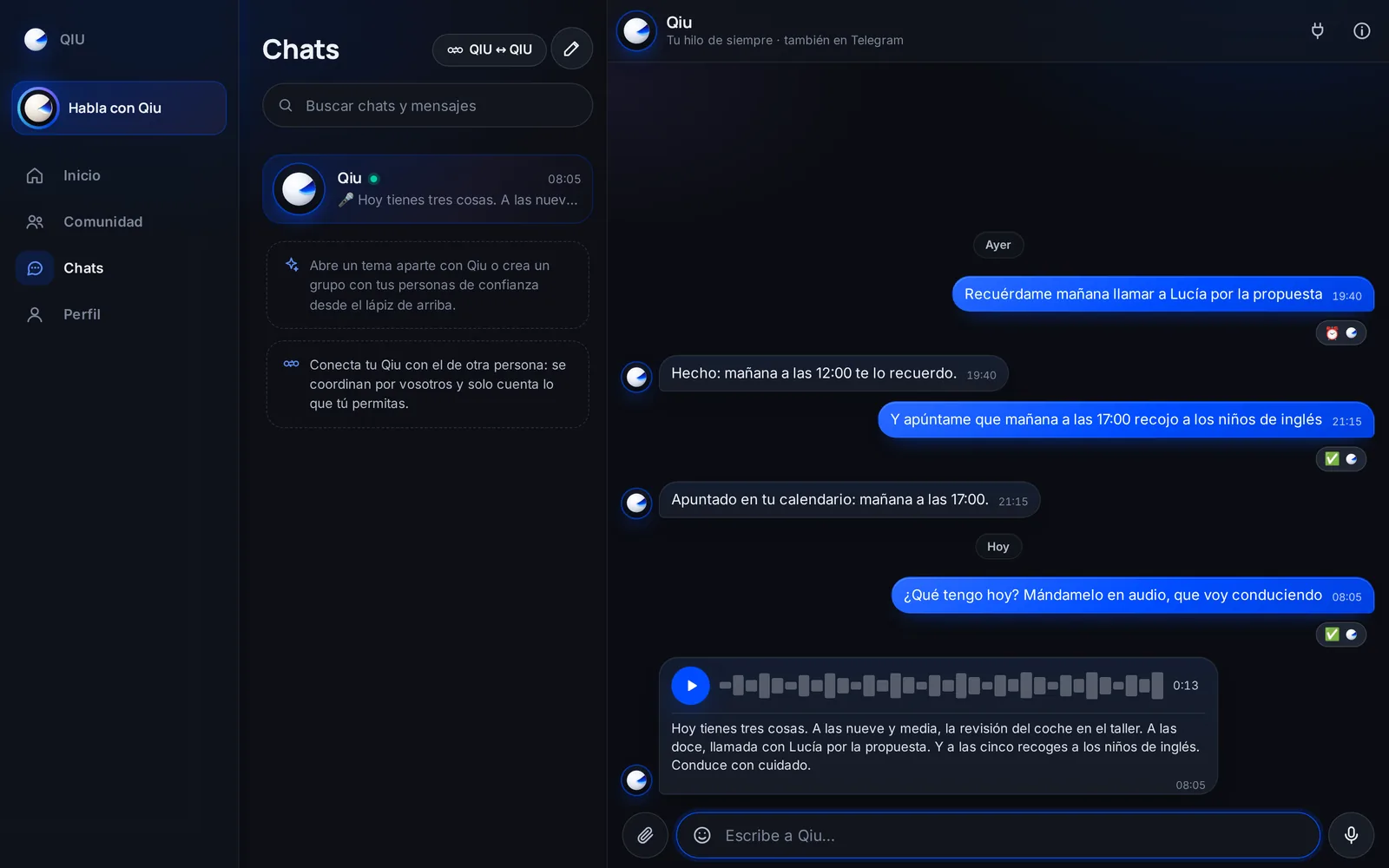
It answers with a voice note
If you are driving or would rather listen, ask for the answer as audio: it sends you a voice note with its transcript underneath.
Slack
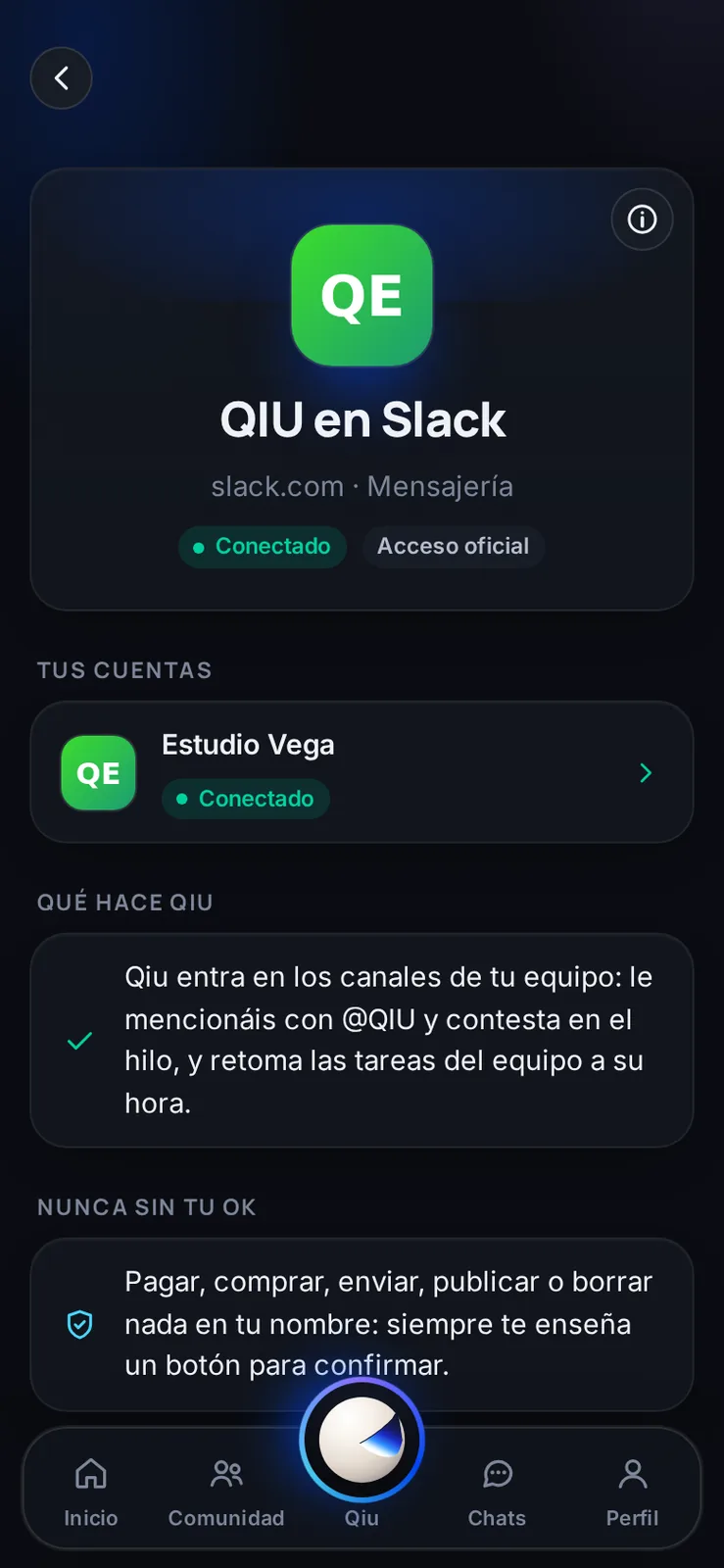
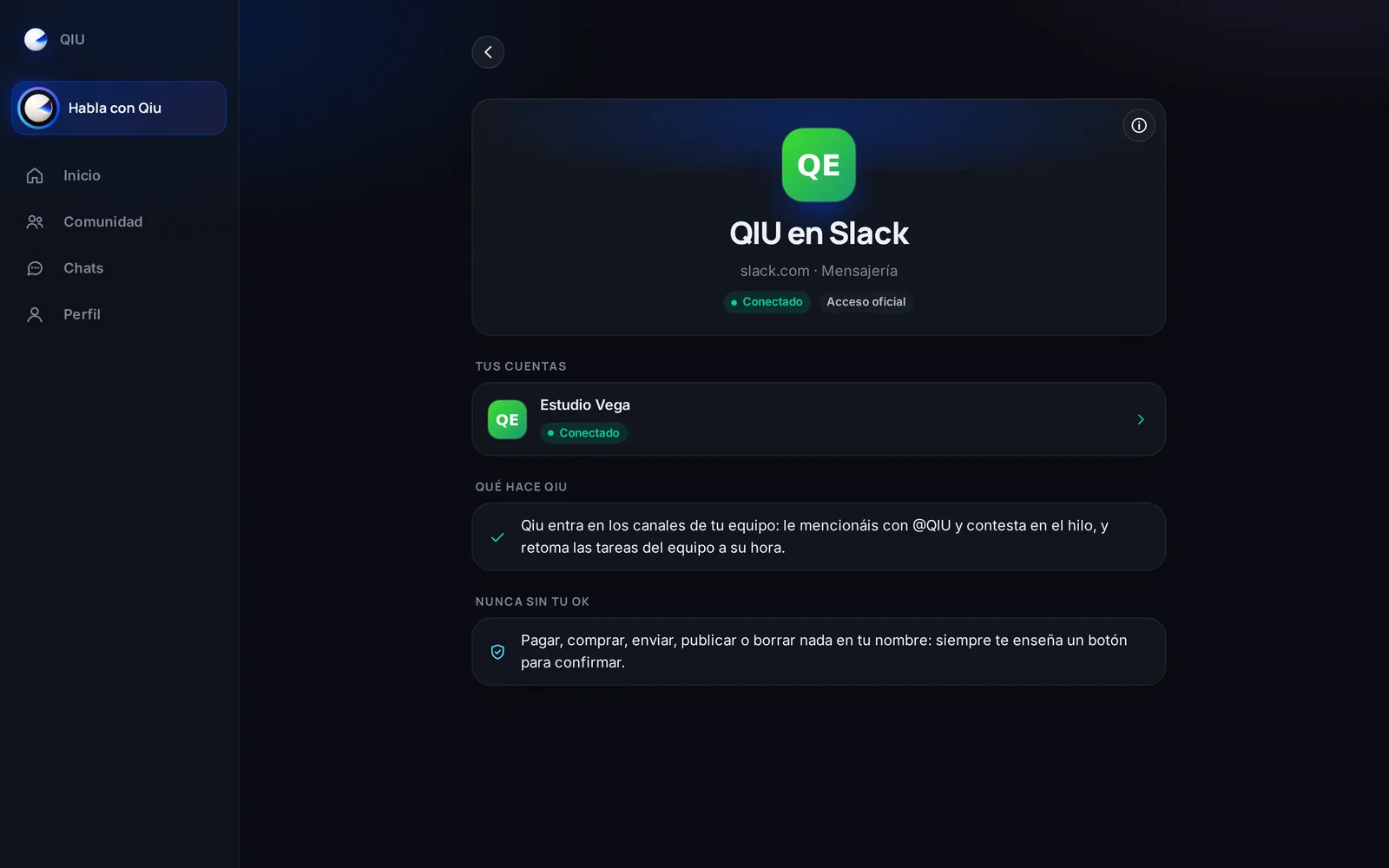
Qiu in your team's Slack
Connect Qiu to your company's Slack and Qiu joins its channels. It only answers when it is mentioned, and nothing is sent or posted without your confirmation.
Slack
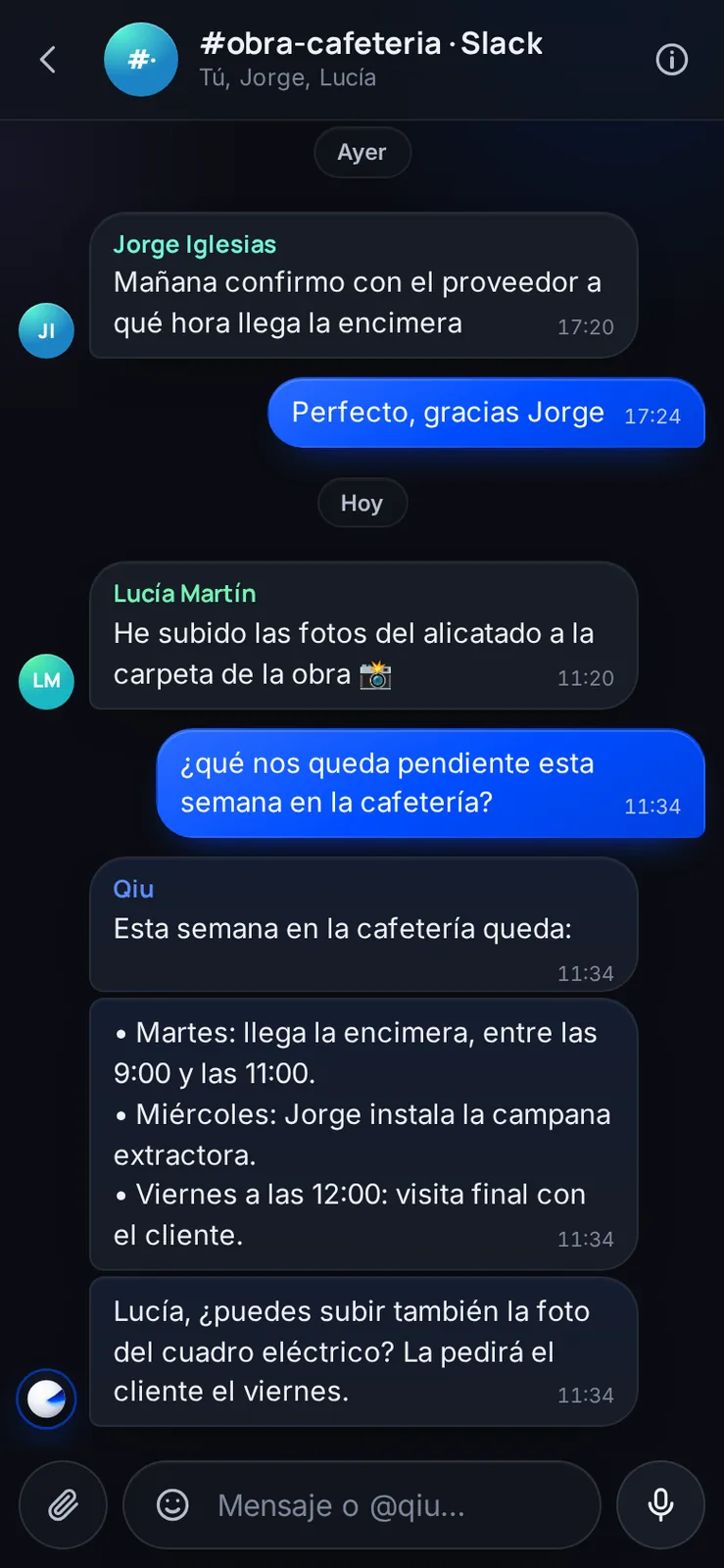
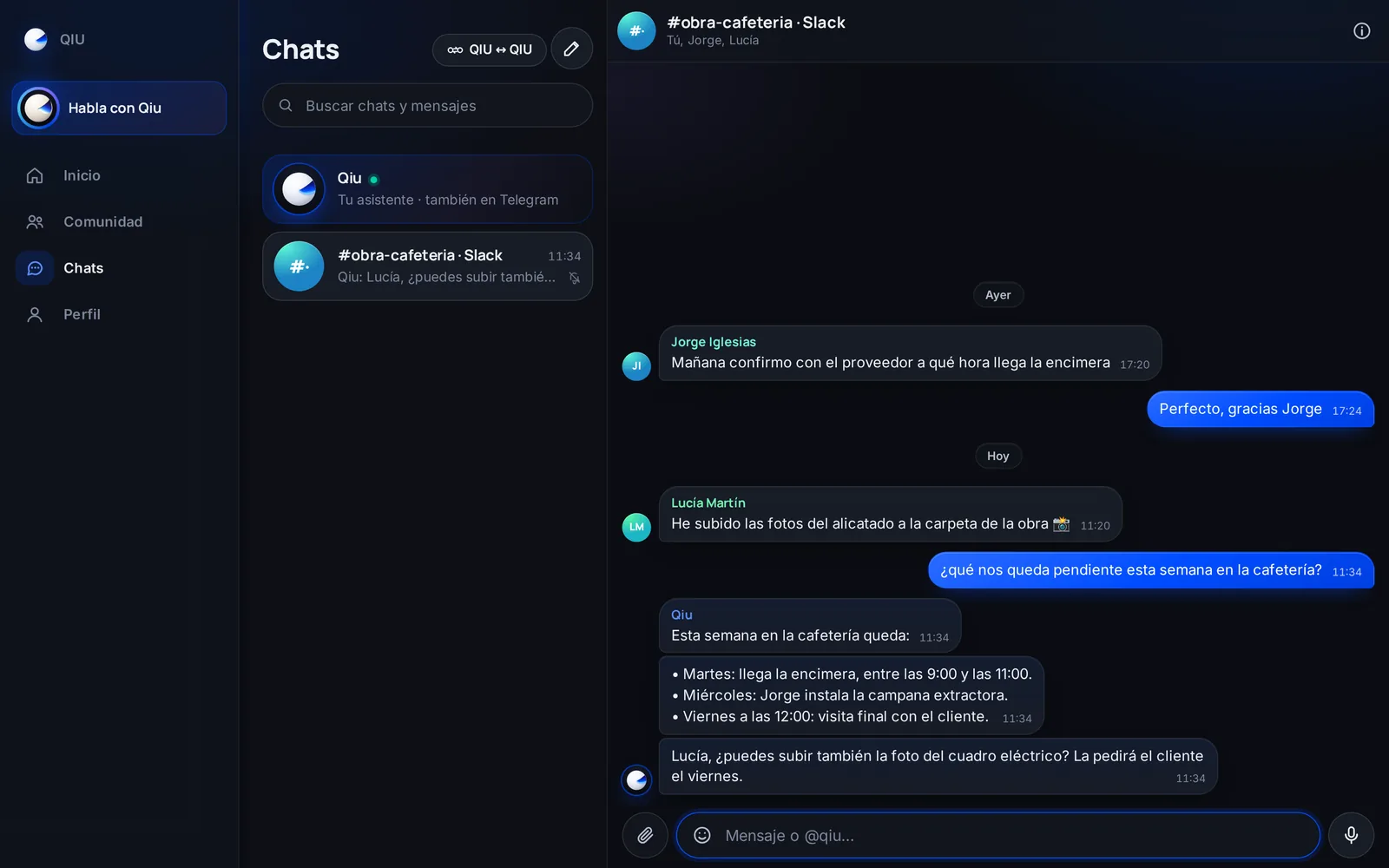
It replies in the channel thread
Mention Qiu in a channel and it answers in that same thread with what it knows about the project. In Qiu you see the channel conversation as one more group.
Location
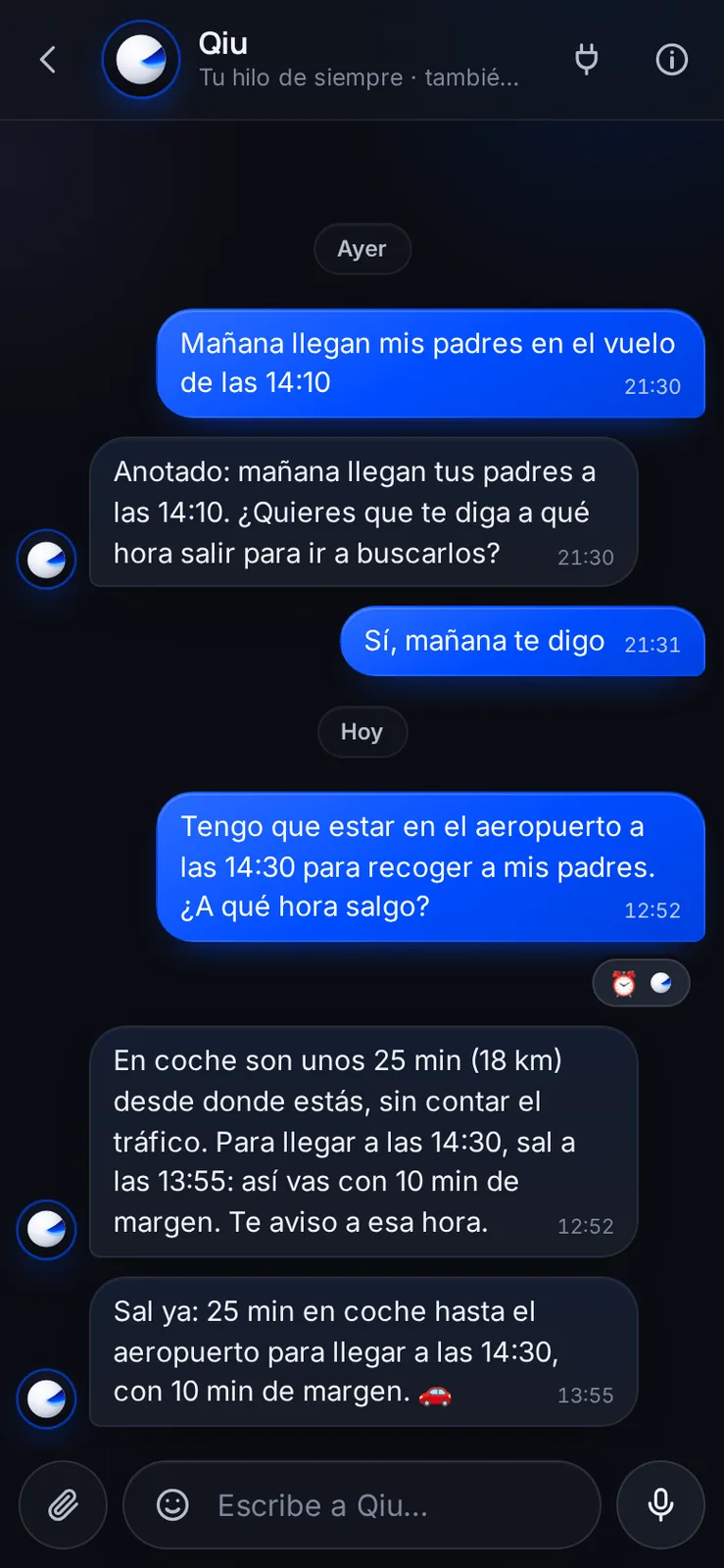
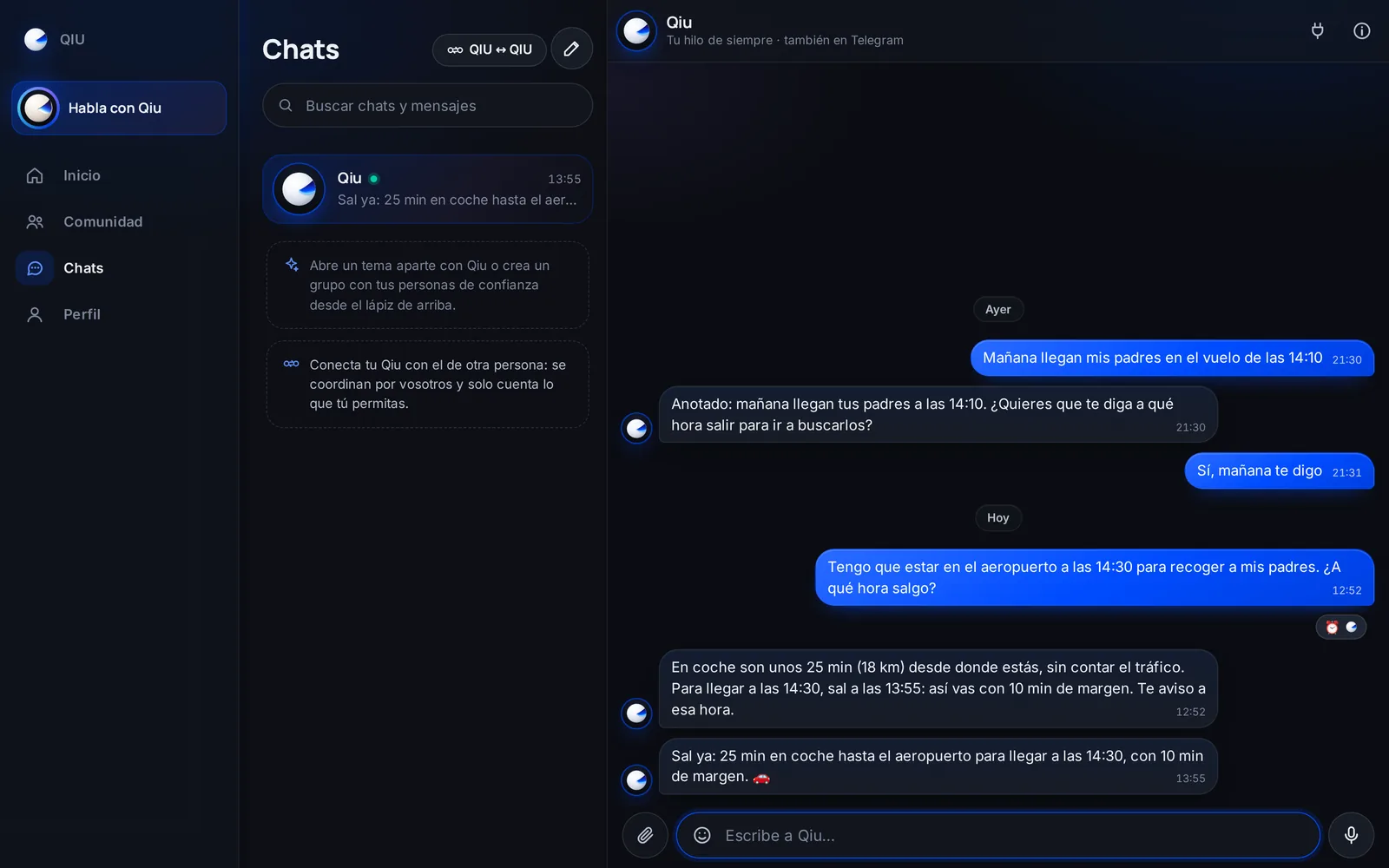
«Leave now»
Tell it what time you have to be somewhere and Qiu works out how long it takes by car, on foot or by bike. At the right time it tells you: «Leave now».
Orders
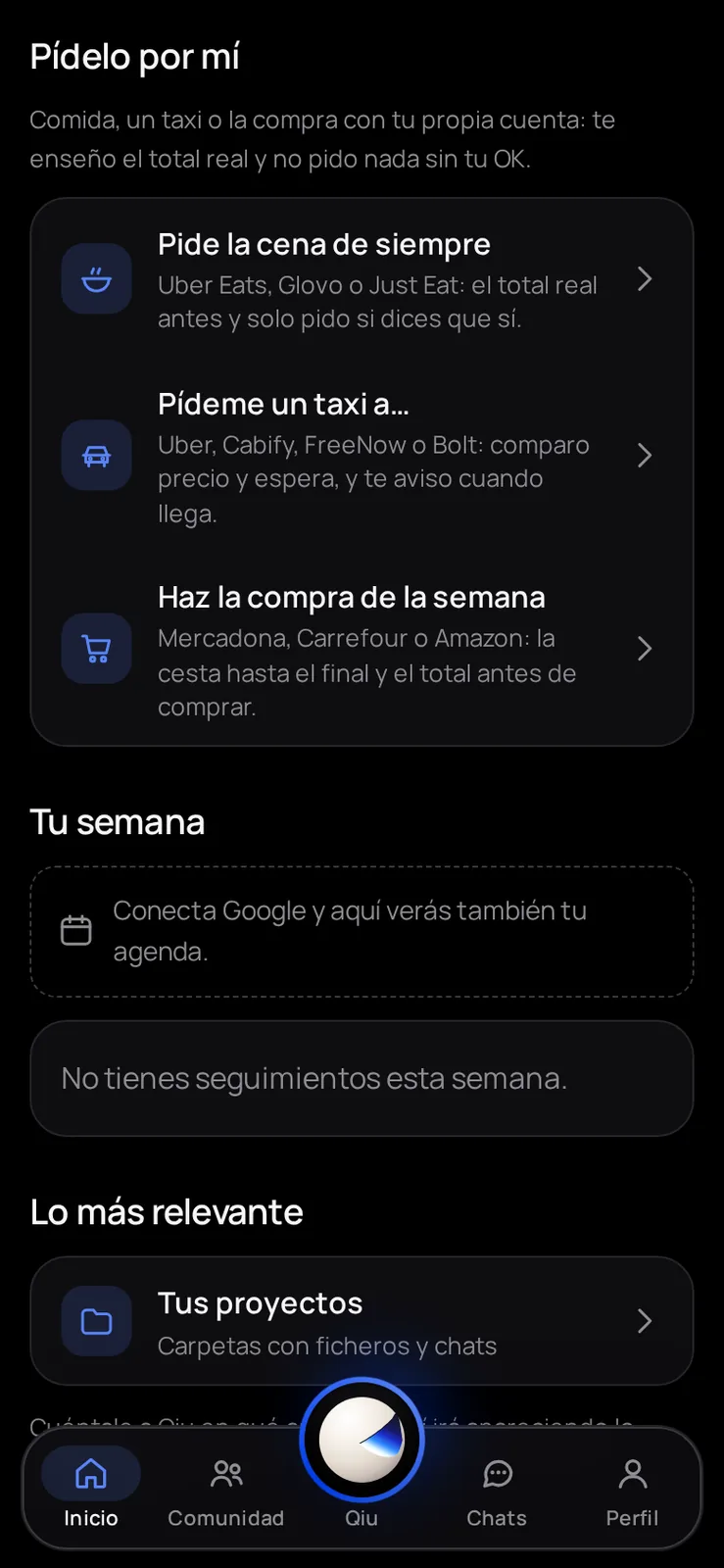
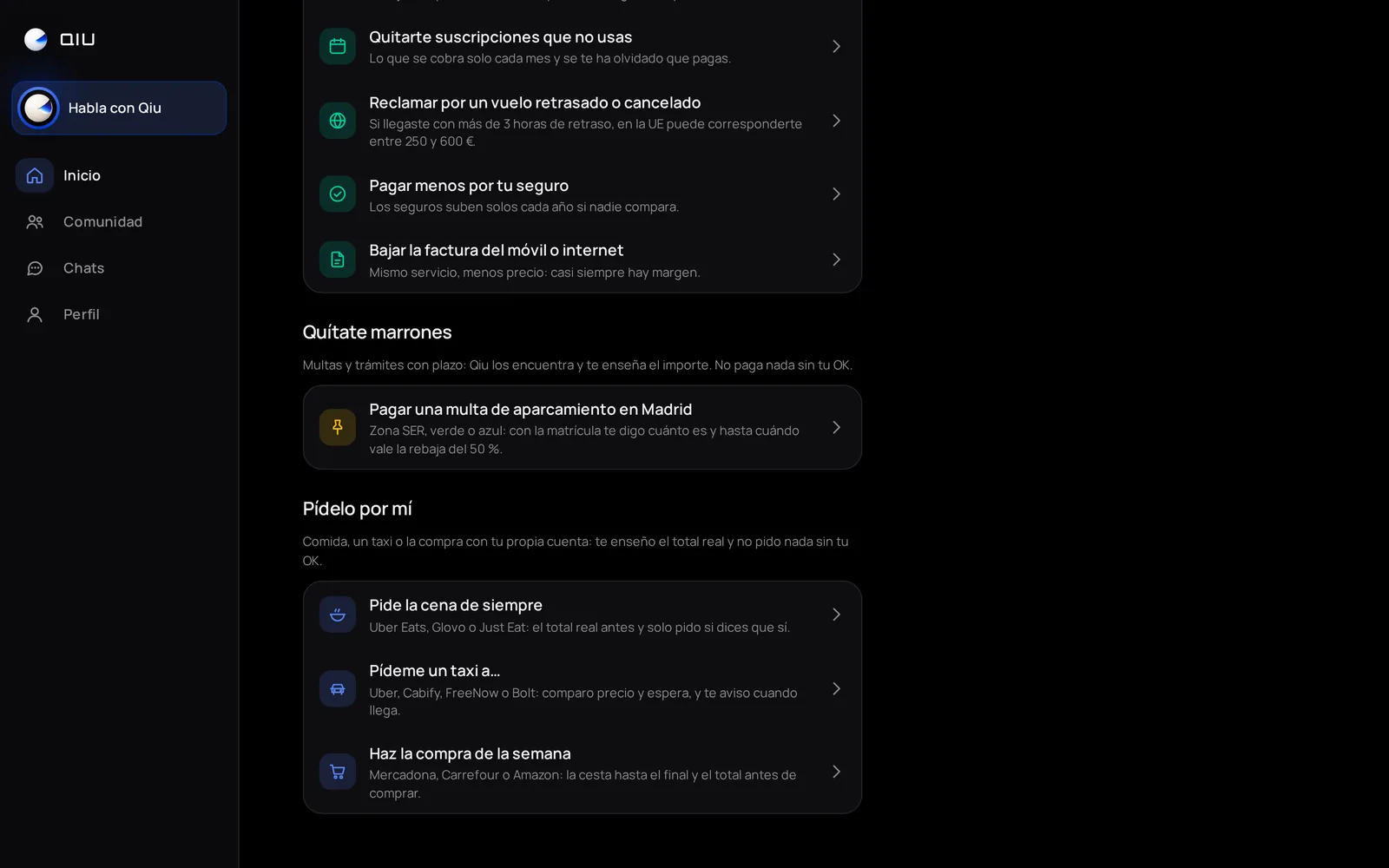
«Order it for me»
On Home you have «Order it for me»: the usual dinner, a taxi or the weekly shop, with your own Uber Eats, Glovo, Cabify, Mercadona and other accounts. Qiu shows you the real total and orders nothing without your OK.
Orders
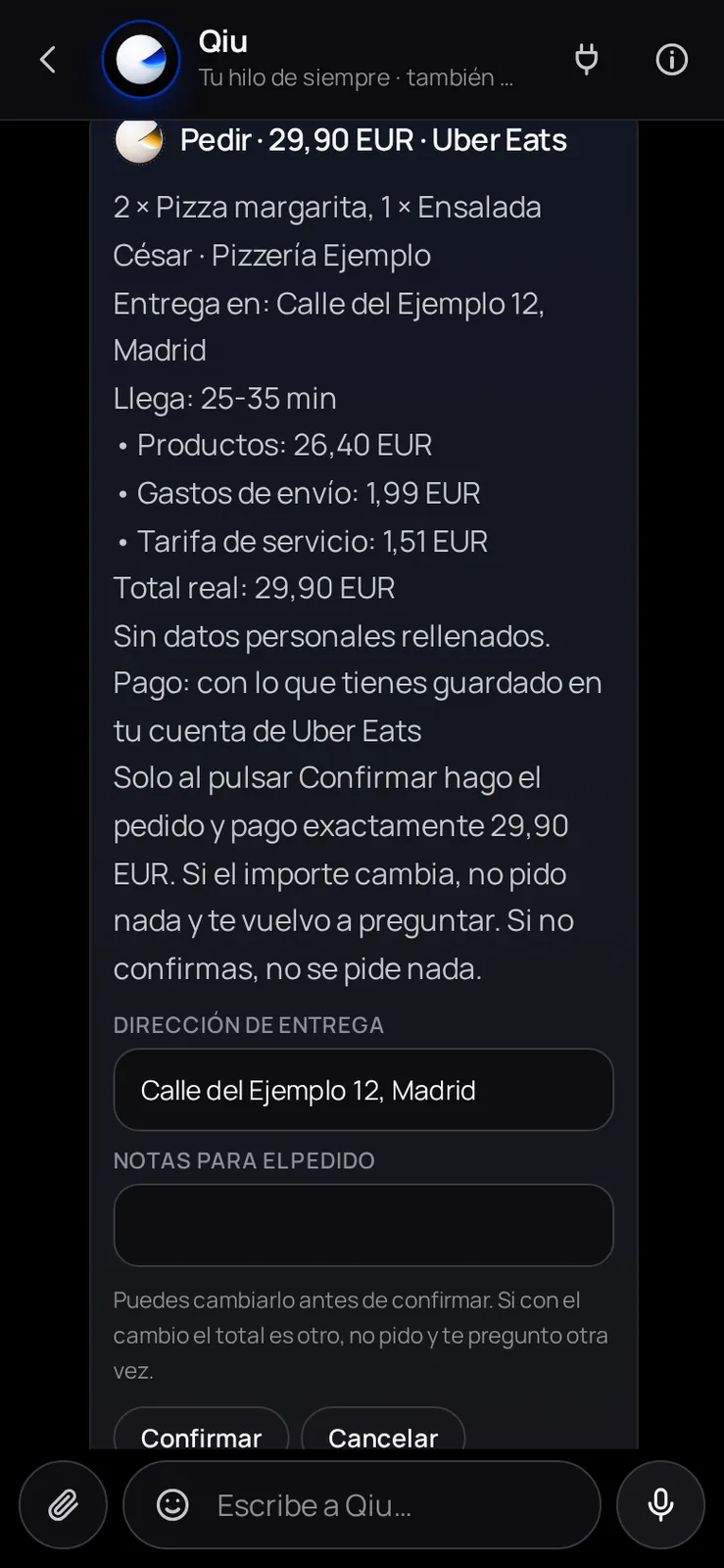
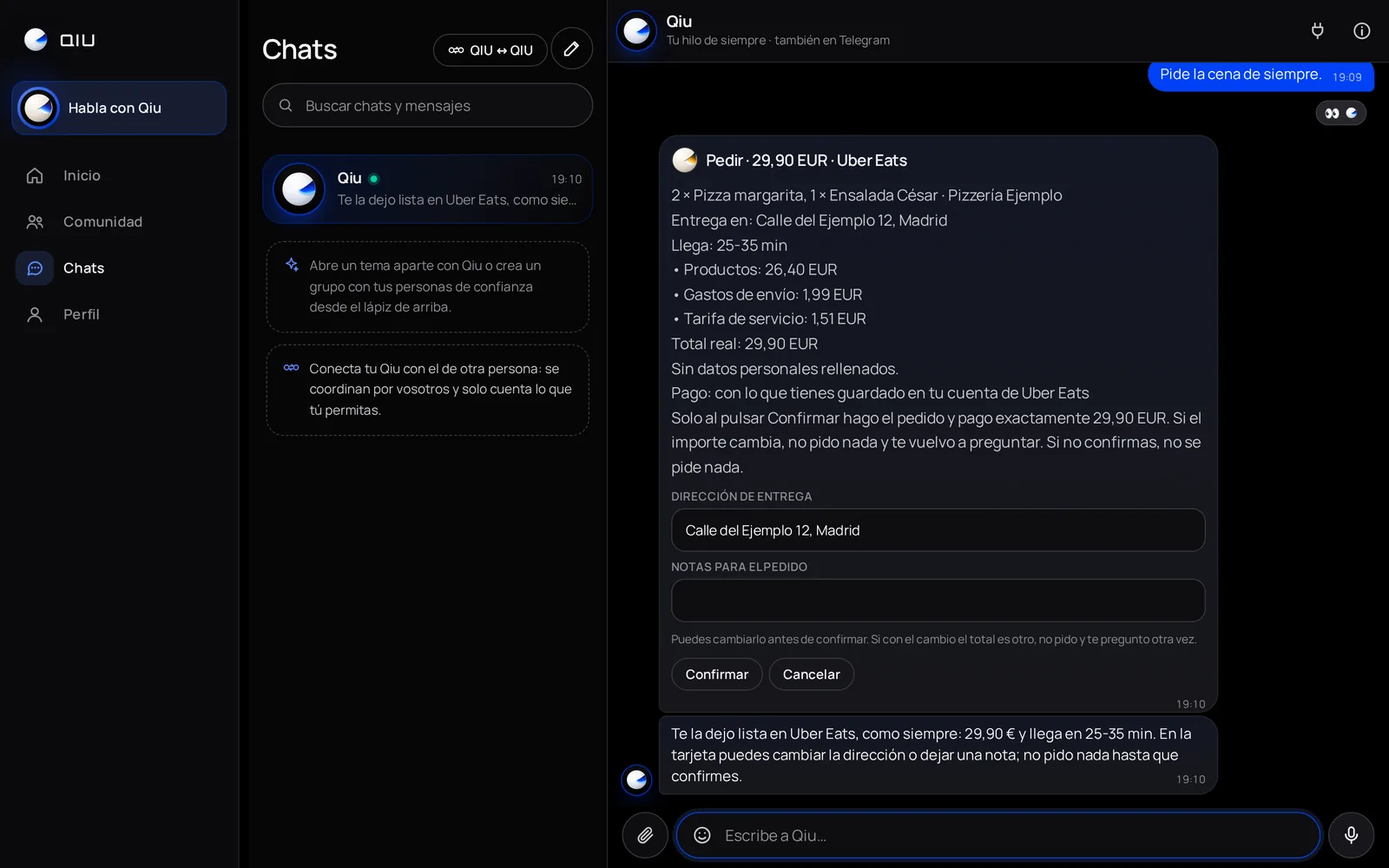
The usual dinner, with the real total
Qiu goes all the way to the end of the order in your app without ordering anything and shows you the real total and when it arrives. On the card you can change the address or leave a note; it only orders when you confirm.
Orders
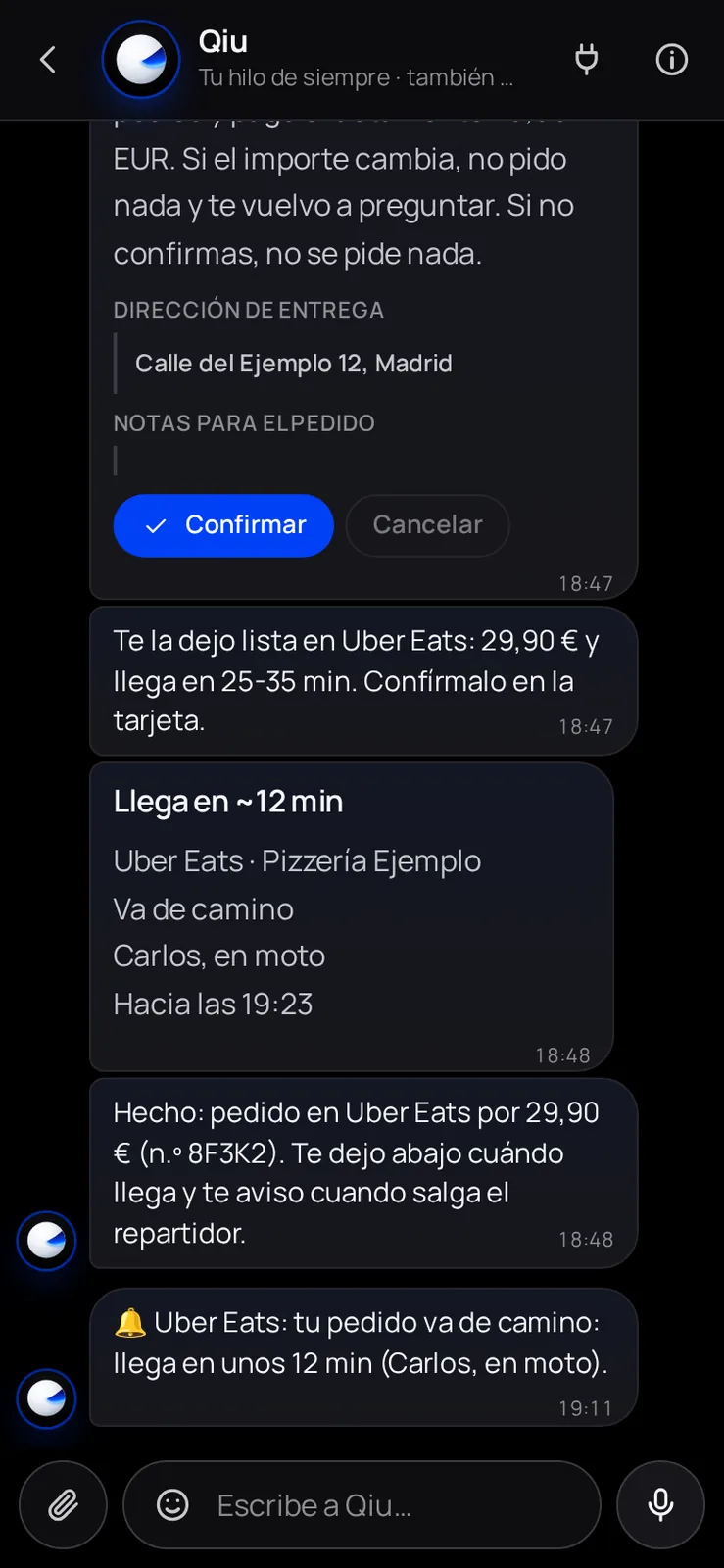
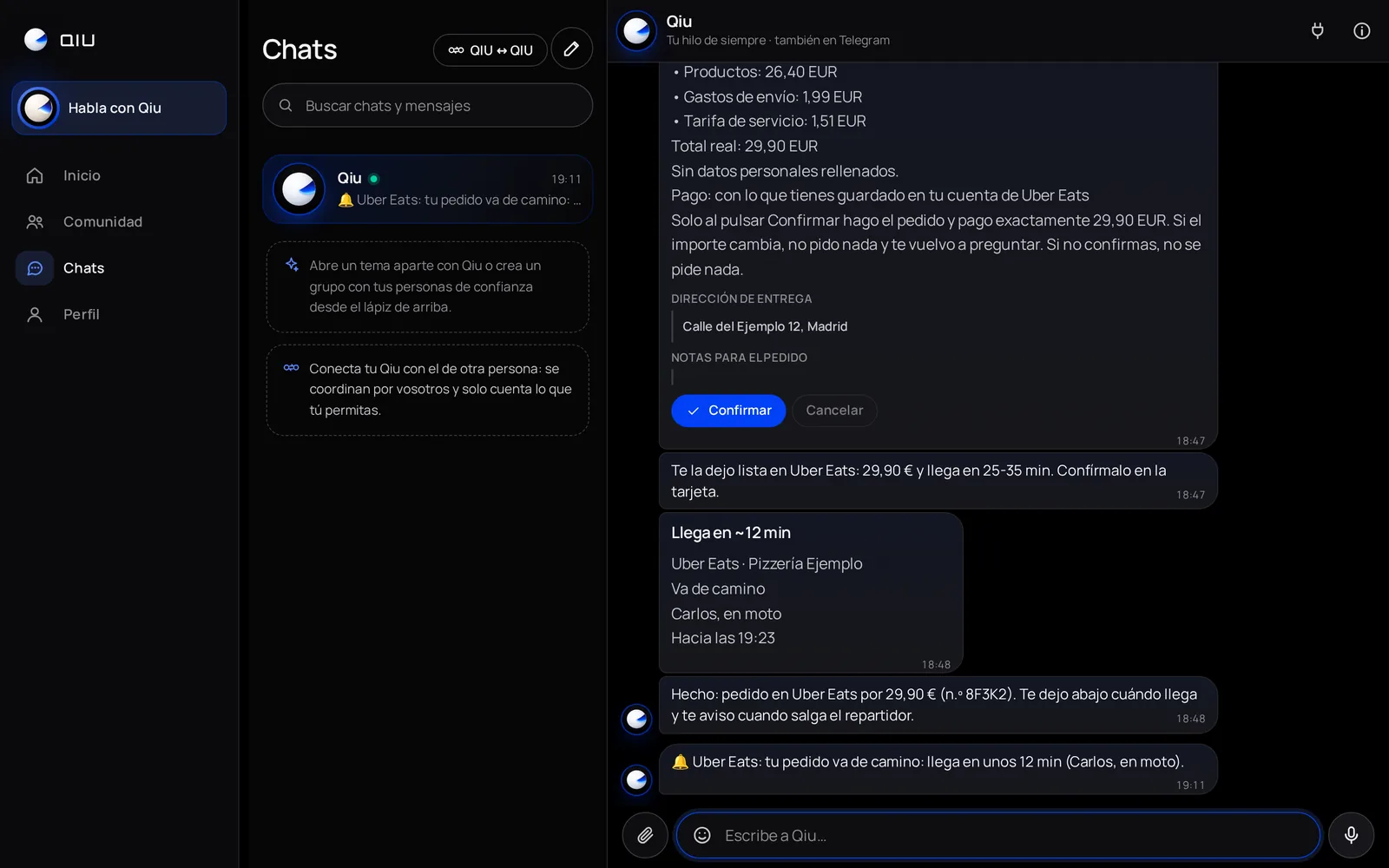
«Arrives in ~12 min»
When you confirm, Qiu follows the order: a card with what is left, which updates on its own, and a notice only when something changes, like when the courier sets off.
Orders
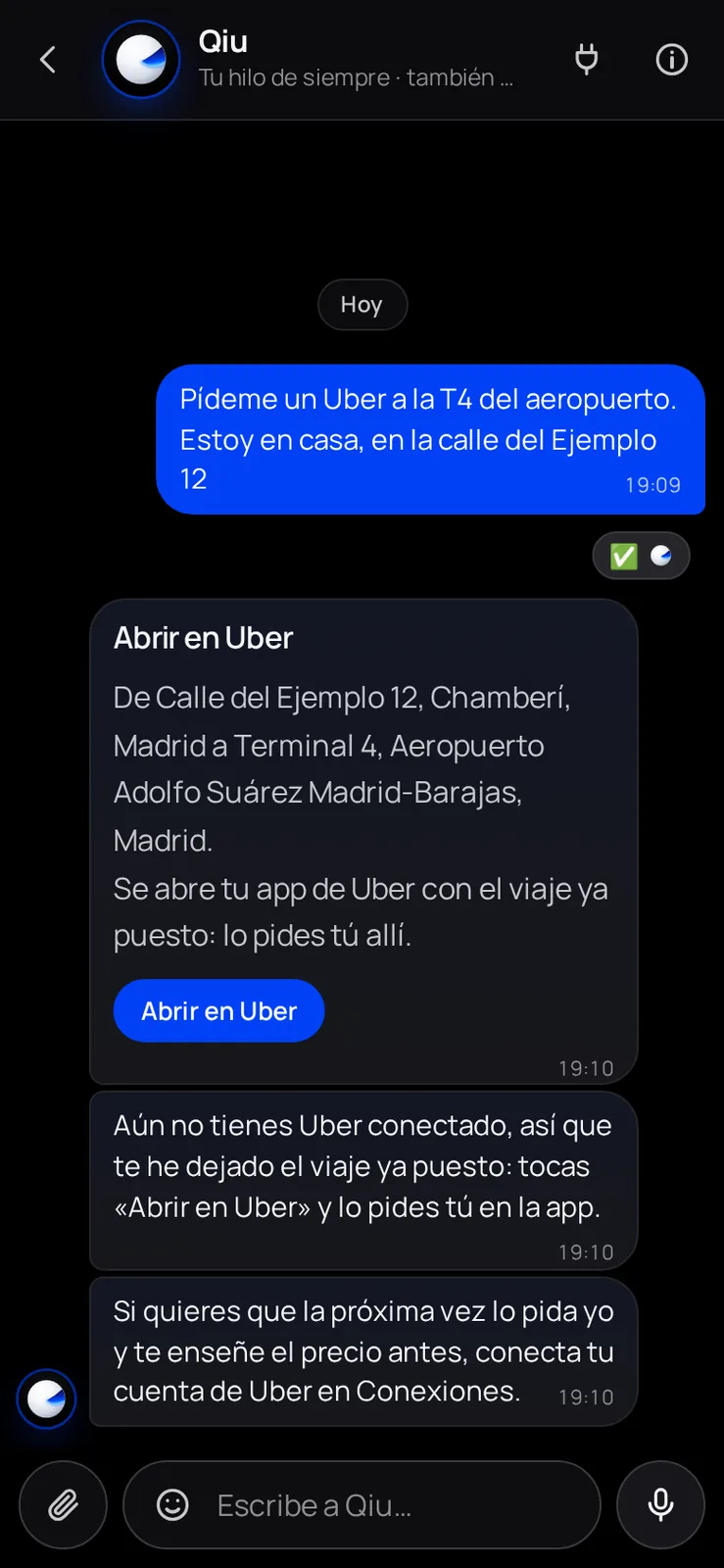
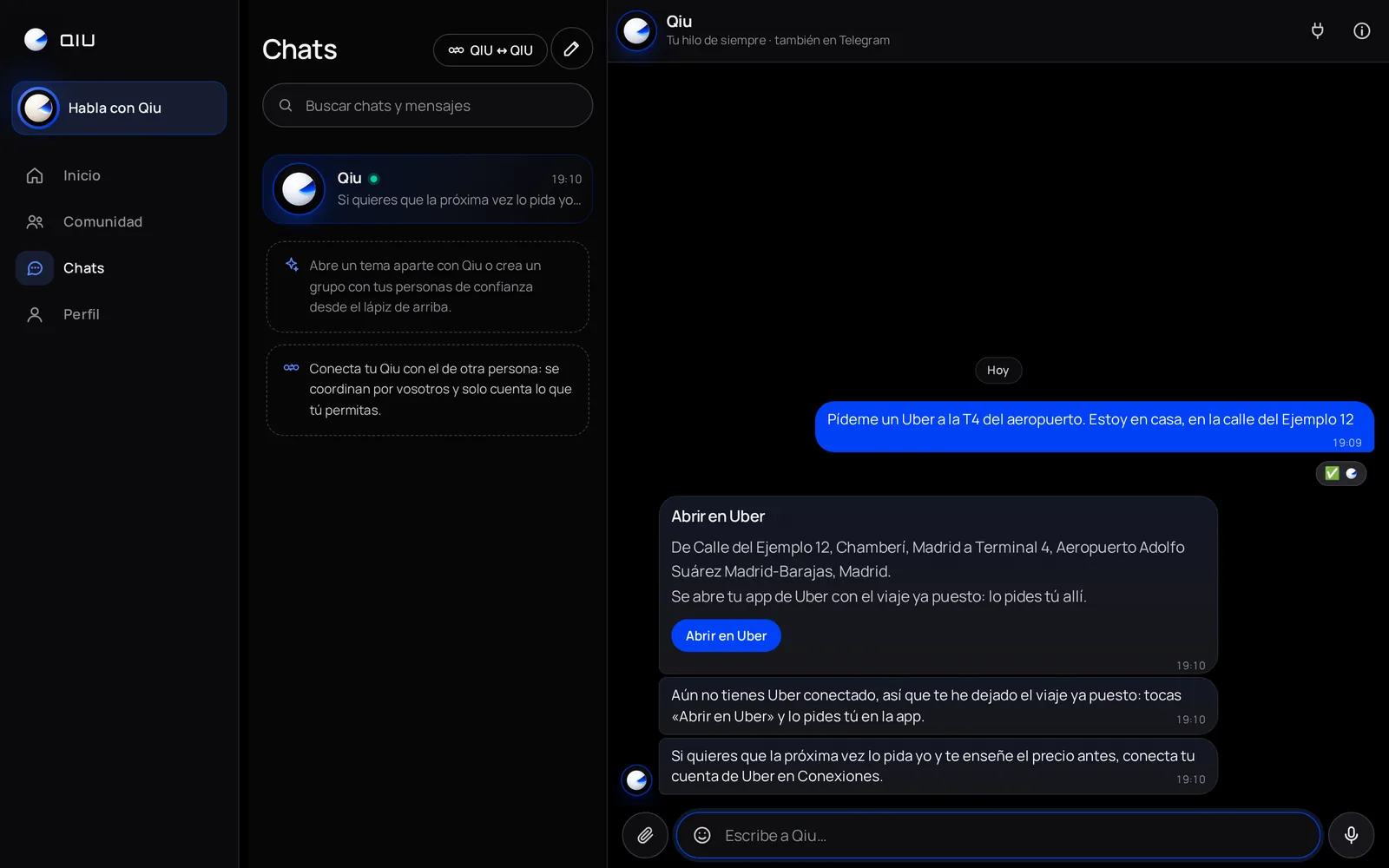
«Open in Uber»
If you have not connected your Uber account yet, or you would rather order it yourself, Qiu leaves you a button that opens the Uber app with the ride already set. You order it and pay for it there.
Orders
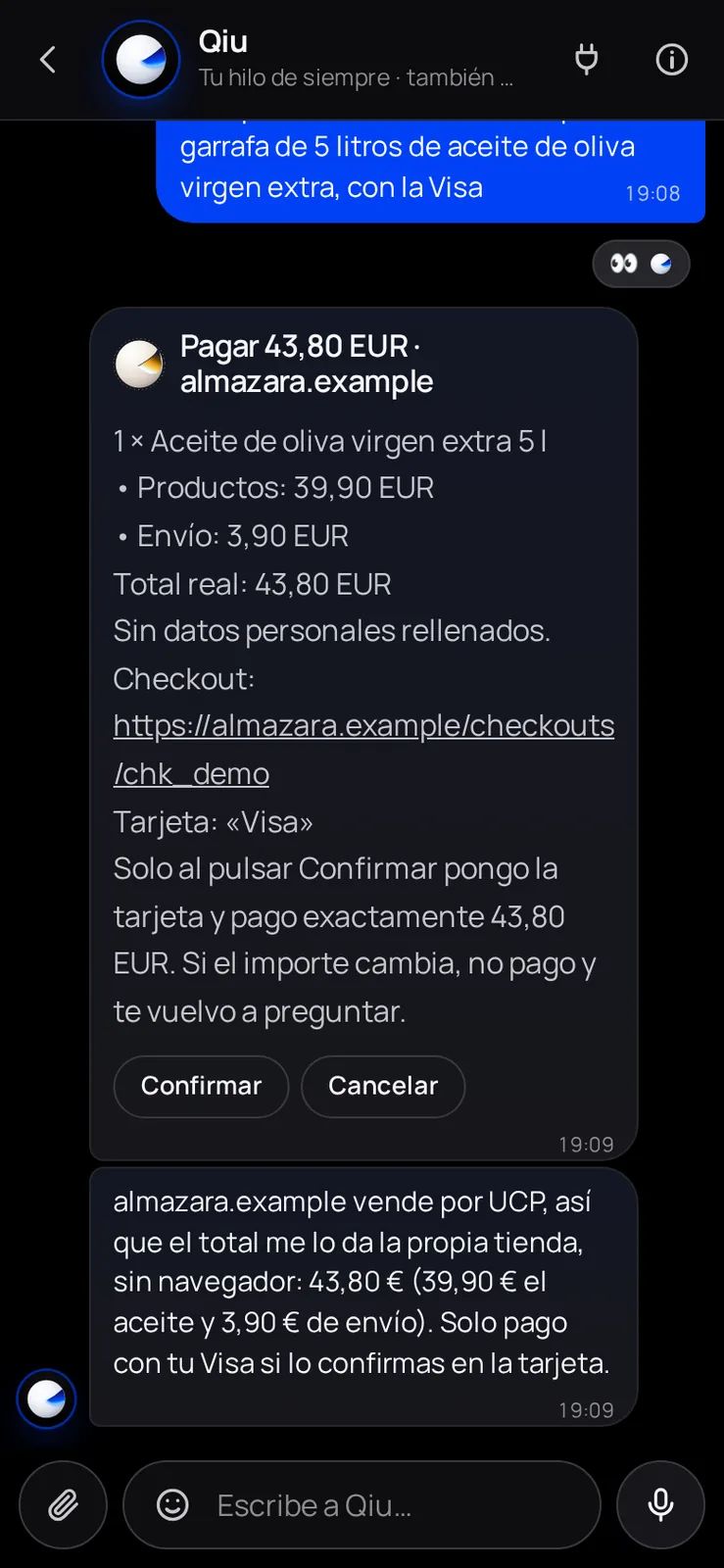
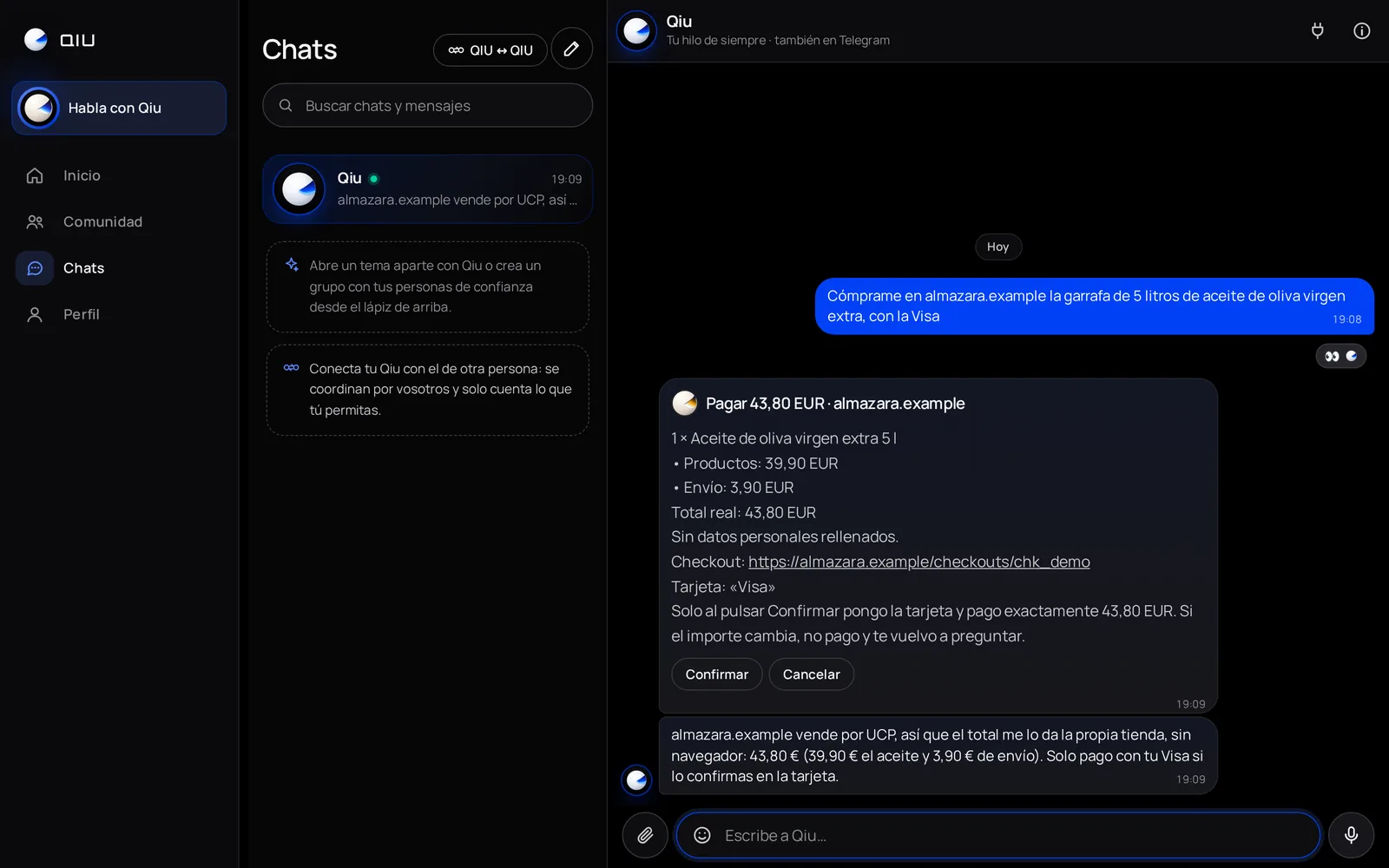
Stores that sell through UCP
In stores that publish UCP, Qiu does not need a browser: the store itself gives it the product and the real total with shipping. It only pays with your card when you confirm that amount.
Meta Ads
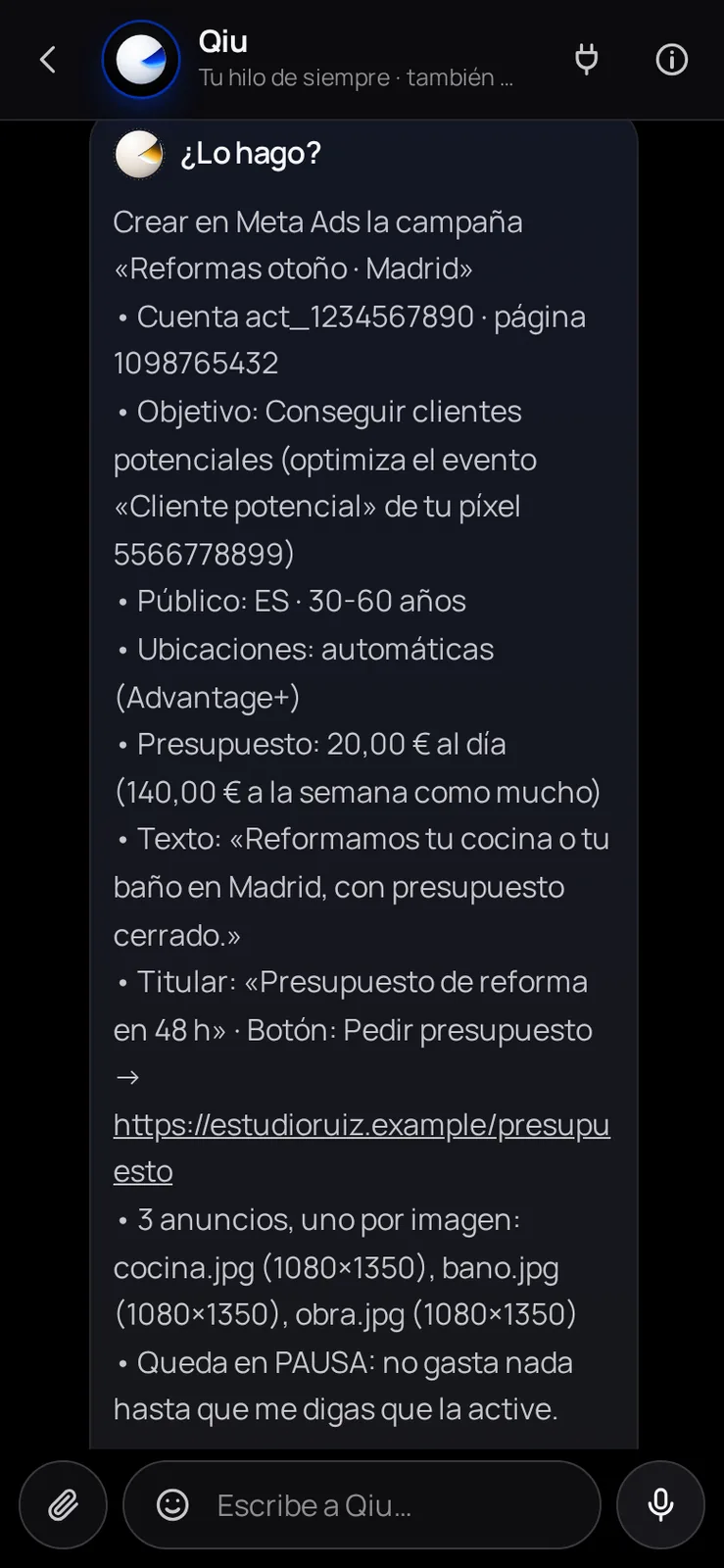
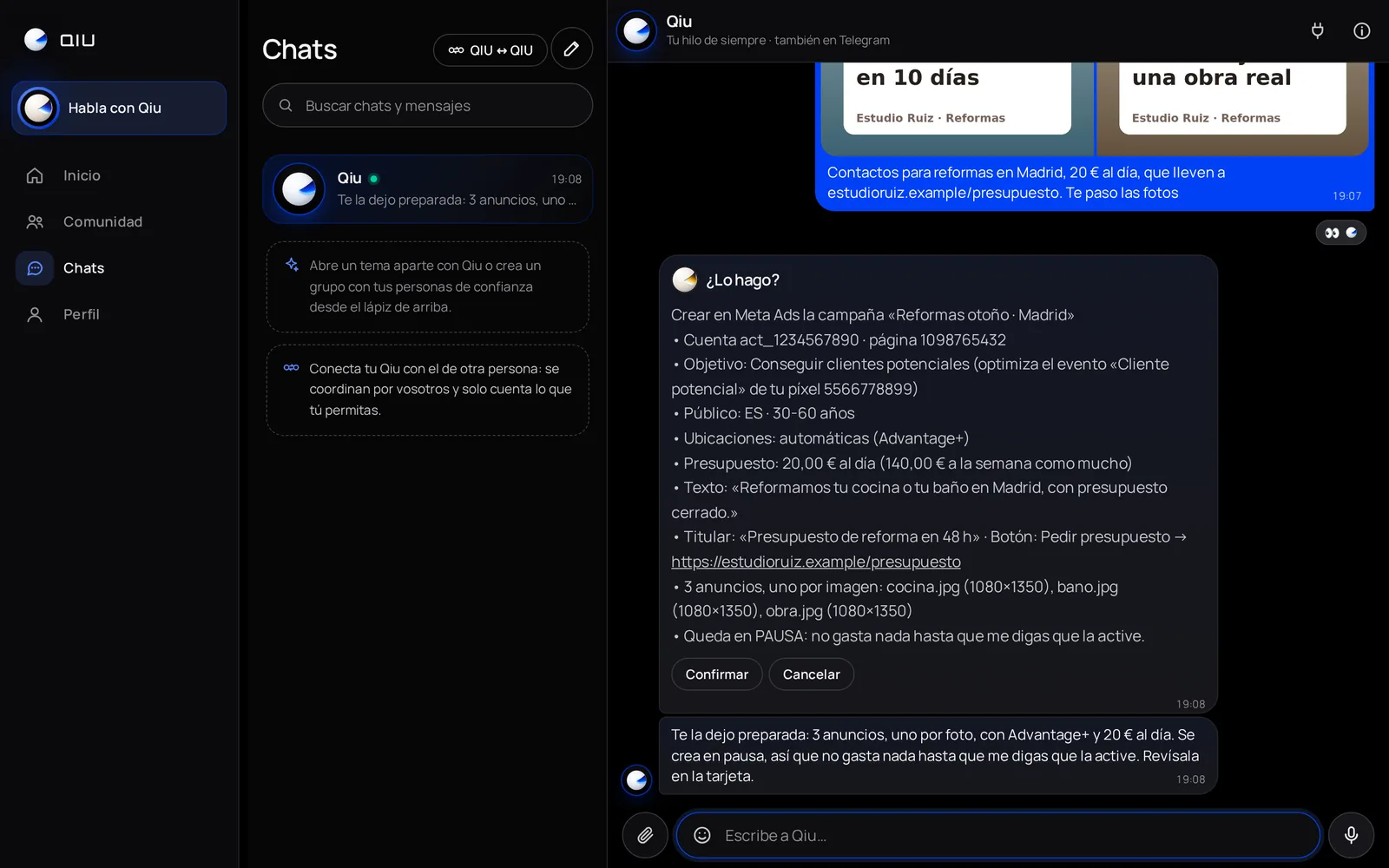
Your Meta Ads campaign, ready and paused
With the «Meta Ads campaigns» template, Qiu prepares the campaign with your photos: objective, audience, budget and one ad per image. It shows it to you on a card and it is created paused, spending nothing until you turn it on.
Meta Ads
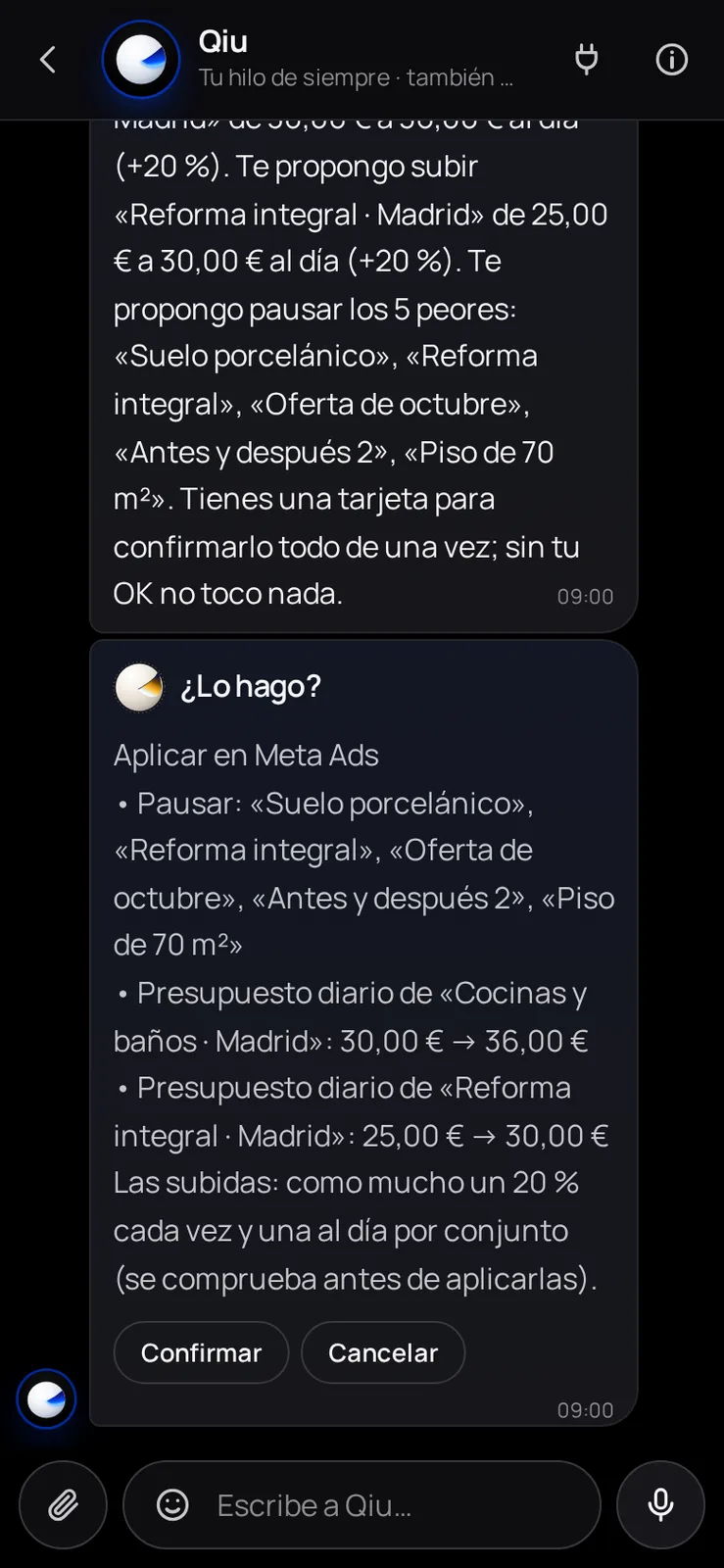
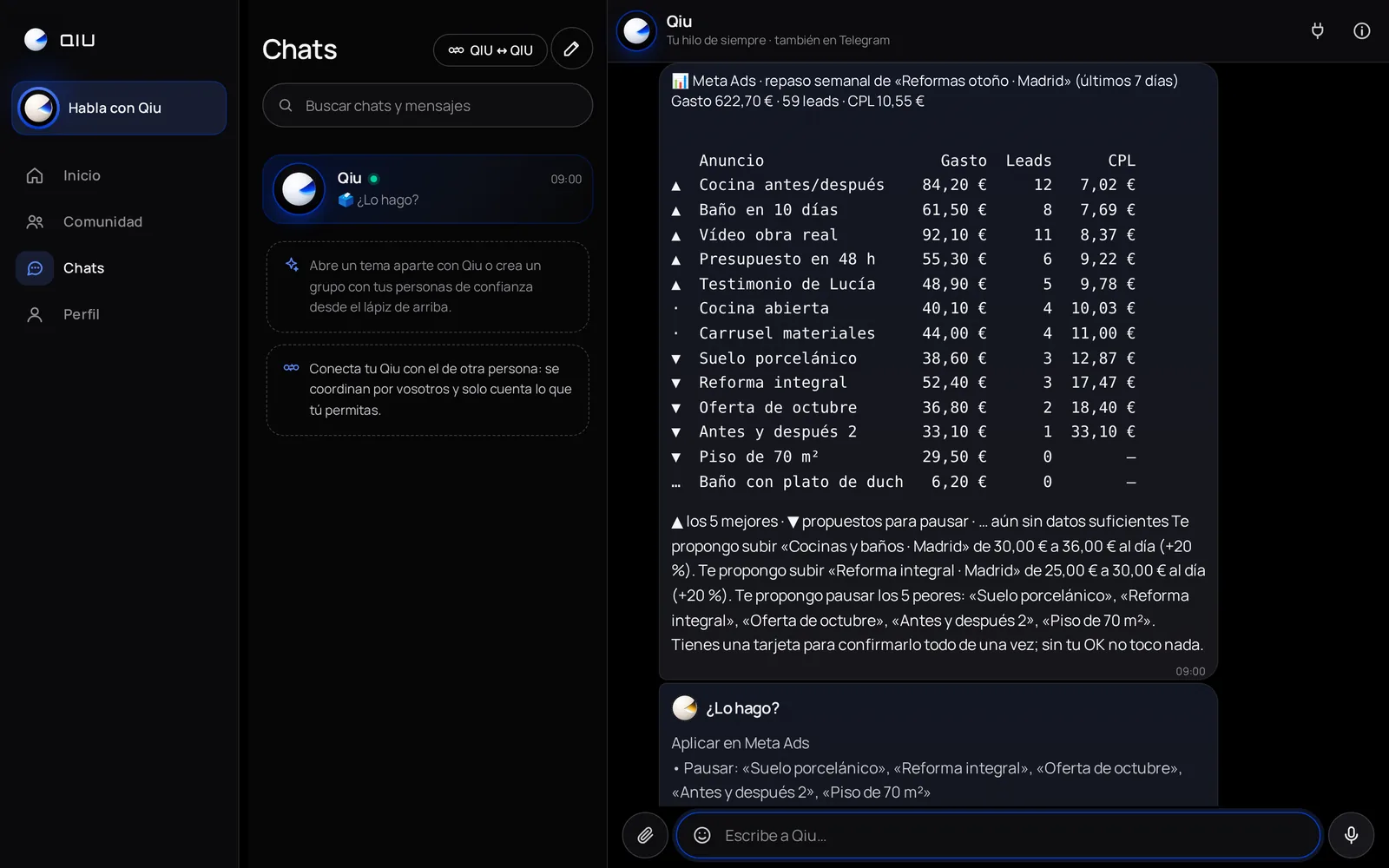
Every Monday, which ads work
Every Monday at 9 it suggests, on a single card, pausing the 5 worst ads and raising the budget of the best ones by 20 % at most. Nothing is applied without your confirmation or a capped permission from you.
Presets
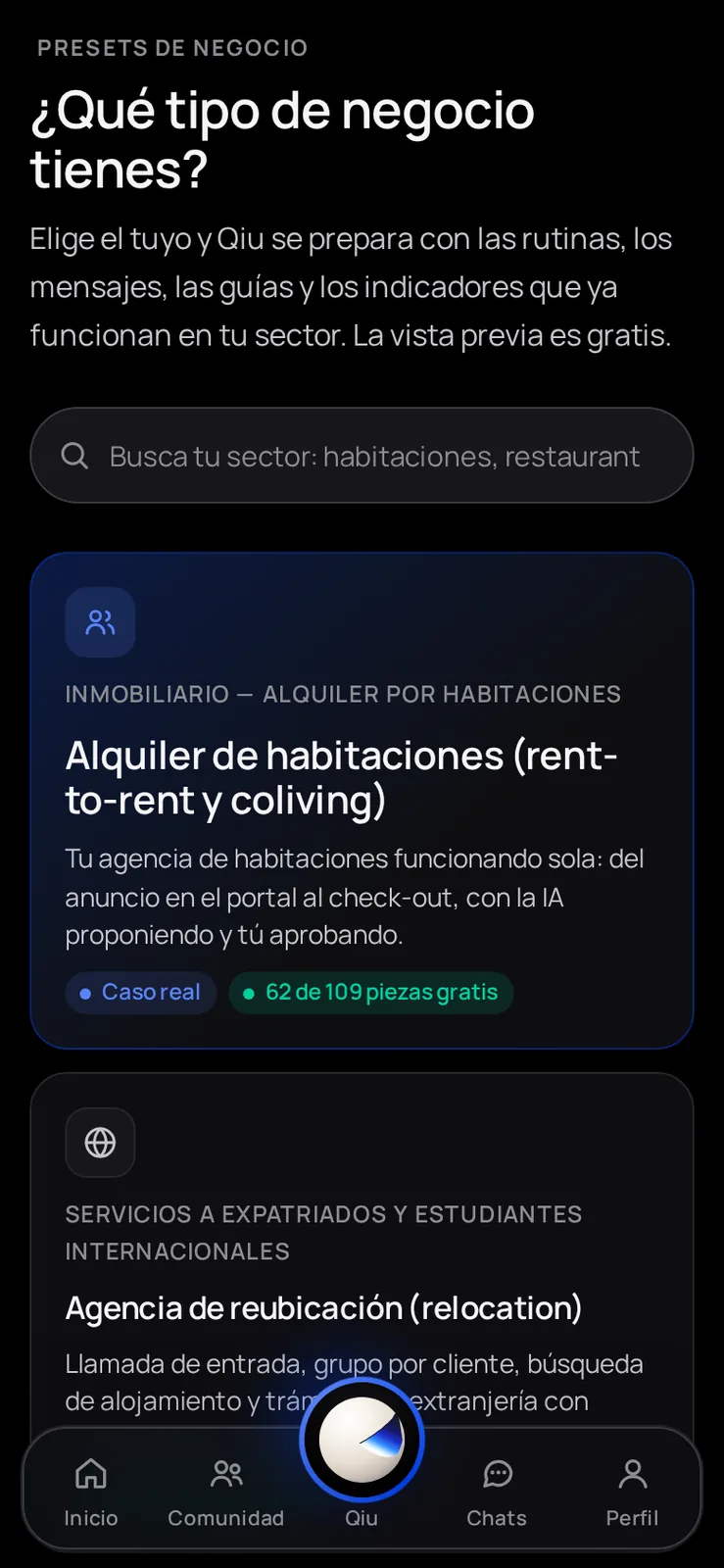
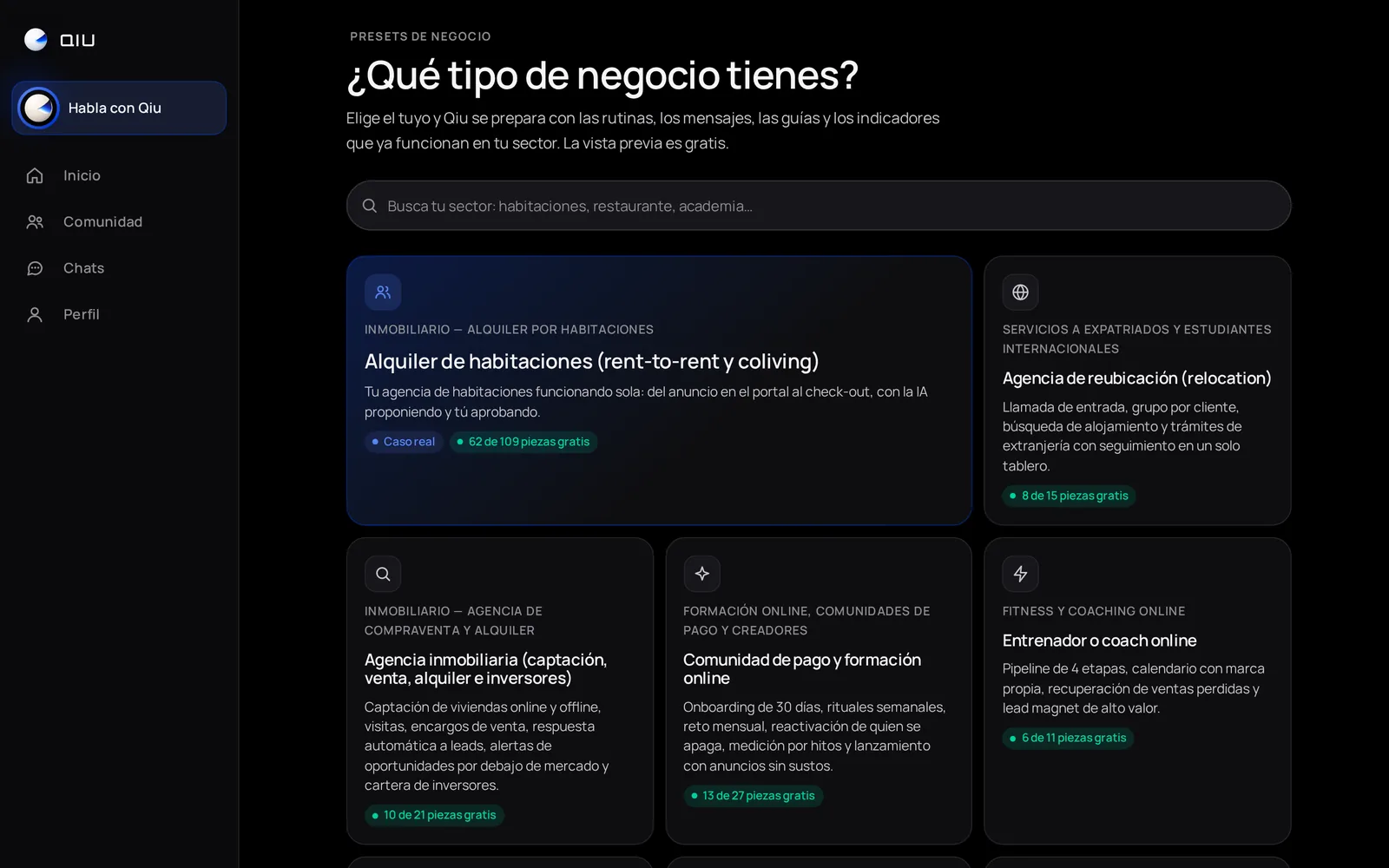
«What kind of business do you have?»
Choose your industry and Qiu gets ready with the routines, messages, guides and metrics that already work in it. The preview is free.
Presets
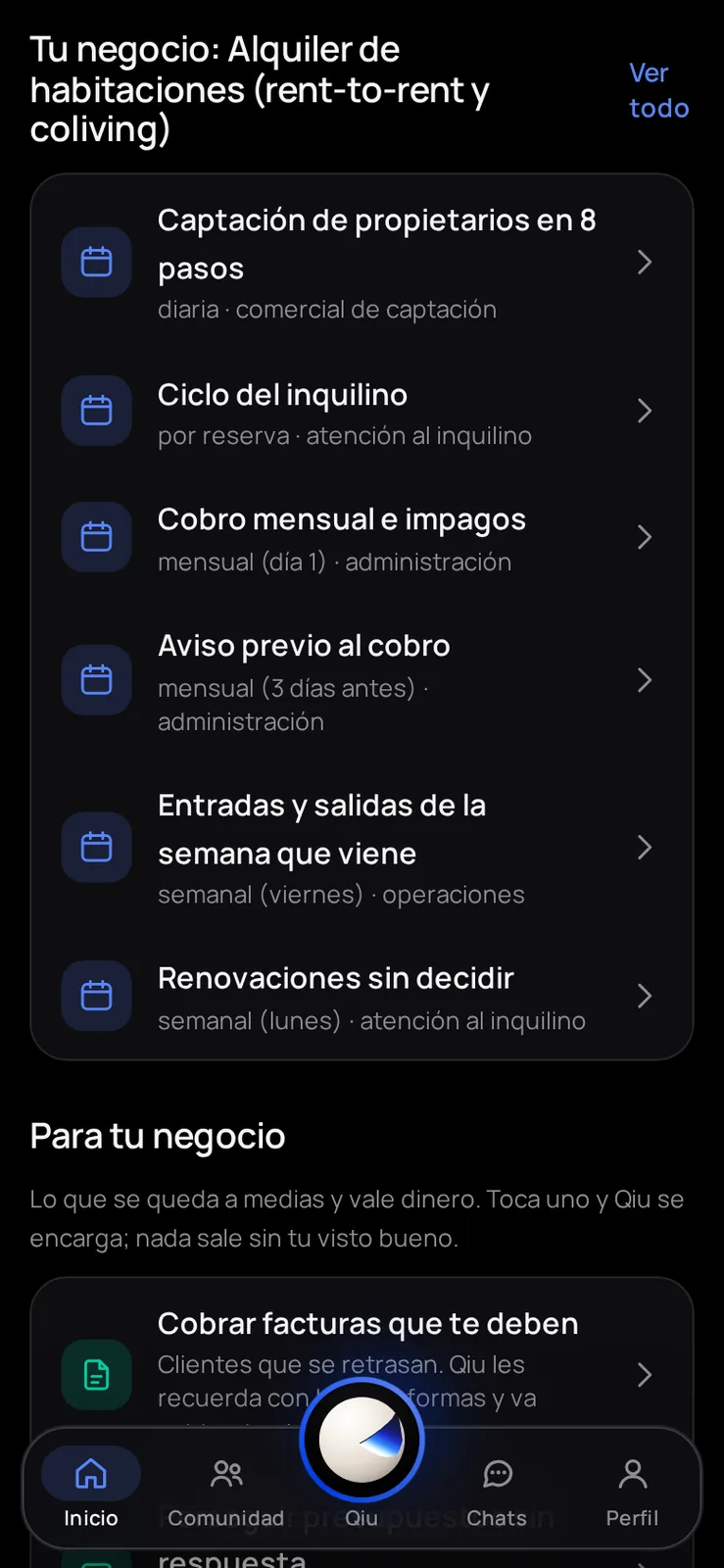
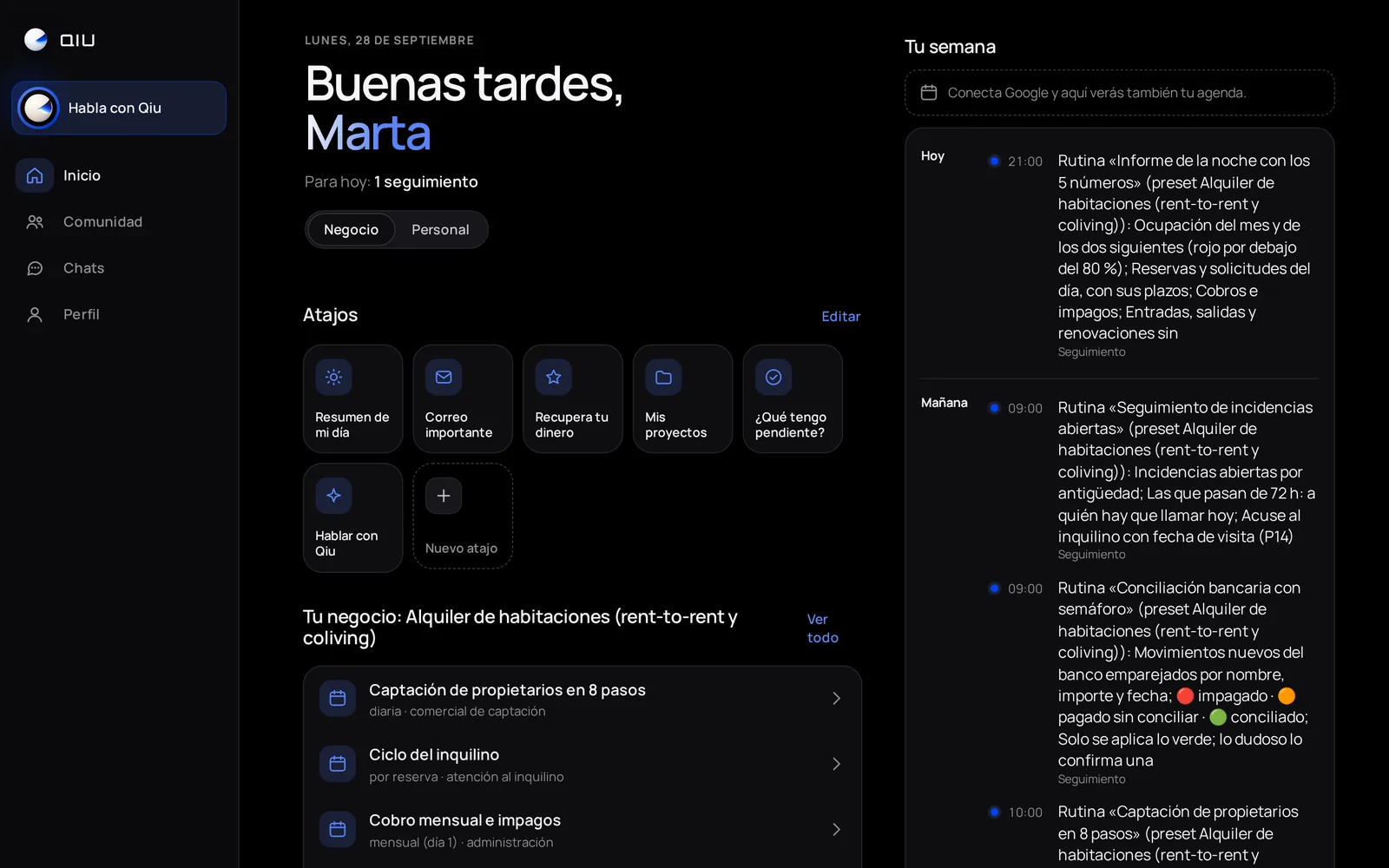
Your business, ready on Home
When you apply the preset, Home fills with your industry's routines (here, room rental). Qiu runs them on its own at their time; with one tap, you hand it any of them.
Claims
That refund will not claim itself
You ask Qiu to get a charge back: it finds the receipt in your Gmail, drafts the claim and keeps insisting until they answer. Nothing is sent until you tap Confirm.
Home
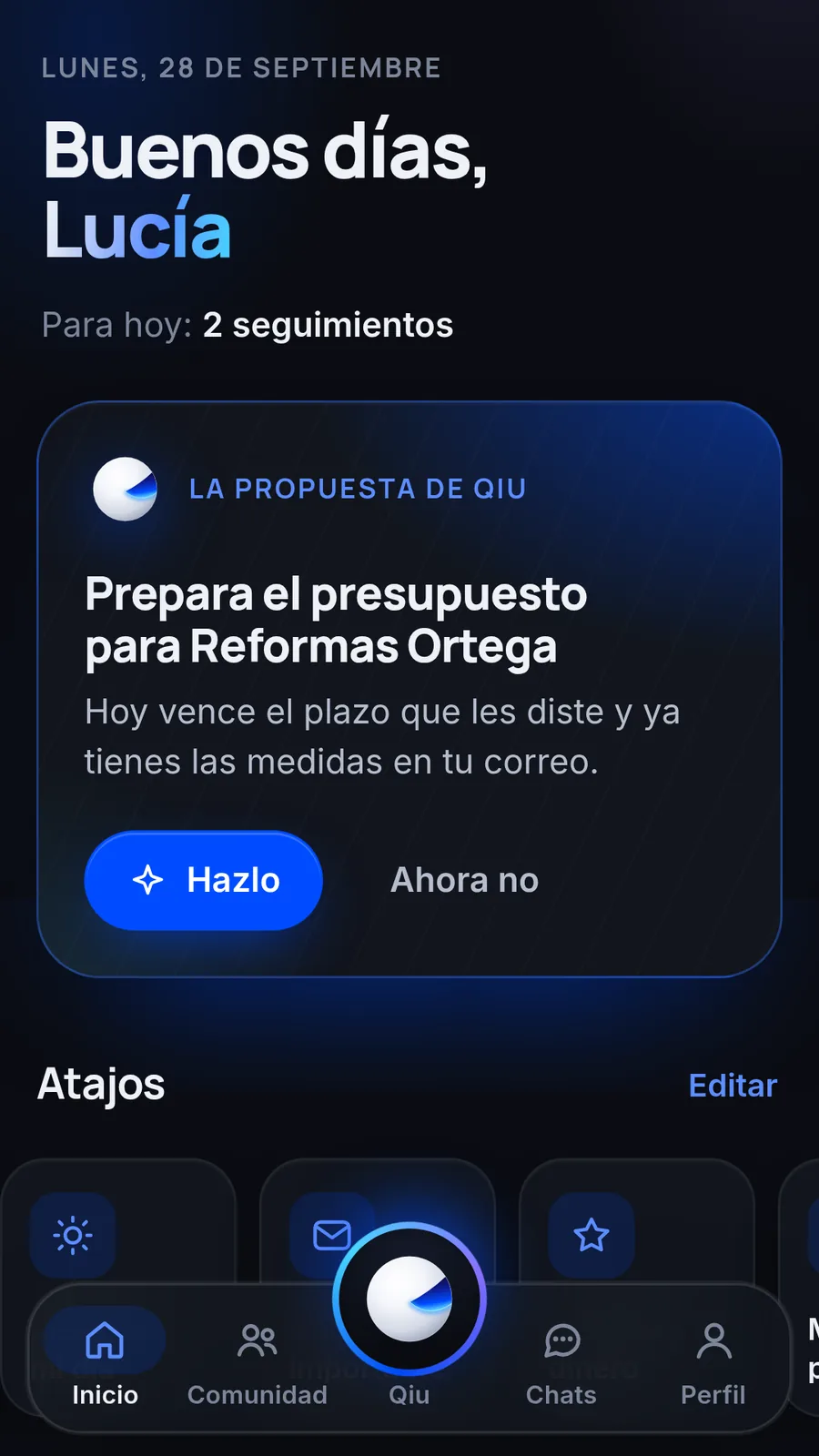
Your day, with a concrete suggestion
When you open the app, Qiu tells you what you have today and suggests the next thing worth doing. One tap on «Do it» and it gets on with it.
Home
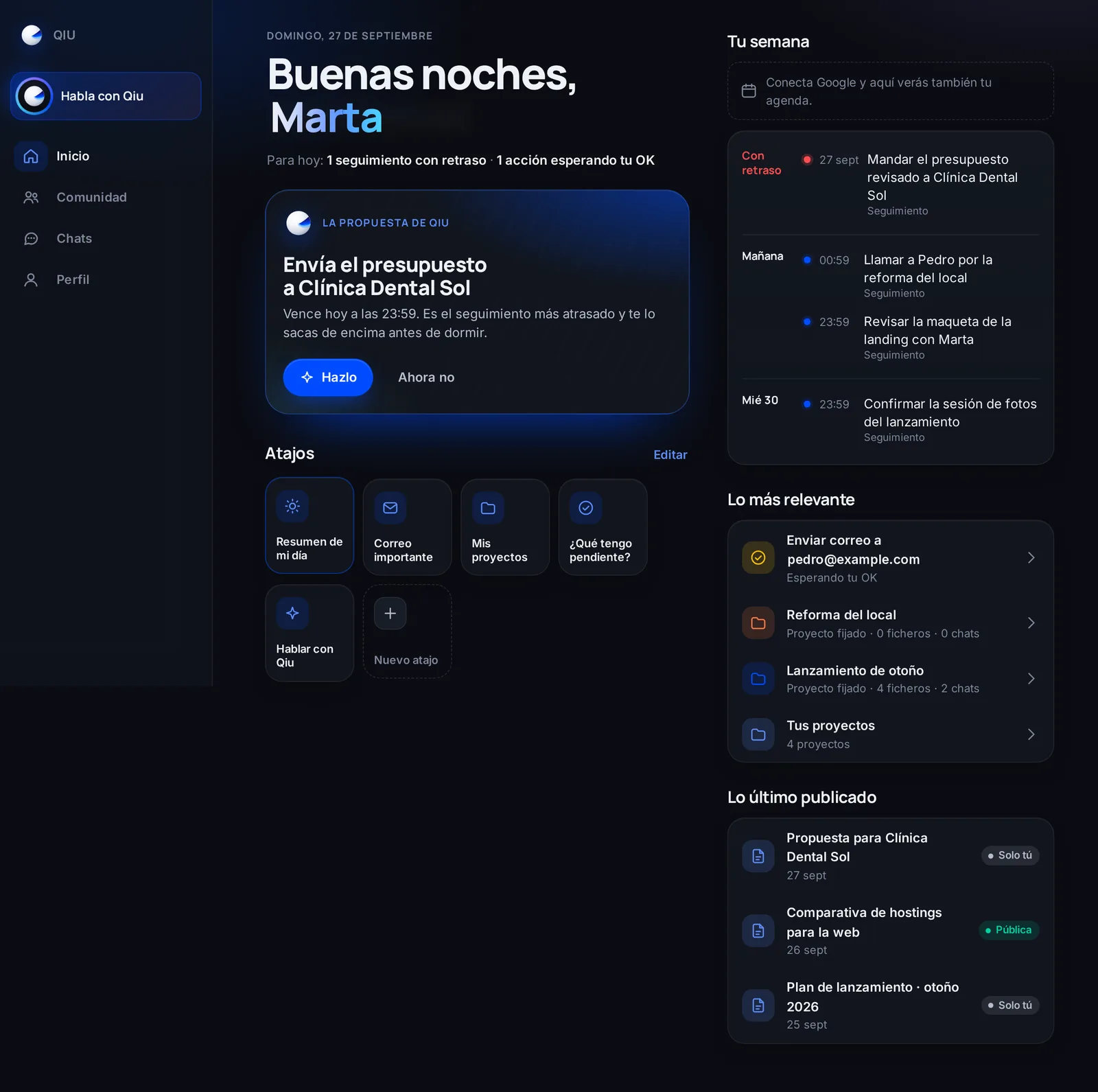
Your week at a glance on the computer
Follow-ups with a date, what is waiting for your approval and pinned projects, on a single screen. Qiu points out what is most overdue so you do not miss it.
Shortcuts
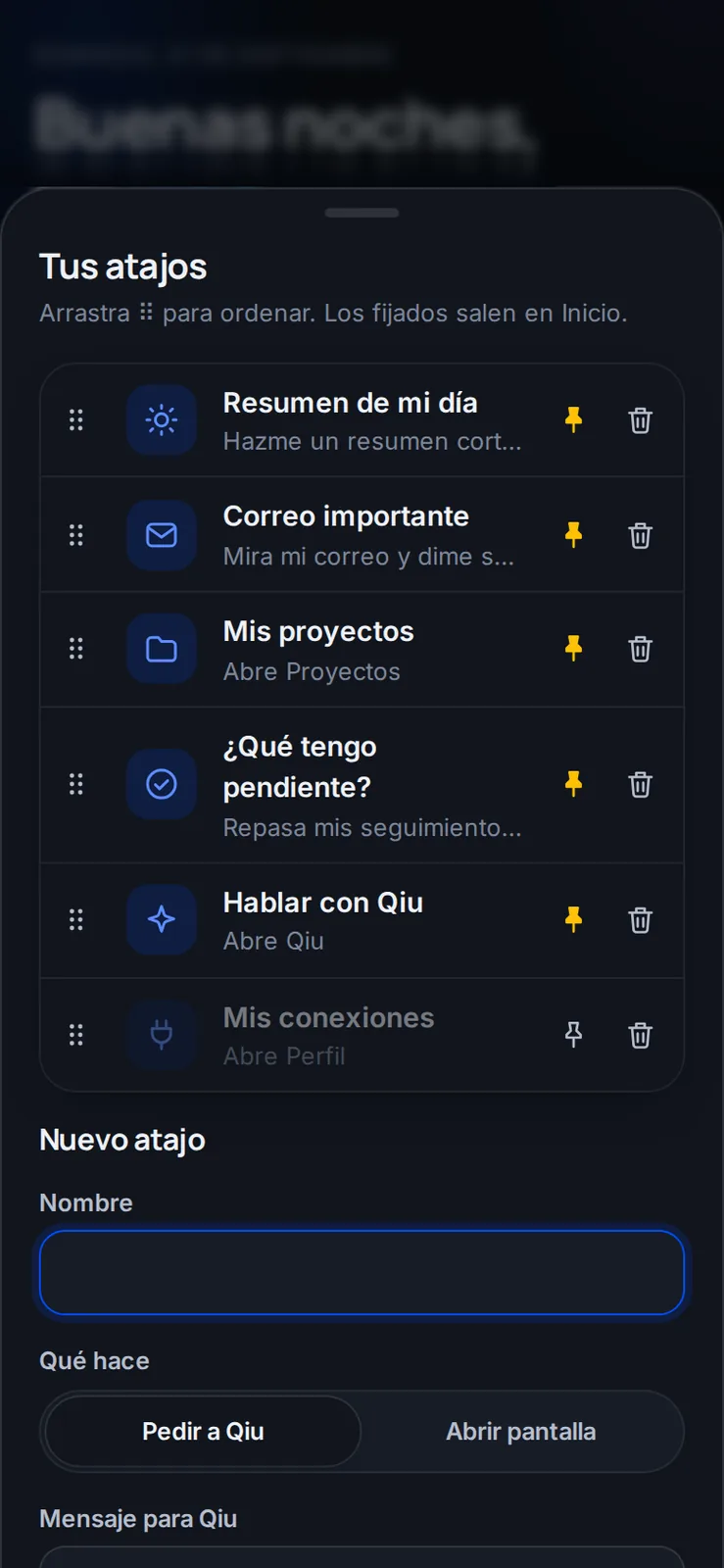
Shortcuts made to measure
Save your usual requests, like «Summary of my day» or «Important email», and launch them with one tap from Home. You sort them by dragging and pin the ones you use most.
Shortcuts

«What do I have pending?» in one tap
You tap the shortcut and Qiu goes over your follow-ups and tells you where to start, without leaving Home.
Chat
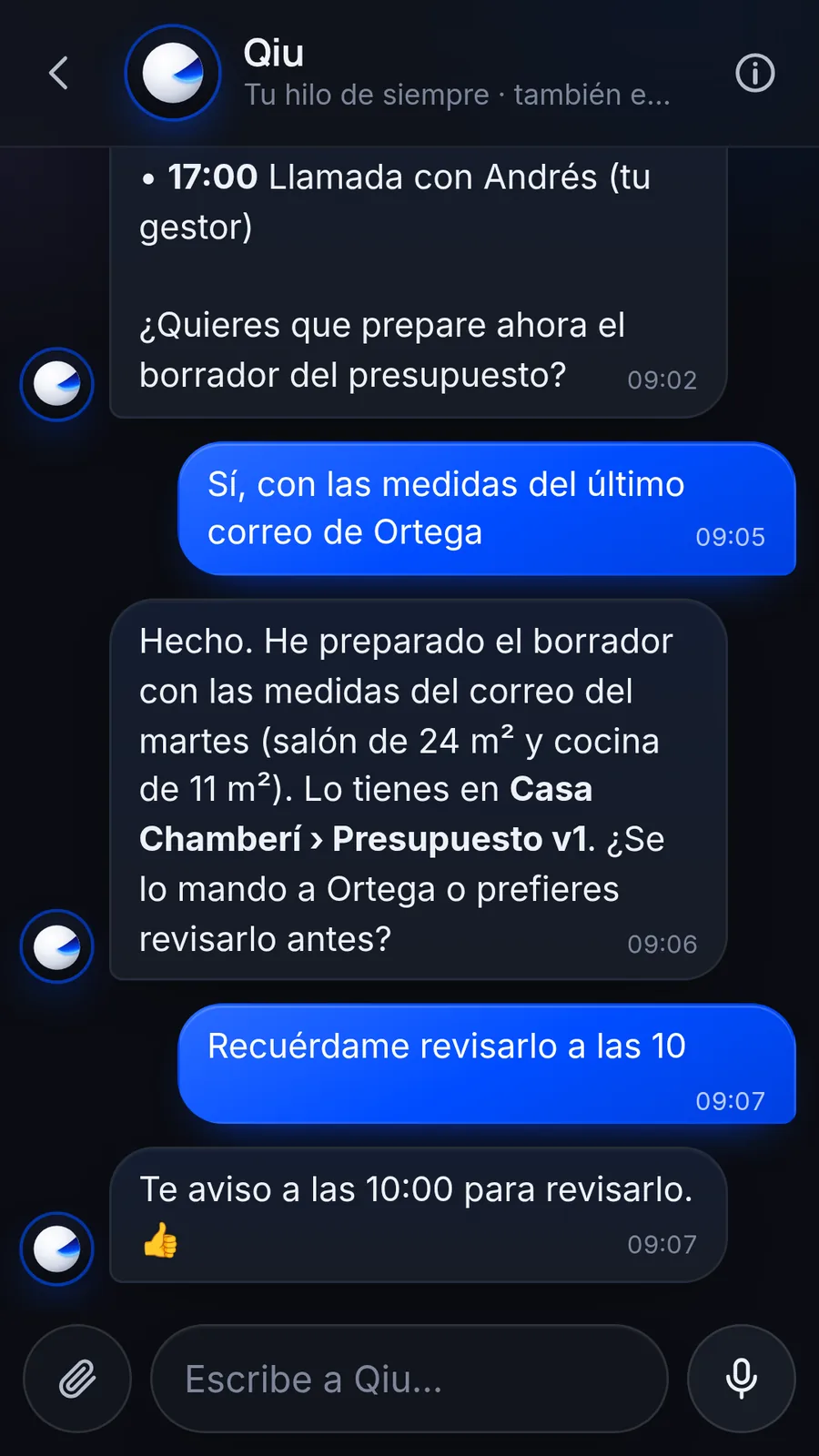
From the email to the quote
Qiu takes the measurements a customer emailed you, prepares the draft quote and shows it to you before sending it. If you ask for a reminder, it lets you know at the time.
Chat
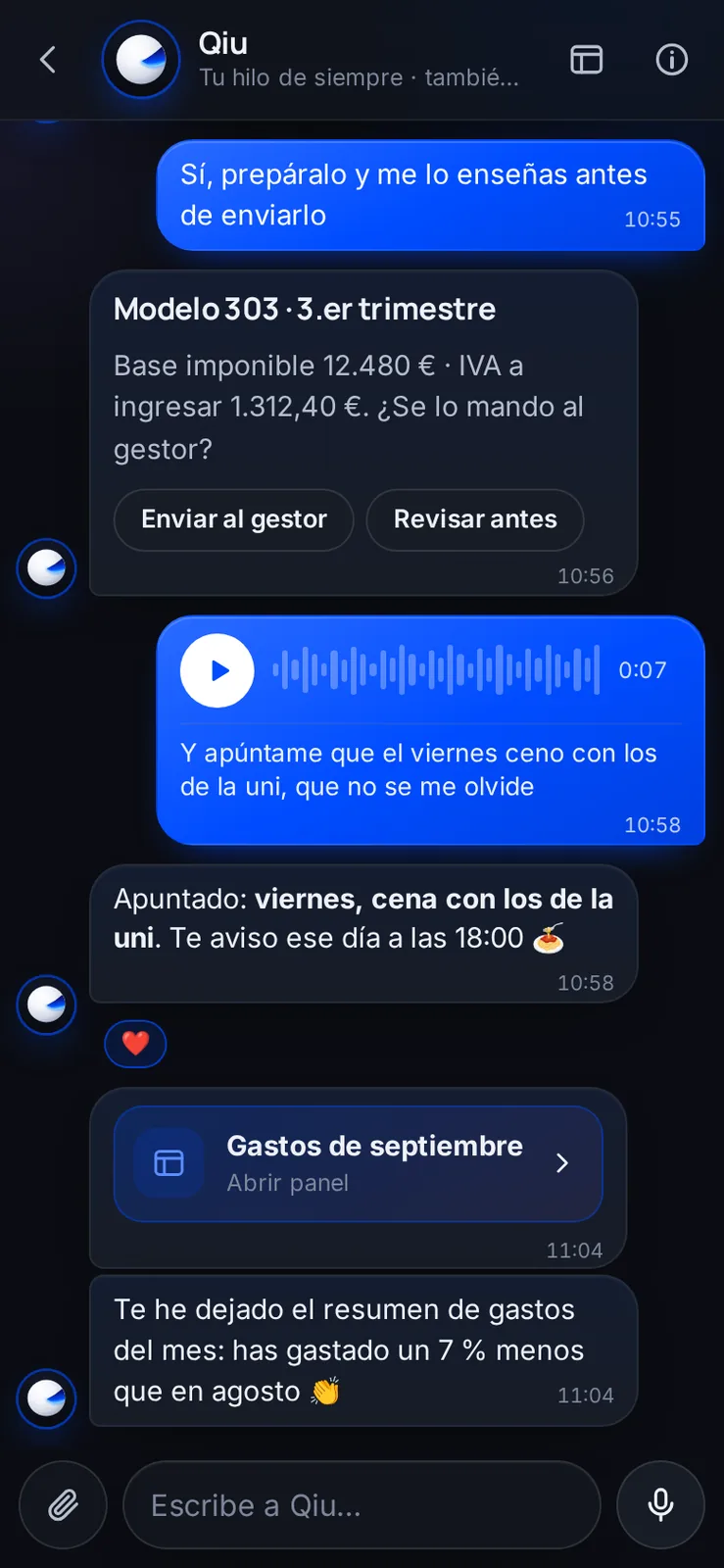
Taxes, voice notes and expenses in the same thread
It works out your VAT return (Spanish form 303) and asks whether to send it to your accountant, writes down what you tell it in a voice note and leaves you the month's expense summary.
Chat
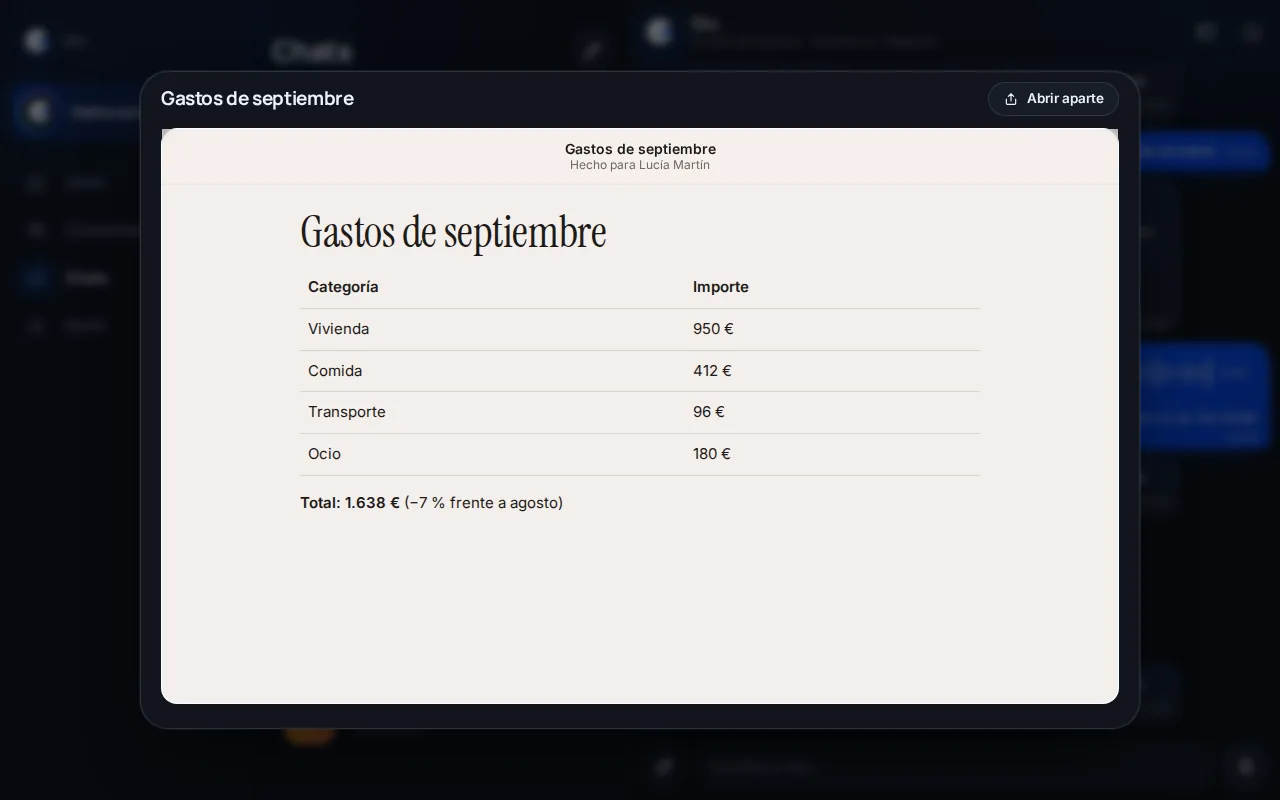
Panels Qiu prepares for you
When something is easier to understand in a table, Qiu leaves it as a panel: here, September's expenses by category compared with August.
Travel
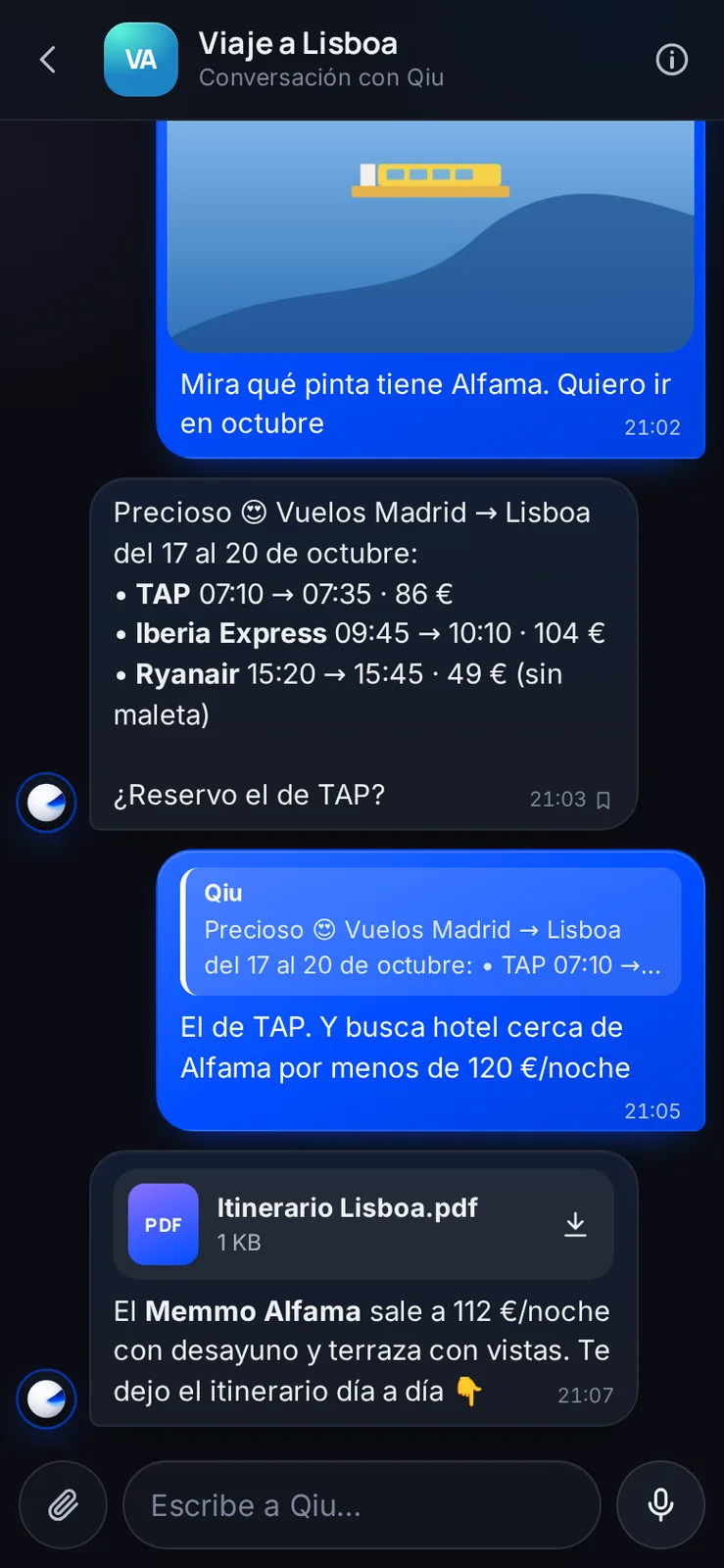
A trip planned from a photo
You send it a photo of Alfama and it compares flights, finds a hotel within your budget and leaves you the itinerary as a PDF. Illustrative example: made-up flights, hotel and prices.
Voice
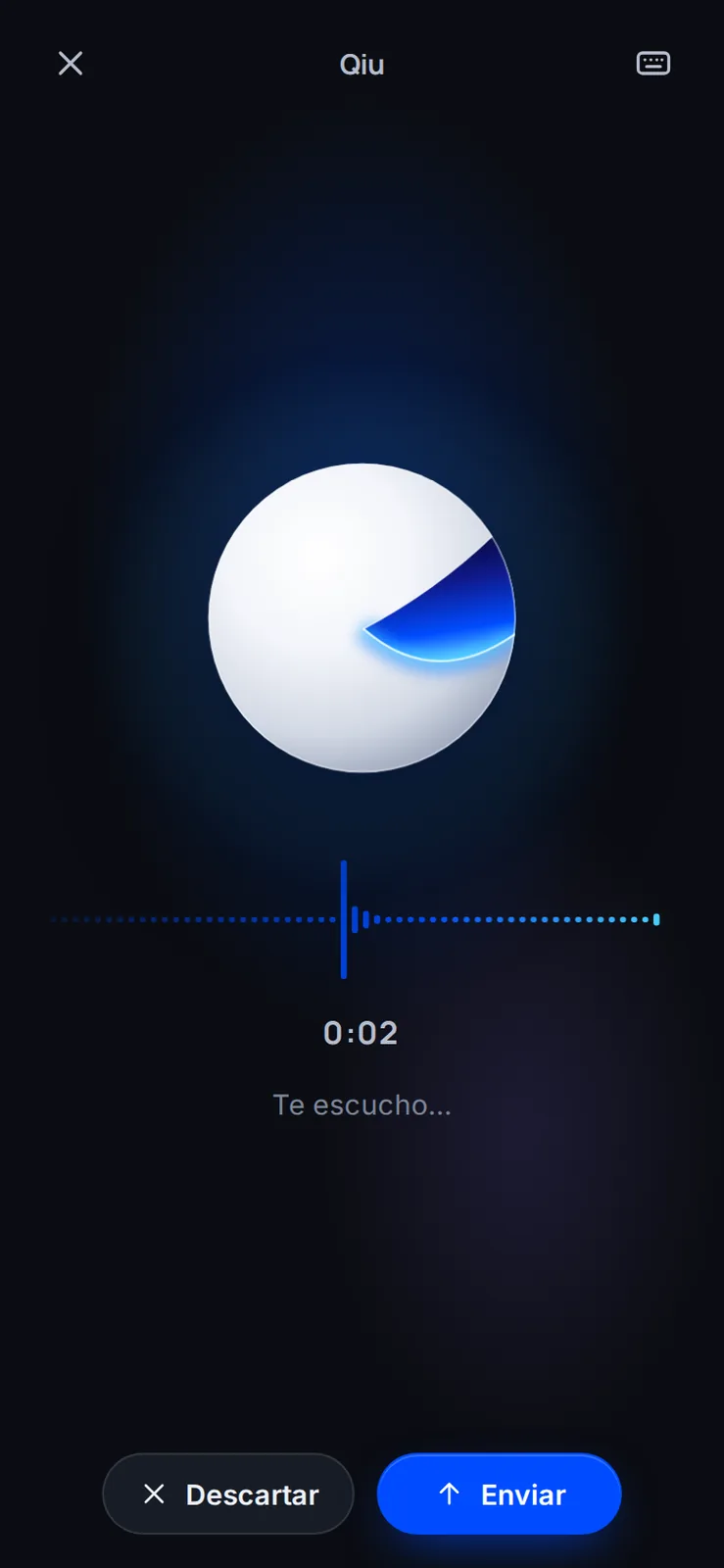
Talk to it like a person
You tap the sphere, talk and Qiu listens. If you are not happy with what you said, you discard it and start again.
Voice
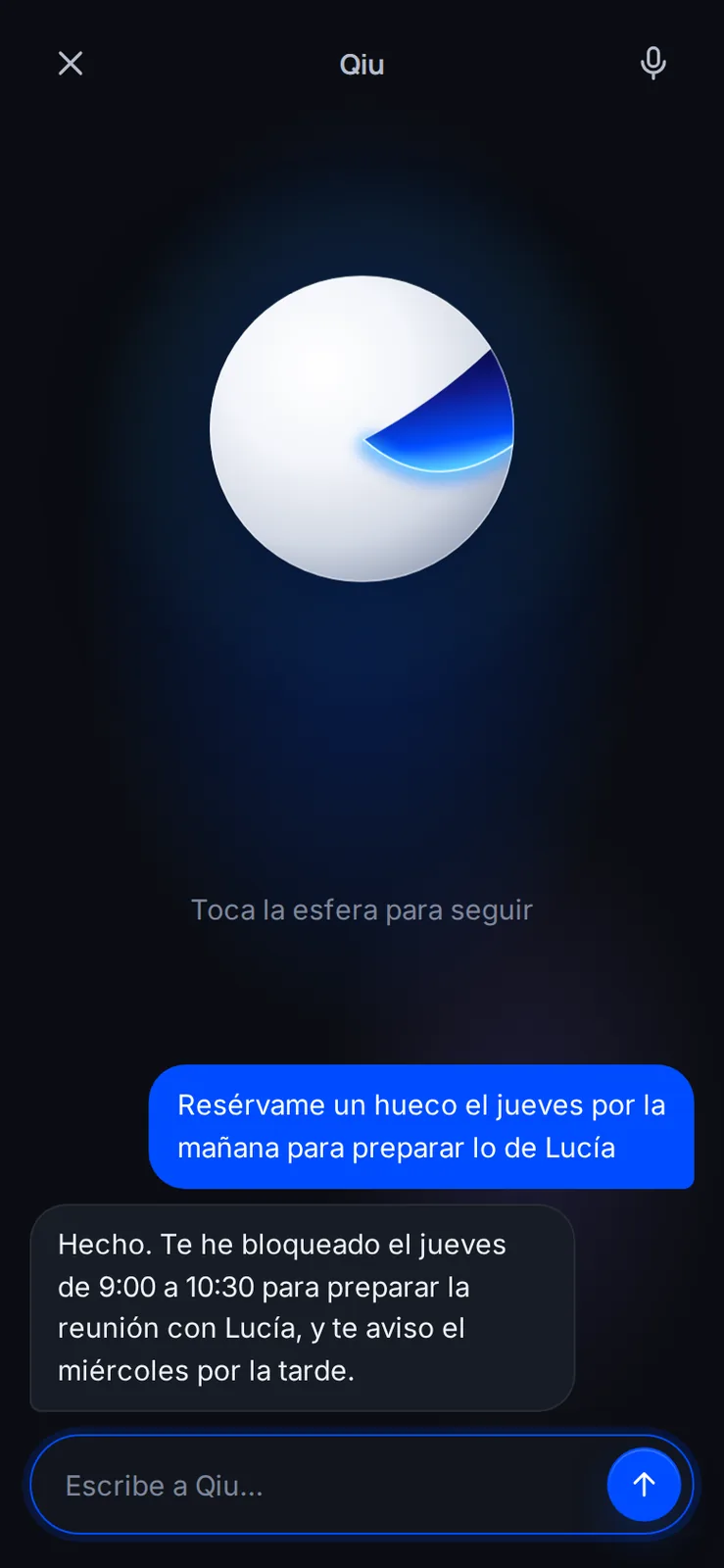
One sentence and the calendar is sorted
«Book me a slot on Thursday to prepare Lucía's thing»: Qiu blocks the slot in your calendar and reminds you beforehand.
Voice
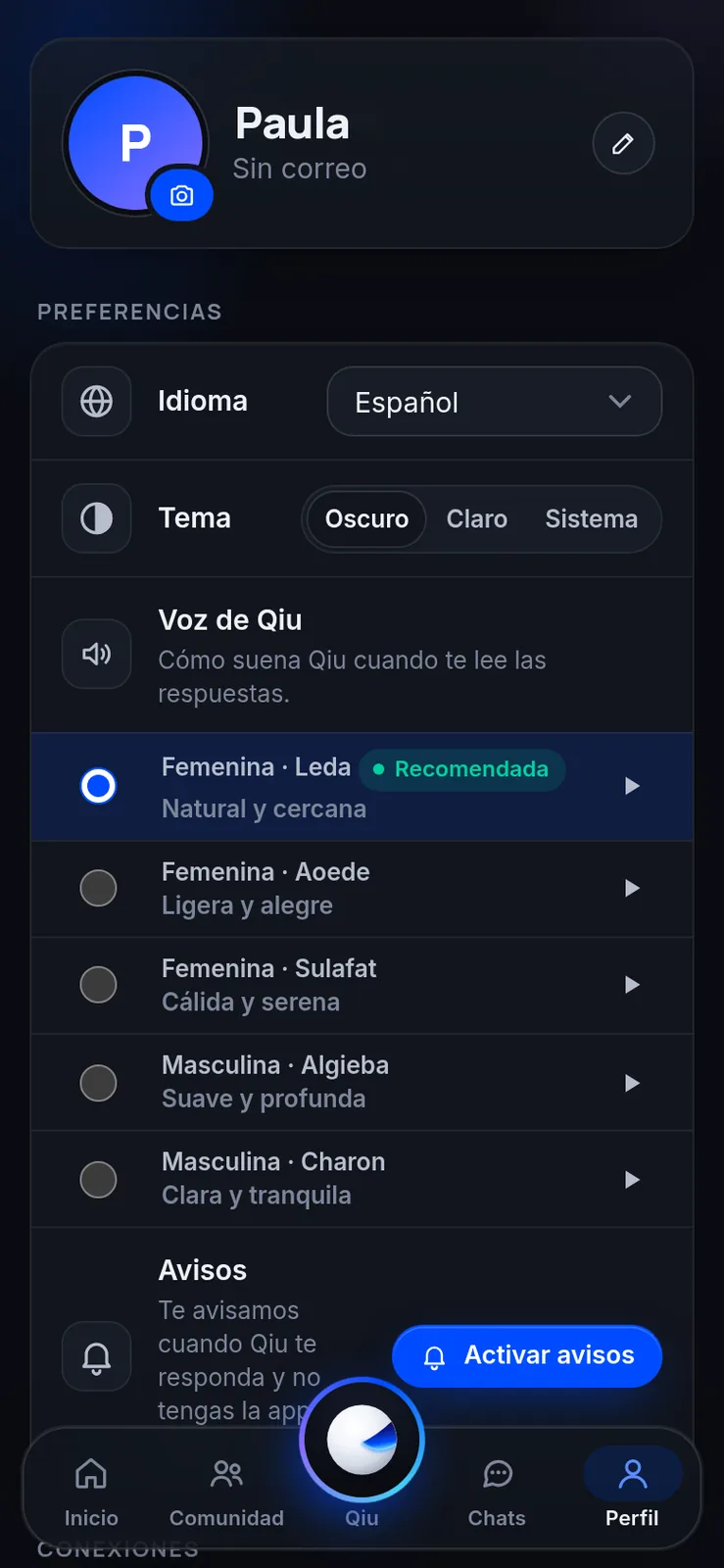
Choose Qiu's voice
Qiu can read answers aloud to you. You choose among several natural voices and listen to them before deciding.
Groups
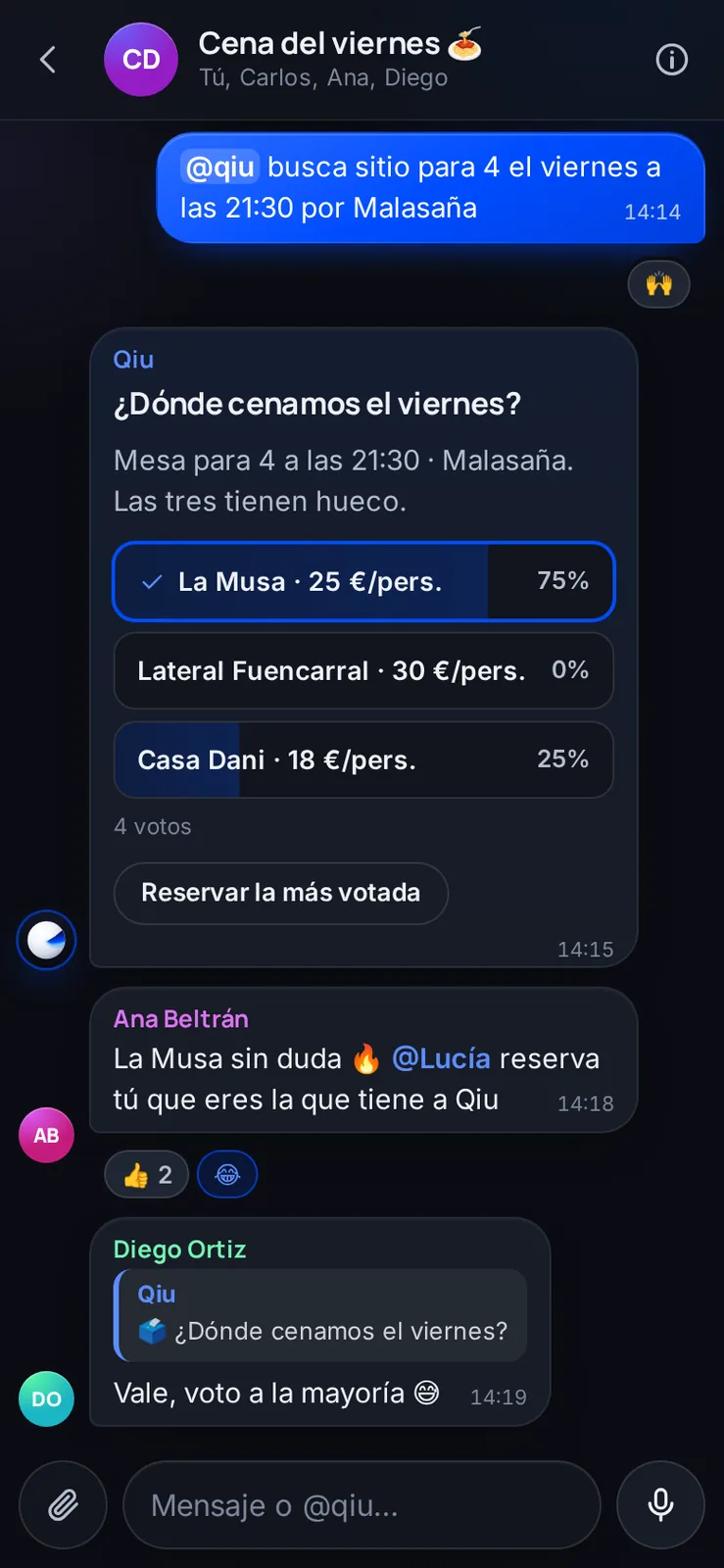
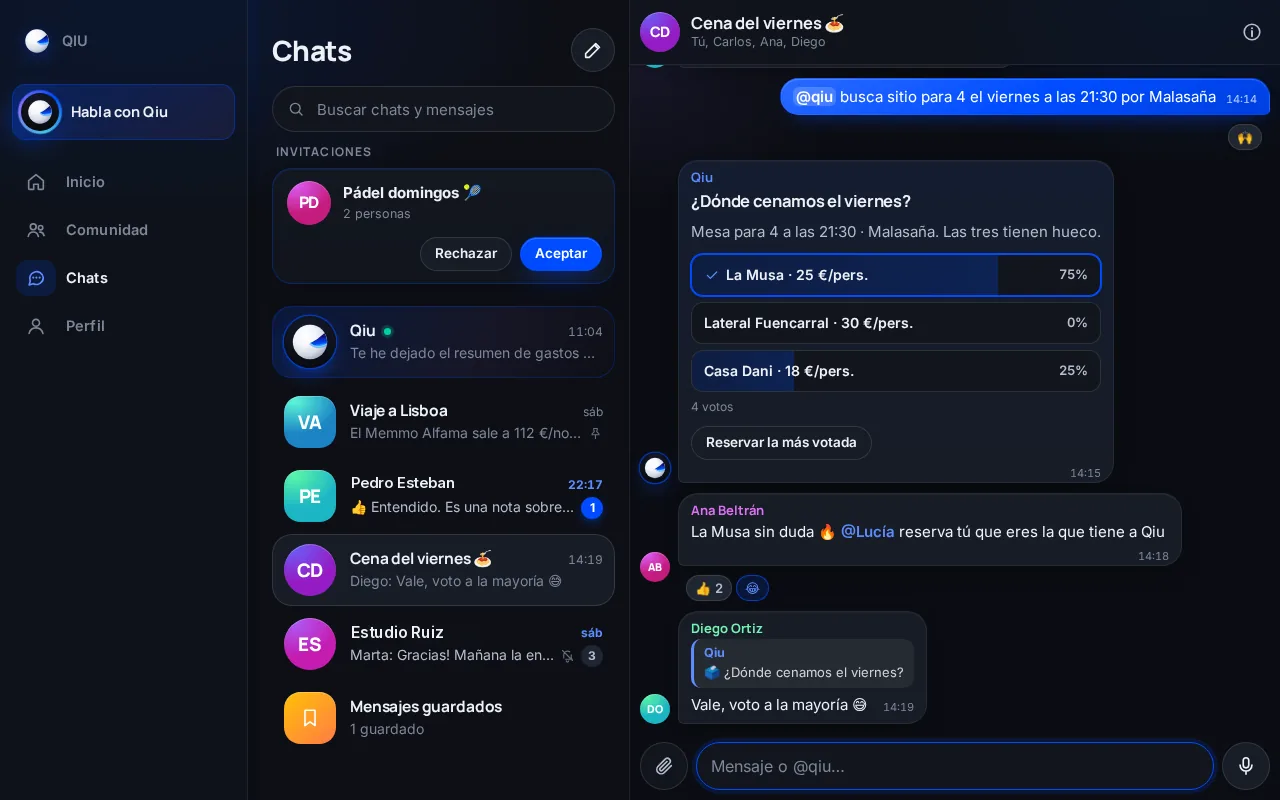
Qiu in your groups
In a chat with friends or colleagues you type @qiu and it finds a place, prepares the poll and books the most voted option. Illustrative example: made-up venues, prices and slots.
Groups
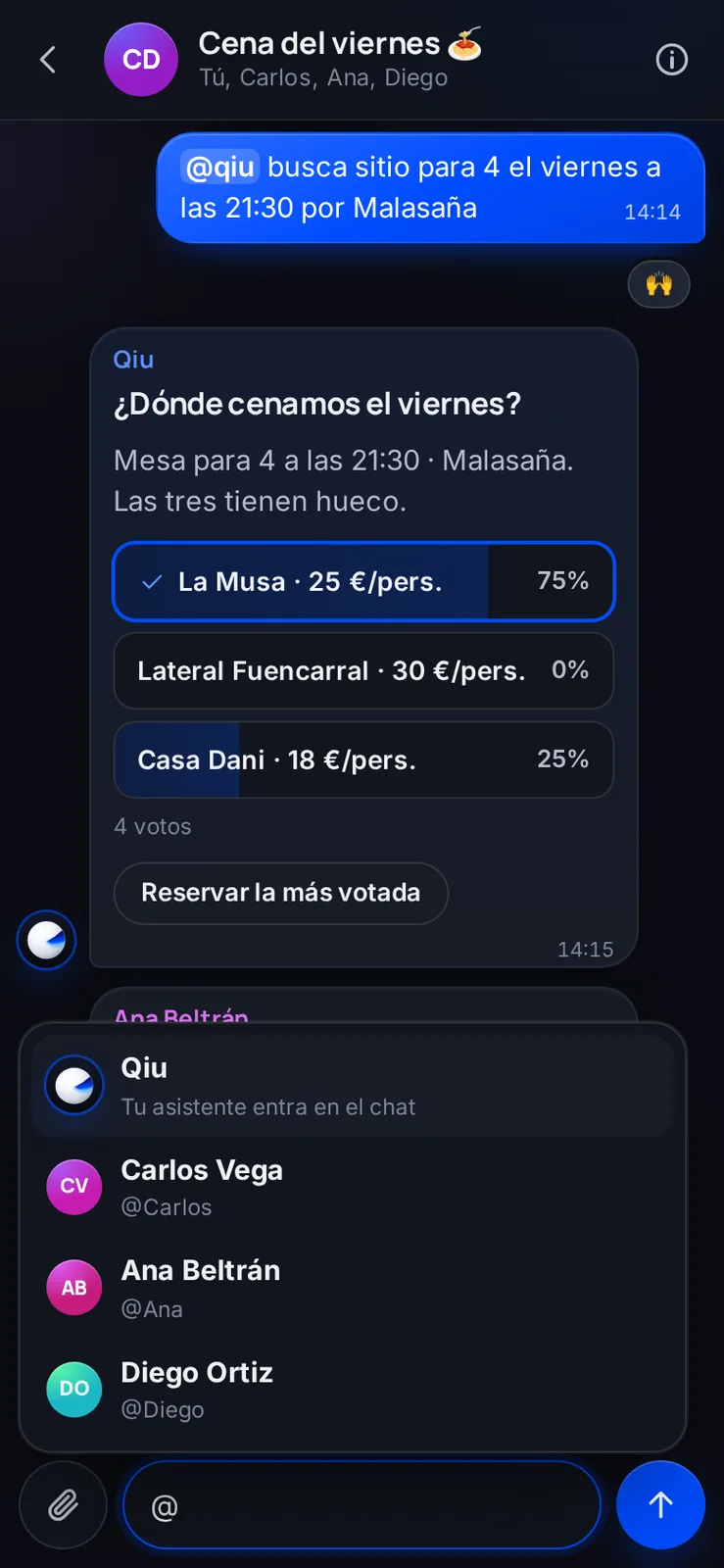
Mention Qiu or anyone you like
When you type @ you choose who you are addressing: a person in the group or your assistant, which joins the conversation. Illustrative example: made-up venues, prices and slots.
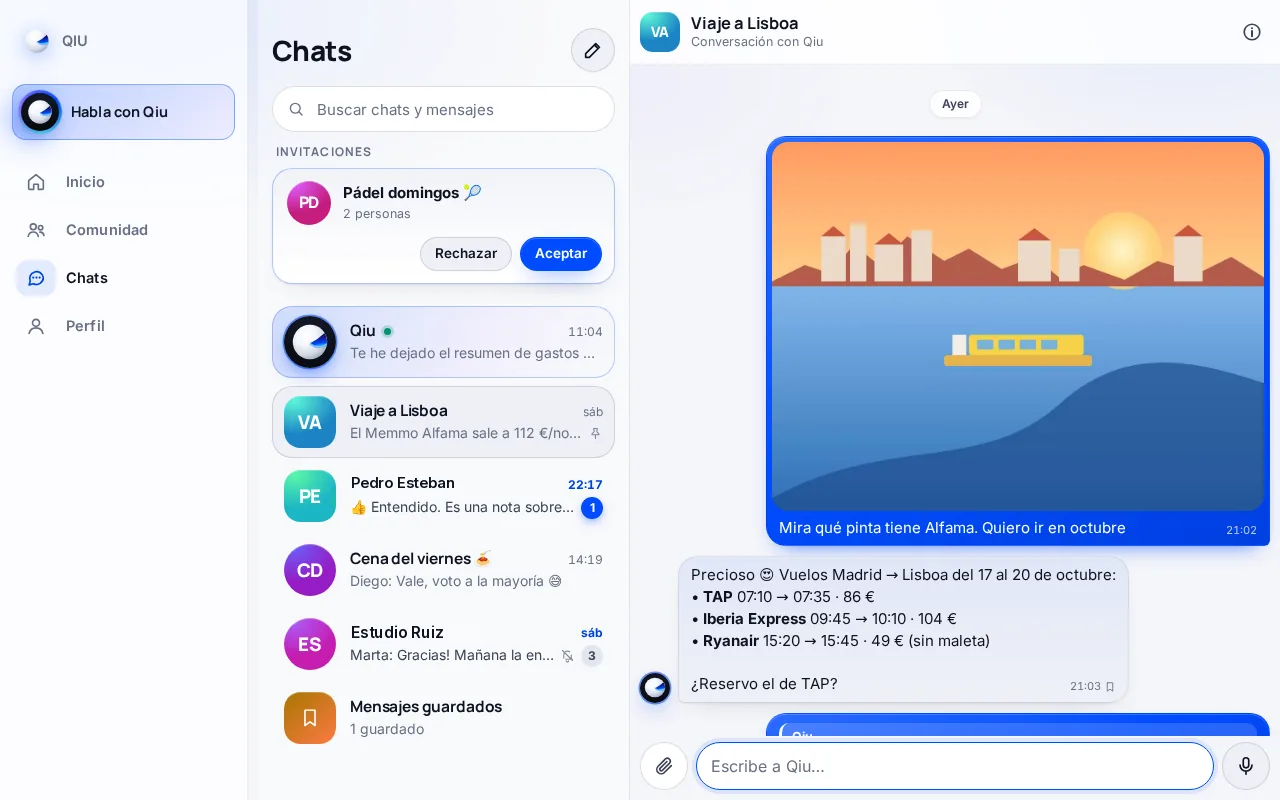
Your chats
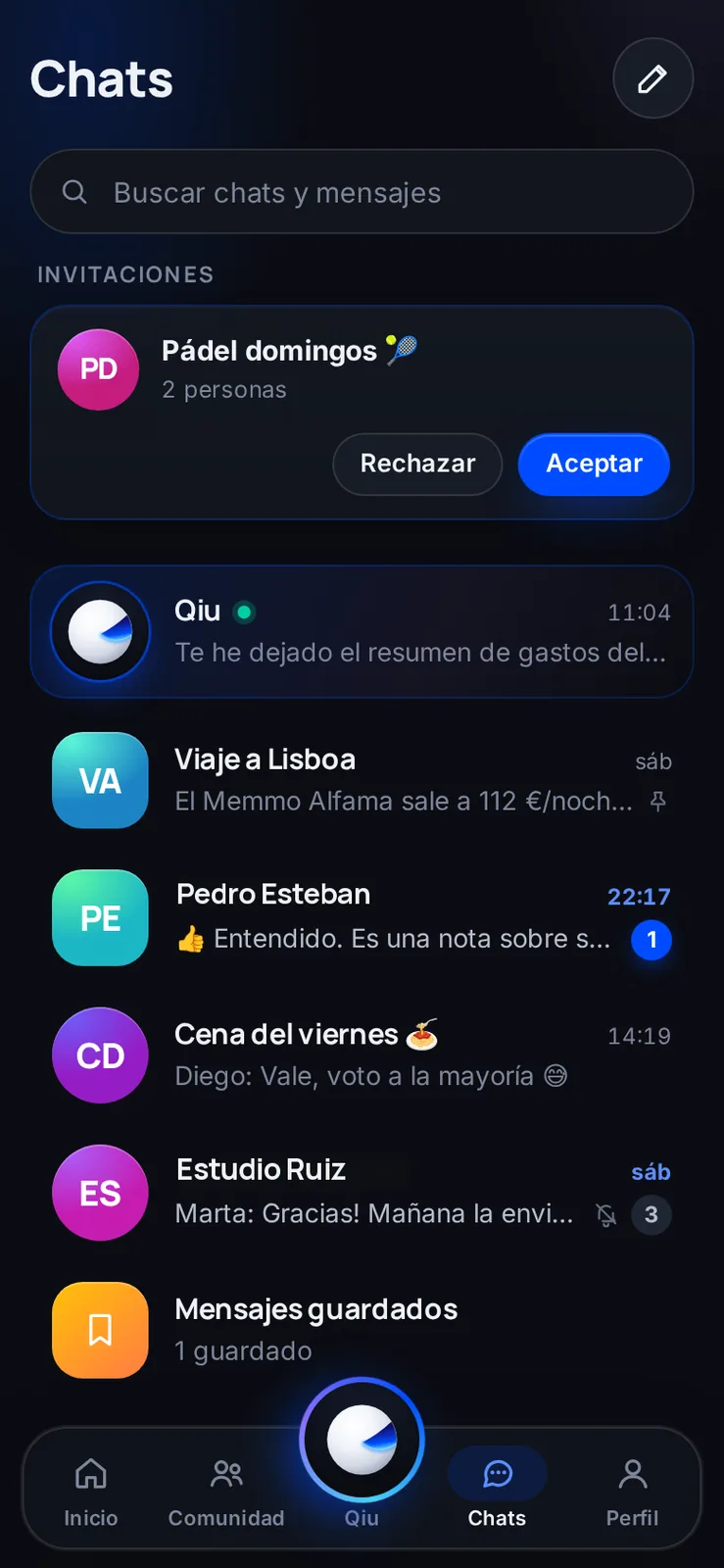
All your conversations in one place
Your thread with Qiu, groups, pending invitations and saved messages, with a search to find anything. Illustrative example with demo data.
Projects
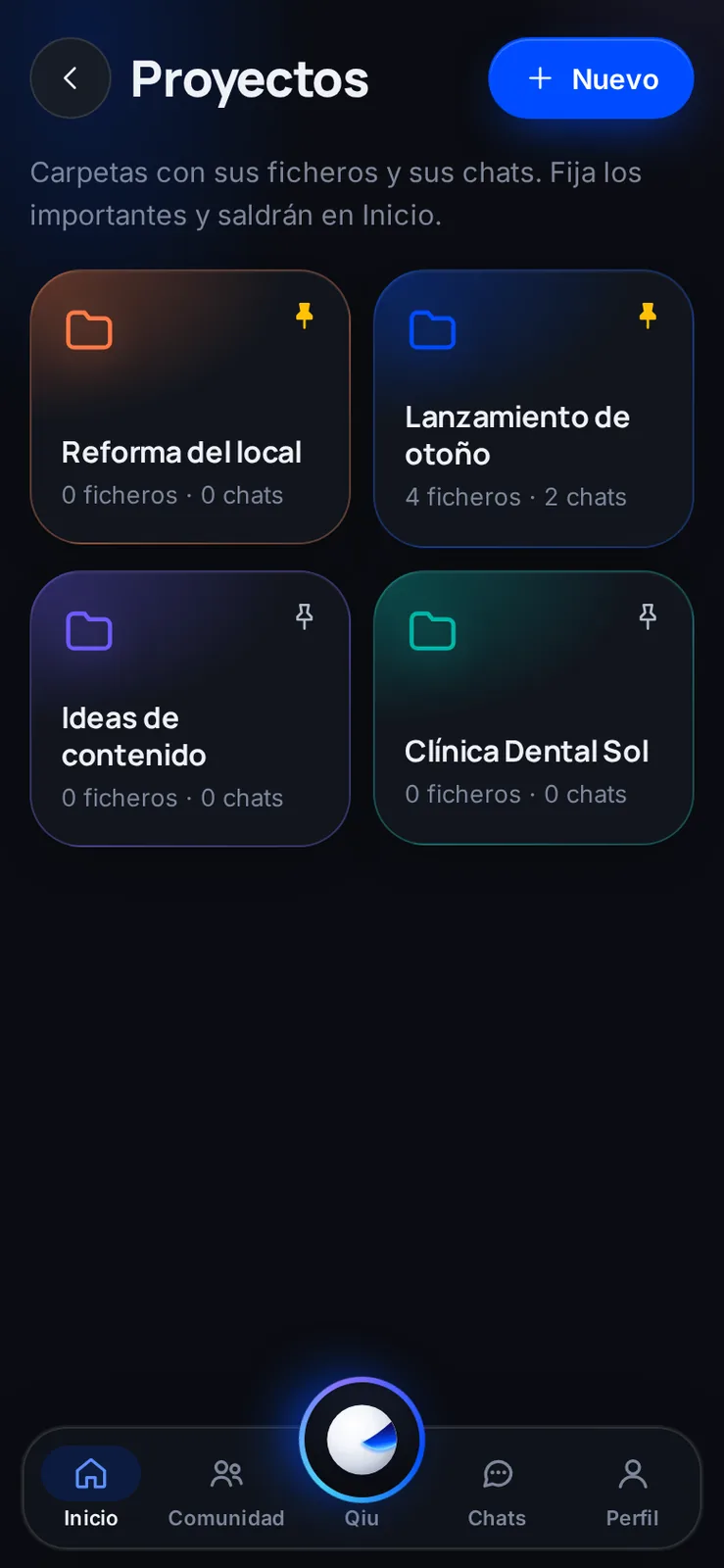
Projects: folders with files and chats
Group what you are working on, be it a renovation, a launch or a customer, and pin the important ones to see them on Home.
Projects
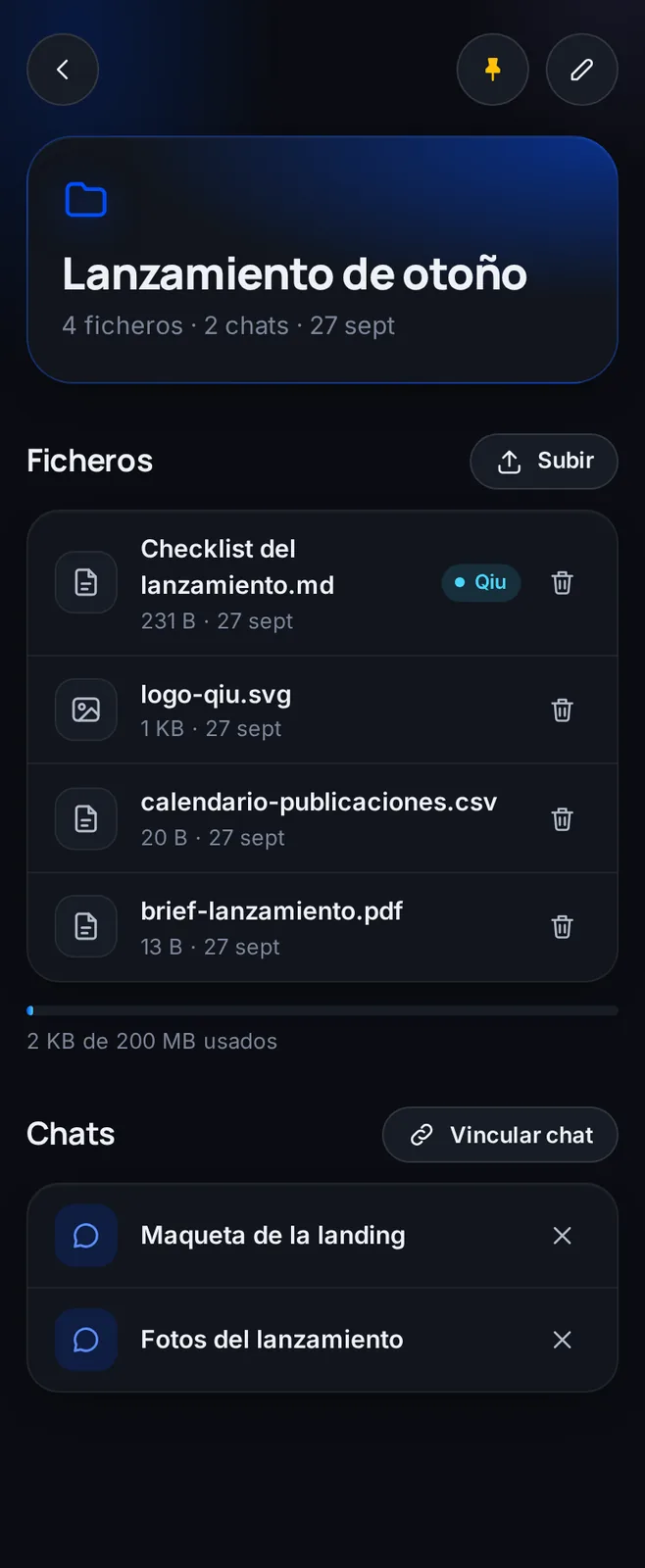
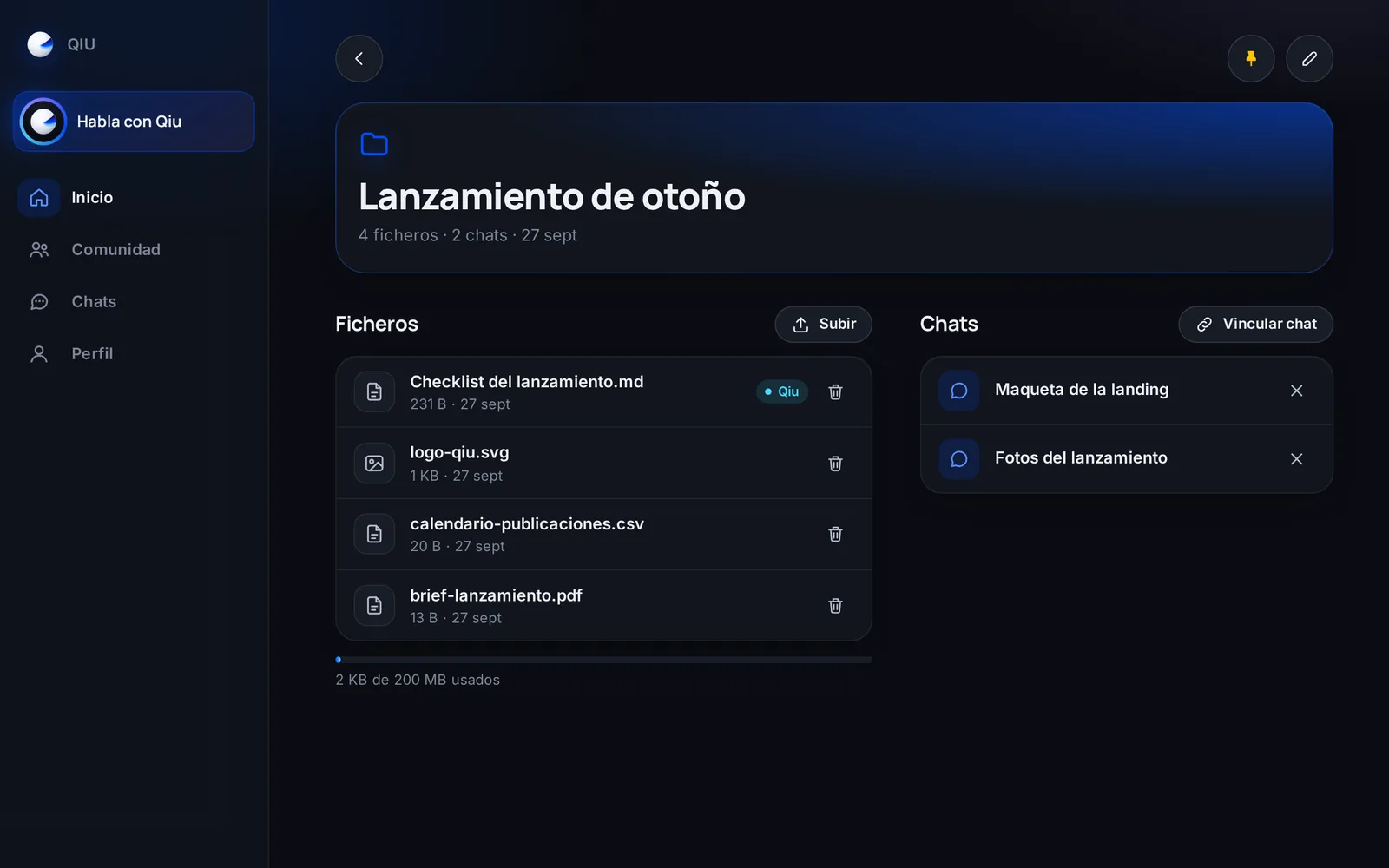
The whole project at hand
The files you upload or Qiu creates and the chats linked to the project, on the same screen.
Connections
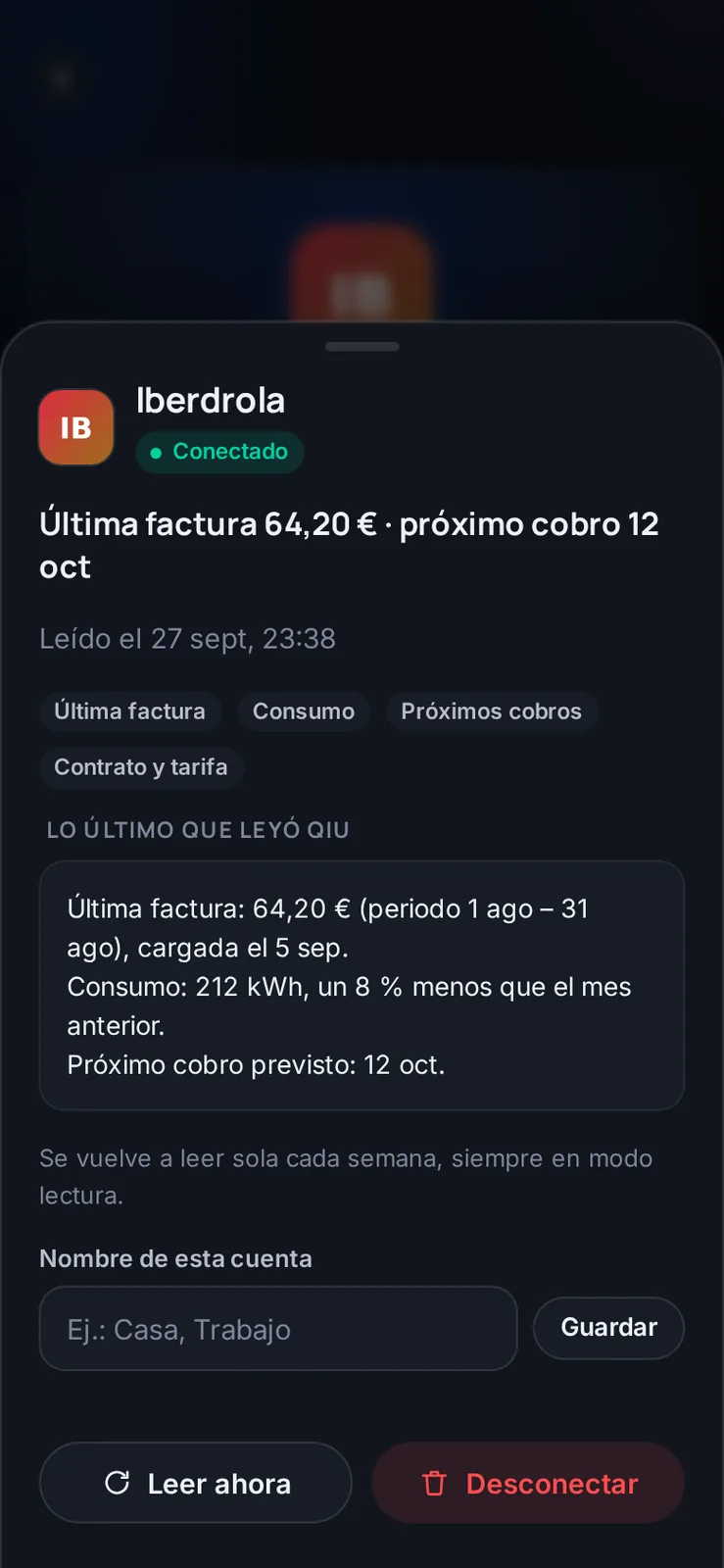
Your electricity bill, summarized
Qiu summarizes your latest electricity bill, your usage and the next charge, and checks it again on its own every week. Illustrative example with demo data.
Connections

Is your service missing? Ask for it
If it is not on the list, you ask for it and Qiu tells you how to manage while it is added.
Payments
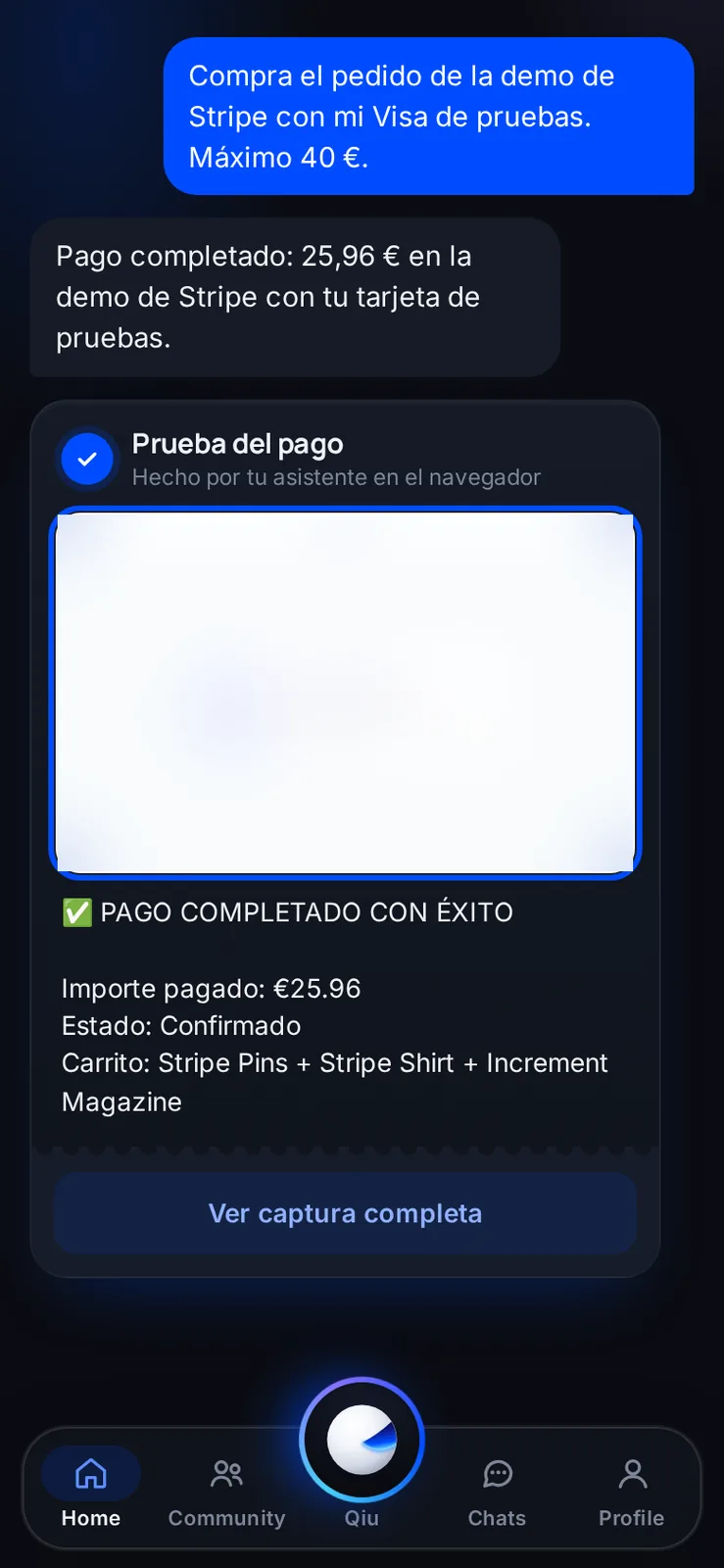
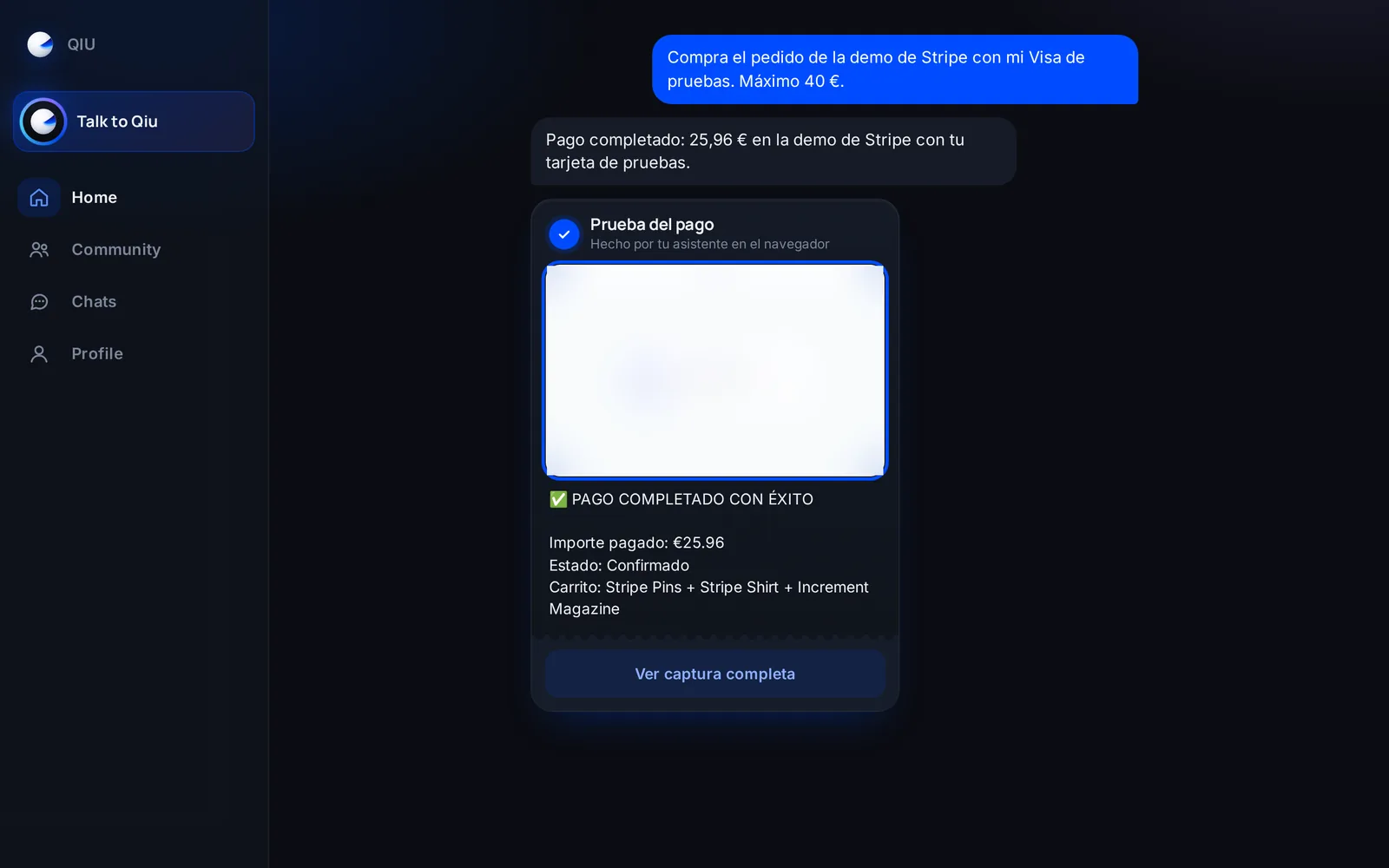
Purchases with a cap and a receipt
You ask for a purchase with a spending limit; Qiu makes it in the browser and leaves you the screenshot as proof of payment. Demo with a test card.
Community
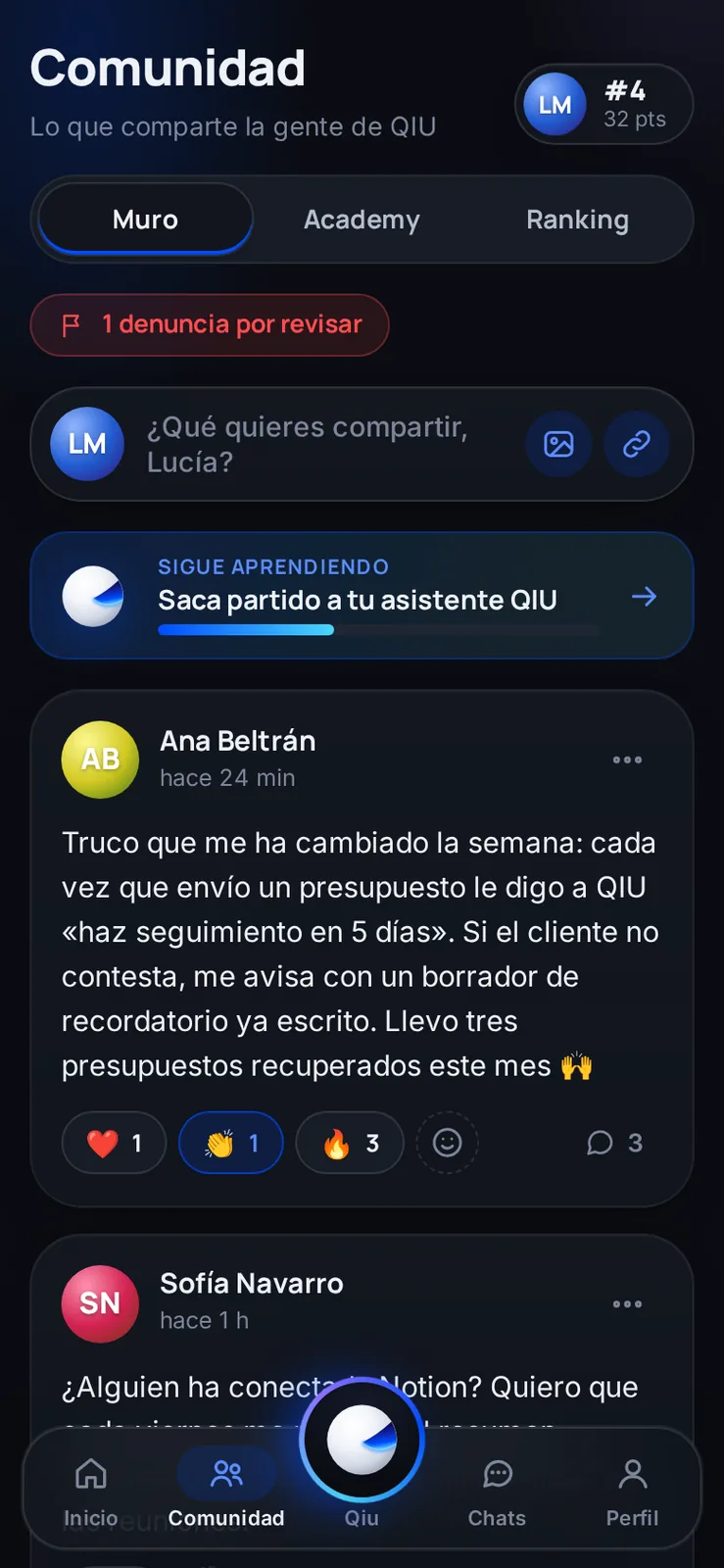
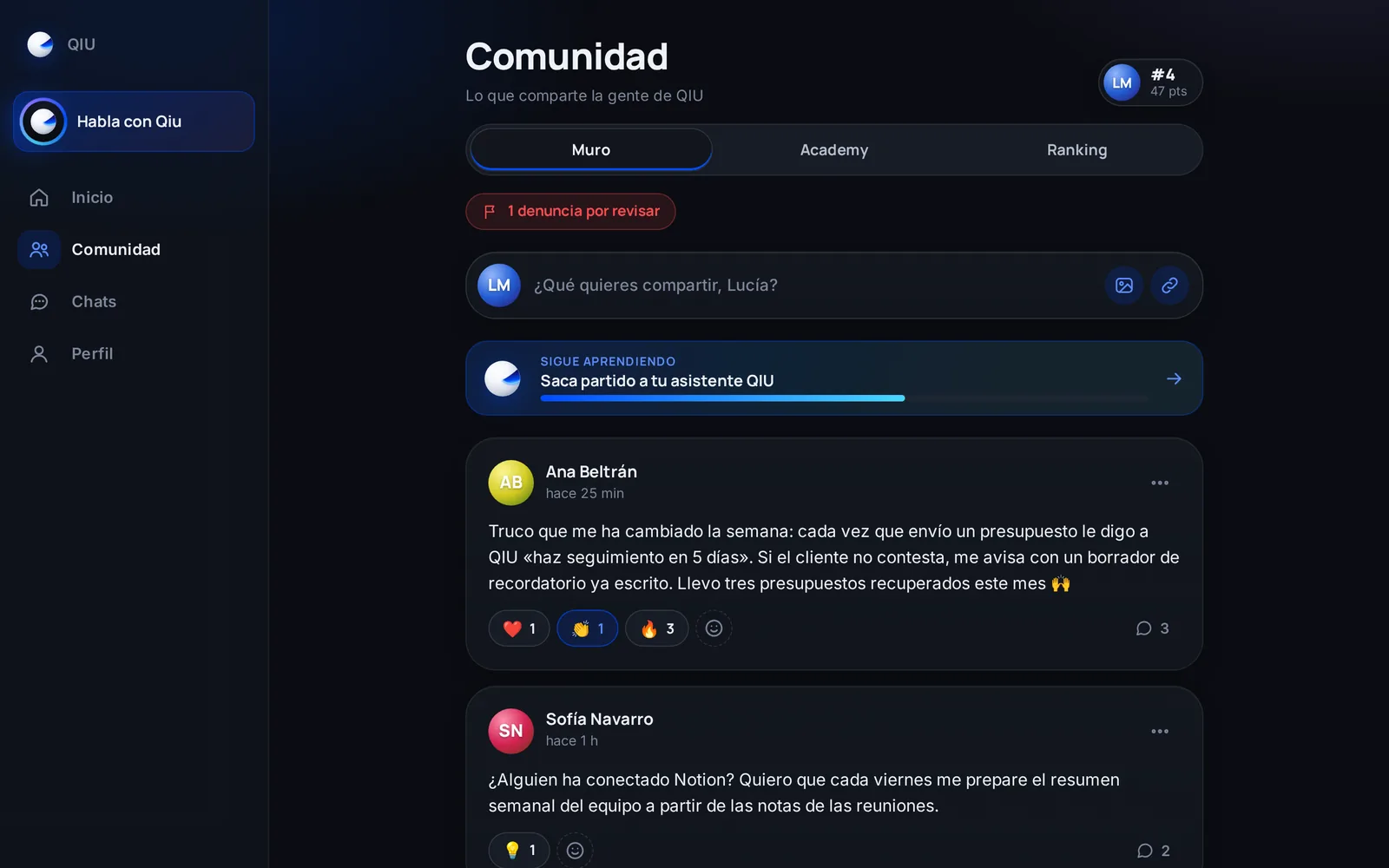
Community: tips from people who already use it
A wall where people share how their assistant helps them, with reactions and comments.
Community
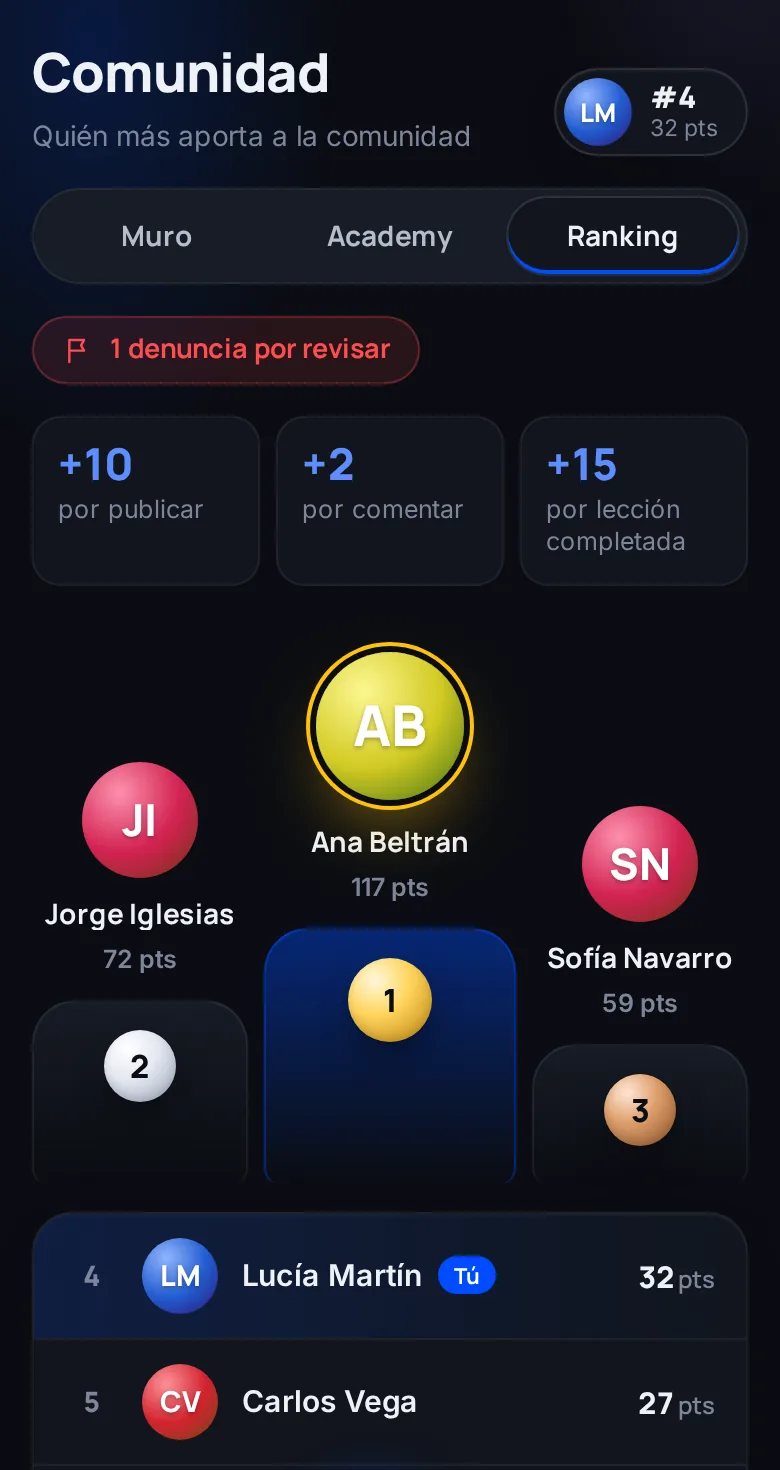
Ranking for contributing
Posting, commenting and completing lessons earn points, and the ranking recognizes whoever helps others the most.
Community
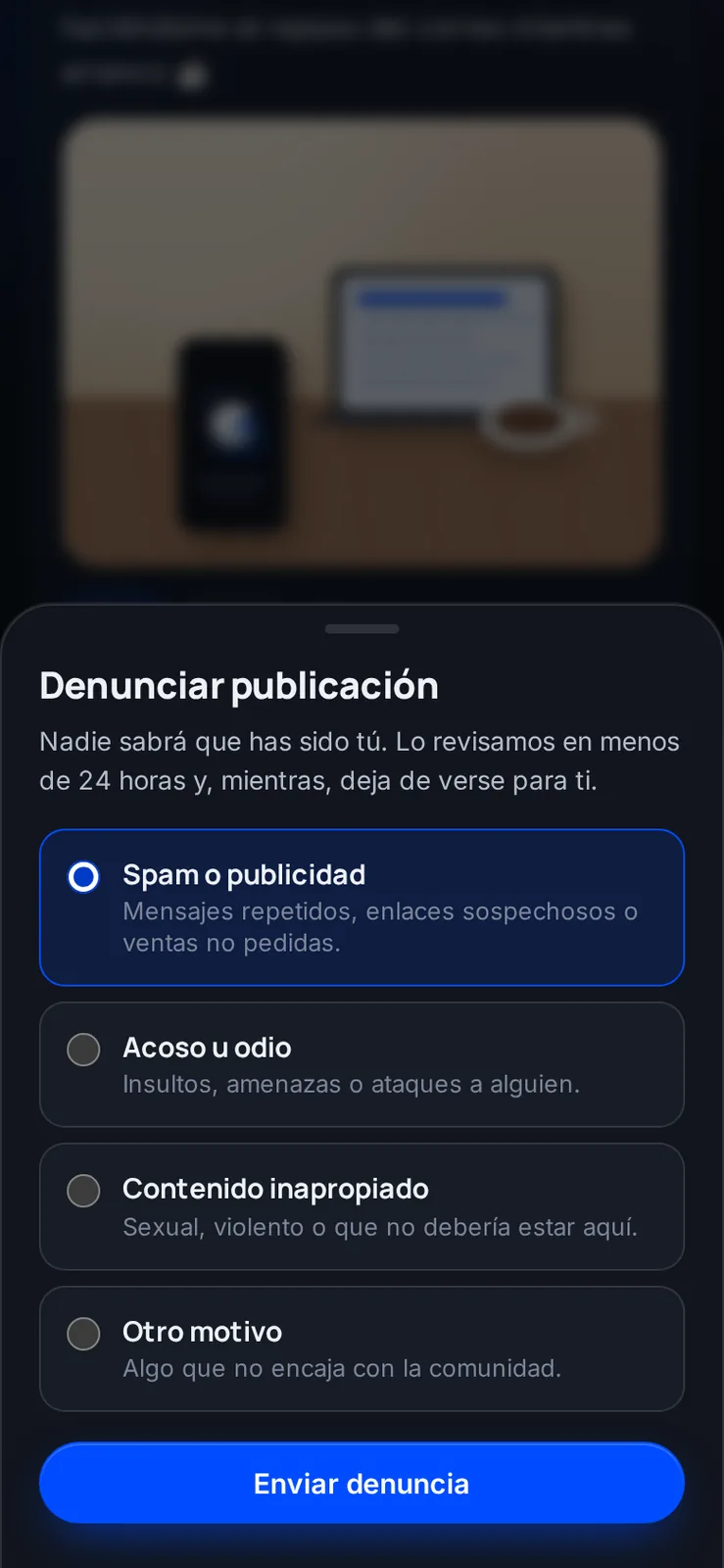
Simple moderation
Any post can be reported anonymously. It is reviewed in under 24 hours and, in the meantime, you stop seeing it.
Academy
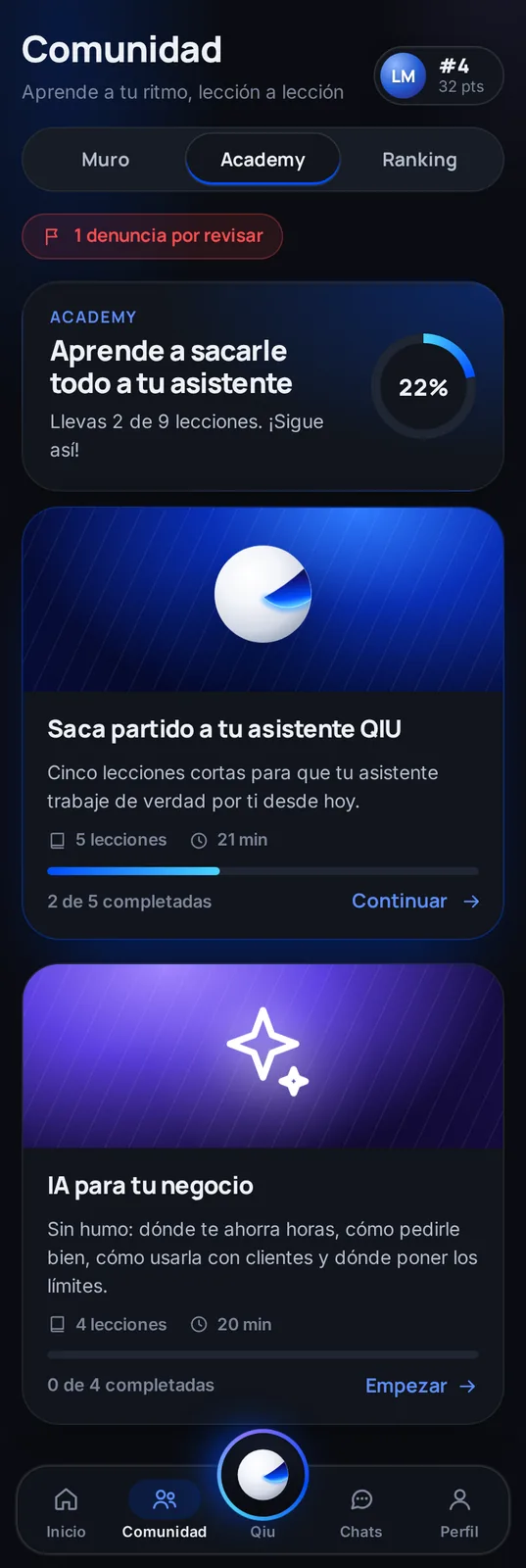
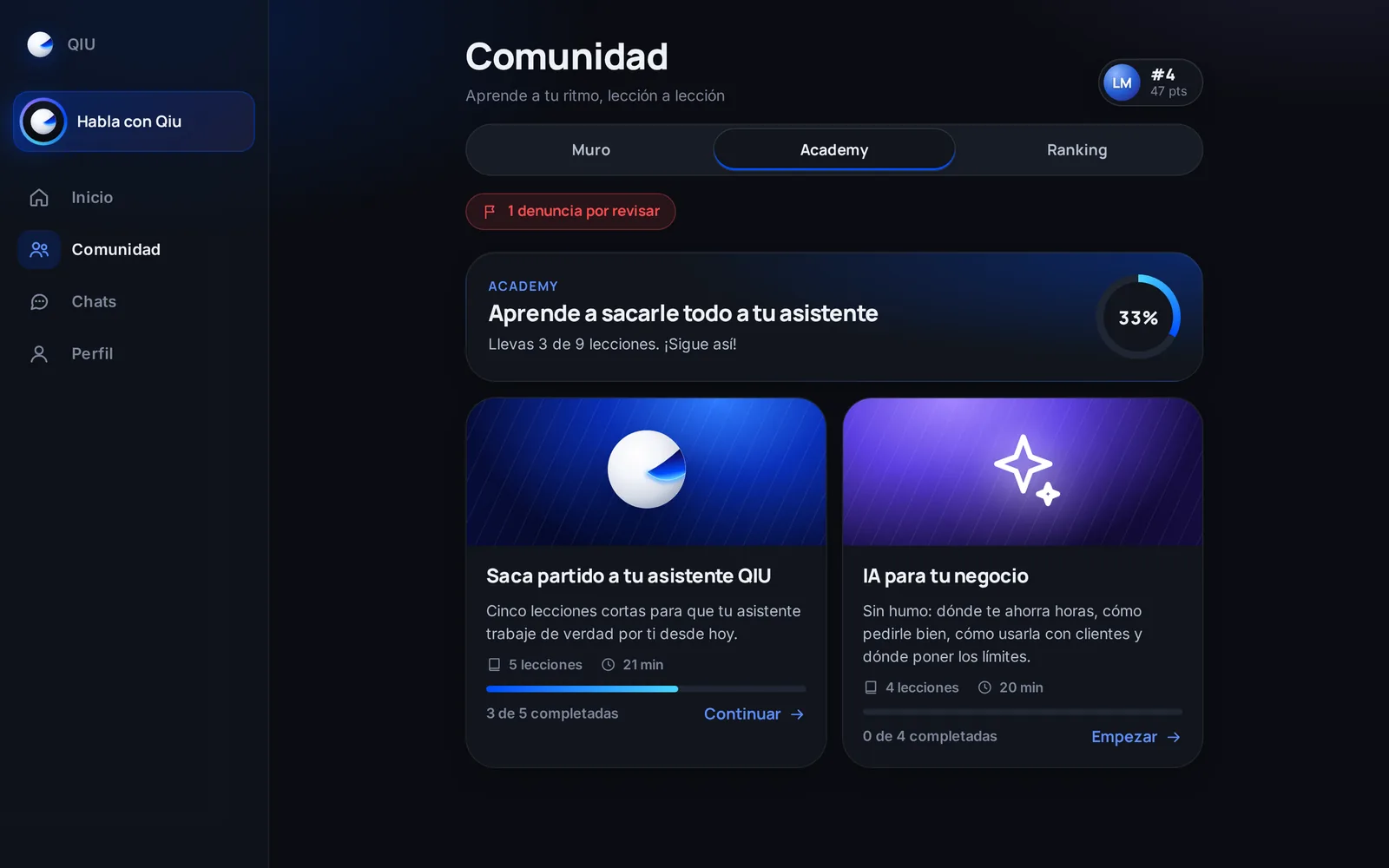
Academy: learn to get the most out of it
Short courses to make the most of your assistant and use AI in your business, with your progress always in sight.
Profile
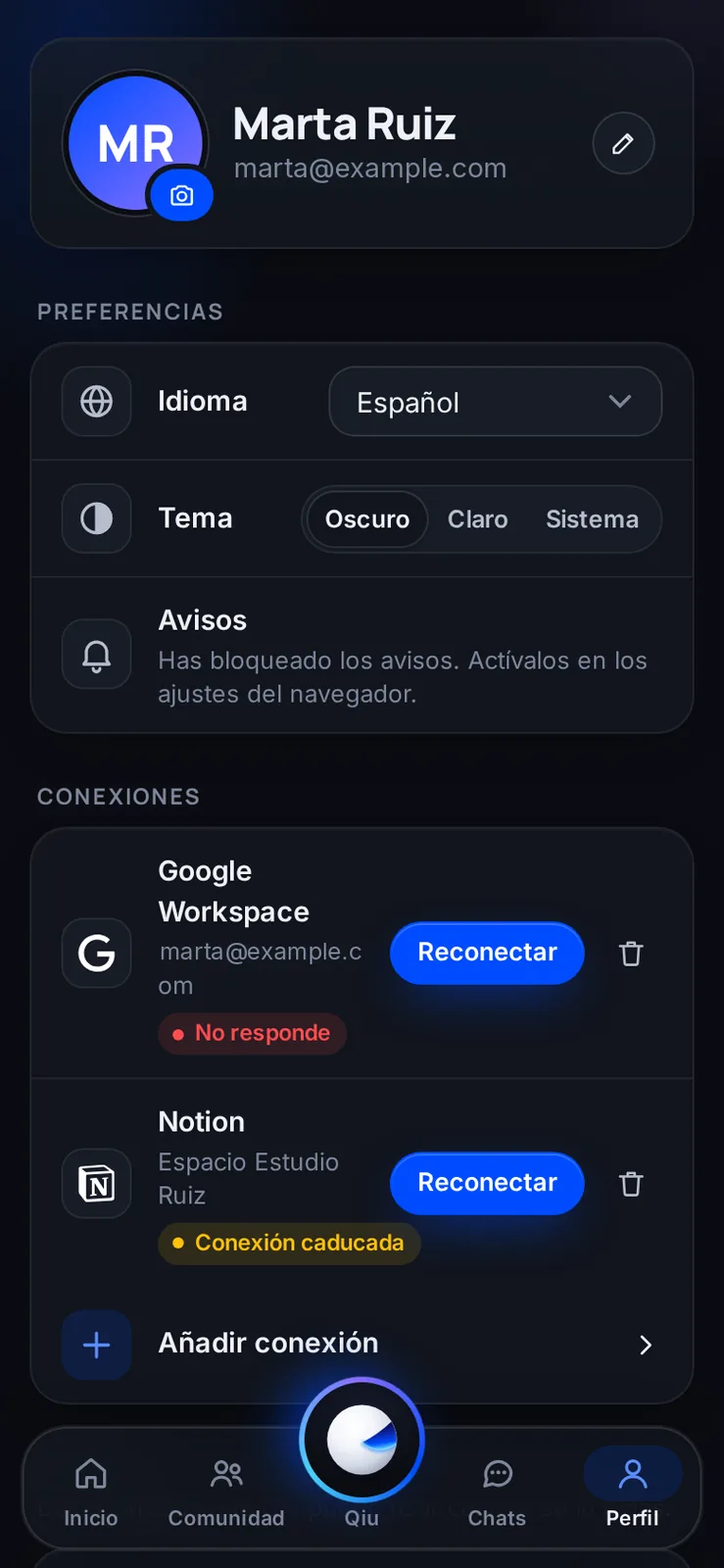
Your profile and your preferences
Language, light or dark theme, notices and the status of each connection, with a warning when one needs reconnecting.
Languages
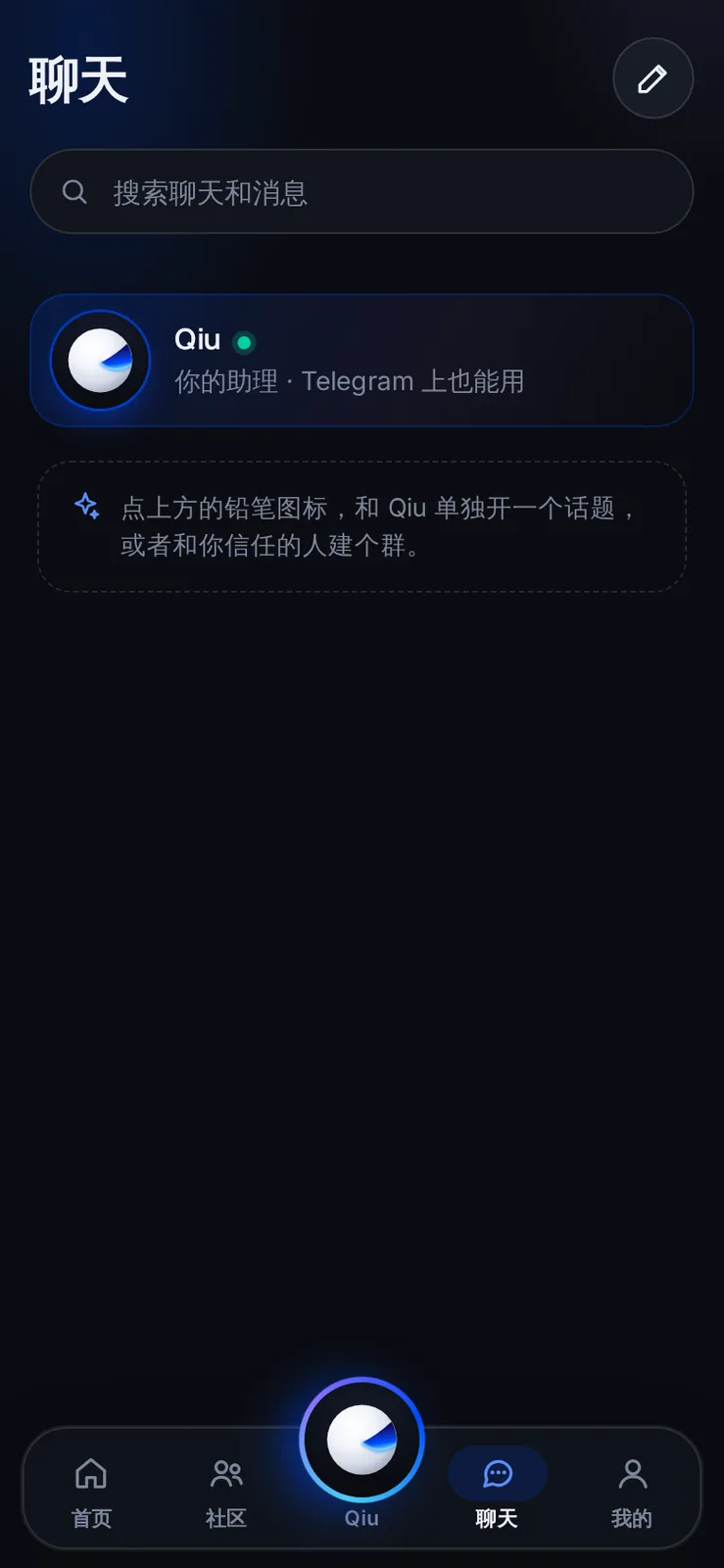
Available in nine languages
The app and the assistant speak your language. Here, the chats screen in Chinese.
Languages
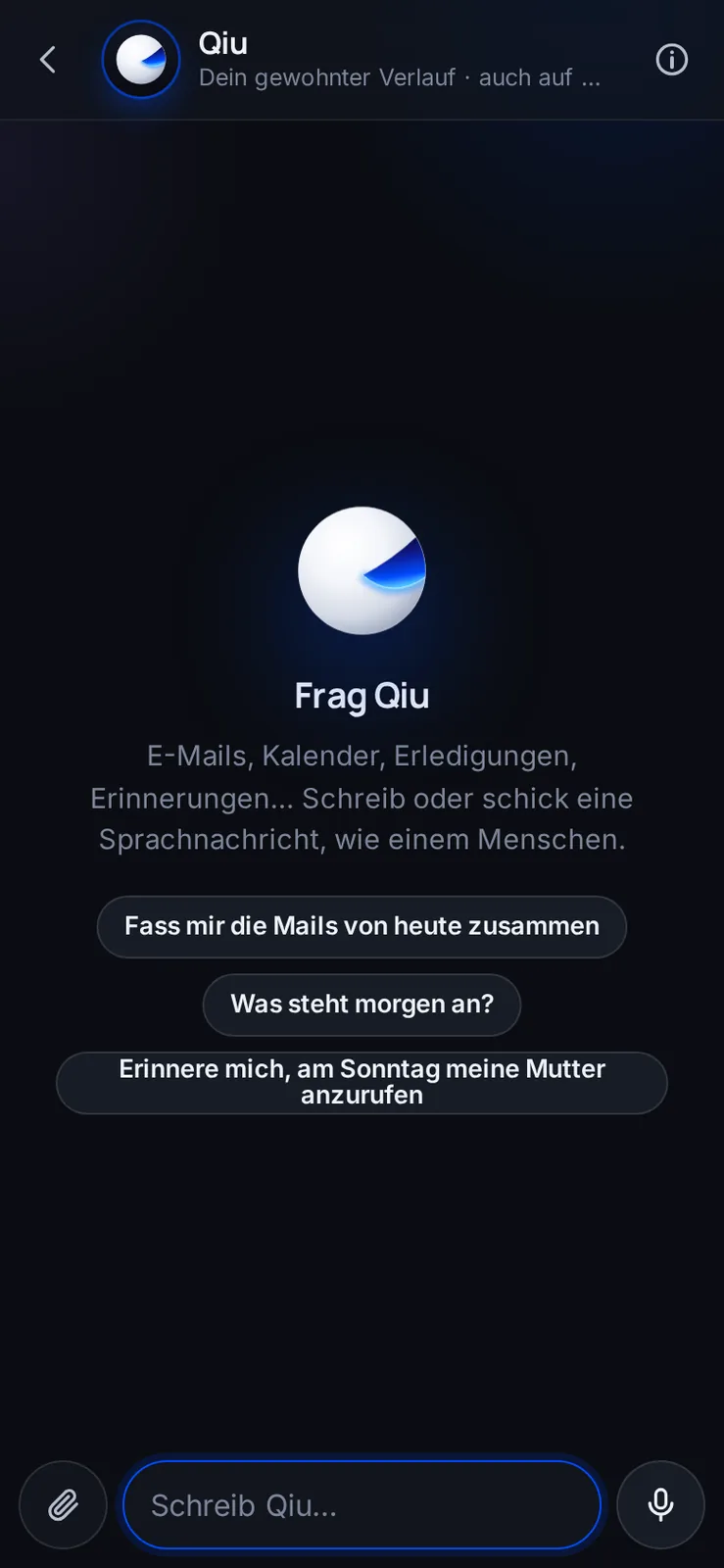
Qiu in German
The suggestions and the conversation adapt to the language you choose in your profile.
Languages
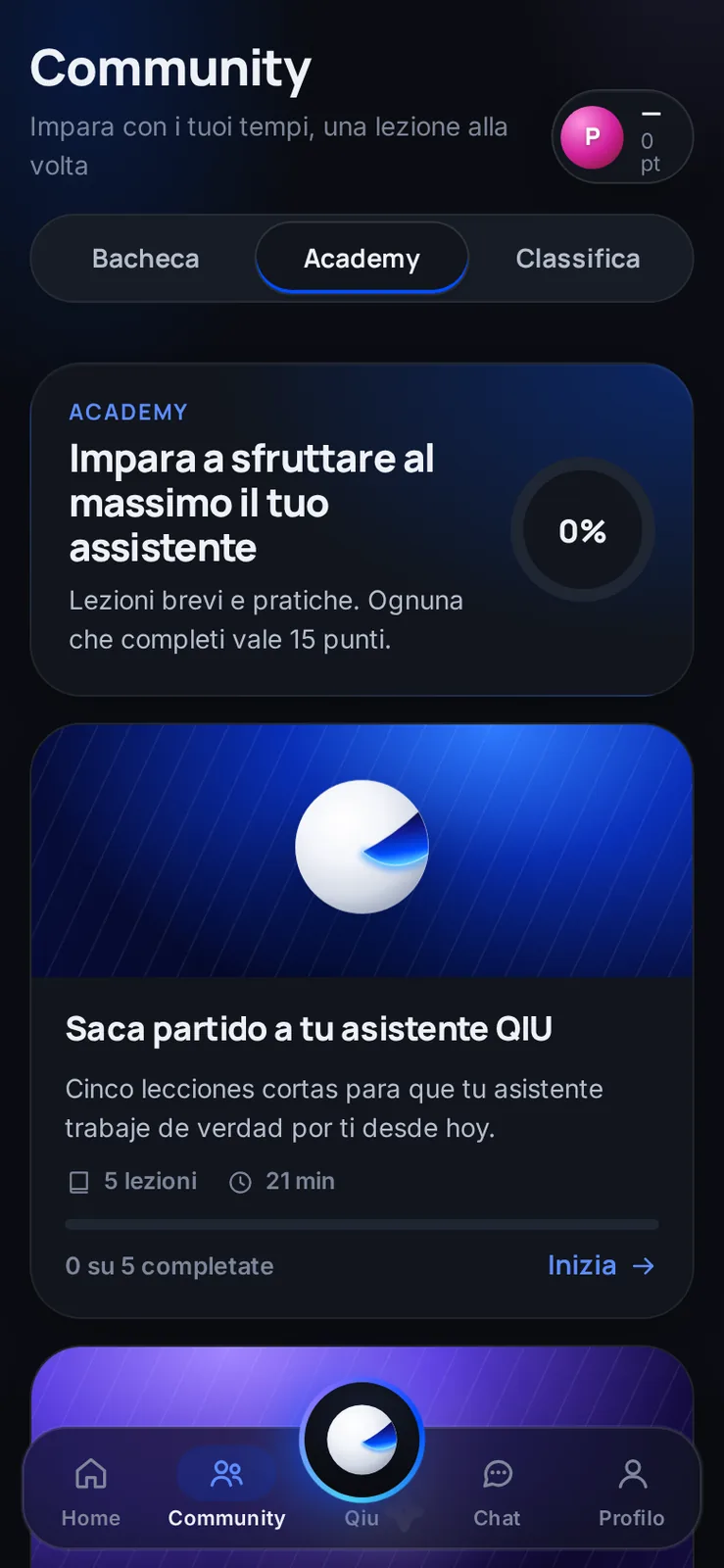
Academy in Italian
The courses and the rest of the app change language too, so you learn in yours.
Frequently asked questions
What is Qiu?
An AI assistant you write to like a person, from the app or on Telegram, and it takes care of things: your email, your calendar, searches, errands on the web and following up on what you have pending.
How much does it cost?
Qiu Pro has two prices: €200/month if you connect your own Claude or ChatGPT, and €300/month if we provide the Claude. No lock-in.
Does it do anything without me knowing?
No. Emails, payments, posts and deletions wait until you tap Confirm, and they are logged.
Where do I use it?
In the app, on your phone and on your computer with the same conversation, and on Telegram with @MeetQiuBot.
What happens with my data?
It is yours. It is not sold, it is not used for advertising or to train general AI models, and from your profile you can export everything or delete your account whenever you want.
How do I start?
Qiu is invitation only. If you have an invite link, use it; if not, tap Request an invite and we will put you on the waiting list.